
1. はじめに
Thank you for choosing the Xega Solar Security Camera. This device is designed to provide reliable outdoor surveillance with the convenience of solar power and wireless connectivity. Featuring 2K resolution, Pan-Tilt-Zoom (PTZ) functionality, color night vision, and smart motion detection, it offers comprehensive monitoring for your property. This manual will guide you through the installation, operation, and maintenance of your camera system.

Image: The Xega Solar WiFi Camera mounted on a house, illustrating its wireless connectivity.
2. 箱の中身
パッケージの内容をチェックして、すべてのアイテムが揃っていることを確認してください。
- WiFi Camera (4 units)
- ソーラーパネル(4台)
- Solar Panel Bracket (4 units)
- 3-meter Connection Cable (4 units)
- ユーザーマニュアル
- ネジと壁プラグ
3.製品オーバーview および機能
The Xega Solar Security Camera is equipped with advanced features for reliable outdoor surveillance:
- Solar-Powered & Easy Installation: Operates entirely on solar energy with a built-in 5200mAh rechargeable battery. No electrical wiring required, allowing flexible installation. The 3.5W angle-adjustable solar panel maximizes sunlight exposure.
- 2K Image & PTZ Technology: Delivers 2K HD clarity with a high-performance image sensor. Features 355° horizontal and 90° vertical rotation for wide area coverage.
- カラーナイトビジョン: Provides vibrant full-color night vision up to 25 meters (82ft) in darkness.
- スマート検出と即時アラート: Built-in PIR sensor with adjustable sensitivity supports human detection and customizable detection zones to minimize false alarms. Triggers bright floodlights and audible alarms upon detection. Real-time alerts are pushed to your phone via the Ubox app.
- 双方向トーク: 内蔵マイクとスピーカーにより、リアルタイムの双方向通信が可能になります。
- オプションのストレージ: Supports local storage via TF card (up to 128GB, not included) and cloud storage (30-day trial available).
- IP66耐候性: Designed to withstand various weather conditions, ensuring year-round security.
視覚的な特徴は以上ですview

Image: The camera and solar panel setup, emphasizing continuous solar power for 365 days.
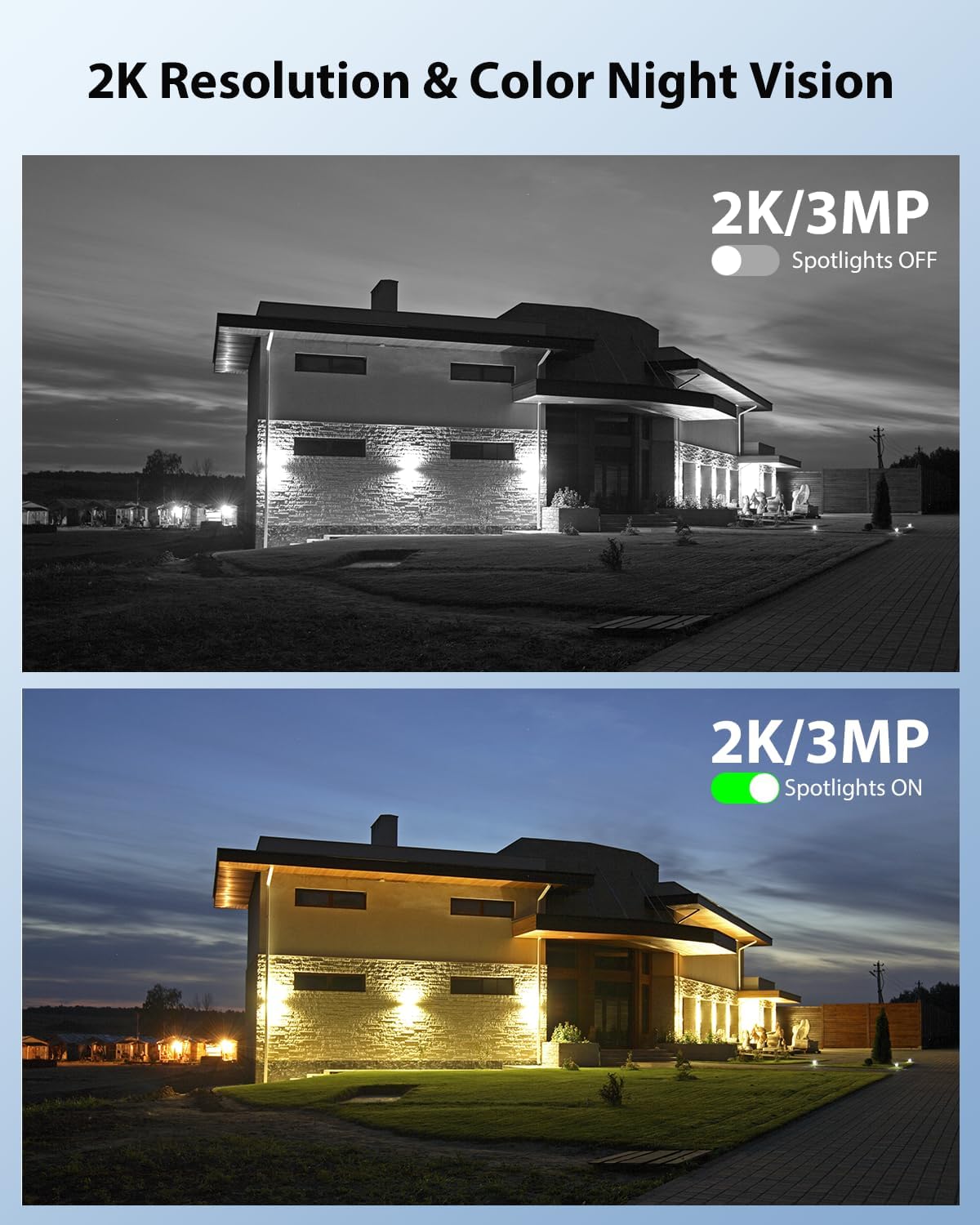
Image: Demonstrates 2K resolution and the difference between infrared and color night vision with spotlights.

Image: Illustrates the panoramic view and PTZ (Pan-Tilt-Zoom) capabilities controlled via a smartphone app.
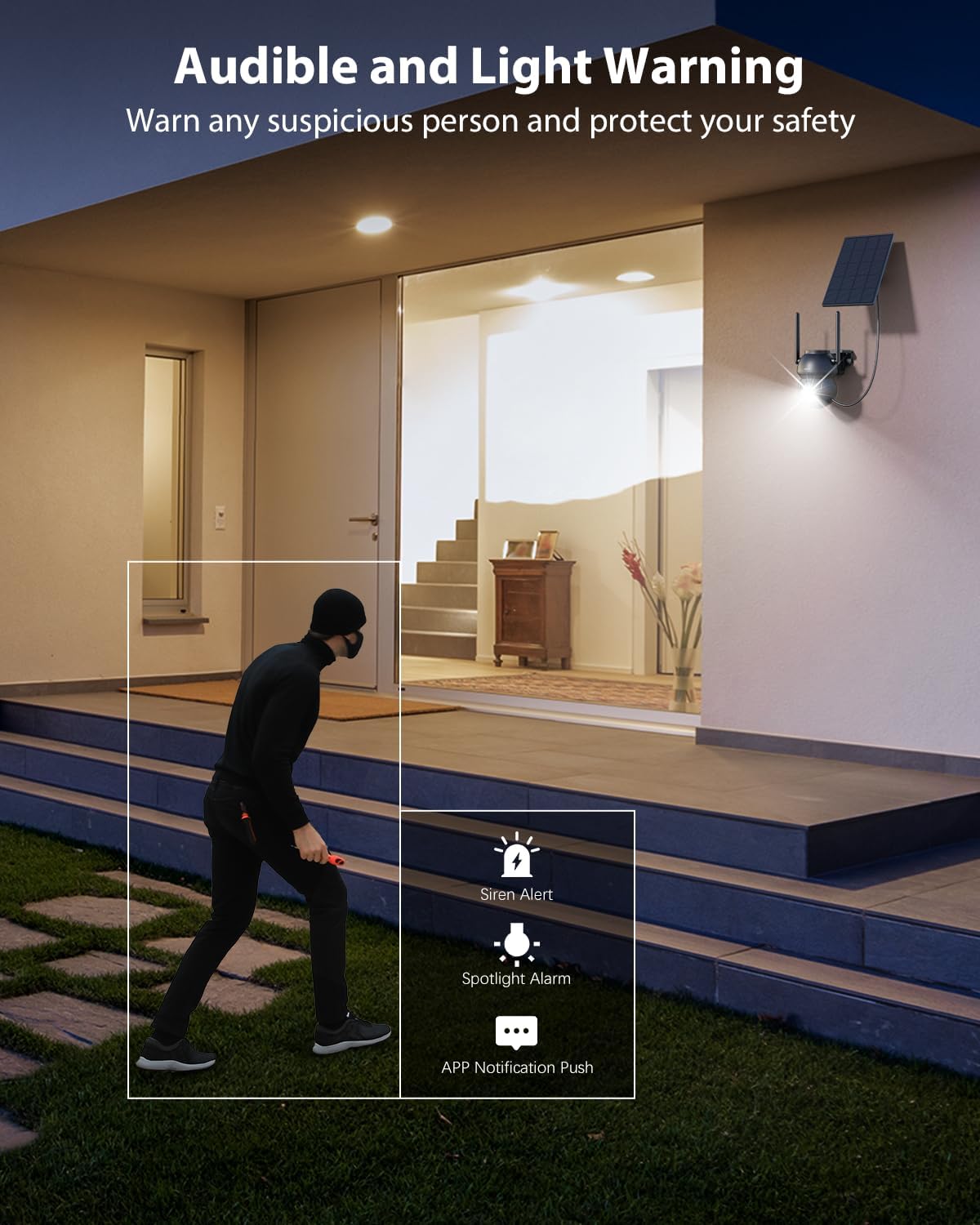
Image: Shows the camera's audible and light warning system deterring a suspicious person.

Image: Depicts the two-way audio function, allowing communication through the camera.

Image: Shows how to customize detection areas to focus monitoring on important zones and reduce false alarms.

Image: Highlights the IP66 weather-resistant design, showing the camera's durability in various weather conditions.
製品ビデオ
ビデオ: オーバーview of the Xega Solar WiFi Camera Outdoor Wireless, demonstrating its key features and ease of installation.
4.セットアップガイド
4.1 バッテリーの充電
Before initial use, fully charge the camera's built-in 5200mAh battery using the provided USB cable. Although solar-powered, a full initial charge ensures optimal performance from the start.
4.2 アプリのインストールとアカウント作成
- ダウンロード ユーボックス スマートフォンのアプリストア(iOS または Android)からアプリをダウンロードします。
- アプリを開き、画面の指示に従って新しいアカウントを作成するか、既にアカウントをお持ちの場合はログインします。
4.3 Wi-Fiを使用したカメラのペアリング
- スマートフォンがインターネットに接続されていることを確認してください 2.4GHz Wi-Fiネットワークカメラは5GHz Wi-Fiをサポートしていません。
- In the Ubox app, tap the "Add Device" or "+" icon.
- Power on the camera. It will enter pairing mode, indicated by a specific LED light pattern (refer to the camera's LED indicator guide in the app for details).
- Follow the app's instructions to connect the camera to your Wi-Fi network. This usually involves scanning a QR code displayed on your phone with the camera lens.
- 接続されると、カメラはペアリングが成功したことを確認し、デバイスに名前を付けることができます。
4.4 カメラとソーラーパネルの取り付け
The camera and solar panel are designed for wall mount installation.
- 場所を選択: Select an outdoor location with good Wi-Fi signal strength and ample sunlight exposure for the solar panel. The camera should be mounted at a height that provides optimal viewing angles and detection range.
- カメラを取り付ける: Use the provided screws and wall plugs to securely attach the camera bracket to a wall or suitable surface. Ensure the camera has a clear line of sight to the area you wish to monitor.
- ソーラーパネルを取り付けます: Attach the solar panel bracket to a location where it receives direct sunlight for most of the day. Adjust the angle of the solar panel to maximize sunlight exposure.
- ソーラーパネルを接続する: Use the 3-meter connection cable to link the solar panel to the camera.
5. 操作手順
5.1 ライブ View PTZコントロール
- Open the Ubox app and select your camera to access the live view.
- Use the on-screen joystick or swipe gestures to control the camera's 355° pan and 90° tilt movements.
- Pinch to zoom in or out (digital zoom).
5.2 双方向オーディオ
- ライブでは view、マイクのアイコンをタップして、カメラのスピーカーから話します。
- スピーカーアイコンをタップすると、カメラの周囲の音声を聞くことができます。
5.3 動きの検出とアラート
- Navigate to the camera settings in the Ubox app.
- Adjust PIR sensor sensitivity to optimize detection and minimize false alarms.
- Set up custom detection zones to monitor specific areas of interest.
- Enable or disable floodlight and siren alarms for motion events.
- Ensure push notifications are enabled in your phone settings and the Ubox app to receive instant alerts.
5.4 ナイトビジョンモード
カメラにはさまざまな夜間視力モードがあります。
- 赤外線ナイトビジョン: 暗い場所でも鮮明な白黒画像を提供します。
- カラーナイトビジョン: Activates built-in spotlights to provide full-color images at night when motion is detected. This can be configured in the app settings.
5.5 ストレージオプション
- TFカードストレージ: Insert a TF (microSD) card (up to 128GB, not included) into the camera's designated slot for local recording.
- クラウドストレージ: Subscribe to the optional cloud storage service via the Ubox app for secure, remote storage of your recordings. A 30-day trial may be available.
- 記録された foo にアクセスするtage and playback options through the Ubox app.
6. メンテナンス
- ソーラーパネルの清掃: 定期的にソーラーパネルの表面を柔らかくて乾いた布で拭いてください。amp 充電効率を低下させる可能性のあるほこり、汚れ、ゴミを取り除くために布を使用してください。
- カメラレンズのクリーニング: 鮮明な画質を保つために、カメラのレンズはマイクロファイバークロスで優しく拭いてください。研磨剤の使用は避けてください。
- ファームウェアの更新: Check the Ubox app periodically for firmware updates. Keeping your camera's firmware updated ensures optimal performance and access to new features.
- バッテリーの状態: While solar-powered, extreme weather or prolonged periods of low sunlight may affect battery levels. Ensure the solar panel is optimally positioned.
- 耐候性: The IP66 rating ensures protection against dust and strong jets of water. No special weather-proofing maintenance is typically required beyond ensuring secure mounting.
7。 トラブルシューティング
- カメラが Wi-Fi に接続していない:
- Wi-Fi ネットワークが 2.4GHz であることを確認してください。
- カメラの設置場所の Wi-Fi 信号強度を確認します。
- ルーターとカメラを再起動します。
- アプリで正しい Wi-Fi パスワードが入力されていることを確認します。
- 画質が悪い:
- カメラのレンズを掃除してください。
- 特にカラー夜間視力のために、十分な照明を確保してください。
- インターネット接続速度を確認してください。
- 誤動作アラート:
- Adjust PIR sensor sensitivity in the app.
- Define or refine custom detection zones to exclude irrelevant areas (e.g., public roads, swaying trees).
- バッテリーが充電されていません:
- ソーラーパネルが毎日数時間直射日光を浴びていることを確認してください。
- ソーラーパネルの表面を清掃します。
- ソーラーパネルとカメラ間の接続ケーブルを確認してください。
- 双方向オーディオの問題:
- Ensure your phone's volume is up and the microphone is enabled for the Ubox app.
- Check the camera's speaker and microphone settings in the app.
8. 仕様
| 特徴 | 仕様 |
|---|---|
| モデル名 | XG-22-WIFI-P4 |
| 屋内/屋外での使用 | 屋外 |
| 電源 | Solar and Battery Powered (5200mAh Lithium Ion batteries included) |
| 接続技術 | 2.4GHZ WiFi |
| ビデオキャプチャ解像度 | 2K(1296p) |
| PTZ (Pan/Tilt) | 横長、355°垂直°90 |
| 暗視範囲 | 25メートル(82フィート) |
| 低照度テクノロジー | カラーナイトビジョン |
| モーション検出 | PIR Sensor, Human Detection, Customizable Alarm Areas |
| 双方向オーディオ | はい |
| ストレージオプション | TF Card (Max. 128GB), Cloud Storage |
| 国際保護格付け | IP66 |
| 取り付けタイプ | 壁掛け |
| 材料 | アクリロニトリルブタジエンスチレン(ABS) |
| 製品寸法 | 5 x 5 x 5インチ |
| アイテム重量 | 6.43ポンド(4パック) |
9. 保証とサポート
9.1 保証情報
Xega products typically come with a manufacturer's warranty. Please refer to the product packaging or the official Xega web具体的な保証条件については、ウェブサイトをご覧ください。購入証明書として領収書を保管してください。
9.2 カスタマーサポート
For technical assistance, troubleshooting, or any product-related inquiries, please contact Xega customer support. You can usually find contact information on the Xega official website or through the Ubox app.

Image: Xega offers 24/7 online customer support for assistance.