
導入
This manual provides essential instructions for the safe operation, setup, and maintenance of your 4DRC V39 RC Airplane with Camera. Please read this manual thoroughly before operating the aircraft to ensure proper function and to prevent damage or injury. The 4DRC V39 is a foam remote control airplane equipped with a 1080P FPV camera, designed for ease of use with features like one-key take-off, headless mode, and gravity control.
安全情報
- Always operate the aircraft in open, unobstructed areas, away from people, animals, buildings, and power lines.
- 強風や悪天候のときは飛行しないでください。
- 回転するプロペラに手や顔を近づけないでください。
- 飛行前に必ずバッテリーが完全に充電されていることを確認してください。
- Supervise children during operation. Recommended age is 8 years and above.
- 航空機またはそのコンポーネントを改造しないでください。
- Turn off the aircraft and remote control when not in use.
パッケージ内容
パッケージにすべてのアイテムが揃っていることを確認します。
- 4DRC V39 RC Airplane (Blue)
- リモートコントロール
- Modular Lithium-Ion Batteries (2 included for aircraft)
- C Batteries (2 included for remote control)
- USB充電ケーブル
- Spare Propellers (if included, typically)
- ユーザーマニュアル(このドキュメント)
製品終了view
航空機部品
The 4DRC V39 RC Airplane features a durable EPP foam body, integrated propellers with protective structures, and vibrant LED lights for visibility.

Image: The 4DRC V39 RC Airplane shown alongside its remote control, highlighting its design.
リモコンレイアウト
The remote control provides intuitive access to all flight functions. Familiarize yourself with the joystick controls, trim buttons, and special function buttons before flight.
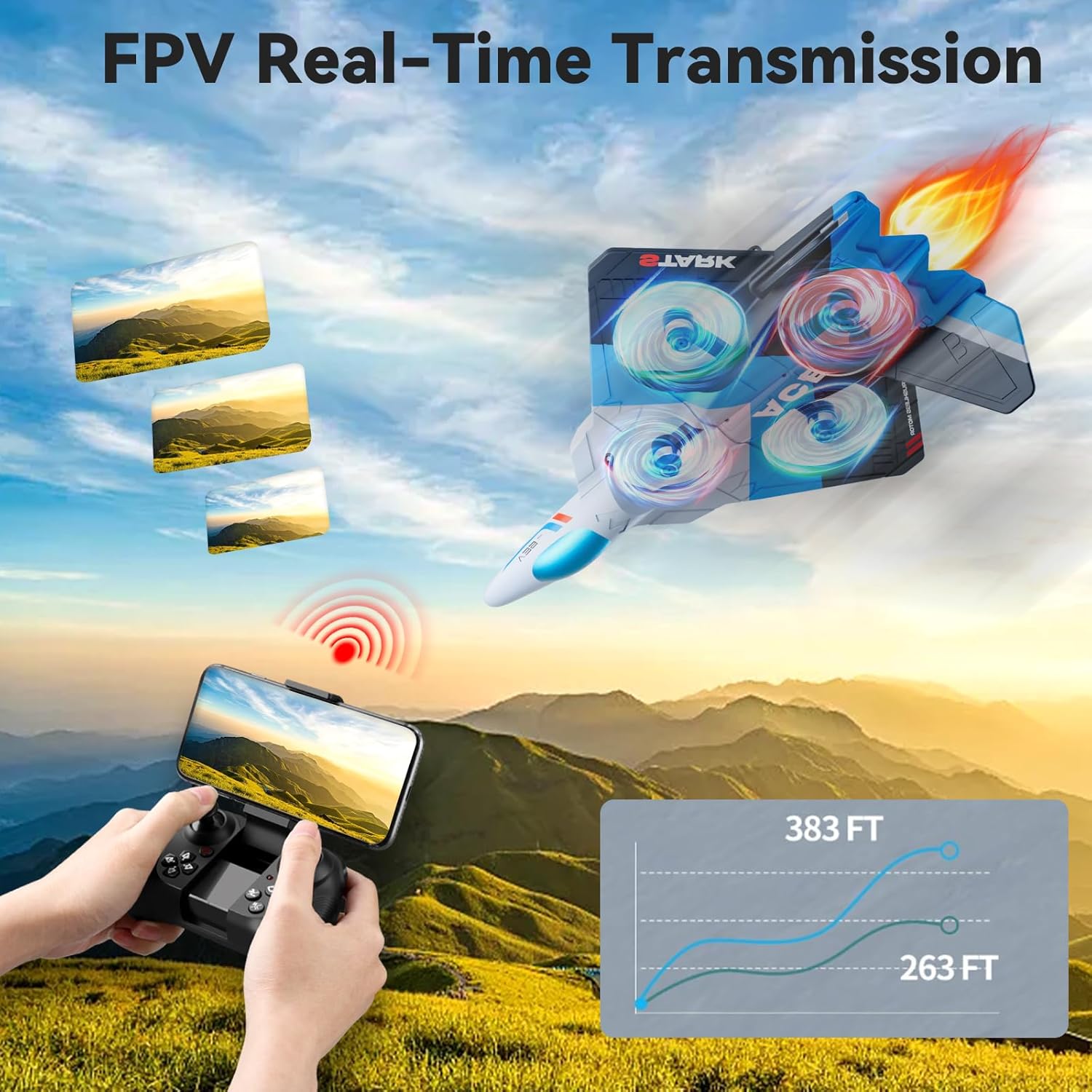
Image: The remote control with a smartphone mounted, demonstrating FPV real-time transmission capability.
設定
1. バッテリーの取り付けと充電
- 航空機バッテリー: Insert the modular Lithium-Ion battery into the designated compartment on the aircraft. Ensure it clicks securely into place. Connect the battery to the aircraft's charging cable and plug the USB end into a compatible USB power source (e.g., computer, USB wall adapter). The charging indicator will show the charging status. Disconnect once fully charged.
- リモコン電池: Open the battery compartment on the back of the remote control. Insert 2 C batteries, ensuring correct polarity (+/-). Close the compartment securely.

Image: Illustration showing the two modular batteries for the aircraft and a diagram for headless mode.
2.電源オンとペアリング
- 航空機を平らで水平な面に置いてください。
- Turn on the aircraft's power switch. The LED lights will begin to flash.
- リモコンの電源を入れます。
- Push the left joystick (throttle) all the way up, then all the way down. The remote control will beep, and the aircraft's lights will become solid, indicating successful pairing.
操作手順
基本的な飛行制御
- ワンキー離陸/着陸: Press the dedicated one-key take-off button to automatically launch the aircraft to a stable hovering altitude. Press it again to initiate an automatic landing.
- スロットル(左ジョイスティック上下): Controls the aircraft's altitude. Push up to ascend, pull down to descend.
- 方向制御(右ジョイスティック): 前進、後進、左、右への動きを制御します。
- ヨー(左ジョイスティック左/右): 航空機を垂直軸上で左または右に回転させます。
- トリム調整: Use the trim buttons to fine-tune the aircraft's stability if it drifts in any direction during hover.
- 3 速度調整: Press the speed button to cycle through low, medium, and high-speed modes, suitable for different skill levels and environments.

Image: Visual guide to various flight modes including headless mode, one-key take off/landing, one-key quick stop, and one-key return.
高度な機能
- 1080P FPV Camera: The integrated HD camera allows for real-time video transmission to a connected smartphone via the dedicated app. Capture aerial photos and videos from a bird's-eye perspective.
- 重力制御: Utilize your smartphone's gravity sensor to control the aircraft's movement by tilting your phone.
- Auto-Follow: When activated, the aircraft can automatically follow a designated subject (requires specific app functionality and clear line of sight).
- 弾道飛行: Draw a flight path on your smartphone screen, and the aircraft will automatically follow the specified route.
- ヘッドレスモード: In headless mode, the aircraft's orientation is relative to the pilot, eliminating the need to adjust its position before flight. This simplifies control for beginners.
- 高度維持: The aircraft maintains a stable altitude automatically, allowing for easier control and clearer aerial photography.
- 360° Circle Flight Stunt: Press the designated button to perform an automatic 360-degree circling maneuver.
- ワンキーリターン: Activates an automatic return to the take-off point. Ensure a clear path for safe return.
- Cool LED Light Show: The aircraft features vibrant LED lights, enhancing visibility and providing an engaging visual experience, especially during night flights.
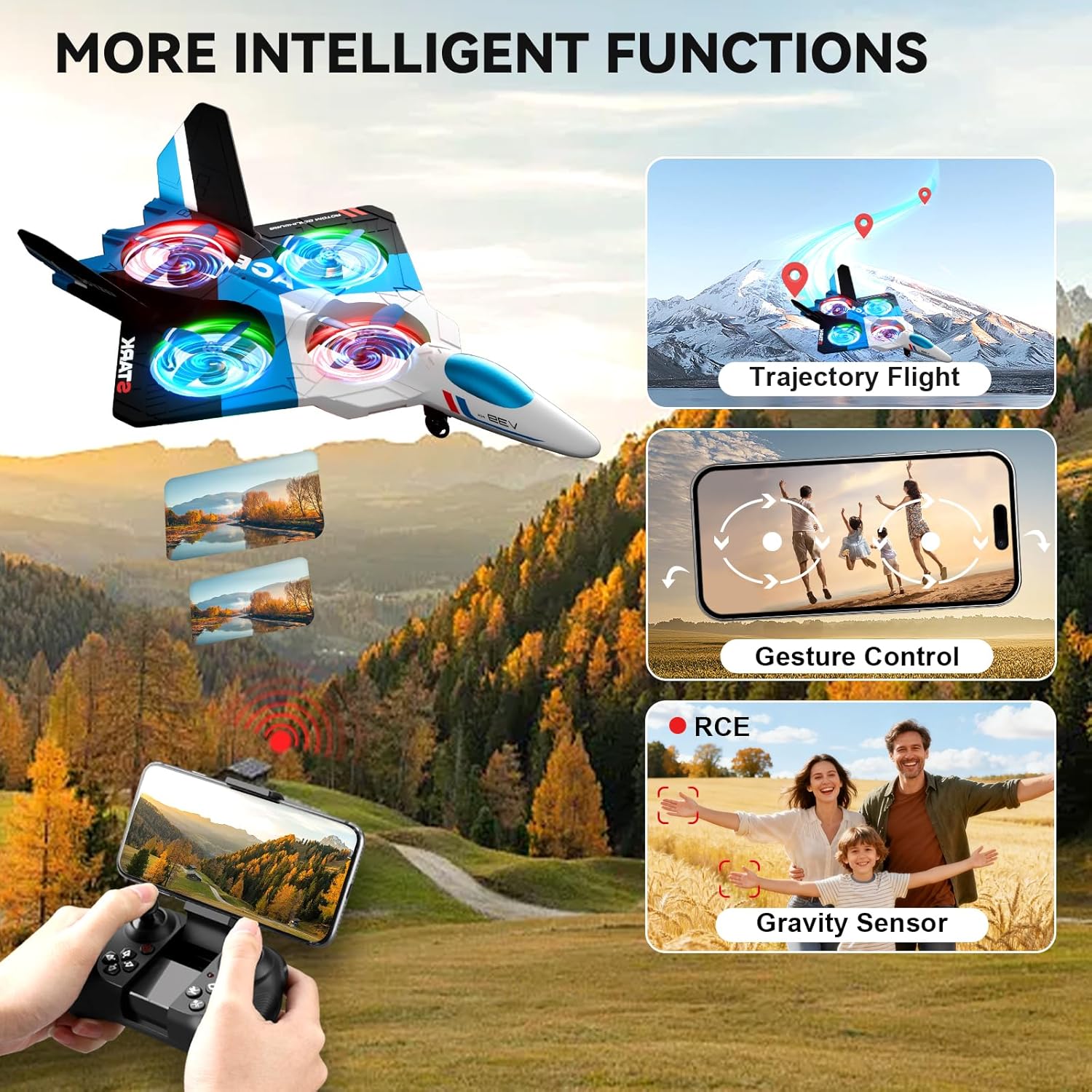
Image: The 4DRC V39 RC Airplane illustrating intelligent functions such as trajectory flight, gesture control, and gravity sensor capabilities.

Image: The remote control being used to execute a 360-degree circle flight stunt with the aircraft.
メンテナンス
- クリーニング: Use a soft, dry cloth to clean the aircraft and remote control. Avoid using water or chemical cleaners.
- プロペラの検査: プロペラに損傷がないか定期的に点検してください。曲がったり壊れたりしたプロペラは、安定した飛行を確保するためにすぐに交換してください。
- バッテリーのケア:
- Do not overcharge or over-discharge the Lithium-Ion batteries.
- 電池は直射日光や熱を避け、涼しく乾燥した場所に保管してください。
- 長期間保管する場合は、バッテリーを約 50% の容量まで充電してください。
- ストレージ: Store the aircraft and remote control in a safe place, away from extreme temperatures and moisture.
トラブルシューティング
| 問題 | 解決 |
|---|---|
| 航空機はリモコンに反応しません。 | Ensure both aircraft and remote are powered on. Re-pair the aircraft and remote control by following the "Power On and Pairing" steps. Check remote control battery levels. |
| 飛行中に航空機が漂流する。 | Use the trim buttons on the remote control to adjust for stable flight. Ensure the aircraft was placed on a flat surface during power-on. Avoid flying in windy conditions. |
| 短い飛行時間。 | Ensure aircraft batteries are fully charged before each flight. Battery performance can decrease over time; consider replacing old batteries. |
| Camera not working or FPV feed is unstable. | Ensure your smartphone is correctly connected to the aircraft's Wi-Fi network. Check the app for any connection issues. Ensure sufficient light for camera operation. |
| Aircraft is unstable or crashes easily in mild wind. | This aircraft is lightweight and designed for indoor or calm outdoor conditions. Avoid flying in any significant wind to prevent loss of control or damage. |
仕様
| 特徴 | 詳細 |
|---|---|
| モデル名 | バージョン39 |
| ブランド | 4DRC |
| 材質タイプ | フォーム(EPP) |
| 色 | 青 |
| アイテムの寸法 | 16 x 11 x 3インチ |
| カメラ | 1080P FPV |
| 飛行時間 | Up to 26 minutes (with 2 modular batteries) |
| Aircraft Battery Type | リチウムイオン |
| リモコン電池 | C電池2個(付属) |
| 制御機能 | Gravity Control, Auto-Follow, Trajectory Flight, One Key Take Off/Land, Headless Mode, 3 Speed Adjustment, Altitude Hold, 360° Circle Flight Stunt, One-Key Return, One-Key Quick Stop |
| 推奨年齢 | 8歳以上(メーカー最低年齢:96か月) |
保証とサポート
For warranty information or technical support, please refer to the contact details provided with your purchase documentation or visit the official 4DRC webサイトでご確認ください。購入証明として購入レシートを保管してください。
一般的な問題については、このマニュアルのトラブルシューティングのセクションを参照してください。

