
導入
This manual provides essential information for setting up, operating, and maintaining your XIAOMI TV F 32-inch HD Smart Fire TV. Please read this manual thoroughly before using the product to ensure safe and optimal performance.
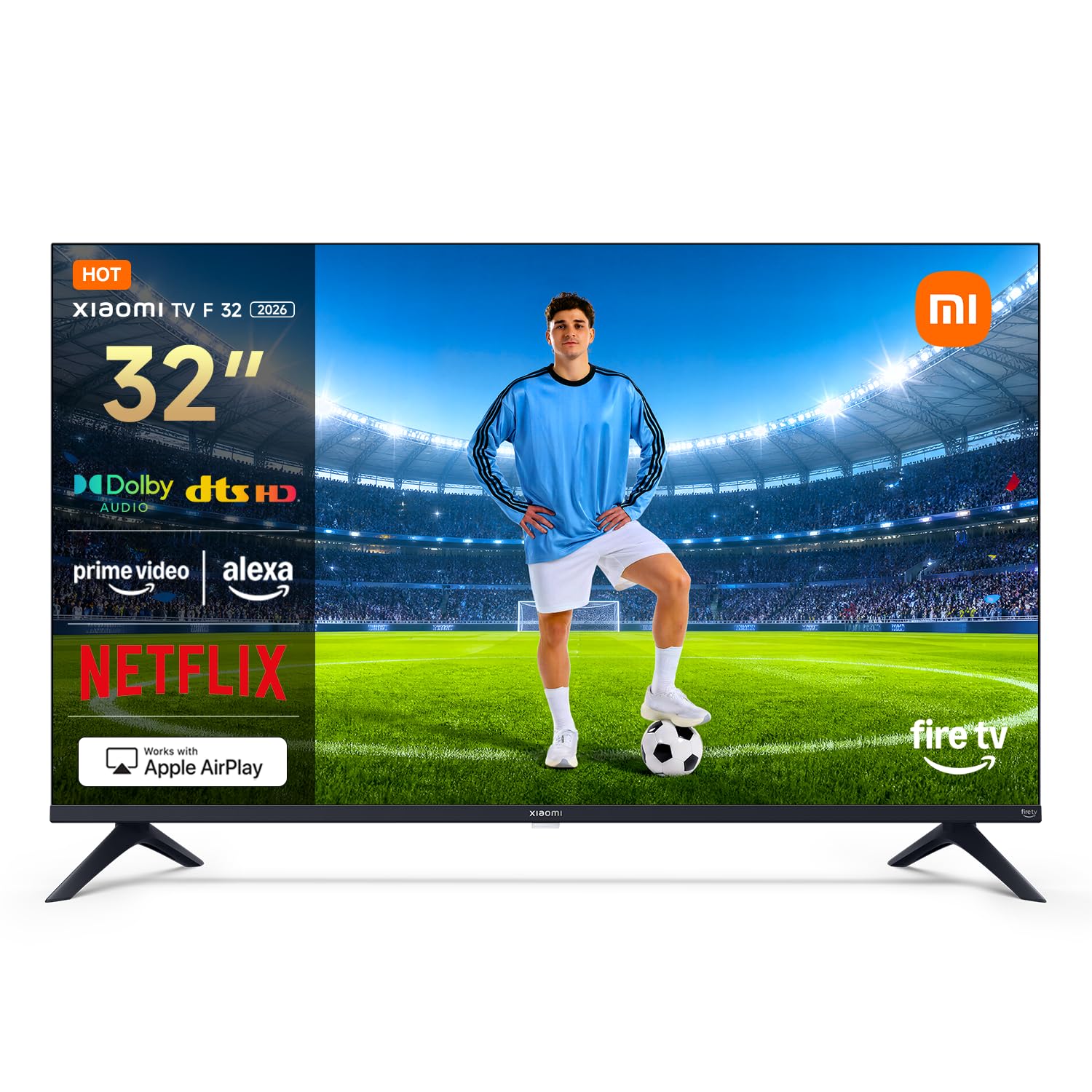
図1: 前面 view of the XIAOMI TV F 32-inch Smart Fire TV.
箱の中身
Carefully unpack your new XIAOMI TV. The package should contain the following items:
- XIAOMI TV F 32-inch
- 電源ケーブル
- Safety and Installation Instruction Manual
- Base Components (for stand assembly)
- Screw Kit (for stand assembly)
- Bluetooth Remote Control (2 AAA batteries included)

Figure 2: The XIAOMI TV F 32-inch and its main accessories.
設定
1. スタンドまたは壁掛け金具の組み立て
If using the included stand, attach the base components to the TV using the provided screw kit. Ensure all screws are tightened securely. If wall mounting, use a VESA-compatible wall mount (100 x 200 mm) and follow the wall mount manufacturer's instructions. The TV weighs approximately 3.1 kg without the stand.
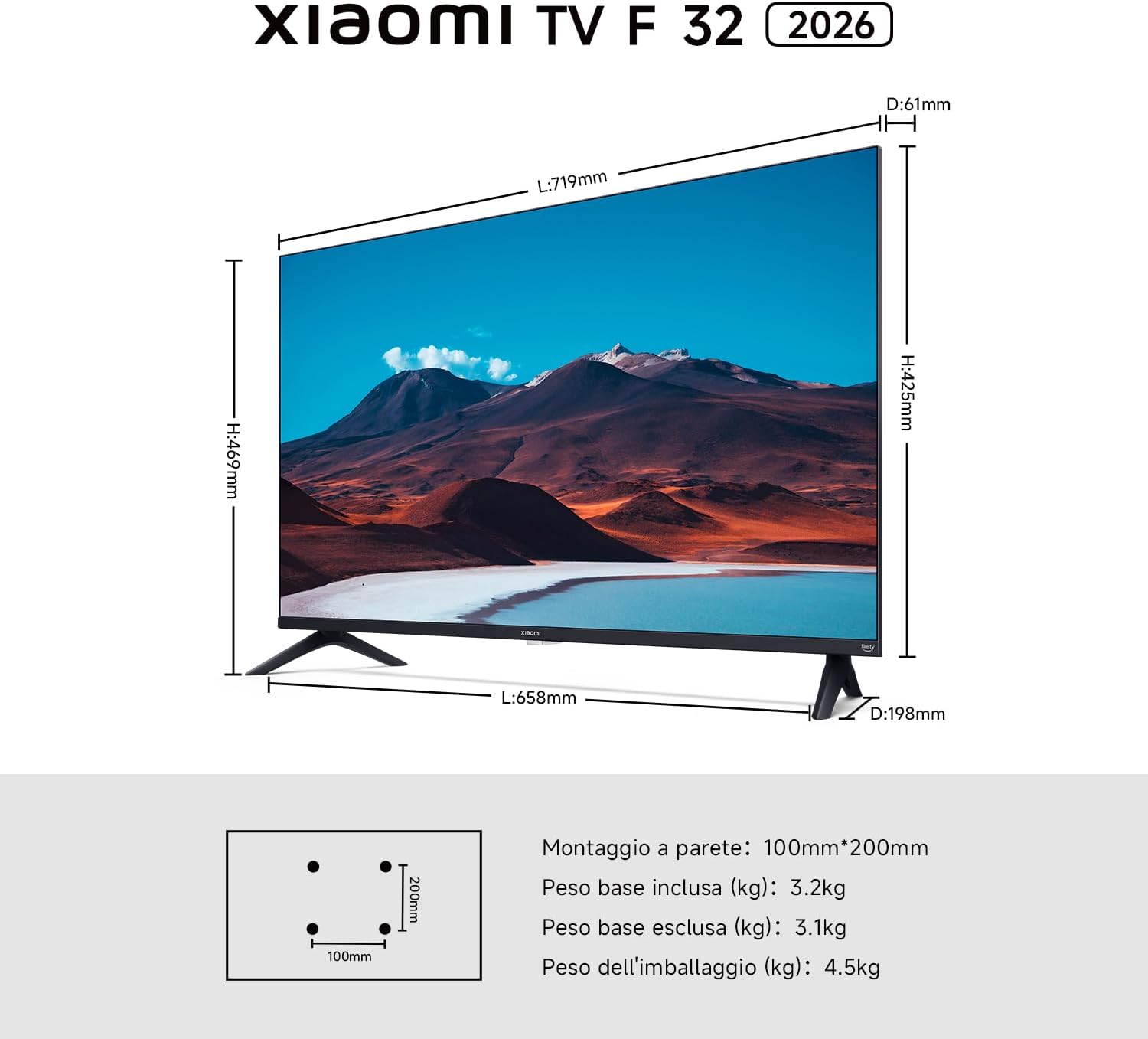
Figure 3: TV dimensions and VESA mounting pattern (100x200mm).
2. 電源の接続
Connect the power cable to the TV's power input and then plug it into a suitable electrical outlet.
3. 初期電源投入と設定
Press the power button on the remote control to turn on the TV. Follow the on-screen instructions to select your language, connect to your Wi-Fi network, and complete the initial Fire TV setup.
テレビの操作
Fire TVインターフェース
Your XIAOMI TV F 32 features an integrated Fire TV experience. The home screen provides easy access to thousands of apps, including Netflix, Prime Video, Disney+, and YouTube. Browse, stream, and discover new content with personalized suggestions.

Figure 4: The Fire TV interface for endless entertainment.
Alexa音声コントロール
The included Bluetooth remote control features an Alexa button. Press this button and use your voice to search for content, adjust volume, change channels, or control compatible smart home devices. The 360-degree coverage allows voice commands from various angles.

Figure 5: Bluetooth remote control with dedicated Alexa button.
アップルエアプレイ
Stream content directly from your iPhone, iPad, or Mac to your TV using Apple AirPlay. Share photos, watch videos, or mirror your entire screen wirelessly.

Figure 6: Using Apple AirPlay to cast content to the TV.
オーディオ機能
Experience immersive sound with Dolby Audio and DTS-HD technologies. The TV is equipped with two 8W speakers, delivering clear and dynamic audio for movies, music, and games.

Figure 7: Enhanced audio experience with Dolby Audio and DTS-HD.
接続性
The TV offers versatile connectivity options including Bluetooth 5.0, dual-band Wi-Fi, Ethernet, 2 HDMI ports, and 1 USB port (USB 2.0 or 3.0). These allow for seamless connection to various devices and networks.

Figure 8: Wireless connectivity options: Bluetooth 5.0 and Dual-band Wi-Fi.
トリプルチューナー
The integrated triple tuner supports DVB-C, DVB-S/S2, and DVB-T/T2 standards, allowing you to receive digital terrestrial, satellite, and cable broadcasts without an external decoder.
メンテナンス
テレビの掃除
Before cleaning, ensure the TV is turned off and unplugged from the power outlet. Use a soft, dry, lint-free cloth to gently wipe the screen and exterior surfaces. For stubborn marks, lightly dampen the cloth with water or a specialized screen cleaner. Avoid using harsh chemicals, abrasive cleaners, or solvents, as these can damage the screen or finish.
一般的なケア
Avoid placing the TV in direct sunlight or near heat sources. Ensure adequate ventilation around the TV to prevent overheating. Do not block the ventilation openings. Protect the TV from moisture and dust.
トラブルシューティング
テレビで問題が発生した場合は、次の一般的な解決策を参照してください。
- 電源なし: Ensure the power cable is securely connected to both the TV and the power outlet. Check if the outlet is functioning by plugging in another device.
- 画像/音声なし: 正しい入力ソースが選択されていることを確認してください。すべてのケーブル接続(HDMI、アンテナなど)を確認してください。外部デバイスを使用している場合は、電源が入っていることを確認してください。
- リモコンが動作しない: Check the batteries in the remote control (2 AAA batteries). Ensure there are no obstructions between the remote and the TV. Re-pair the Bluetooth remote if necessary.
- ネットワーク接続の問題: Restart your Wi-Fi router. Go to the TV's network settings and try reconnecting to your Wi-Fi network. If using Ethernet, ensure the cable is properly connected.
- 画質が悪い: テレビのメニューで画質設定(明るさ、コントラスト、シャープネス)を調整します。入力ソースが高品質の信号を提供していることを確認してください。
For persistent issues, consult the full safety and installation manual or contact customer support.
仕様
| 特徴 | 詳細 |
|---|---|
| モデル名 | Xiaomi TV F 32 |
| モデル番号 | L32MB-FAEU |
| 画面サイズ | 32インチ(81 cm) |
| ディスプレイ技術 | 導かれた |
| 解決 | 720p(HD) |
| リフレッシュレート | 120Hz |
| アスペクト比 | 1.77:1 |
| コントラスト比 | 1200:1 |
| 最大輝度 | 200 Nits |
| View角度 | 178度 |
| オペレーティング·システム | ファイアOS |
| 内部ストレージ | 8ギガバイト |
| ラム | 1.5ギガバイト |
| オーディオ出力 | 2 x 8 W Speakers |
| オーディオテクノロジー | ドルビーオーディオ、DTSバーチャル:X、DTS-HD |
| 接続性 | Bluetooth 5.0, Dual-band Wi-Fi, Ethernet, 2x HDMI, 1x USB |
| チューナー | Triple Tuner (DVB-C/S/S2/T/T2) |
| 音声コントロール | Alexa内蔵 |
| スクリーンミラーリング | アップルエアプレイ2 |
| VESAマウント規格 | 100×200ミリ |
| 製品寸法 (奥行き×幅×高さ) | 幅19.8cm x 奥行71.9cm x 高さ46.9cm |
| 重量(スタンドなし) | 3.1キロ |
保証情報
The XIAOMI TV F 32-inch HD Smart Fire TV comes with a two-year manufacturer's limited warranty. Please retain your proof of purchase for warranty claims. For detailed terms and conditions, refer to the warranty card included in the packaging or visit the official XIAOMI webサイト。
カスタマーサポート
For technical assistance, troubleshooting, or service inquiries, please contact XIAOMI customer support through their official website or the contact information provided in your product documentation. When contacting support, please have your model number (L32MB-FAEU) and serial number ready.