
導入
This manual provides essential information for the safe and efficient operation of your Kimwood HY300 Ultra Mini Portable Projector. Please read this guide thoroughly before using the product and retain it for future reference.

Image: The Kimwood HY300 Ultra Mini Portable Projector, a compact white device, projects a vibrant screen showing logos for popular streaming services like YouTube, Prime Video, Hulu, and HBO Max, highlighting its built-in app capabilities. Icons for 1080P/4K support, auto keystone, built-in speakers, 0.8:1 ultra short throw ratio, and WiFi 6 + Bluetooth 5.4 are also visible.
パッケージ内容
パッケージにすべてのアイテムが揃っていることを確認します。
- Kimwood HY300 Ultra Mini Portable Projector
- 電源コード
- リモコン(単4電池は付属していません)
- ユーザーマニュアル(このドキュメント)

Image: The Kimwood HY300 Ultra Mini Portable Projector, its power adapter, remote control, and user manual are neatly arranged on a dark surface, illustrating the complete package contents.
製品終了view
The Kimwood HY300 Ultra is designed for versatility and ease of use. Key features include:
- Ultra Short Throw Ratio (0.8:1): Projects a large image from a short distance, ideal for small spaces.
- Built-in Android TV Apps: Access streaming services directly without external devices.
- Dual Band Wi-Fi 6 & Bluetooth 5.4: Ensures stable, fast streaming and flexible audio connections.
- Dedicated HiFi Speaker: Provides clear and rich audio output.
- 自動垂直キーストーン補正: Effortlessly adjusts image alignment.
- 低騒音動作: Operates at ≤25 dB for minimal distraction.
- コンパクトでポータブルなデザイン: 60% smaller than standard portable models for easy transport.
- Flexible 180° Projection Angle: Allows projection on walls, ceilings, or floors.
ポートとコントロール
プロジェクターには接続用のさまざまなポートが備わっています。
- HDMI入力: For connecting external media devices like gaming consoles, laptops, or TV boxes.
- USBポート: For connecting USB drives for media playback or other USB accessories.
- 3.5mmオーディオジャック: For connecting external headphones or speakers via a wired connection.
- 電源入力: 電源コードを接続します。
- Manual Focus Slider: Located near the lens for fine-tuning image sharpness.
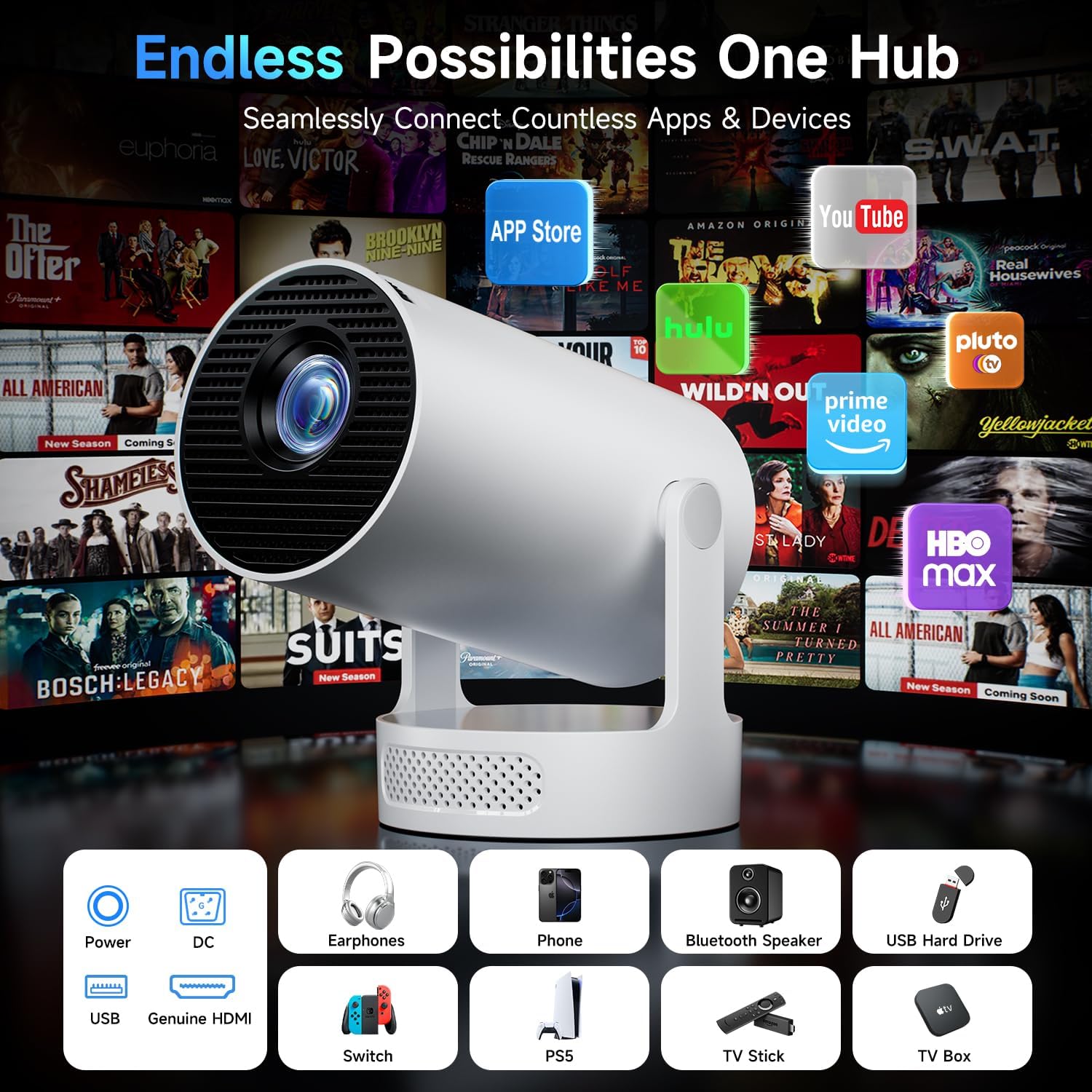
Image: A close-up of the rear of the Kimwood HY300 Ultra Mini Portable Projector, highlighting its various connectivity options including HDMI, USB, and audio jack, along with the power input. The image also shows the projector's compact design and integrated stand.
設定
1. 電源接続
- 電源コードをプロジェクターの電源入力ポートに接続します。
- 電源コードのもう一方の端を適切な電源コンセントに差し込みます。
- プロジェクタまたはリモコンの電源ボタンを押して、デバイスの電源をオンにします。

Image: A visual guide illustrating the wired connectivity options of the Kimwood HY300 Ultra Projector, including HDMI and USB ports, and emphasizing the use of genuine HDMI cables for optimal performance.
2. Initial Setup (Wi-Fi & Bluetooth)
Upon first use, follow the on-screen prompts to connect to your Wi-Fi network and pair Bluetooth devices.
- リモコンを使用して「設定」メニューに移動します。
- Select "Network & Internet" to connect to your Wi-Fi 6 network for fast and stable streaming.
- Select "Bluetooth" to pair with external Bluetooth speakers or other compatible devices (Bluetooth 5.4 supported).

Image: A couple enjoys content projected by the Kimwood HY300 Ultra, illustrating its stable and ultra-fast Dual-Band WiFi 6 connectivity for smooth streaming with minimal buffering.
3.フォーカス調整
Adjust the manual focus slider located near the projector lens until the image appears sharp and clear on the projection surface.
4. 台形補正
The projector features automatic vertical keystone correction. If the image appears distorted (trapezoidal), the projector will automatically adjust it for a perfectly aligned rectangular screen. Manual 4-point correction is also available in the settings for fine-tuning.

Image: The Kimwood HY300 Ultra Mini Portable Projector is shown projecting an image onto a wall, with diagrams illustrating its auto keystone correction, 50-100% digital scaling, 4-point correction, and flexible focus capabilities. The projector's 180° projection angle is also highlighted.
5. 配置オプション
The integrated 180° rotating stand allows for flexible placement. You can project onto walls, ceilings, or floors. For optimal viewing, ensure the projection surface is flat and free from obstructions.

Image: A diagram illustrating the flexible 180-degree screen rotation of the Kimwood HY300 Ultra Projector, showing how it can project images onto various surfaces like walls and ceilings from different angles.
オペレーティング
1. 組み込みアプリ
The projector comes with pre-installed Android TV apps, including YouTube, Prime Video, and Hulu. Access these directly from the home screen. You can also download additional apps from the app store.

Image: The Kimwood HY300 Ultra Projector's interface is shown with various streaming apps and settings, demonstrating its massive app compatibility for endless entertainment.
2. 外部機器の接続
- HDMI: Connect your device to the HDMI port using an HDMI cable. Select "HDMI" as the input source from the projector's menu.
- USB: Insert a USB drive into the USB port. Navigate to the "Media" section on the projector's home screen to browse and play content.
3. Screen Mirroring (Wired/Wireless)
The projector supports screen mirroring from smartphones and other compatible devices. Refer to your device's instructions for initiating screen mirroring and select the appropriate option (Wired Screen or Wireless Screen) on the projector.
4。 音声出力
The projector features a dedicated HiFi speaker for clear audio. For enhanced audio, connect external speakers via Bluetooth 5.4 or the 3.5mm audio jack.

Image: A visual comparison highlighting the Kimwood HY300 Ultra's dedicated audio module for clearer sound versus a shared vent design that can distort sound output, emphasizing its upgraded independent speaker system.
メンテナンス
1. 清掃
- プロジェクターの外側を清掃するには、柔らかく乾いた布を使用してください。
- レンズには、レンズクリーニングクロスと専用のレンズクリーニング液を使用してください。研磨剤は使用しないでください。
- Ensure ventilation grilles are free from dust to maintain optimal cooling.
2. ルamp 人生
プロジェクターlamp has an ultra-long life of over 40,000 hours, ensuring years of reliable use.

Image: A cutaway diagram of the Kimwood HY300 Ultra Projector's lens system, highlighting its ultra-long lamp life of over 40,000 hours for extended view喜びを感じる。
トラブルシューティング
| 問題 | 考えられる原因 | 解決 |
|---|---|---|
| 画像が表示されない | Power not connected, incorrect input source, device not powered on. | Check power connection, select correct input source (HDMI, USB), ensure connected device is on. |
| ぼやけた画像 | Incorrect focus, projector too close/far from screen. | Adjust the manual focus slider. Ensure optimal projection distance (e.g., 1.5m for 86" image). |
| 歪んだ画像(台形) | プロジェクターがスクリーンに対して垂直ではありません。 | The projector has automatic vertical keystone correction. If needed, use manual 4-point correction in settings. |
| 音が出ない | Volume too low, external speaker not connected/paired, incorrect audio output selected. | Increase volume. Check Bluetooth connection for external speakers or ensure 3.5mm cable is properly connected. Verify audio settings. |
| Wi-Fi/Bluetooth接続の問題 | 範囲外、干渉、パスワードが間違っています。 | Ensure projector is within range of router/Bluetooth device. Check Wi-Fi password. Restart projector and router. |
仕様
| 特徴 | 詳細 |
|---|---|
| ブランド | キムウッド |
| モデル | HY300ウルトラ |
| 表示タイプ | 導かれた |
| ネイティブ解像度 | 1280 x 720 ピクセル |
| サポートされている解像度 | 1920 x 1080 Pixels (1080P/4K HD clarity) |
| 画像のコントラスト比 | 10000:1 |
| アスペクト比 | 16:9 |
| 投射比 | 0.8:1(超短焦点) |
| 接続技術 | HDMI, USB, Dual Band Wi-Fi 6, Bluetooth 5.4 |
| 対応デバイス | Bluetooth Speaker, PS5/Switch, Smartphone, TV Box, USB drives |
| 特集 | Built-in Apps, Independent Speaker Design, Automatic Vertical Keystone Correction, Low Noise (≤25 dB), 180° Projection Angle, Portable |
| 騒音レベル | ≤25デシベル |
| Lamp 人生 | >40,000時間 |
| 製品寸法 | 9.5 x 9.5 x 17 cm; 678 g |
保証とサポート
Kimwood offers 2 years of worry-free support for your projector. If you encounter any questions or issues, please contact our customer support team for fast and hassle-free assistance.
- 365-Day Quality Warranty
- 生涯にわたる技術サポート
- 24/7 Rapid Response Team

Image: A friendly customer support representative is shown, symbolizing Kimwood's commitment to customer satisfaction with a 365-day quality warranty, lifetime technical assistance, and a 24/7 rapid response team.