
1. はじめに
The Cubilux RCA to USB Line-in Audio Capture Cable is designed to facilitate the recording of stereo audio from various RCA LINE OUT sources directly to your computer. This cable converts analog RCA audio signals into digital USB audio, allowing for high-quality digital archiving or processing.


2. パッケージ内容
- 1 x Cubilux RCA to USB A Audio Capture Cable
3. 特徴
- RCA Audio Capture: Designed to record audio from RCA LINE OUT sources, including mixers, cassette tape players, CD players, and amplifiers。
- コンピュータの互換性: Exclusively for use with computers (laptops, PCs).
- Dedicated Audio Capture: Specifically engineered for audio capture purposes; not intended for audio playback or connection to speakers/soundbars.
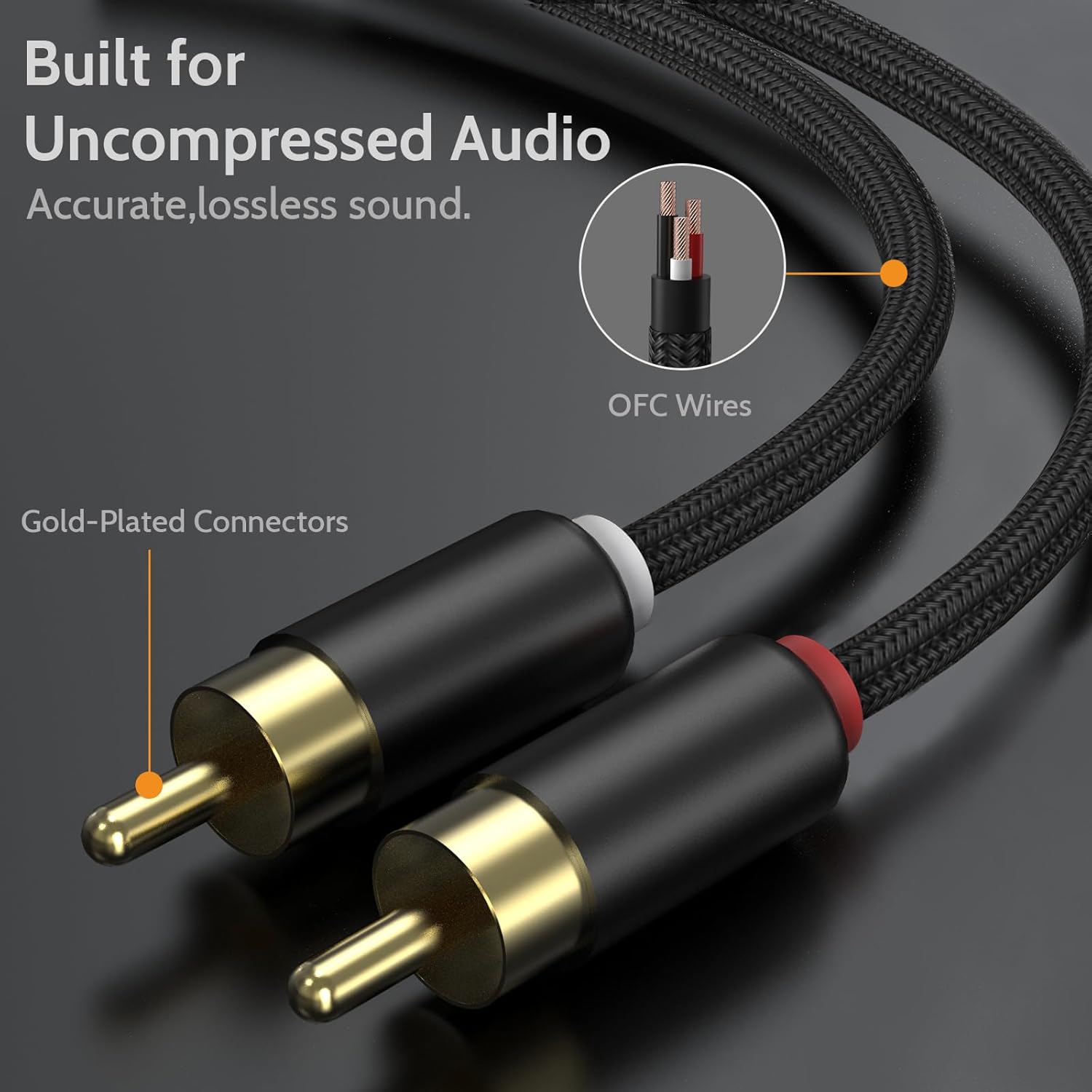
- ハイレゾオーディオ: Features a built-in Hi-Res Analog-to-Digital Converter (ADC) supporting up to 48 KHz/24-bit for crisp, lossless stereo sound without static, hissing, or cracking noise.
- 耐久性のある構造: Built with aluminum cases and a nylon braided cord for enhanced durability and long-lasting performance.


4. セットアップ手順
Follow these steps to connect your Cubilux RCA to USB Audio Capture Cable:
- RCAプラグを接続します: Insert the red and white RCA plugs into the corresponding RCA LINE OUT ports of your audio source (e.g., mixer, amplifier, CD player). Ensure a secure connection.
- Connect USB-A Plug: Insert the USB-A plug of the cable into an available USB port on your laptop or PC.
- ドライバーのインストール: The cable is plug-and-play and typically does not require additional drivers for most operating systems (Windows, macOS, Linux). Your computer should automatically recognize it as a USB audio input device.
- 入力デバイスを選択: In your computer's sound settings or your preferred audio recording software (e.g., Audacity, GarageBand), select the Cubilux RCA to USB Audio Capture Cable (it may appear as "USB Audio Device" or similar) as the audio input source.


5. 操作手順
Once the cable is connected and recognized by your computer:
- Open Recording Software: Launch your chosen audio recording application (e.g., Audacity, Adobe Audition, OBS Studio).
- Configure Input: Navigate to the audio settings within your software and ensure the Cubilux cable (e.g., "USB Audio Device") is selected as the input.
- Adjust Recording Levels: Play a test audio from your source and monitor the input levels in your software. Adjust the output volume on your audio source or the input gain in your software to prevent clipping (distortion) and ensure a strong, clear signal.
- 録画を開始: Begin playback on your audio source and click the record button in your software.
- 録画を停止: Once finished, stop playback on your source and click the stop button in your software. Save your recorded audio file.
6. 互換性
This cable is designed for use with computers only (laptops, desktop PCs). It is compatible with most operating systems that support USB audio devices, including Windows, macOS, and Linux.
7. 重要な注意事項と制限事項
- Audio Capture Only: This cable is exclusively for capturing audio from RCA LINE OUT sources to a computer. It is not designed for playing audio from your computer to RCA-enabled speakers or other playback devices.
- Computer Use Only: The cable is not compatible with TVs, car radios, or devices with partial-featured USB ports that do not support standard USB audio input.
8. メンテナンス
- クリーニング: ケーブルとコネクタの清掃には、柔らかく乾いた布をご使用ください。液体クリーナーや溶剤の使用は避けてください。
- ストレージ: ケーブルは直射日光や極端な温度を避け、涼しく乾燥した場所に保管してください。内部損傷を防ぐため、ケーブルを急激に曲げたり、ねじったりしないでください。
- 取り扱い: ケーブルを抜き差しするときは、ケーブル自体を引っ張るのではなく、必ずコネクタ ハウジングをつかんでください。
9。 トラブルシューティング
| 問題 | 考えられる原因 | 解決 |
|---|---|---|
| No audio input detected | Incorrect input selection; Loose connections; Faulty USB port | Verify the cable is selected as the input device in your computer's sound settings and recording software. Ensure all RCA and USB connections are secure. Try a different USB port on your computer. |
| 歪んだ音声やノイズのある音声 | Input levels too high; Ground loop interference; Faulty cable | Reduce the output volume from your audio source or the input gain in your recording software to prevent clipping. Ensure proper grounding of all audio equipment. Test with another cable if available. |
| Cable not recognized by computer | USB port issue; Operating system conflict | 別のUSBポートに接続してみてください。コンピュータを再起動してください。オペレーティングシステムが最新であることを確認してください。 |
10. 仕様
| 特徴 | 詳細 |
|---|---|
| ブランド | キュビラックス |
| コネクタタイプ | RCA、USBタイプA |
| ケーブルタイプ | RCA |
| 対応デバイス | Laptop, PC, Computer |
| 特集 | Audio Capture, Hi-Res ADC, Plug and Play |
| 製品の推奨用途 | オーディオ録音 |
| コネクタの性別 | 男性から男性へ |
| ユニット数 | 5.0フィート |
| 屋内/屋外での使用 | 屋内 |
| アイテム重量 | 1.44オンス |
| オーディオ解像度 | Up to 48 KHz/24-bit |
11. 保証とサポート
For warranty information and customer support, please refer to the documentation included with your purchase or visit the official Cubilux website. If you encounter any issues not covered in this manual, please contact Cubilux customer service for assistance.
12. ビデオリソース
Cubilux Audio Capture Cable Overview
このビデオでは、view of the Cubilux RCA to USB Audio Capture Cable, demonstrating its features and how it connects to various audio sources and computers for recording.