
1. はじめに
The Ring Wired Doorbell Pro (3rd Gen) is an advanced security device designed to provide comprehensive monitoring for your home or business entrance. Featuring Retinal 4K video, enhanced zoom capabilities, and advanced motion detection, this doorbell ensures clear visibility and timely alerts. It also includes Low-Light Sight for improved night vision and two-way talk functionality for direct communication with visitors.
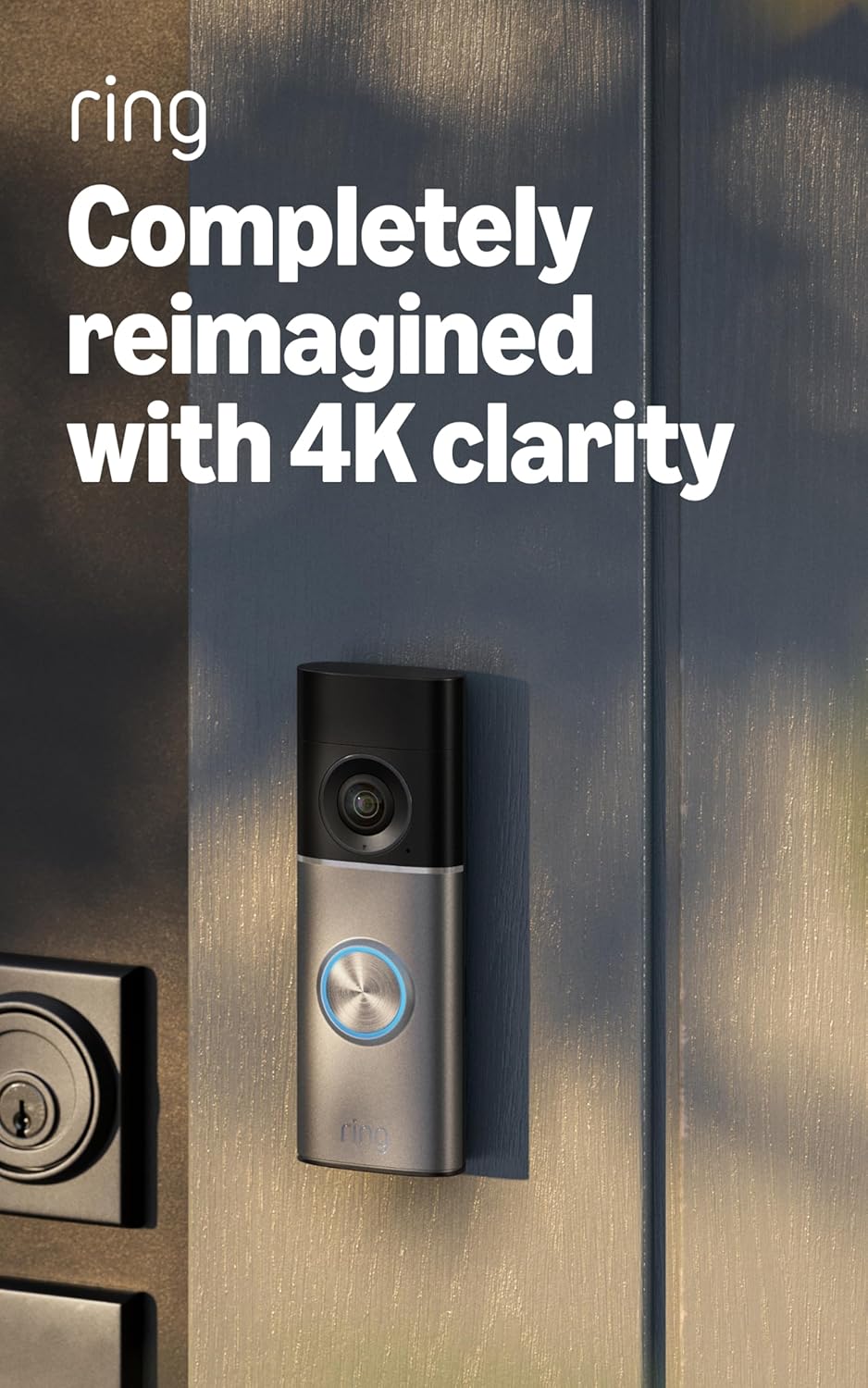
Image: The Ring Wired Doorbell Pro (3rd Gen) in Deep Silver, mounted next to a door.
2. セットアップとインストール
The Ring Wired Doorbell Pro is designed for DIY hardwired installation, typically taking approximately 15 minutes. Ensure you have the necessary tools and a compatible doorbell system before beginning.
2.1箱の内容
- 有線ドアベルプロ
- Chime Kit Mini
- コーナーキット
- 取り付けプレート
- 設置ツールとハードウェア
- セットアップガイド
- セキュリティステッカー
2.2の電源要件
The device requires a standard doorbell system, a Ring plug-in adapter (not included), or a Ring hardwired transformer (not included) with the following specifications:
- 16 or 24VAC, 10 to 40VA (30 to 40VA recommended for optimal performance), 50/60Hz
- OR 24VDC 12W
重要: Do not use halogen or garden-lighting transformers.
2.3 Internet Requirements
A minimum upload speed of 15 Mbps is recommended for optimal 4K video performance. Video resolution may vary based on internet bandwidth. The device connects via Wifi 6 (802.11ax) on dual-band 2.4GHz/5GHz networks.
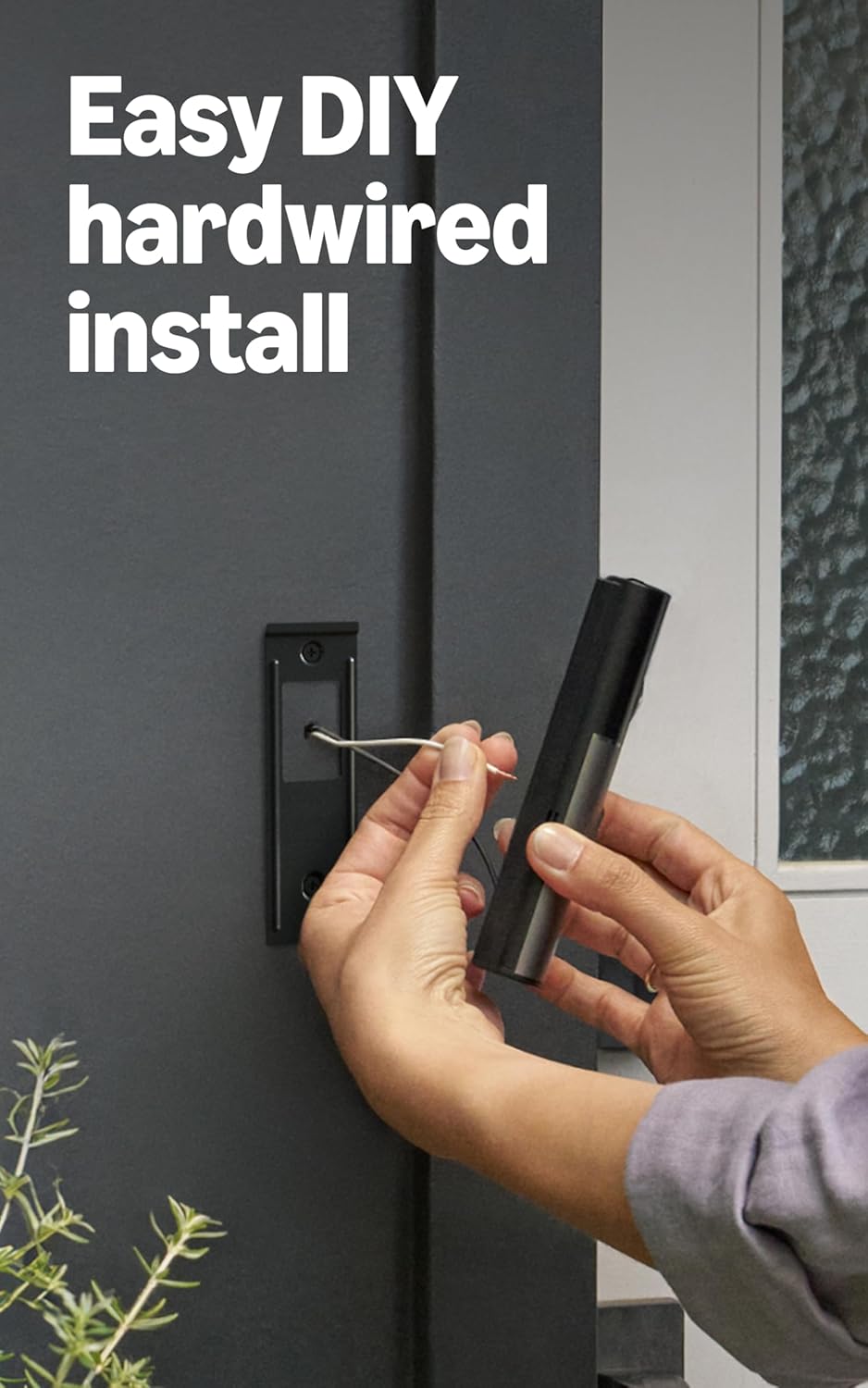
Image: A person's hands connecting the wiring during the installation of the Ring Wired Doorbell Pro.
3. 操作手順
The Ring Wired Doorbell Pro offers a range of features for enhanced security and communication.
3.1 Video and Zoom
Capture events with Retinal 4K video clarity. Utilize the 10x Enhanced Zoom feature to focus on specific details within the video feed.

Image: A demonstration of the 10x Enhanced Zoom feature, highlighting a detail on a person's uniform.
3.2 Two-Way Talk and Live View
ライブを使用する View to see real-time video from your doorbell at any time. Engage in two-way conversations with visitors using the Two-Way Talk with Audio+ feature directly from your phone.
3.3 モーション検出
The 3D Motion Detection system accurately pinpoints motion on your property, providing precise alerts. Customizable Motion Zones allow you to define specific areas for detection, reducing unnecessary notifications.

Image: A split image demonstrating the improved color and clarity of video captured with Low-Light Sight compared to without it.
3.4 Low-Light Sight
With Low-Light Sight, the doorbell captures true color video even in minimal ambient light. In complete darkness, the camera automatically switches to crisp black-and-white mode to maintain sharp detail.
3.5 Video Descriptions
When motion is detected, Video Descriptions provide a text summary of what is happening in your notification. This feature requires a compatible Ring subscription and is not available for customers in Illinois due to specific state legislation.
4. メンテナンス
To ensure optimal performance of your Ring Wired Doorbell Pro, consider the following maintenance tips:
- レンズを掃除します。 Periodically wipe the camera lens with a soft, clean cloth to remove dust, dirt, or smudges that may affect video clarity.
- 配線を確認してください: If you experience power issues, ensure all hardwired connections are secure and free from corrosion.
- ソフトウェアアップデート: Keep your Ring app and doorbell firmware updated to benefit from the latest features and security enhancements.
5。 トラブルシューティング
If you encounter issues with your Ring Wired Doorbell Pro, try the following steps:
- 電源なし/オフライン: Verify that your doorbell's power source meets the specified requirements (16-24VAC or 24VDC 12W). Check your home's circuit breaker. Ensure the wiring connections are secure.
- ビデオ品質が悪い: Confirm your internet upload speed meets the recommended 15 Mbps for 4K devices. Ensure your Wi-Fi signal strength is adequate at the doorbell's location.
- モーション検出の問題: Review your Customizable Motion Zones in the Ring app to ensure they cover the desired areas. Check for obstructions blocking the doorbell's field of view.
- Chime Not Working: The included Chime Kit Mini may not be compatible with all existing chime systems or may introduce latency. Ensure it is correctly installed and configured within the Ring app. If issues persist, consider a Ring Chime accessory.
- 接続の問題: Restart your home router and modem. If using a dual-band router, ensure the doorbell is connected to a stable 2.4GHz or 5GHz network.
さらにサポートが必要な場合は、公式の Ring サポート リソースを参照してください。
6. 仕様
| 寸法 | 1.95インチ x 1.02インチ x 5.45インチ (4.95 cm x 2.6 cm x 13.84 cm) |
| ビデオ | 4K video, Low-Light Sight with Adaptive Night Vision, up to 10x Enhanced Zoom |
| モーション検出 | カスタマイズ可能なモーションゾーンを備えた3Dモーション検出 |
| 分野 View | 140° Horizontal x 140° Vertical, 1:1 Aspect Ratio |
| オーディオ | Two-way talk with Audio+ |
| 力 | 16 or 24VAC, 10 to 40VA (30-40VA recommended), 50/60Hz or 24VDC 12W |
| インターネット要件 | Minimum 15 Mbps upload speed for 4K devices |
| 接続性 | Wifi 6 (802.11ax), dual-band 2.4GHz/5GHz |
| 平均インストール時間 | 〜15分 |
| 動作条件 | -20°C to 48.5°C (-4°F to 120°F), Weather Resistant |
| 世代 | Ring Wired Doorbell Pro (3rd Gen) |
7. 保証とサポート
7.1 保証情報
The Ring Wired Doorbell Pro (3rd Gen) includes a 1-year limited warranty and service. Use of the device is subject to the terms found on the official Ring webサイト。
7.2 カスタマーサポート
For additional information, troubleshooting guides, and direct support, please visit the official Ring support page for the Wired Doorbell Pro. You can find detailed resources and contact options there.