
1. はじめに
The TMEZON H4 Trail Camera is designed for wildlife monitoring, security surveillance, and game tracking. It features 4K video recording, 48MP still image capture, integrated WiFi and Bluetooth connectivity, and a solar panel for extended operation. This manual provides detailed instructions for setting up, operating, and maintaining your camera to ensure optimal performance.
2. パッケージ内容
- TMEZON H4 Trail Camera
- ソーラーパネル
- 取り付けストラップ
- 取り付けネジ
- USBケーブル
- 64GB SDカード
- ユーザーマニュアル
3.製品オーバーview
Familiarize yourself with the main components of your TMEZON H4 Trail Camera.
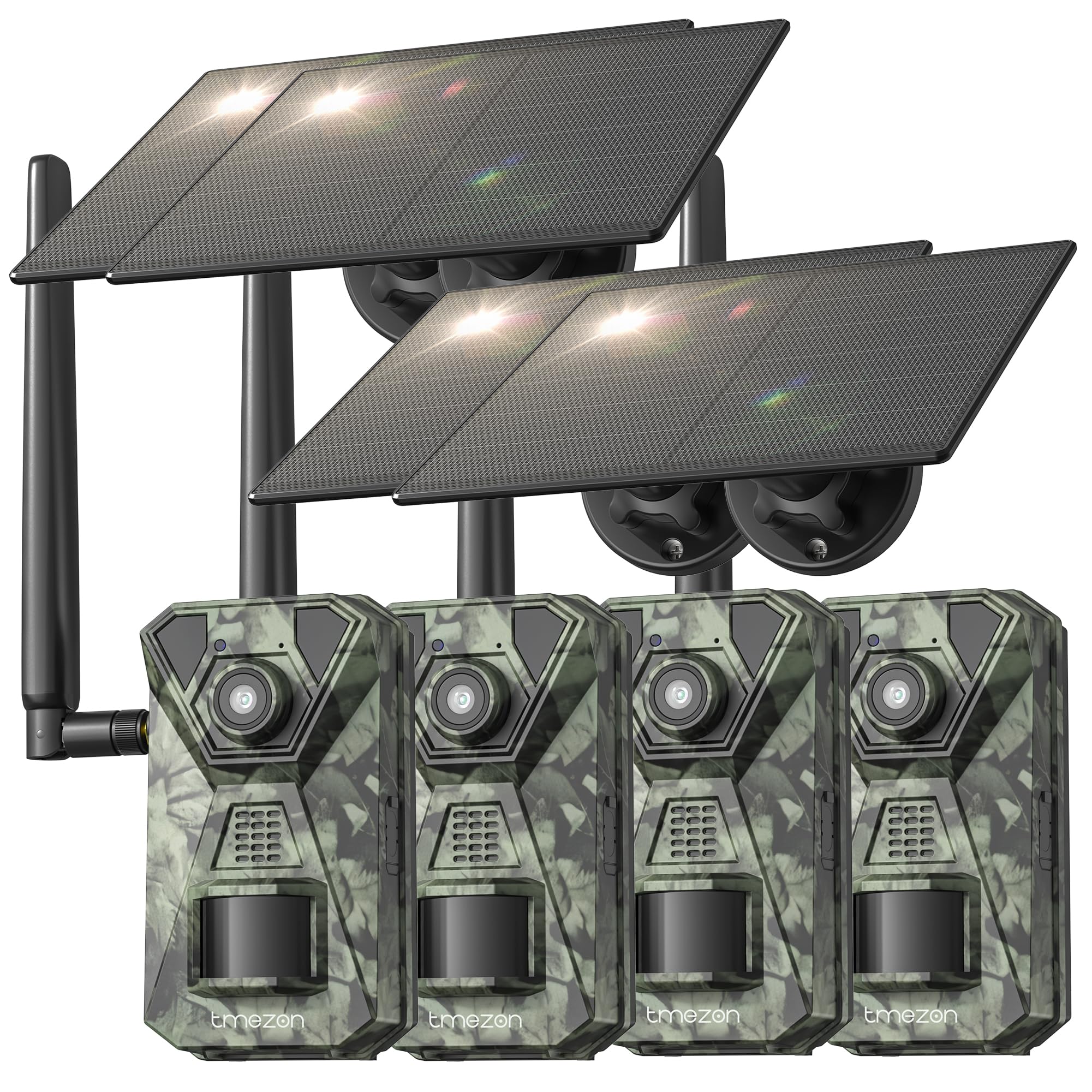
画像1: フロント view of the TMEZON H4 Trail Camera, showing the lens, PIR sensors, and integrated solar panel. This image illustrates the compact, camouflage design suitable for outdoor environments.
カメラコンポーネント:
- レンズ: 画像やビデオをキャプチャします。
- PIRセンサー: パッシブ赤外線センサーが動きを検出します。
- IR LED: 夜間視力用の赤外線 LED。
- LCDスクリーン: メニューナビゲーションと viewキャプチャしたメディアを ing します。
- コントロールボタン: メニューと設定をナビゲートします。
- SDカードスロット: Insert the provided 64GB SD card.
- USBポート: コンピューターに接続します。
- 外部電源ポート: For connecting the solar panel or external power source.
- バッテリーコンパートメント: Holds 8 AA batteries (not included) for backup power.
4. セットアップ
4.1. Battery and Solar Panel Installation
- カメラの電池ケースを開きます。
- Insert 8 new AA batteries (alkaline or rechargeable NiMH recommended) according to the polarity indicators. These batteries serve as a backup to the solar panel.
- Connect the solar panel cable to the camera's external power port. Ensure the solar panel is positioned to receive maximum sunlight.
4.2. SDカードの挿入
- カメラの側面または底面にある SD カード スロットを見つけます。
- Insert the provided 64GB SD card with the metal contacts facing the correct direction until it clicks into place.
- To remove, push the card in gently until it springs out.
4.3.カメラの取り付け
- 付属の取り付けストラップを使って、カメラを木やポールに固定します。ストラップをカメラ背面のスロットに通して締めます。
- Alternatively, use the mounting screws to attach the camera to a wall or other flat surface.
- Position the camera at a height of 3-6 feet (1-2 meters) and aim it towards the desired monitoring area. Ensure no obstacles block the PIR sensors.
4.4. アプリのダウンロードとペアリング
- スマートフォンのアプリストア(iOS または Android)から公式 TMEZON アプリをダウンロードしてください。 検索する "TMEZON Trail Camera" or scan the QR code provided in the quick start guide.
- スマートフォンでBluetoothを有効にします。
- カメラをオンにします。
- Open the TMEZON app, select "Add Device," and follow the on-screen instructions to connect via Bluetooth.
- Once connected via Bluetooth, the app will prompt you to connect to the camera's WiFi network for faster data transfer and live view.
5. カメラの操作
5.1. 電源のオン/オフとモードの選択
- OFF: カメラの電源を切ります。
- セットアップ: Enter setup mode to configure settings, view photos/videos, or connect to the app.
- に: Activate the camera for monitoring. The camera will enter monitoring mode after a short countdown.
5.2. メニューナビゲーションと設定
In SETUP mode, use the control buttons to navigate the menu on the LCD screen. Press the 'MENU' button to access settings. Key settings include:
- モード: Select Photo, Video, or Photo+Video (Hybrid).
- 写真解像度: 48MP、30MP、20MPなど。
- ビデオ解像度: 4K, 2.7K, 1080P, 720P.
- PIR感度: High, Medium, Low. Adjust based on environment to avoid false triggers.
- PIR間隔: 検出間の時間遅延。
- タイムラプス: 動きに関係なく、設定された間隔で画像をキャプチャします。
- 日時: 現在の日付と時刻を設定します。
- SDカードのフォーマット: SD カード上のすべてのデータを消去します。 注意: これにより、すべての files.
5.3. Remote Monitoring via App
Once connected to the TMEZON app:
- View ライブfootage カメラから。
- カメラ設定をリモートで調整します。
- Browse and download captured photos and videos to your smartphone.
- Receive notifications for detected motion (if 4G LTE cellular transmission is enabled and configured).
6. メンテナンス
6.1. 清掃
- Wipe the camera lens and PIR sensors with a soft, dry cloth to remove dust or smudges.
- 効率的に充電するために、ソーラーパネルがきれいであることを確認してください。
- 研磨剤や溶剤は使用しないでください。
6.2. ストレージ
- If storing the camera for an extended period, remove the AA batteries.
- カメラは直射日光を避け、涼しく乾燥した場所に保管してください。
7。 トラブルシューティング
- カメラの電源が入らない: Check battery installation and charge level. Ensure solar panel is connected and receiving sunlight.
- 画像/ビデオの品質が悪い: Clean the lens. Ensure sufficient lighting or proper night vision settings. Check resolution settings.
- 動き検出なし: Adjust PIR sensitivity (High for sparse areas, Low for busy areas). Ensure PIR sensors are not obstructed. Check PIR interval settings.
- SDカードエラー: Format the SD card in the camera's settings. If the issue persists, try a different compatible SD card.
- アプリ接続の問題: Ensure Bluetooth and WiFi are enabled on your phone. Restart both the camera and the app. Ensure the camera is in SETUP mode for initial pairing.
- ソーラーパネルが充電されない: Ensure the solar panel is clean and positioned to receive direct sunlight. Check the connection cable.
8. 仕様
| モデル名 | H4 |
| 実効静止画解像度 | 48 MP |
| 有効なビデオ解像度 | 4K |
| 接続技術 | Wireless (WiFi, Bluetooth, 4G LTE) |
| 電源 | Solar Powered, 8x AA Battery Backup |
| フラッシュメモリタイプ | SD Card (64GB included, max 64GB supported) |
| 暗視範囲 | 65フィート |
| トリガースピード | 0.2秒 |
| PIR検出角度 | 120° |
| 防水等級 | IP66 |
| アイテムの寸法 | 4 x 3.5 x 6インチ |
| 材料 | 金属、プラスチック |
9. 保証とサポート
TMEZON products come with a standard manufacturer's warranty. For detailed warranty information, technical support, or service inquiries, please refer to the warranty card included in your package or visit the official TMEZON website. You can also contact customer support through the TMEZON app or the contact information provided on the product packaging.