
導入
ご購入ありがとうございますasing the Oilsky D26 MP3 Player. This device combines a 2.8-inch full touchscreen with Bluetooth 5.0 connectivity, a built-in speaker, and a robust alloy design. It offers 64GB of internal storage, expandable up to 128GB with a microSD card, and supports various audio formats. This manual provides essential information for setup, operation, and maintenance to ensure optimal performance.
パッケージ内容
パッケージに以下の項目が含まれているか確認してください。
- Oilsky D26 MP3 Player Unit
- イヤホン
- タイプCのUSBケーブル
- 取扱説明書
- 保護ケース

不足または破損した商品がある場合は、カスタマー サポートにお問い合わせください。
製品終了view
The Oilsky D26 MP3 Player features a sleek alloy design with a 2.8-inch full touchscreen for intuitive navigation. It includes a home button for easy return to the main menu.

設定
1. デバイスの充電
Before first use, fully charge the MP3 player. Connect the provided Type-C USB cable to the player's charging port and the other end to a USB power adapter (not included) or a computer's USB port. The battery indicator on the screen will show charging status.
2. microSDカードの挿入(オプション)
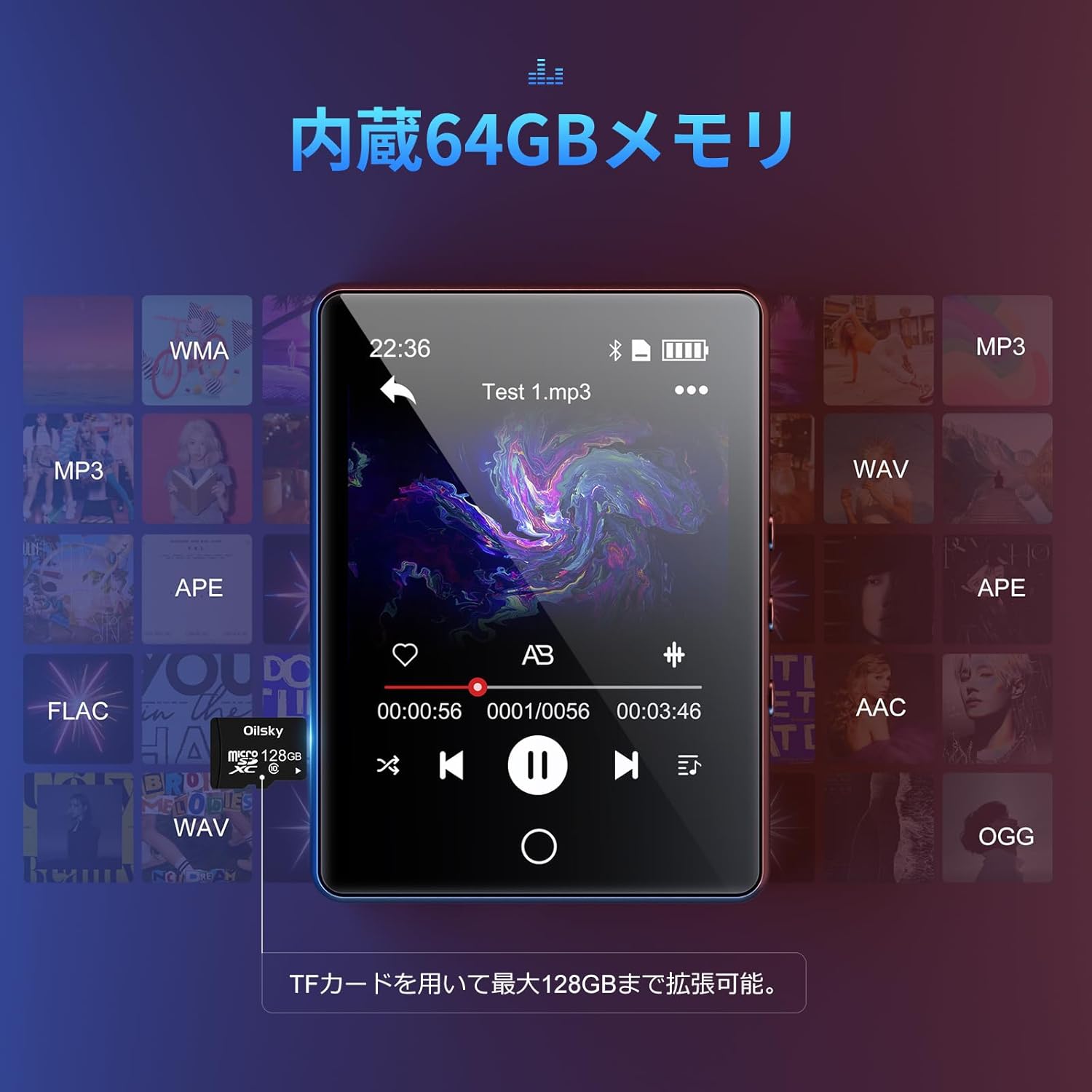
The device has 64GB of internal storage. To expand storage up to 128GB, insert a microSD card into the designated slot. Ensure the card is inserted correctly until it clicks into place.

3.転送 Files
Connect the MP3 player to your computer using the Type-C USB cable. The device will appear as a removable disk. You can then drag and drop audio files (MP3, WMA, APE, FLAC, AAC, WAV, OGG) into the player's internal storage or the inserted microSD card.
操作手順
1. 基本的なナビゲーション
The D26 features a 2.8-inch full touchscreen. Tap icons to select functions and swipe to navigate menus. The physical home button at the bottom allows you to return to the main menu from any application.

2.音楽の再生
Tap the 'Music' icon on the main screen to access your audio library. The player supports various formats including MP3, WMA, APE, FLAC, AAC, WAV, and OGG, ensuring high-quality audio playback with minimal loss.
3. Bluetooth接続
The D26 features Bluetooth 5.0 for stable wireless connections. To pair with Bluetooth headphones or speakers:
- 「設定」に移動して「Bluetooth」を選択します。
- Bluetoothをオンにして、利用可能なデバイスをスキャンします。
- リストから Bluetooth ヘッドフォンまたはスピーカーを選択してペアリングします。
注記: This device can only pair with Bluetooth headsets or speakers. It cannot pair with mobile phones, cars, or computers. Ensure you are in an area free from strong electromagnetic interference to maintain a stable Bluetooth connection.

4. FMラジオ
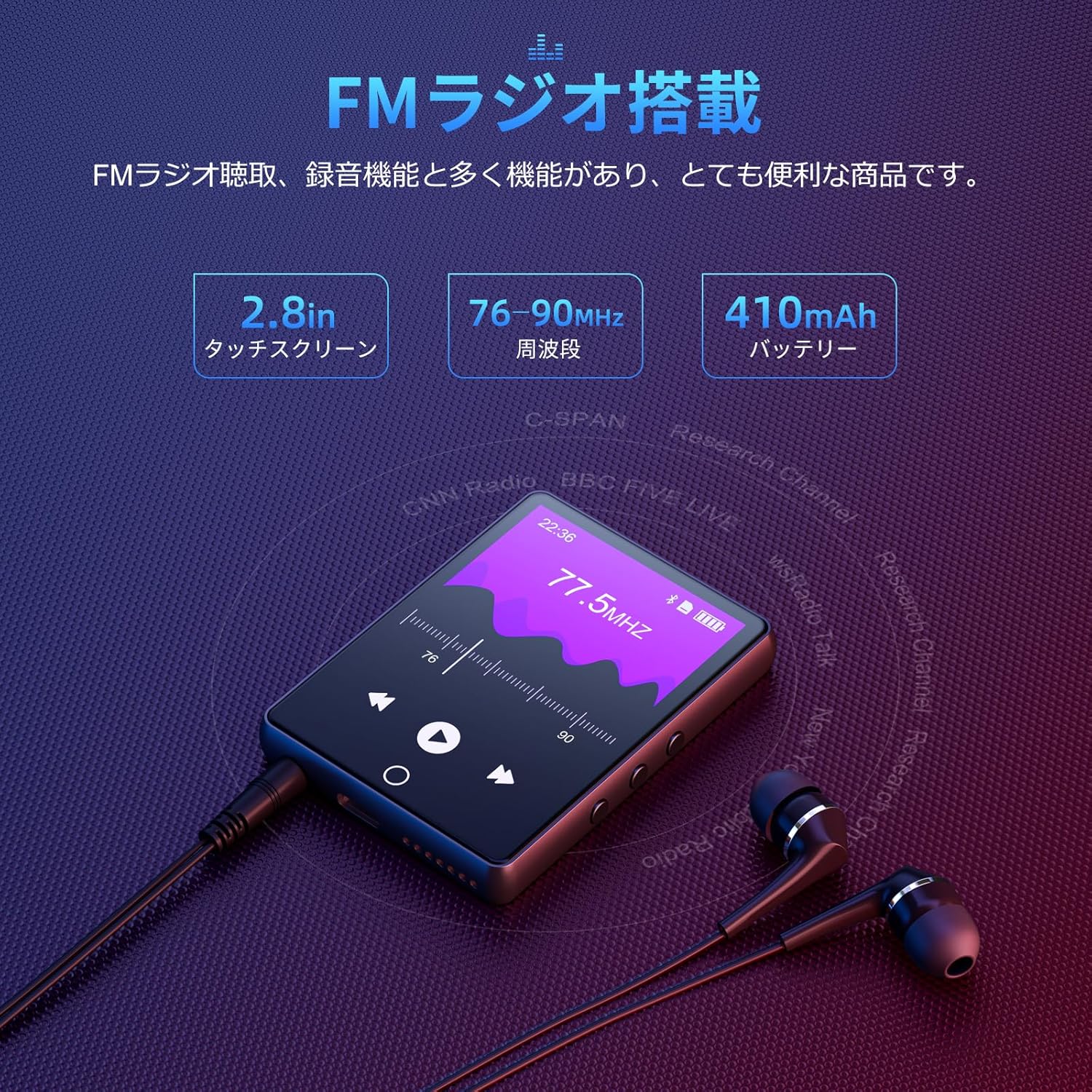
To use the FM radio function, connect the wired earphones (included) as they act as the antenna. Tap the 'FM Radio' icon on the main screen. You can then scan for stations and listen to broadcasts.
5. 録音機能
The D26 includes a recording function, useful for lectures, meetings, or personal notes. Tap the 'Record' icon to start and stop recordings. Recorded files are saved on the device.

6. その他の機能
The device also includes additional utilities such as a timer, calendar, and calculator. Access these features from the main menu.

メンテナンス
- デバイスを乾燥した状態に保ってください。湿気や液体にさらさないでください。
- 画面と本体は柔らかく乾いた布で拭いてください。研磨剤入りの洗剤は使用しないでください。
- 極端な温度を避けてください。
- デバイスを自分で分解または修理しようとしないでください。
トラブルシューティング
デバイスの電源が入らない:
- デバイスが完全に充電されていることを確認してください。
- 電源ボタンを数秒間押し続けます。
Bluetooth経由で接続できません:
- Ensure Bluetooth is enabled on both the player and the receiving device (headphones/speaker).
- Make sure the receiving device is in pairing mode.
- Confirm that you are attempting to pair with a compatible device (Bluetooth headphones or speakers only).
- 電磁干渉の潜在的な発生源から離れてください。
音が出ない:
- 音量レベルを確認してください。
- Ensure earphones are properly connected or Bluetooth device is paired and connected.
- Test with different earphones or Bluetooth device.
File再生されません:
- オーディオを確認する file format is supported (MP3, WMA, APE, FLAC, AAC, WAV, OGG).
- 確実に filesは破損していません。
仕様
| 特徴 | 仕様 |
|---|---|
| モデル番号 | D26 |
| ブランド | オイルスキー |
| 画面サイズ | 2.8インチ |
| ディスプレイ技術 | 液晶 |
| 内部ストレージ | 64ギガバイト |
| 拡張可能なストレージ | microSDカードで最大128GB |
| 接続性 | ブルートゥース5.0 |
| サポートされているオーディオ形式 | MP3, WMA, APE, FLAC, AAC, WAV, OGG |
| その他の機能 | FM Radio, Built-in Speaker, Recording, Calculator, Timer, Calendar |
| 寸法 | 14.7 x 14.6 x 1.9 cm |
| 重さ | 200グラム |
保証とサポート
This product comes with a standard manufacturer's warranty. For specific warranty details, please refer to the warranty card included in your package or contact the seller directly. If you encounter any issues or have questions regarding your Oilsky D26 MP3 Player, please reach out to our customer support team for assistance.
連絡先: Please refer to the contact details provided on the product packaging or the seller's information page.