
導入
The BL R69 Plus Android 14.0 TV Box is a high-performance multimedia device designed to enhance your home entertainment experience. Equipped with the latest Android 14.0 OS and an Allwinner H728 octa-core processor, it offers smooth performance for streaming, gaming, and various applications. This manual provides essential information for setting up, operating, and maintaining your device.
箱の中身
パッケージの内容をよくご確認ください。不足品や破損品がございましたら、カスタマーサポートまでご連絡ください。
- Android 14.0 TV Box (R69 Plus)
- US/CA Power Adapter
- HDケーブル
- Bluetooth音声リモートコントロール
- ユーザーマニュアル
- ミニワイヤレスキーボード
製品終了view および機能
The R69 Plus Android TV Box offers a range of advanced features for a superior viewing and interactive experience.
主な特徴:
- Android 14.0 & H728 Processor: Latest Android 14.0 OS with Allwinner H728 octa-core high-speed processor for enhanced multitasking and responsiveness.
- Ample Capacity & USB 3.0: 4GB RAM and 64GB ROM for daily applications and data storage. Features a USB 3.0 interface for 5Gbps high-speed data transfer, supporting 128GB SD card expansion and 1TB hard drive expansion.
- 4K 8K TV Box: Supports 4K display with HDR10 3D technology, and a decoder up to 4K@60fps or 8K@24fps. Includes H.265 decoding technology for improved compression efficiency.
- 1000M Ethernet & Wi-Fi 6: Supports 2.4G/5.8G Wi-Fi 6 and Gigabit Ethernet (1000Mbps) for stable, high-speed internet. Bluetooth 5.0 for wireless connectivity with headphones, speakers, and other smart devices.
- 使いやすい: Equipped with a Bluetooth voice remote control and supports seamless casting from mobile phones and tablets. Includes a backlit mini wireless keyboard.
デバイスインターフェイス:

- DC/5V Power Input
- 光オーディオ出力
- リセットボタン
- HD (HDMI) Output
- Ethernet (1000M) Port
- USB 3.0 ポート
- USB 2.0 ポート
- SDカードスロット
セットアップガイド
Follow these steps for initial setup of your BL R69 Plus Android TV Box.
- テレビに接続する: Connect one end of the provided HD cable (HDMI) to the HDMI port on your TV Box and the other end to an available HDMI input on your television.
- 電源を接続します: Plug the US/CA power adapter into the DC/5V port on the TV Box, then plug the adapter into a power outlet.
- ネットワークに接続: For optimal performance, connect an Ethernet cable from your router to the Ethernet port on the TV Box. Alternatively, you can connect via Wi-Fi during the initial setup process.
- 電源オン: Turn on your television and select the correct HDMI input source. The TV Box should power on automatically.
- リモートコントロールの設定: Insert two AAA batteries (not included) into the Bluetooth Voice Remote Control. Follow the on-screen instructions to pair the remote with your TV Box.
- 初期設定: Follow the on-screen prompts to complete the initial setup, including language selection, Wi-Fi connection (if not using Ethernet), Google account login, and app installations.

操作手順
インターフェースの操作
The BL R69 Plus runs on Android 14.0 TV OS, providing a user-friendly interface.
- Use the directional pad on your remote to navigate through menus and select items.
- The "Home" button returns you to the main screen.
- 「戻る」ボタンで前の画面に戻ります。
- The "Voice" button activates the voice assistant for searching content or controlling the device.
Using the Mini Wireless Keyboard
The included mini wireless keyboard provides an alternative for text input and navigation.
- Connect the USB receiver of the keyboard to one of the USB ports on the TV Box.
- Use the QWERTY keyboard for typing and the touchpad for mouse-like navigation.
- To change the 7-color backlight, hold the "Fn" key and scroll left/right at the touchpad bottom.

スクリーンミラーリング
The device supports AirScreen and Miracast for casting content from your mobile phone or tablet to the TV.

接続性
Wi-Fiとイーサネット
The R69 Plus supports dual-band Wi-Fi 6 (2.4G/5.8G) and Gigabit Ethernet (1000Mbps) for fast and stable internet access.
- To connect via Wi-Fi, navigate to
Settings > Network & Internet, select your Wi-Fi network, and enter the password. - For Ethernet, simply plug an Ethernet cable into the device and your router.
ブルートゥース5.0
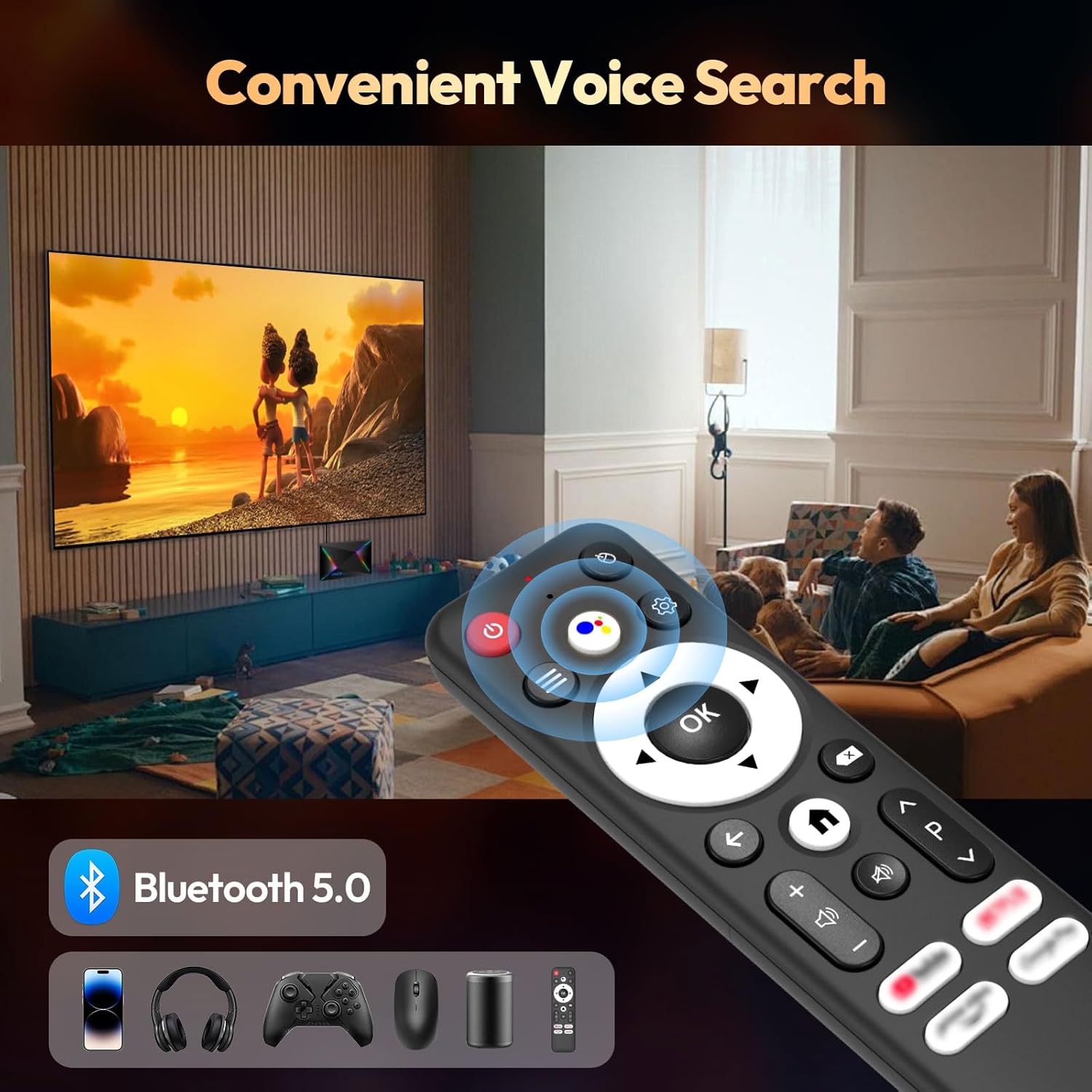
Connect Bluetooth-enabled devices such as headphones, speakers, game controllers, and mice.
- へ移動
Settings > Remotes & Accessories > Add accessory新しい Bluetooth デバイスをペアリングします。
ディスプレイとオーディオの設定
Resolution and HDR
The device supports up to 8K resolution and HDR10+ for vivid visuals.
- 移動
Settings > Display & Sound > Resolutionto adjust the display resolution. - For HDR content, ensure your TV supports HDR10 or HDR10+ and enable it in
Settings > Display & Sound > Dynamic range & Color format.

オーディオ設定
The R69 Plus supports advanced audio formats for an immersive sound experience.
- Adjust audio output settings in
Settings > Display & Sound > Advanced sound settings. - Ensure your audio receiver or soundbar supports Dolby Atmos or DTSX for the best experience.
ストレージ管理
Your device comes with 4GB RAM and 64GB ROM. You can expand storage using an SD card or external hard drive.
- ストレージ使用量を確認するには、
Settings > System > Storage. - Insert an SD card into the designated slot for additional storage.
- Connect a USB hard drive to the USB 3.0 port for high-speed data transfer and storage expansion.
トラブルシューティング
電源なし
- 電源アダプターが TV ボックスと機能している電源コンセントにしっかりと接続されていることを確認します。
- 別のデバイスを接続して、電源コンセントが機能するかどうかを確認します。
写真なし
- HDMI ケーブルが TV ボックスとテレビの両方に正しく接続されていることを確認します。
- テレビが正しい HDMI 入力ソースに設定されていることを確認してください。
- 別の HDMI ケーブルまたはテレビの HDMI ポートを試してください。
リモコンが反応しない
- リモコンの電池を確認して交換してください。
- リモコンと TV ボックスの間に障害物がないことを確認してください。
- Re-pair the Bluetooth remote control via
Settings > Remotes & Accessories.
ネットワーク接続の問題
- For Wi-Fi, check your router and ensure it's broadcasting a signal. Re-enter the Wi-Fi password if necessary.
- For Ethernet, ensure the cable is securely connected and your router's Ethernet port is active.
- ルータと TV ボックスを再起動します。
Apps Freezing or Crashing
- 問題のあるアプリケーションを閉じて再起動します。
- アプリのキャッシュをクリアします:
Settings > Apps > [Select App] > Clear cache. - Ensure the TV Box firmware and apps are updated to the latest versions.
仕様
| 特徴 | 詳細 |
|---|---|
| モデル | R69プラス |
| オペレーティング·システム | アンドロイド14.0 |
| プロセッサ | Allwinner H728 Octa-core CPU |
| ラム | 4ギガバイト |
| 内部ストレージ | 64ギガバイト |
| 最大解像度 | 8K |
| HDR サポート | HDR10、HDR10+、ドルビービジョン |
| Wi-Fi | Wi-Fi 6 (2.4G/5.8G) |
| イーサネット | 1000M ギガビットイーサネット |
| ブルートゥース | ブルートゥース5.0 |
| USBポート | USB 1 x 3.0、USB 1 x 2.0 |
| ビデオデコード | 265 形式 |
| 寸法 | 22.8 x 19.4 x 9.9 cm |
| 重さ | 640グラム |
メンテナンス
- 清潔に保つ: Regularly wipe the device with a soft, dry cloth. Avoid using liquid cleaners.
- 換気: Ensure the TV Box is placed in a well-ventilated area to prevent overheating. Do not cover ventilation openings.
- ソフトウェアアップデート: Periodically check for system updates in
Settings > System > About > System update最適なパフォーマンスとセキュリティを確保するためです。 - 極端な状況を避ける: Do not expose the device to extreme temperatures, humidity, or direct sunlight.
保証とサポート
Your BL R69 Plus Android 14.0 TV Box comes with a standard manufacturer's warranty. Please refer to the warranty card included in your package for specific terms and conditions.
For technical support, product inquiries, or warranty claims, please contact the seller or manufacturer directly.
Manufacturer: Shenzhen Xing he shi xun Co., Ltd
さらにサポートが必要な場合は、次のサイトを参照してください。 BL Store on Amazon.
公式製品ビデオ
このビデオでは、view of the Android Box 2025, highlighting its 4GB RAM, 64GB ROM, and the included mini keyboard.
短いビデオショーasing the Android TV Box 13.0, featuring 4GB RAM, 64GB ROM, 8K support, and the mini keyboard.
This video demonstrates the Xiaomi Android TV Box S 3.0 4K UHD, highlighting its features and capabilities.