導入
Thank you for choosing the COLBOR CF5 Portable Fog Machine. This compact and powerful device is designed to create atmospheric effects for various applications, including photography, stage performances, parties, cosplay, streaming, and weddings. With its advanced features like adjustable smoke density, RGB lighting, and flexible design, the CF5 offers precise control and versatility. This manual provides essential information for safe and effective operation, setup, maintenance, and troubleshooting. Please read it thoroughly before using the product.

Figure 1: COLBOR CineFlare CF5 Portable Fog Machine, designed for atmosphere creation.
安全情報
安全な操作を確保し、デバイスの損傷や怪我を防ぐために、次の安全ガイドラインに従ってください。
- 使用のみ food-grade plant glycerin fog liquid with the CF5. Using other liquids may damage the machine or produce harmful fumes.
- Do not block the air vents or smoke outlet during operation.
- The machine generates heat during operation. Avoid touching the smoke outlet directly to prevent burns.
- 操作エリア内の適切な換気を確保してください。
- Keep the device away from water and other liquids. Do not operate in wet conditions.
- デバイスを使用しないときは、涼しく乾燥した場所に保管してください。
- お子様やペットの手の届かない場所に保管してください。
- ご自身でデバイスの分解や修理を試みないでください。修理が必要な場合は、資格のある担当者にご連絡ください。

Figure 2: The CF5 uses food-grade plant glycerin, ensuring safe and odorless fog production.
パッケージ内容
パッケージを開封したら、以下にリストされているすべてのアイテムが揃っていて良好な状態であることを確認してください。
- COLBOR CF5 Portable Fog Machine
- リモートコントロール
- フレキシブルチューブ
- ノズルカバー
- Various Adapters/Nozzles
- USB充電ケーブル
- キャリングケース
- Fog Liquid (sampルボトル)
- ユーザーマニュアル(このドキュメント)

Figure 3: All components included with the COLBOR CF5 Portable Fog Machine.
製品終了view
The COLBOR CF5 features a compact and ergonomic design with key components for versatile operation.
- 調整可能なボディ: The main body can be adjusted up to 60 degrees, allowing precise direction of smoke flow for various angles, including low-angle effects.
- 煙出口: Where the fog is emitted. Equipped with a magnetic RGB light ring.
- コントロールパネル: Features buttons for power, density adjustment, fan speed, and cycle settings. Includes a display screen for current settings.
- Fog Liquid Chamber: 12 ml capacity for fog liquid.
- USB-Cポート: 内蔵バッテリーを充電します。
- Magnetic Fan: Built-in fan with adjustable speed (3 settings) to shape smoke flow.

Figure 4: The CF5's foldable body allows for flexible smoke direction.

Figure 5: Integrated RGB light and adjustable fan for enhanced effects.
設定
- デバイスを充電します。 Before first use, fully charge the COLBOR CF5 using the provided USB-C cable. The battery indicator on the display will show charging status.
- 霧状液体を充填:
- Locate the fog liquid chamber.
- Carefully pour the food-grade plant glycerin fog liquid into the chamber, ensuring not to overfill the 12 ml capacity.
- Securely close the chamber cap.
- アクセサリを取り付ける(オプション):
- For broader smoke dispersion or specific effects, attach the flexible tube or desired nozzle adapter to the smoke outlet.
- The nozzle cover can be used for specific directional control.

Figure 6: External accessories for varied smoke dispersion.
操作手順
- 電源オン/オフ: コントロール パネルの電源ボタンを長押しして、デバイスの電源をオンまたはオフにします。
- Adjust Smoke Density:
- The CF5 offers 25 levels of smoke density adjustment.
- Use the '+' and '-' buttons on the control panel to increase or decrease the smoke output intensity.
- The current density level will be displayed on the screen.
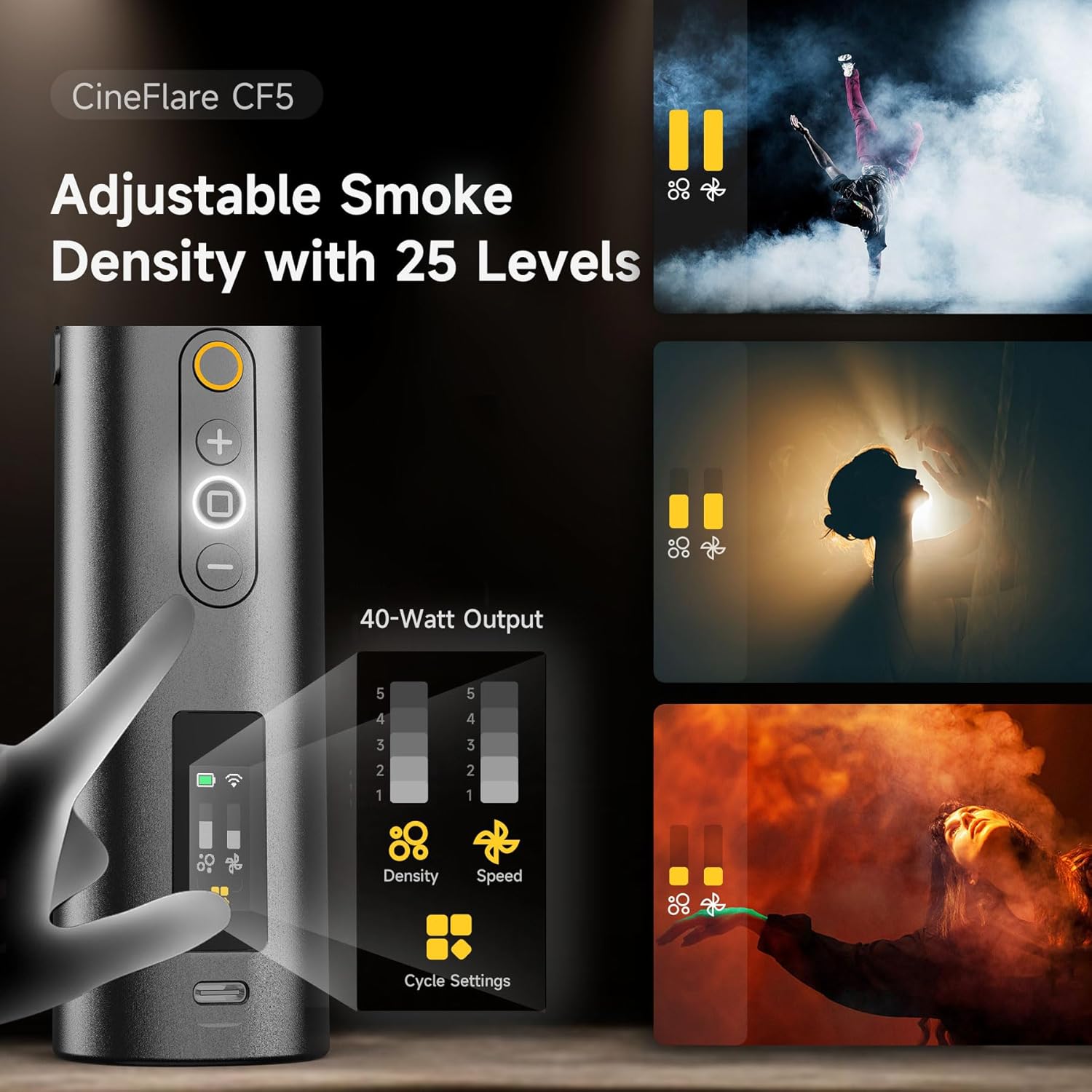
Figure 7: Control panel for adjusting smoke density and fan speed.
- ファン速度を調整します:
- The built-in magnetic fan has 3 adjustable speed settings.
- Use the dedicated fan speed button (if available, or cycle through settings using a multi-function button) to change the fan speed. This affects how the smoke disperses.
- Control RGB Light:
- The 360-degree RGB light ring can add color to your smoke effects.
- Refer to the on-screen menu or dedicated light button to cycle through colors or adjust brightness.
- リモコン操作:
- The included remote control allows wireless operation up to 10 meters.
- Use the remote to power on/off, adjust smoke density, and control other settings from a distance.
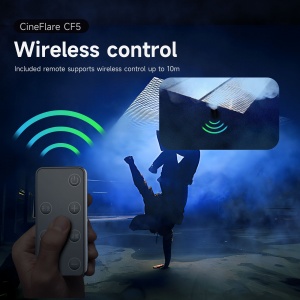
図 8: 操作が便利なワイヤレス リモコン。
- Custom Smoke Settings:
- The CF5 supports custom settings for continuous smoke duration, interval timing, and the number of smoke bursts.
- Access these settings via the control panel's menu or dedicated cycle settings button.
- The device can maintain continuous maximum smoke output for up to 10 minutes.

Figure 9: Advanced settings for precise smoke control.
メンテナンス
- クリーニング: Regularly wipe the exterior of the machine with a soft, dry cloth. Do not use abrasive cleaners or solvents.
- Fog Liquid Chamber: If the machine will not be used for an extended period, empty the fog liquid chamber and run the machine briefly to clear any remaining liquid from the internal pump and heater.
- ストレージ: Store the COLBOR CF5 in its carrying case in a cool, dry place, away from direct sunlight and extreme temperatures.
トラブルシューティング
| 問題 | 考えられる原因 | 解決 |
|---|---|---|
| 煙の出力なし |
|
|
| Weak smoke output |
|
|
| リモコンが動作しない |
|
|
仕様
| 特徴 | 詳細 |
|---|---|
| モデル | CF5 |
| 出力電力 | 40ワット |
| Fog Liquid Capacity | 12ml |
| Smoke Density Levels | 25レベル |
| ファン速度設定 | 3レベル |
| Adjustable Body Angle | 60度まで |
| リモコン範囲 | 最大10メートル |
| 電池のタイプ | リチウムイオン(付属) |
| アイテム重量 | 2ポンド |
| パッケージ寸法 | 11.59 x 5.5 x 3.7インチ |
保証とサポート
COLBOR products are manufactured to high-quality standards. For information regarding warranty coverage, please refer to the warranty card included with your product or visit the official COLBOR webサイト。
For technical support, troubleshooting assistance, or inquiries about replacement parts, please contact COLBOR customer service through their official channels.
- Official COLBOR Webサイト: www.colborlight.com
- Amazonストア: Visit the COLBOR Store on Amazon