
導入
The ARCTIC Liquid Freezer III Pro 420 A-RGB is an all-in-one (AIO) CPU liquid cooler designed for high-performance computing systems. It features a 420mm radiator with three 140mm A-RGB fans, a PWM-controlled pump, and an integrated VRM fan to ensure optimal thermal management for your CPU and surrounding components. This manual provides detailed instructions for installation, operation, maintenance, and troubleshooting to help you maximize the performance and longevity of your cooler.

Image: The ARCTIC Liquid Freezer III Pro 420 A-RGB AIO CPU Cooler, showcasing its three large A-RGB fans and the pump/cold plate assembly.
安全情報
- インストールまたはメンテナンスを行う前に、必ずコンピューターの電源を切ってください。
- 損傷を防ぐためにコンポーネントを慎重に取り扱ってください。
- 静電放電 (ESD) を防止するために適切な接地を確保してください。
- お子様やペットの手の届かない場所に保管してください。
- 密封された液体冷却ループを開けたり変更したりしないでください。
- Verify case compatibility before installation, paying close attention to radiator and fan dimensions.
パッケージ内容
The ARCTIC Liquid Freezer III Pro 420 A-RGB package includes the following components:
- Liquid Freezer III 420 A-RGB AIO CPU Cooler (pre-assembled with fans and pump)
- Mounting hardware for AMD AM5/AM4 and Intel LGA1851/1700 sockets
- ARCTIC MX-6 thermal paste (pre-applied or included in tube)
- ユーザーマニュアル(このドキュメント)
仕様
| 特徴 | 詳細 |
|---|---|
| モデル番号 | ACFRE00185A |
| クーラータイプ | オールインワン(AIO)水冷CPUクーラー |
| ラジエーターサイズ | 420 mm (38 mm thick) |
| ファンタイプ | 3 x 140 mm ARCTIC P14 Pro A-RGB Fans |
| ファン速度 | 400~2500 RPM(PWM制御) |
| 気流 | 110 CFM(186m³/ h) |
| 静圧 | 5.2 mm H₂O |
| 騒音レベル | 1ソーン |
| ポンプタイプ | PWMポンプ |
| VRMファン | Integrated, PWM controlled |
| 互換性 | AMD AM5/AM4, Intel LGA1851/1700 (with Contact Frame) |
| 製品寸法(長さ x 幅 x 高さ) | 18.03 x 5.43 x 2.68 インチ (458 x 138 x 68 mm) |
| 重さ | 5.2ポンド(2.36kg) |
| 電源コネクタ | 4ピン |
| 巻tage | 12ボルト |
| ワットtage | 4.2ワット |
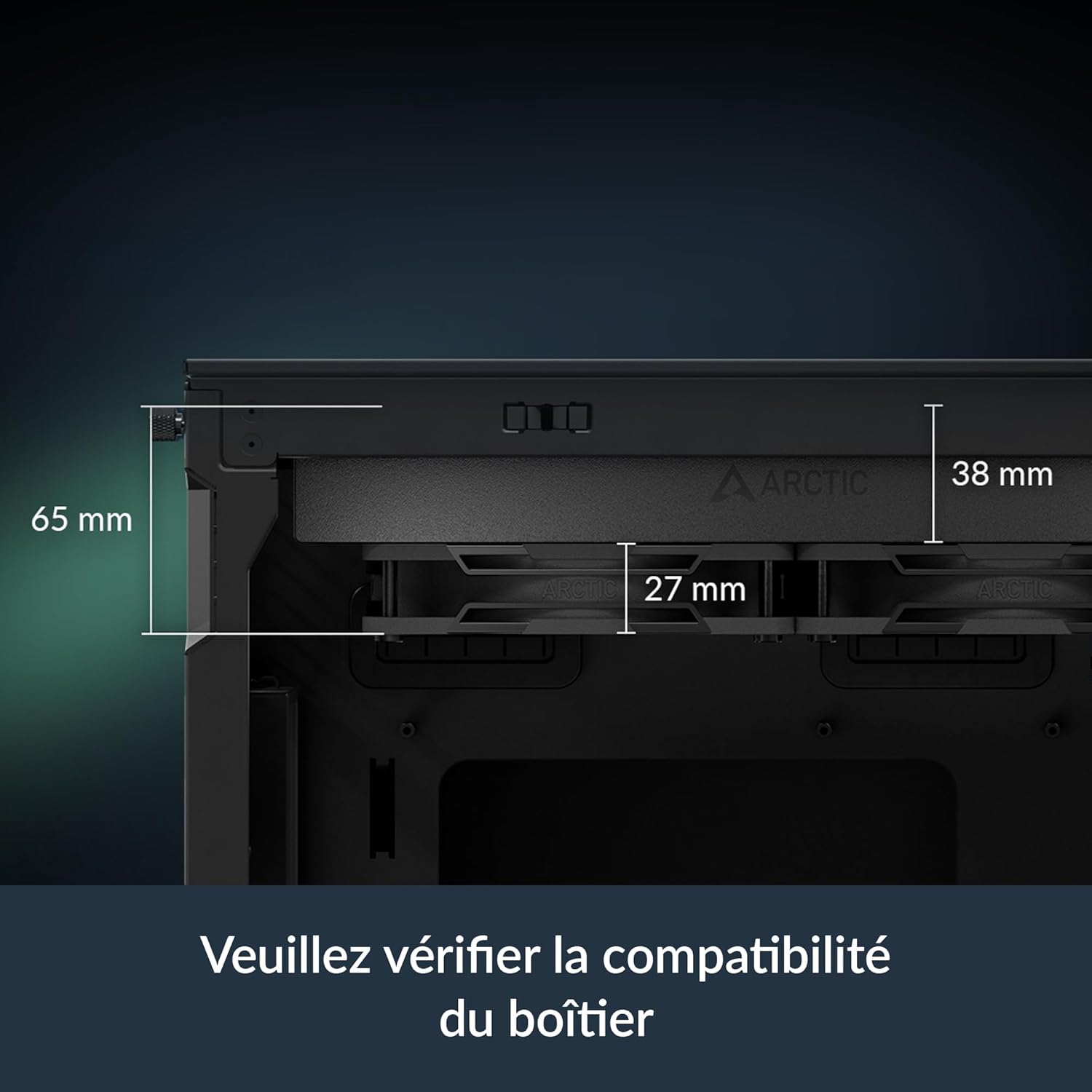
Image: Diagram illustrating the dimensions of the radiator (38mm thick) and the total height with fans (65mm), emphasizing the need to check case compatibility.
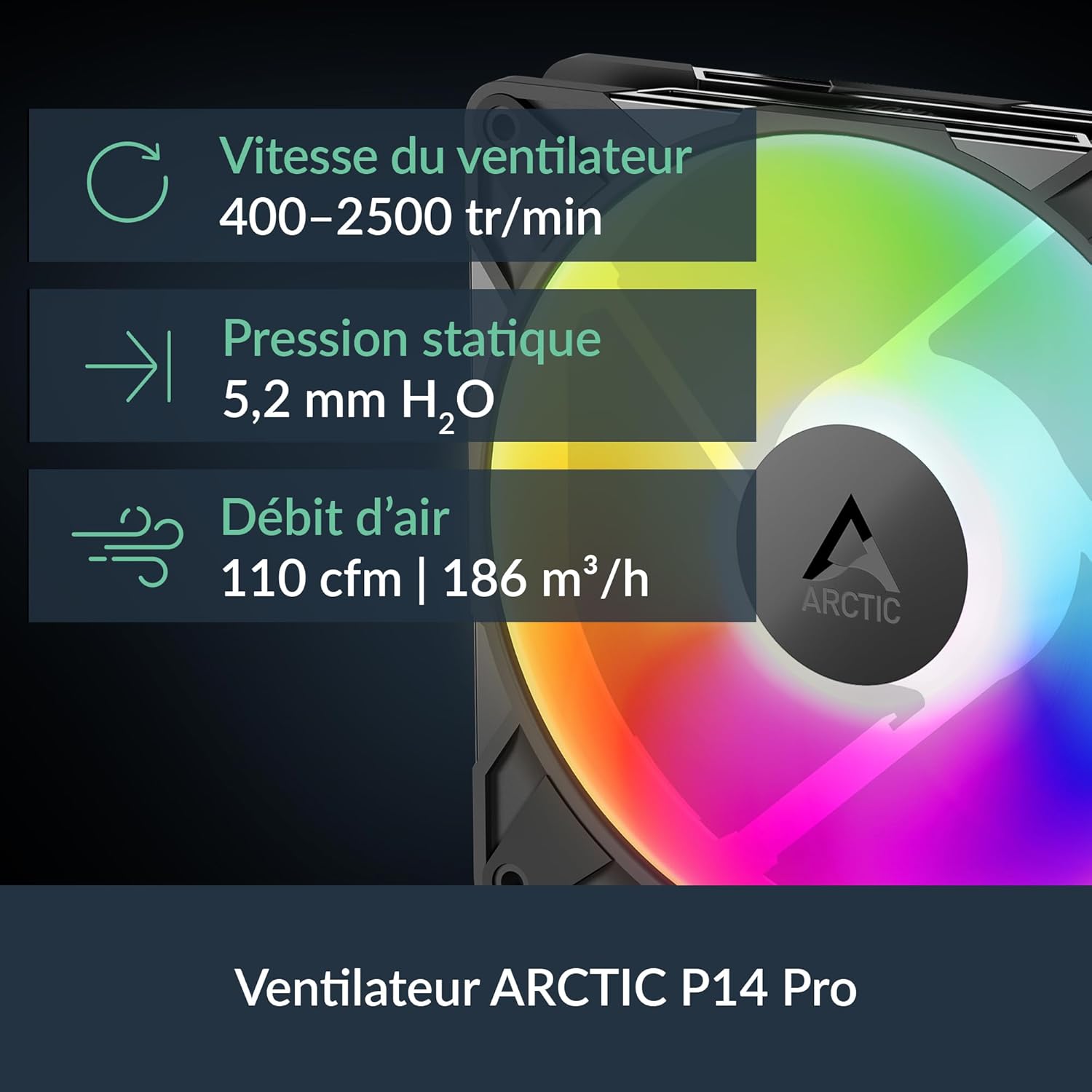
Image: Visual representation of the ARCTIC P14 Pro fan, highlighting its key specifications: fan speed (400-2500 RPM), static pressure (5.2 mm H₂O), and airflow (110 CFM).
セットアップガイド
Follow these steps for proper installation of your ARCTIC Liquid Freezer III Pro 420 A-RGB cooler. It is highly recommended to consult your motherboard and PC case manuals for specific instructions related to fan headers, mounting points, and clearance.
1. システムを準備する
- コンピュータの電源をオフにし、すべてのケーブルを外します。
- PCケースを開け、既存のCPUクーラーを取り外します。CPU表面を丁寧に拭き、古い放熱グリスを除去します。
- Ensure your PC case has adequate clearance for the 420mm radiator (18.03 x 5.43 x 2.68 inches or 458 x 138 x 68 mm).
2. 取り付け金具の取り付け
The Liquid Freezer III Pro 420 A-RGB supports both AMD and Intel platforms. Use the appropriate mounting hardware for your CPU socket.
Intel LGA1851/1700の場合:
- Install the provided Intel contact frame onto your motherboard. This optimizes contact pressure for better thermal performance and CPU longevity.
- Secure the backplate and standoffs according to the instructions provided with the cooler.
AMD AM5/AM4の場合:
- Utilize the native offset mounting design. This shifts the cold plate center towards the CPU hotspot for more efficient heat transfer.
- Attach the appropriate AMD mounting brackets and secure the backplate and standoffs.

Image: Diagram illustrating the native offset mounting for AMD AM5 and Intel LGA1851, showing how the cold plate is positioned over the CPU hotspot for optimal heat transfer.

画像: クローズアップ view of the Intel LGA1851/1700 contact frame, demonstrating how it improves contact and pressure distribution on the CPU.

Image: Illustration of applying thermal paste to the CPU, ensuring even coverage for efficient heat transfer.
3. Mount the Radiator and Pump
- Carefully position the radiator in your chosen mounting location (e.g., top of the case). Secure it using the provided screws.
- Align the pump/cold plate assembly with the CPU and gently lower it onto the CPU, ensuring the pre-applied thermal paste makes full contact.
- Secure the pump/cold plate assembly to the mounting hardware using the provided screws. Tighten screws in a cross pattern until snug.
4.ケーブルを接続します
The Liquid Freezer III features integrated cable management, simplifying connections.
- Connect the single All-In-One 4-pin PWM cable from the cooler to your motherboard's CPU_FAN or AIO_PUMP header. This cable controls the pump, radiator fans, and VRM fan.
- A-RGB 照明の場合、A-RGB ケーブルをマザーボード上の互換性のある 3 ピン 5V A-RGB ヘッダーに接続します。
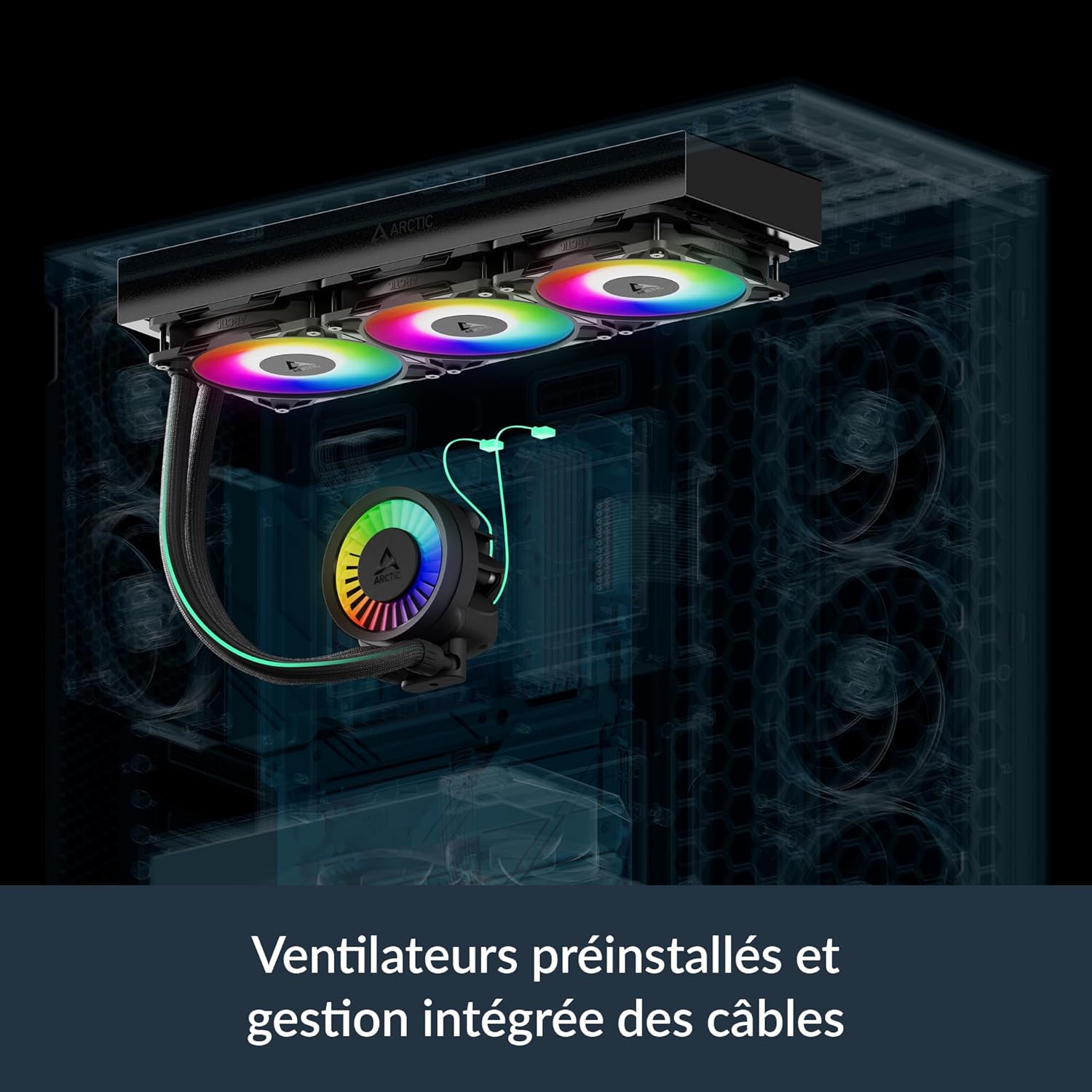
Image: Illustration showing the pre-installed fans and the integrated cable management system, where PWM cables are routed within the hose sleeving for a cleaner build.

Image: Diagram showing the various cable connections for the VRM fan, radiator fans, and pump, highlighting the simplified All-In-One connection option.
操作手順
Fan and Pump Control (PWM)
The ARCTIC Liquid Freezer III Pro 420 A-RGB utilizes Pulse Width Modulation (PWM) for dynamic control of fan and pump speeds. This allows your motherboard to adjust cooling performance based on CPU temperature, optimizing for both cooling efficiency and noise levels.
- BIOS/UEFI設定: Access your motherboard's BIOS/UEFI settings to configure fan curves. It is recommended to set the CPU_FAN header to PWM mode and adjust the fan curve to your preference. A more aggressive curve will provide better cooling under load, while a less aggressive curve will result in quieter operation at lower temperatures.
- Integrated VRM Fan: The integrated VRM fan is also PWM-controlled and helps to cool the voltage regulator modules on your motherboard, ensuring stable performance, especially during overclocking.

Image: Bar chart comparing VRM temperatures with Liquid Freezer III Pro, Liquid Freezer II, and without active ventilation, demonstrating the effectiveness of the integrated VRM fan.

Image: Performance comparison charts showing CPU temperatures for Intel and AMD processors under full load and normalized noise levels, highlighting the cooler's efficiency.
A-RGB Lighting Control
The A-RGB fans and pump head feature individually addressable LEDs, allowing for customizable lighting effects.
- マザーボードソフトウェア: Control the A-RGB lighting using your motherboard's RGB synchronization software (e.g., ASUS Aura Sync, GIGABYTE RGB Fusion, MSI Mystic Light Sync, ASRock Polychrome Sync). Ensure the A-RGB cable is connected to the correct 3-pin 5V A-RGB header.
- Third-Party Controllers: If your motherboard does not have a compatible A-RGB header, you may use a separate A-RGB controller (not included) to manage the lighting effects.
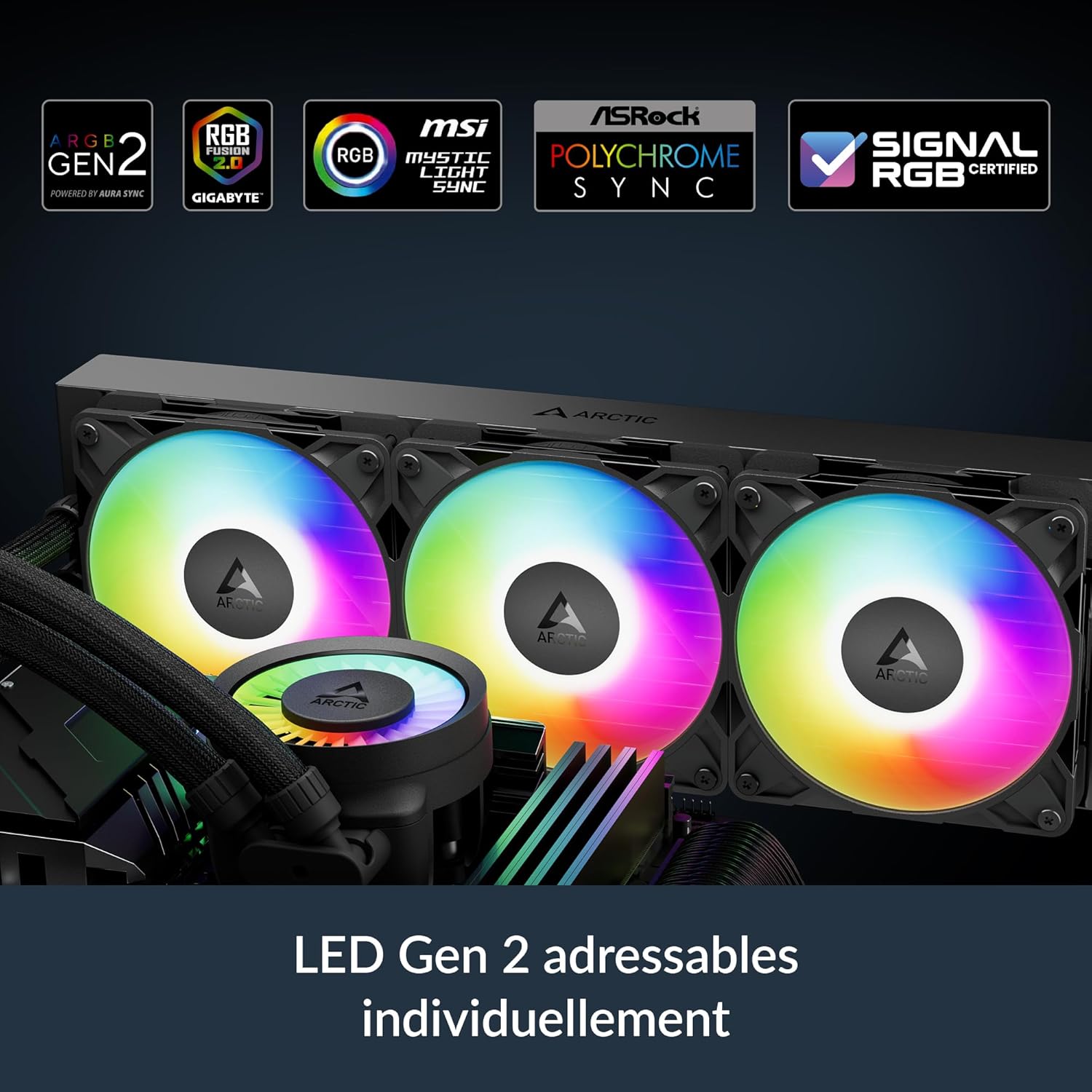
Image: Close-up of the pump head and fans displaying vibrant, individually addressable RGB lighting, indicating compatibility with various motherboard RGB software.
メンテナンス
Regular maintenance ensures optimal performance and longevity of your Liquid Freezer III Pro 420 A-RGB cooler.
- ダストクリーニング: Periodically clean dust from the radiator fins and fan blades using compressed air or a soft brush. Ensure fans are not spinning during cleaning to prevent damage.
- サーマルペースト: While the pre-applied thermal paste is high quality, consider reapplying fresh thermal paste if you ever remove the cold plate from the CPU for maintenance or upgrades.
- Liquid Loop: The liquid cooling loop is sealed and requires no refilling or maintenance. Do not attempt to open it.
トラブルシューティング
| 問題 | 考えられる原因 | 解決 |
|---|---|---|
| 高いCPU温度 | Improper cold plate contact, insufficient thermal paste, dust buildup on radiator, incorrect fan curve settings. | Re-seat cooler, reapply thermal paste, clean radiator/fans, adjust fan curves in BIOS/UEFI. |
| ファン/ポンプが回転しない | Loose or incorrect cable connection, disabled fan header in BIOS. | Check all 4-pin PWM connections, ensure CPU_FAN header is enabled and set to PWM. |
| A-RGB照明が機能しない | Incorrect A-RGB header connection, incompatible motherboard software, faulty A-RGB header. | Verify 3-pin 5V A-RGB connection, ensure motherboard software is updated and configured correctly. |
| 過度の騒音 | Fans running at high RPM, pump noise, loose components, air bubbles in loop (rare). | Adjust fan curves for quieter operation, ensure all screws are tightened, gently tilt case to dislodge air bubbles. |
| 身体的適合性の問題 | Case not compatible with 420mm radiator or thick radiator/fan combo. | Verify case specifications for radiator support before purchase. Some cases may require modifications or may not be compatible. |
保証
The ARCTIC Liquid Freezer III Pro 420 A-RGB is covered by a 6年間の限定保証 from the date of purchase. This warranty covers defects in materials and workmanship under normal use. Please retain your proof of purchase for warranty claims. The warranty does not cover damage resulting from improper installation, accident, abuse, misuse, natural disaster, or unauthorized modification.
Image: The product box displaying the "6 Years Warranty" logo, indicating the extended warranty period for the cooler.
サポート
テクニカルサポート、保証請求、その他のサポートについては、ARCTICの公式ウェブサイトをご覧ください。 webサイトをご覧いただくか、カスタマーサービスにお問い合わせください。
- 北極公式 Webサイト: www.arctic.ac
- 参照 webお住まいの地域に固有の連絡先情報については、こちらのサイトをご覧ください。