
アグリーン 65383
UGREEN USB C to USB C Cable Instruction Manual
モデル: 65383 | ブランド: UGREEN
1. はじめに
Thank you for choosing the UGREEN USB C to USB C Cable. This premium cable is engineered to deliver exceptional performance for your modern devices, supporting ultra-fast charging, high-speed data transfer, and stunning video output. Designed for durability and versatility, it is an essential accessory for your MacBook, iPad, iPhone, USB C monitors, and other compatible devices.

Image: The UGREEN USB C to USB C Cable, showcasing its braided design and robust connectors.
2. 主な特徴
2.1. 240W Superfast Charging
Empower your devices with superb 240W Power Delivery 3.1. This cable can charge a MacBook Pro 16" to 56% in approximately 30 minutes. It is backward compatible with 140W, 100W, and 65W devices, ensuring future-proof performance for a wide range of laptops, phones, and accessories.

Image: Visual representation of the UGREEN USB C cable's 240W charging capability, highlighting its speed compared to lower wattageケーブル。
2.2. Lightning 80Gbps Data Transfer
Experience rapid data synchronization with USB4 Gen4's 80Gbps bandwidth. This allows you to transfer a 20GB 4K movie in just 3 seconds, making it 8 times faster than standard USB C cables. It is ideal for professionals like photographers and developers, or anyone needing to move massive files quickly between SSDs, NAS, or dual computers.

Image: Graphic illustrating the 80Gbps data transfer speed of the UGREEN USB C cable, emphasizing its rapid syncing capabilities.
2.3. Industry Leading HD Display Support
Unlock cinematic visuals with DisplayPort 2.1 mode. This cable supports resolutions up to 16K@60Hz, and can extend to dual 8K@60Hz or triple 4K@144Hz displays. It is perfect for gaming setups, 3D rendering workstations, or multi-screen trading environments that demand ultra-smooth, zero-lag visuals.
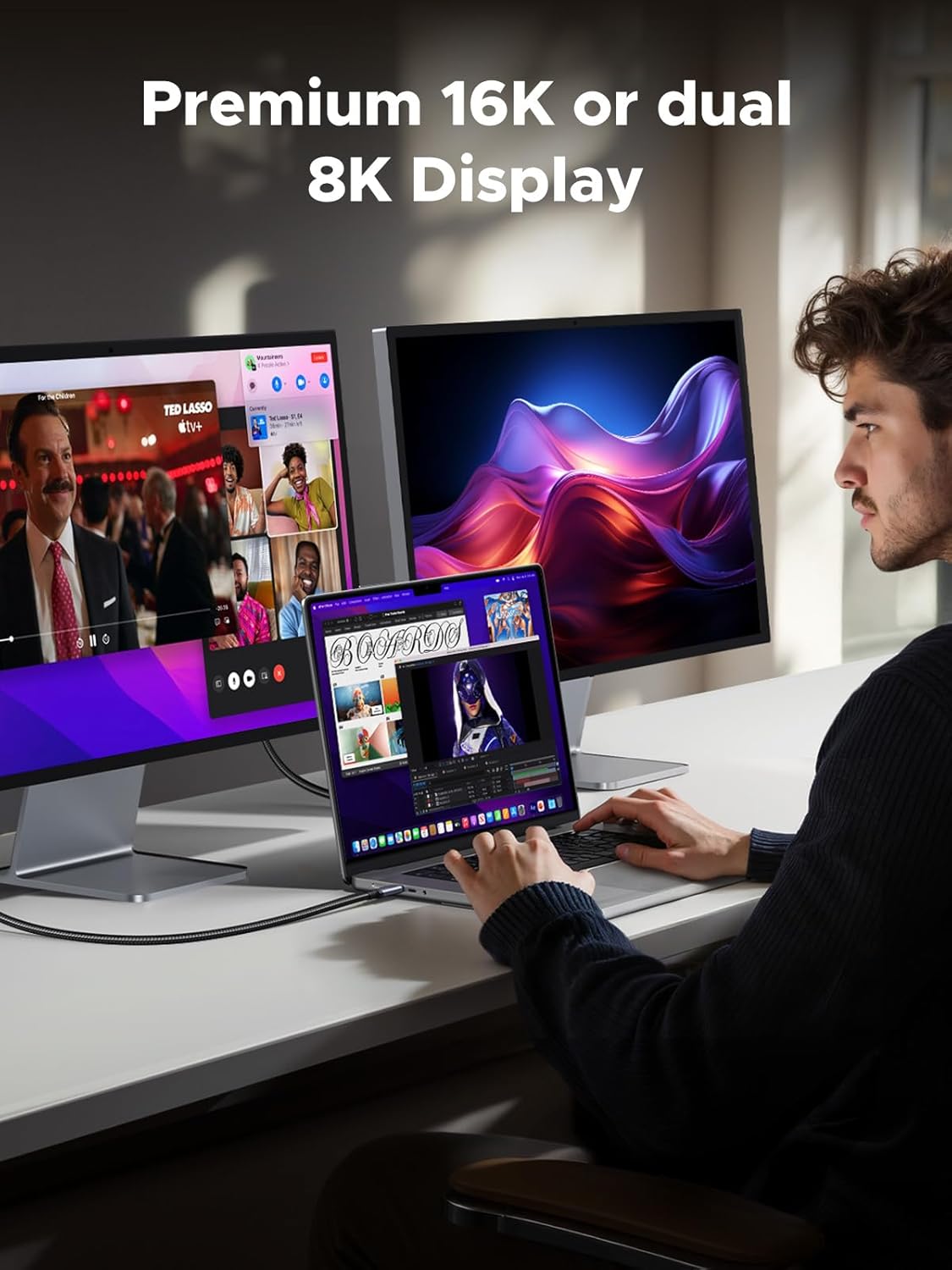
Image: A user working with a laptop connected via the UGREEN USB C cable to two external monitors, demonstrating its support for premium 16K or dual 8K displays.
2.4. All-in-One Solution & Broad Compatibility
This single USB C to C cable efficiently handles 240W charging, 80Gbps data syncing, and 16K max video output. It seamlessly connects USB C laptops (e.g., MacBook Pro/Air, Dell XPS), phones (e.g., iPhone 16, Galaxy S24), tablets (e.g., iPad Pro), monitors, and various accessories. It supports Thunderbolt 4, Thunderbolt 3, USB4, USB 3.2, USB 3.1, USB 3.0, and more.

Image: An illustration showing the UGREEN USB C cable connecting a variety of devices, including a MacBook Pro, iPad Pro, smartphone, display, docking station, and camera, emphasizing its 'One For All' versatility.
2.5. Sturdy and Long-lasting Design
The cable features a solid and durable nylon braided exterior, ensuring a longer service life with resistance to over 10,000 bends. The double-sided USB C connectors have over-molded strain relief, designed for frequent insertions. Its aluminum housing, high-purity copper wire, and triple shielding contribute to long-lasting fast charging performance and overall reliability.

Image: Close-up of the UGREEN USB C cable connector and braided cable, highlighting its superior durability and ability to withstand over 20,000 bending tests.
2.6. Smart E-Marker Chip
Equipped with an advanced E-Marker chip, the cable ensures safer, faster, and more stable performance. This chip intelligently manages power delivery and data flow, providing essential protections against overheating, over-current, and short-circuits, thereby safeguarding your connected devices.

Image: Diagram illustrating the internal Smart E-Marker Chip within the UGREEN USB C cable, emphasizing its role in ensuring safer, faster, and more stable connections.
3. セットアップ
The UGREEN USB C to USB C Cable is designed for plug-and-play simplicity. No drivers or software installation are required.
- 互換性のあるポートを識別する: Ensure your devices (laptop, phone, monitor, charger) have USB-C ports. For optimal performance, ensure both connected devices and the power source support the desired power delivery (e.g., 240W) and data transfer speeds (e.g., 80Gbps).
- ケーブルを接続します。 Insert one end of the UGREEN USB C cable into the USB-C port of your source device (e.g., laptop, charger).
- Connect to Destination Device: Insert the other end of the cable into the USB-C port of your target device (e.g., monitor, external SSD, smartphone).
- 接続を確認します: Once connected, your devices should automatically recognize each other for charging, data transfer, or video output, depending on their capabilities and your setup.
4. 操作手順
4.1.デバイスの充電
Connect the cable between a USB-C power adapter (charger) and your USB-C enabled device (e.g., laptop, tablet, phone). The cable will automatically negotiate the maximum supported power delivery up to 240W, provided both the charger and the device support it.
4.2。 データの転送
Connect the cable between two USB-C enabled devices for data transfer (e.g., a computer and an external SSD, or two computers). Ensure both devices support USB4 Gen4 or compatible USB standards for optimal speed. Files can be dragged and dropped between devices as usual.
4.3.ビデオ出力
Connect the cable from a USB-C enabled device with DisplayPort Alternate Mode (Alt Mode) support (e.g., laptop, tablet) to a USB-C enabled monitor or display. The cable supports resolutions up to 16K@60Hz, dual 8K@60Hz, or triple 4K@144Hz, depending on your device and monitor capabilities. Ensure your device's display settings are configured correctly for external monitors.
5. メンテナンス
To ensure the longevity and optimal performance of your UGREEN USB C to USB C Cable, follow these maintenance guidelines:
- 極端な曲げは避けてください: While the cable is designed for durability, avoid sharp or excessive bends, especially near the connectors, to prevent internal wire damage.
- 清潔に保ちます: ケーブルとコネクタは定期的に柔らかく乾いた布で拭き、ほこりやゴミを取り除いてください。刺激の強い化学薬品や研磨剤の使用は避けてください。
- 適切な保管: When not in use, coil the cable loosely and store it in a cool, dry place away from direct sunlight and extreme temperatures. Avoid tangling the cable with other items.
- 取り扱いにはご注意ください: ケーブルを抜き差しするときは、ケーブル自体を引っ張るのではなく、必ずコネクタのヘッドをつかんでください。
6。 トラブルシューティング
If you encounter issues with your UGREEN USB C to USB C Cable, please refer to the following common problems and solutions:
| 問題 | 考えられる原因 | 解決 |
|---|---|---|
| デバイスが充電されない、または充電が遅い。 | Incompatible charger/device, loose connection, insufficient power. | Ensure charger and device support the required power (e.g., 240W). Check that the cable is securely plugged into both ends. Try a different charger or port. |
| データ転送が遅い、または機能しません。 | Incompatible USB standard, faulty port, software issue. | Ensure both devices support USB4 Gen4 or a compatible high-speed USB standard. Try a different USB-C port on your device. Restart your devices. |
| 外部ディスプレイへのビデオ出力がありません。 | Device/monitor not supporting DisplayPort Alt Mode, incorrect display settings, cable not fully inserted. | Verify that both your source device and monitor support DisplayPort Alt Mode over USB-C. Check your device's display settings to ensure the external monitor is detected and configured. Re-insert the cable firmly. |
| ケーブルが破損しているようです。 | Physical stress, improper handling. | Discontinue use immediately. Contact UGREEN customer support for assistance. |
7. 仕様
| 特徴 | 詳細 |
|---|---|
| モデル番号 | 65383 |
| ブランド | ユーグリーン |
| コネクタタイプ | USBタイプCからUSBタイプC |
| ケーブルタイプ | USB |
| 電力供給 | 最大240W(PD 3.1) |
| データ転送速度 | Up to 80Gbps (USB4 Gen4) |
| ビデオ出力 | Up to 16K@60Hz, Dual 8K@60Hz, Triple 4K@144Hz (DisplayPort 2.1) |
| 特集 | Braided, Data Transfer, Fast Charging, E-Marker Chip |
| 対応デバイス | MacBook, iPad, iPhone, USB C Monitors, Phones (Galaxy S24), Laptops, Tablets, Accessories |
| 寸法(パッケージ) | 7.48 x 7.09 x 1.97インチ |
| 重量(商品) | 2.12オンス |
8. 保証とサポート
For information regarding warranty coverage, technical support, and customer service, please visit the official UGREEN website or contact their customer support directly. Details can typically be found in the product packaging or on the UGREEN brand store page.
Ask a question about this manual
Ask about setup, troubleshooting, compatibility, parts, safety, or missing instructions. Manuals+ will review the question and use this page’s manual context to help answer it.