
Avantree Audikast 3, TWS116
Avantree Audikast 3 & TWS116 ユーザーマニュアル
Bluetooth 5.3 Transmitter for TV & Open-Ear Wireless Headphones
Model: Audikast 3 (Transmitter), TWS116 (Headphones)
導入
This manual provides detailed instructions for the setup, operation, and maintenance of your Avantree Audikast 3 Bluetooth Transmitter and Avantree TWS116 Open-Ear Wireless Headphones. Please read this manual thoroughly before use to ensure proper functionality and to maximize your product experience.

Image: The Avantree Audikast 3 Bluetooth transmitter and the Avantree TWS116 open-ear wireless headphones, showcasing 製品の両方のコンポーネント。
パッケージ内容
- Avantree Audikast 3 Bluetoothトランスミッター
- Avantree TWS116 Open-Ear Wireless Headphones (Left and Right)
- Charging Case for TWS116 Headphones
- USB充電ケーブル
- 光オーディオケーブル
- 3.5mmAUXオーディオケーブル
- ユーザーマニュアル(このドキュメント)
製品終了view
Audikast 3 Bluetooth Transmitter
The Audikast 3 transmitter features multiple audio input options and controls for pairing and volume adjustment.

画像: 背面 view of the Audikast 3 transmitter showing the DC IN (USB-C), Optical (TOSLINK), and AUX (3.5mm) input ports, along with the ON/OFF switch.
- DC INポート: USBケーブル経由で電源供給します。
- 光(TOSLINK)入力: テレビやその他のデバイスからのデジタルオーディオ接続用。
- AUX(3.5mm)入力: 3.5mmオーディオジャックを備えたデバイスからのアナログオーディオ接続用。
- オン/オフスイッチ: 送信機の電源をオンまたはオフにします。
- ペアリングボタン: Two dedicated buttons for pairing with one or two Bluetooth devices.
- ボリュームコントロール: Plus (+) and Minus (-) buttons for adjusting audio output volume.
- ステータスインジケータ: LEDs indicating connection status, audio codec (SBC, aptX LL), and input mode (USB, AUX, OPT).

画像: 上 view of the Audikast 3 transmitter highlighting the volume boost capability, which can increase optical audio output by up to +6dB.
TWS116 Open-Ear Wireless Headphones
The TWS116 headphones are designed for comfort and situational awareness.
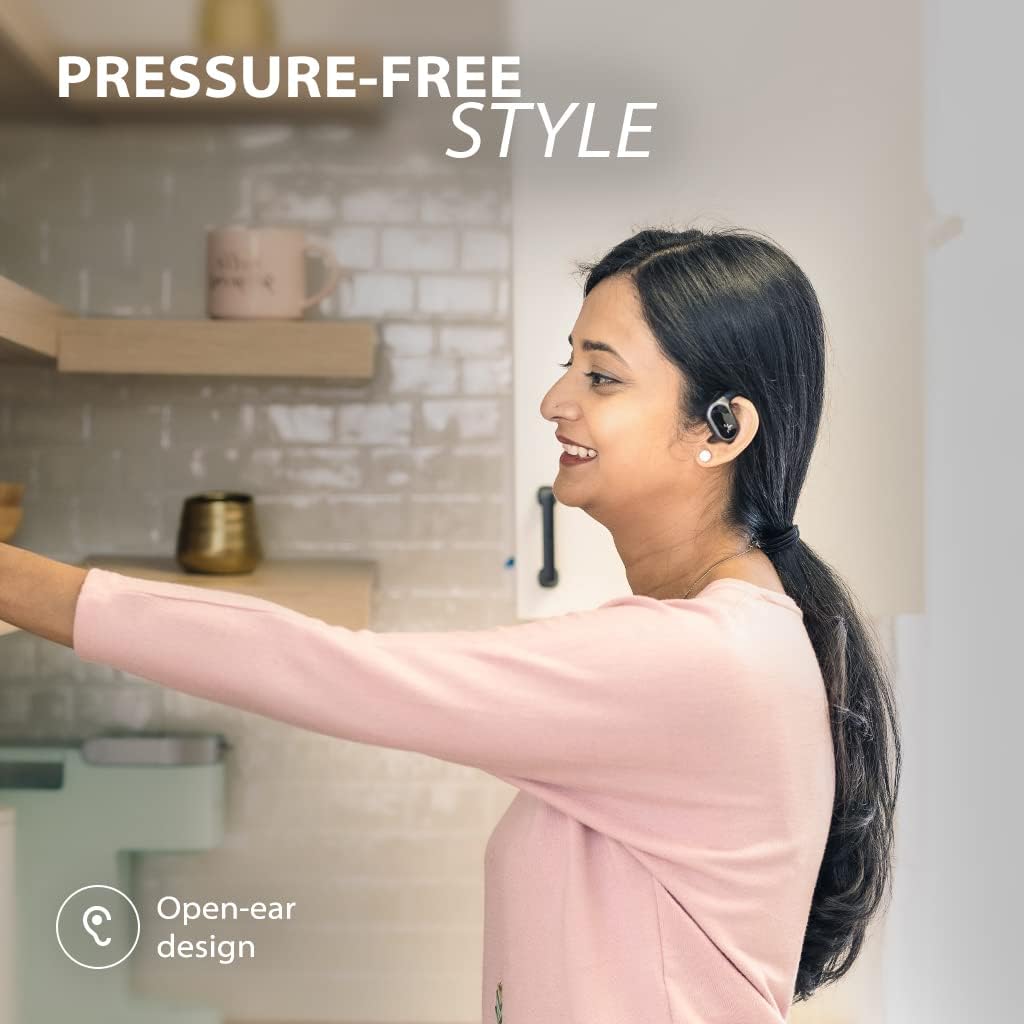
Image: A person wearing the Avantree TWS116 open-ear headphones, demonstrating their pressure-free and comfortable fit.
- オープンイヤーデザイン: Allows ambient sounds to be heard, maintaining awareness of surroundings.
- 統合されたコントロール: Buttons on each earbud for media playback, call management, and volume.
- 充電接点: ケース内で充電できるようにイヤホン上に配置されています。
- 充電ケース: Provides extended battery life and secure storage for the headphones.

Image: Close-up of the TWS116 headphones, illustrating the location of the built-in controls for play/pause, skip/replay, call answer/reject, and volume adjustment.
設定
1. Powering the Audikast 3 Transmitter
- Connect the supplied USB charging cable to the DC IN port of the Audikast 3.
- Plug the other end of the USB cable into a 5V/500mA-1A USB power adapter (not included) or a TV's USB port.
- ON/OFFスイッチを「ON」の位置にスライドします。
2. Connecting the Audikast 3 to Your TV/Audio Source
The Audikast 3 supports Optical (TOSLINK) and AUX (3.5mm) audio inputs.
画像: 背面 view of the Audikast 3 transmitter showing the DC IN (USB-C), Optical (TOSLINK), and AUX (3.5mm) input ports, along with the ON/OFF switch.
- 光接続(テレビに推奨):
- 光ケーブルの両端から保護キャップを取り外します。
- Connect one end to the "Optical Out" port on your TV.
- Connect the other end to the "Optical" input on the Audikast 3.
- On your TV's audio settings, set the Digital Audio Output format to "PCM" or "Stereo" (not Dolby/DTS).
- AUX(3.5mm)接続:
- Connect one end of the 3.5mm AUX cable to the "Audio Out" or "Headphone Jack" on your TV/audio source.
- Connect the other end to the "AUX" input on the Audikast 3.
注記:
- The Audikast 3 does not support TVs with HDMI port only.
- Simultaneous playback through a soundbar and headphones is not supported by the Audikast 3.
3. Pairing TWS116 Headphones with Audikast 3
- Ensure the TWS116 headphones are charged and placed in their charging case.
- Open the charging case. The headphones will automatically enter pairing mode (LEDs will flash).
- On the Audikast 3 transmitter, press and hold one of the pairing buttons (e.g., the '1' button) for 3 seconds until its LED flashes rapidly.
- Place the headphones and transmitter close to each other. They should automatically pair within a few seconds.
- Once paired, the LED on the Audikast 3 for that channel will turn solid blue, and the headphones will indicate a successful connection.
- To pair a second pair of headphones (not included), repeat steps 2-5 using the other pairing button ('2') on the Audikast 3.
操作手順
Using the Audikast 3 Transmitter
- 音量調整: Use the '+' and '-' buttons on the transmitter to adjust the audio volume. The Audikast 3 can boost optical audio output by up to 6dB to compensate for low TV output.
- オーディオ入力の選択: The transmitter automatically detects the active audio input (Optical or AUX). Ensure only one audio source is connected at a time.
- 再接続中: Once paired, the transmitter and headphones will automatically reconnect when powered on and within range.
Using the TWS116 Open-Ear Headphones
Image: Close-up of the TWS116 headphones, illustrating the location of the built-in controls for play/pause, skip/replay, call answer/reject, and volume adjustment.
- 電源オン/オフ: Headphones power on automatically when removed from the case and power off when placed back in the case.
- 再生/一時停止: どちらかのイヤホンの多機能ボタンを 1 回押します。
- 次のトラック: 右のイヤホンの多機能ボタンを2回押します。
- 前のトラック: 左のイヤホンの多機能ボタンを2回押します。
- ボリュームアップ: Press and hold the multi-function button on the right earbud.
- ボリュームダウン: Press and hold the multi-function button on the left earbud.
- 通話の応答/終了: 着信中に多機能ボタンを 1 回押します。
- 通話を拒否: 着信中に多機能ボタンを長押しします。
- 音声アシスタント: どちらかのイヤホンの多機能ボタンを3回押します。

Image: A couple interacting while one person wears the TWS116 headphones, emphasizing the open-ear design that allows for awareness of surroundings.
メンテナンス
Charging the TWS116 Headphones

Image: The TWS116 headphones resting in their charging case, indicating 7 hours of playtime on a single charge and 35 hours with the charging case.
- Place the headphones into their charging case. Ensure the charging contacts align.
- The LEDs on the headphones will indicate charging status.
- To charge the case, connect the USB charging cable to the case's charging port and a USB power source.
- A full charge provides approximately 7 hours of playtime for the headphones, with the charging case providing an additional 28 hours (total 35 hours).
クリーニング
- Wipe the transmitter and headphones with a soft, dry, lint-free cloth.
- 研磨剤入りの洗剤、アルコール、化学溶剤は使用しないでください。
- デバイスを過度の湿気にさらさないでください。
トラブルシューティング
| 問題 | 考えられる原因 / 解決策 |
|---|---|
| ヘッドホンから音が出ません。 |
|
| ヘッドフォンがペアリングされません。 |
|
| 音量が低いです。 |
|
| オーディオの遅延/レイテンシー。 |
|
仕様

画像: 詳細な view of a Qualcomm chipset, indicating the advanced technology powering the Audikast 3 for stable connections and clear sound.
| 特徴 | 詳細 |
|---|---|
| ブランド | アバンツリー |
| モデル名 | Audikast 3 (Transmitter), TWS116 (Headphones) |
| Bluetoothバージョン | 5.3 |
| 接続技術 | ワイヤレス(Bluetooth) |
| 対応デバイス | TVs, Bluetooth-enabled Devices |
| Audio Driver Type (Headphones) | ダイナミックドライバ |
| Earpiece Shape (Headphones) | オープンイヤー |
| 周波数範囲 | 20 Hz - 20,000 Hz |
| Headphones Playtime (Single Charge) | 約7時間 |
| Headphones Playtime (with Charging Case) | 約35時間 |
| Transmitter Audio Inputs | Optical (TOSLINK), 3.5mm AUX |
| Transmitter Volume Boost | Up to +6dB for optical connections |
| 色 | 黒 |
保証とサポート
Avantree products typically come with a manufacturer's warranty. For specific warranty details, registration, and technical support, please visit the official Avantree webサイトをご覧いただくか、カスタマー サービスに直接お問い合わせください。
オンラインサポート: www.avantree.com/support
メールサポート: Refer to the Avantree web連絡先メールアドレスのサイト。