
1. はじめに
This manual provides detailed instructions for the installation, operation, and maintenance of your Dhiedas Smart Cabinet Lock. This biometric electronic digital lock offers multiple unlocking methods for enhanced security and convenience in various furniture types.

Figure 1: Dhiedas Smart Cabinet Lock
2. パッケージ内容
パッケージにすべてのコンポーネントが含まれていることを確認します。
- Smart Cabinet Lock Unit
- 2×RFIDカード
- 3M Adhesive Stickers (for installation)
- Screws (optional, for installation)
- 英語ユーザーマニュアル
- Double Door Accessory (if applicable)
- Positioning Card (for drilling guidance)

図2: インストールに含まれるコンポーネント
3. 特徴
- 5つのロック解除方法: Fingerprint (up to 100), Passcode (up to 20), Bluetooth App, RFID (13.56 MHz), and Apple Watch compatibility.
- Invisible Mounting: Can be installed with 3M adhesive tape without drilling or damaging furniture, or with screws for a more permanent fixture.
- 長いバッテリー寿命: Powered by 2 AA batteries (not included), lasting up to a year thanks to energy-saving technology.
- 非常用電力: Features a USB-C port for emergency power supply if batteries deplete.
- 耐久性のある構造: Made of robust zinc alloy, offering resistance against breaking and picking for high security.
- 多用途アプリケーション: Suitable for single-door cabinets, drawers, wall cabinets, liquor cabinets, pantries, desks, metal boxes, and more.
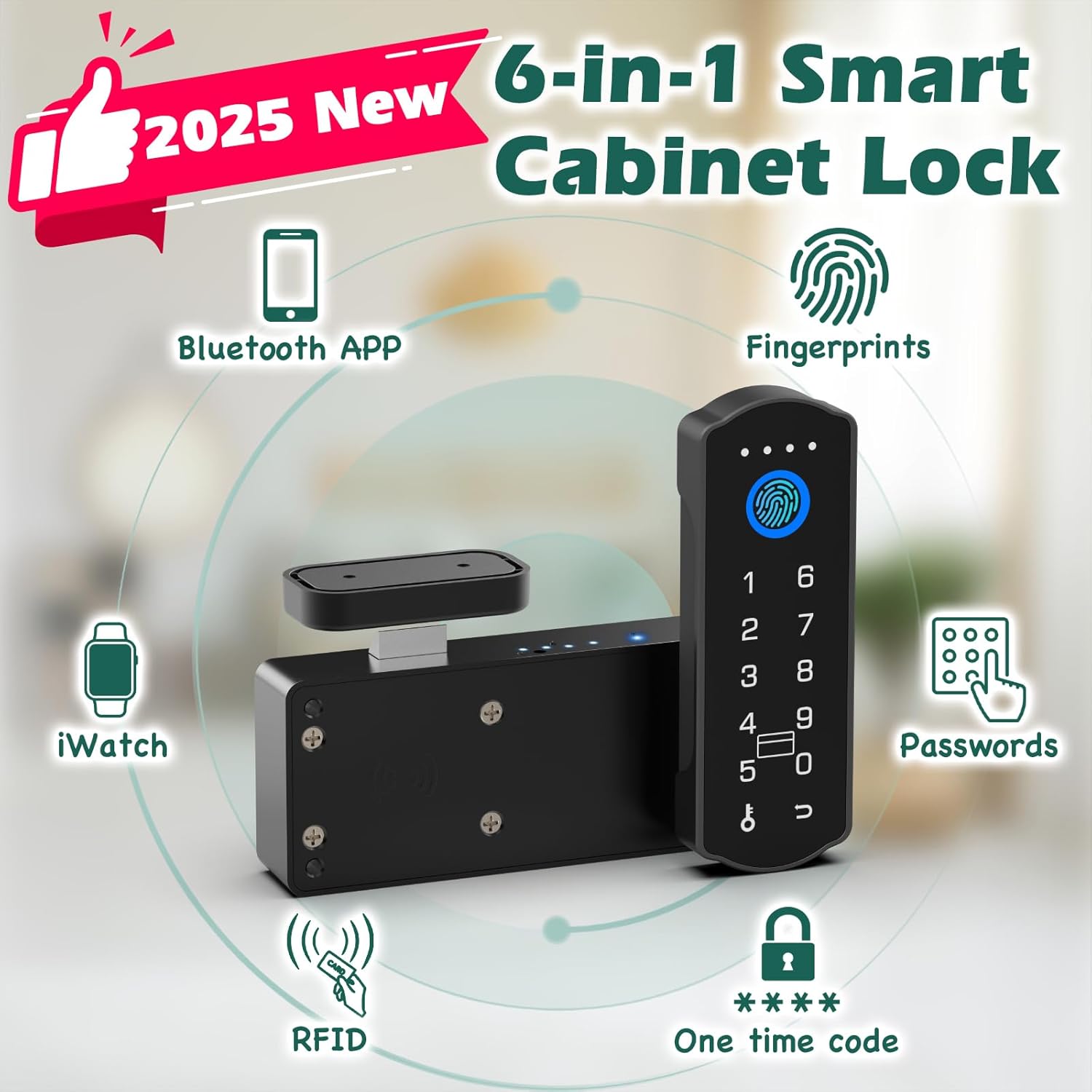
図3:以上view of unlocking methods

Figure 4: Child safety application of the lock
4. セットアップとインストール
The Dhiedas Smart Cabinet Lock offers two primary installation methods: adhesive mounting or screw mounting. No drilling is required for adhesive installation.
4.1.インストールの準備
- Ensure the cabinet or drawer surface is clean and dry.
- Insert 2 AA batteries (not included) into the main lock unit.
- Determine the optimal placement for the lock unit and the strike plate on your cabinet or drawer.
4.2. Adhesive Mounting (No Drilling)
- Peel the protective film from the 3M adhesive stickers.
- Attach the adhesive stickers to the back of the main lock unit and the strike plate.
- Carefully align and press the main lock unit onto the inside of the cabinet/drawer.
- Align and press the strike plate onto the cabinet frame or adjacent drawer, ensuring proper engagement with the lock bolt when closed.
4.3. Screw Mounting (Optional)
- Use the provided positioning card to mark the drilling points for the main lock unit and the strike plate.
- 印を付けた位置に下穴を開けます。
- Secure the main lock unit and the strike plate using the provided screws.

Figure 5: Installation steps for the smart cabinet lock
5. 操作手順
The Dhiedas Smart Cabinet Lock offers multiple ways to unlock your cabinet or drawer.
5.1. 指紋認証
- Register your fingerprints via the Bluetooth app (refer to app instructions for details).
- Place your registered finger on the fingerprint sensor on the lock's keypad.
- 指紋が認識されるとロックが解除されます。

Figure 6: Fingerprint unlocking in action
5.2. Passcode Unlocking
- Set up passcodes through the Bluetooth app.
- キーパッドに登録したパスコードを入力します。
- Press the unlock button (or designated key) to confirm.
- The lock will unlock if the passcode is correct.

Figure 7: Setting up and using passcodes
5.3. Bluetooth App Unlocking
- Download the dedicated Bluetooth app on your smartphone.
- Pair your lock with the app (follow in-app instructions).
- Within Bluetooth range (5-6m), use the app interface to remotely unlock the cabinet.
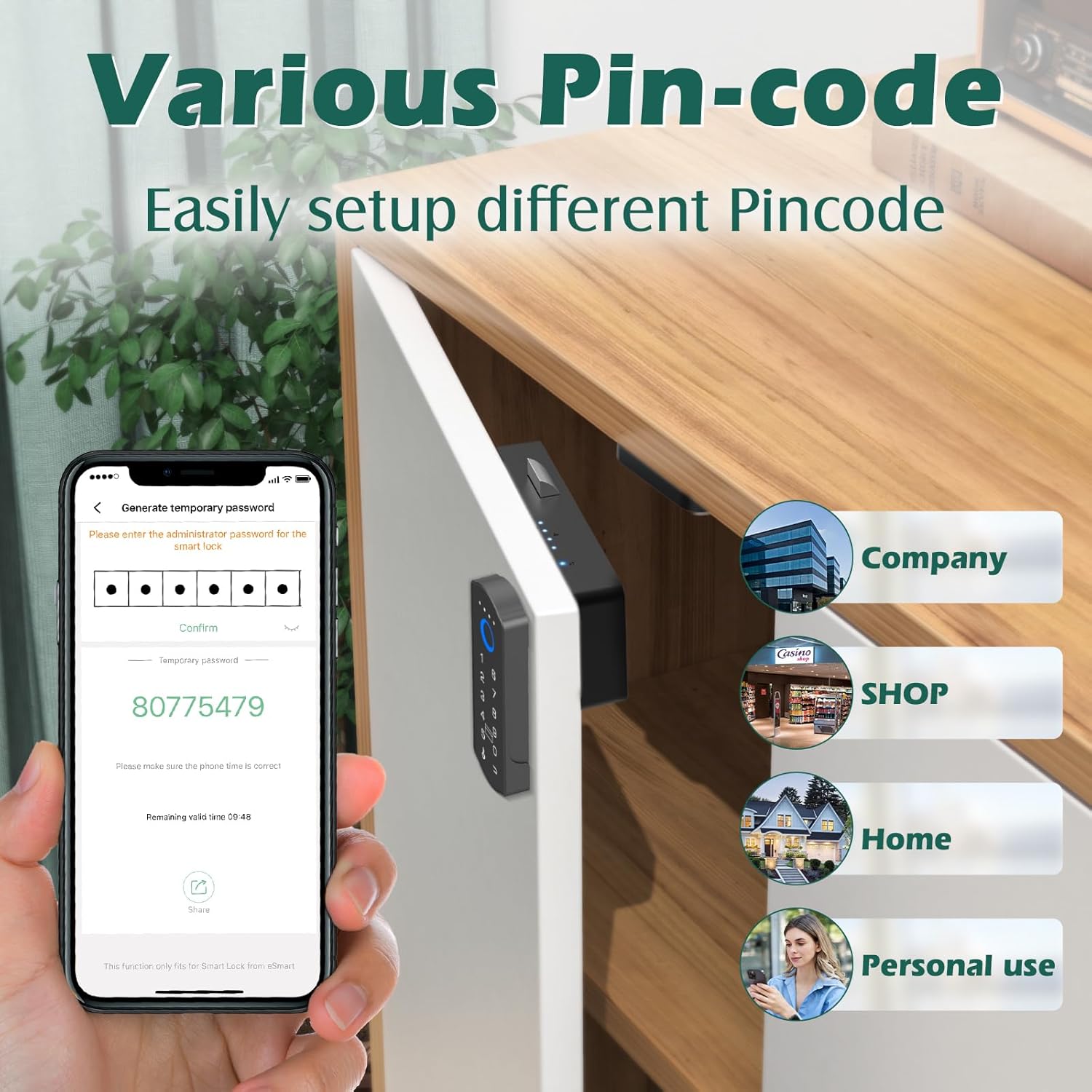
Figure 8: Remote unlocking via Bluetooth app
5.4. RFIDカードのロック解除
- Register the provided RFID cards with the lock via the app.
- Tap a registered RFID card against the designated RFID reader area on the lock.
- 認識に成功するとロックが解除されます。

Figure 9: Unlocking with an RFID card
5.5. Apple Watchのロック解除
- Ensure your Apple Watch is paired with your smartphone and the lock's app.
- Use the Apple Watch app interface to send an unlock command to the lock.

Figure 10: Unlocking via Apple Watch
6. メンテナンス
6.1. バッテリーの交換
The lock is powered by 2 AA batteries. When the battery indicator shows low power, replace both batteries promptly to ensure continuous operation.
6.2. 非常用電源
If the batteries die completely, connect a USB-C cable to the emergency power port on the keypad and a power source (e.g., power bank) to temporarily power the lock and unlock it.
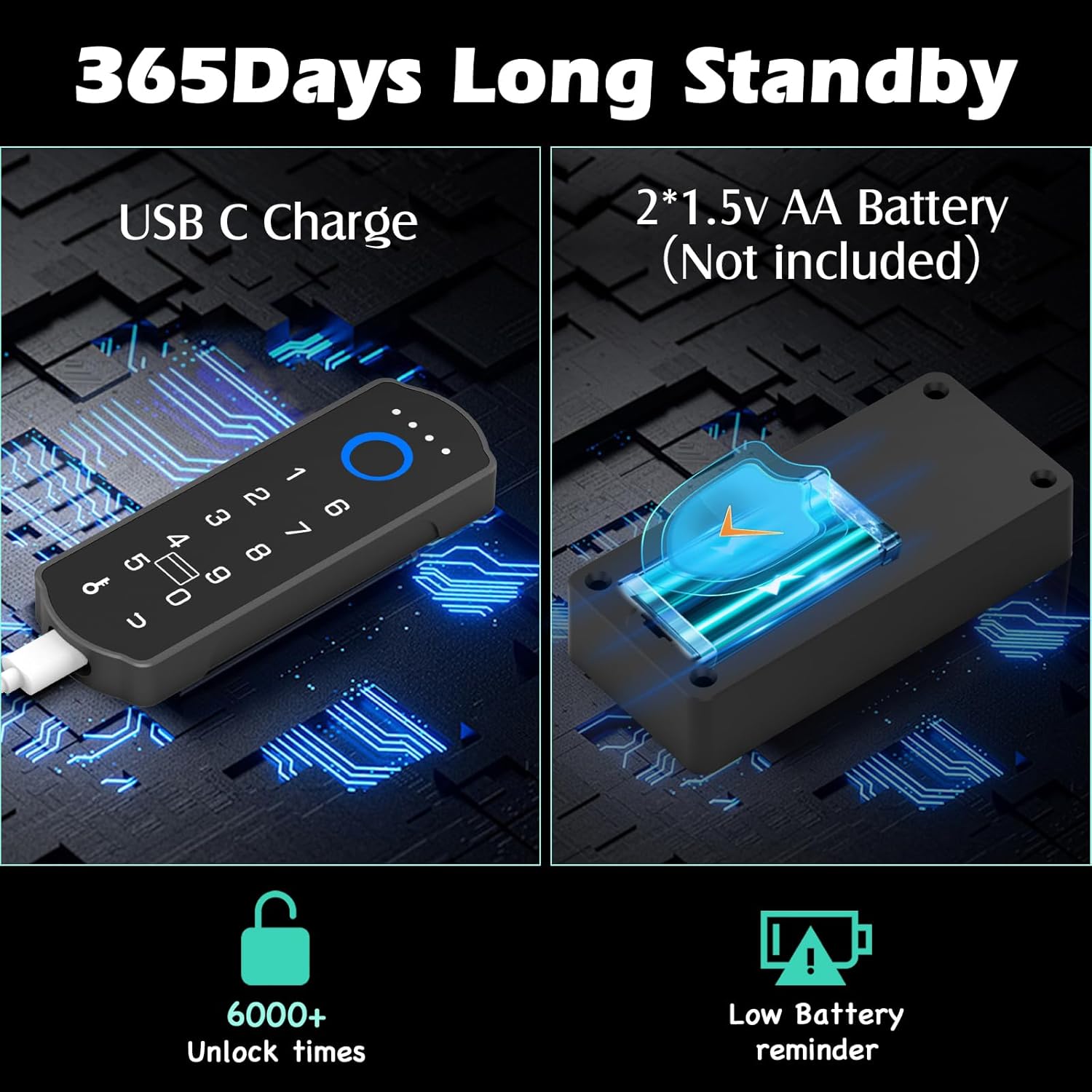
Figure 11: Battery and emergency power features
6.3. 清掃
ロックの表面は柔らかく乾いた布で拭いてください。仕上げや電子部品を傷める可能性のある研磨剤入りの洗剤や溶剤の使用は避けてください。
7。 トラブルシューティング
- ロックが応答しない: Check battery levels. Use the USB-C emergency power if needed. Ensure the lock is properly installed and not obstructed.
- 指紋が認識されません: 指が清潔で乾いていることを確認してください。アプリから指紋を再登録してみてください。
- パスコードが機能しない: Verify the entered passcode is correct. Ensure the lock is not in a temporary lockout state due to multiple incorrect attempts.
- アプリの接続の問題: Ensure Bluetooth is enabled on your device and the lock is within range. Restart the app or your device if necessary.
- RFID カードが機能しない: Ensure the card is properly registered. Try tapping the card firmly against the sensor.
8. 仕様
| 特徴 | 詳細 |
|---|---|
| ブランド | ディエダス |
| モデル番号 | A1BFPC-SB |
| ロックタイプ | Biometric, Keypad, RFID |
| ロック解除方法 | Fingerprint, Passcode, Bluetooth App, RFID, Apple Watch |
| 材料 | 金属、亜鉛 |
| 商品の寸法 (長さ x 幅 x 高さ) | 1.7 x 0.5 x 4.3インチ |
| アイテム重量 | 0.38キログラム |
| 電源 | 単三電池2本(別売) |
| 非常用電源 | USB-Cポート |
| 接続性 | ブルートゥース |
| 推奨用途 | Cabinets, Drawers, Double Door Cabinets, Cupboards, Lockers, Desks, Child Safety |
9. 保証とサポート
Dhiedas offers 12 months of customer support and lifetime technical service for this product. For any questions or assistance, please contact Dhiedas customer service.