
Aigostar B0DLW2CQ97
Aigostar 7-Blade Pedestal Fan
Model: B0DLW2CQ97
導入
Thank you for choosing the Aigostar 7-Blade Pedestal Fan. This manual provides important information regarding the safe operation, assembly, and maintenance of your new fan. Please read it thoroughly before use and retain it for future reference.

Image: The Aigostar 7-Blade Pedestal Fan, showcasin洗練されたデザインと付属のリモコンが魅力です。
安全情報
火災、感電、怪我のリスクを減らすために、電気製品を使用するときは常に基本的な安全上の注意事項に従ってください。
- ファンが作動しているときは、グリルに指や物を入れないでください。
- ファンが倒れないように、安定した水平な面に置いてください。
- 清掃やメンテナンスを行う前に、ファンを電源コンセントから抜いてください。
- ファンを水や湿度の高い環境に置かないでください。
- コードやプラグが損傷した状態でファンを操作しないでください。

Image: The fan features a safe close grille design to prevent accidental contact with the blades, particularly important for households with children.
パッケージ内容
組み立てる前に、すべてのコンポーネントが揃っていて損傷がないことを確認してください。
- フロントグリル
- スピナー
- 7 Aerodynamic Blades
- Real Grille Mounting Nut
- リヤグリル
- Fan Body (with motor and power cord)
- Base (cross-shaped)
- リモートコントローラー
- 内部ポール

Image: An exploded diagram showing all individual parts of the Aigostar pedestal fan, including the front grille, blades, motor, base, and remote control.
セットアップと組み立て
Follow these steps to assemble your Aigostar Pedestal Fan:
- ベースを組み立てる: Insert the internal pole into the cross-shaped base and secure it.
- ファン本体を取り付けます。 Place the fan body onto the assembled pole and tighten the securing knob.
- リアグリルの取り付け: Mount the rear grille onto the motor housing and secure it with the mounting nut.
- ブレードを取り付ける: Carefully slide the 7 aerodynamic blades onto the motor shaft until they click into place.
- Secure Spinner: Fasten the spinner onto the motor shaft to hold the blades firmly.
- フロントグリルの取り付け: Align the front grille with the rear grille and snap the clips or secure the screws to close it completely.

Image: A step-by-step visual guide demonstrating the assembly process of the fan, from attaching the base to securing the grilles.
高さと傾きを調整可能
The fan's height can be adjusted between 41.5 and 49 inches to suit various needs. The fan head also features a tilt-angle adjustment for directional airflow control.

Image: Illustrations highlighting the fan's adjustable height range and the ability to tilt the fan head for customized airflow.
操作手順
Your Aigostar Pedestal Fan can be controlled via the integrated control panel on the fan body or the included remote control.
コントロールパネルとリモコン
The fan offers both touch control on its body and convenient remote control operation from up to 13 feet away.

Image: Demonstrates the two control methods: direct touch buttons on the fan unit and the wireless remote control for convenience.
風速と風向
The fan features 3 speed settings and 3 distinct wind modes:
- 通常モード: Provides a consistent airflow. Press the mode button a third time to activate.
- ナチュラルモード: Simulates varying natural breezes. Press the mode button once to activate.
- スリープモード: Offers a gentle, quiet airflow ideal for sleeping. Press the mode button twice to activate.

Image: The remote control and fan display illustrating the options for 3 wind speeds and 3 wind modes (Normal, Natural, Sleep).
発振機能
Activate the oscillation function to distribute air across a wider area (70° oscillation).
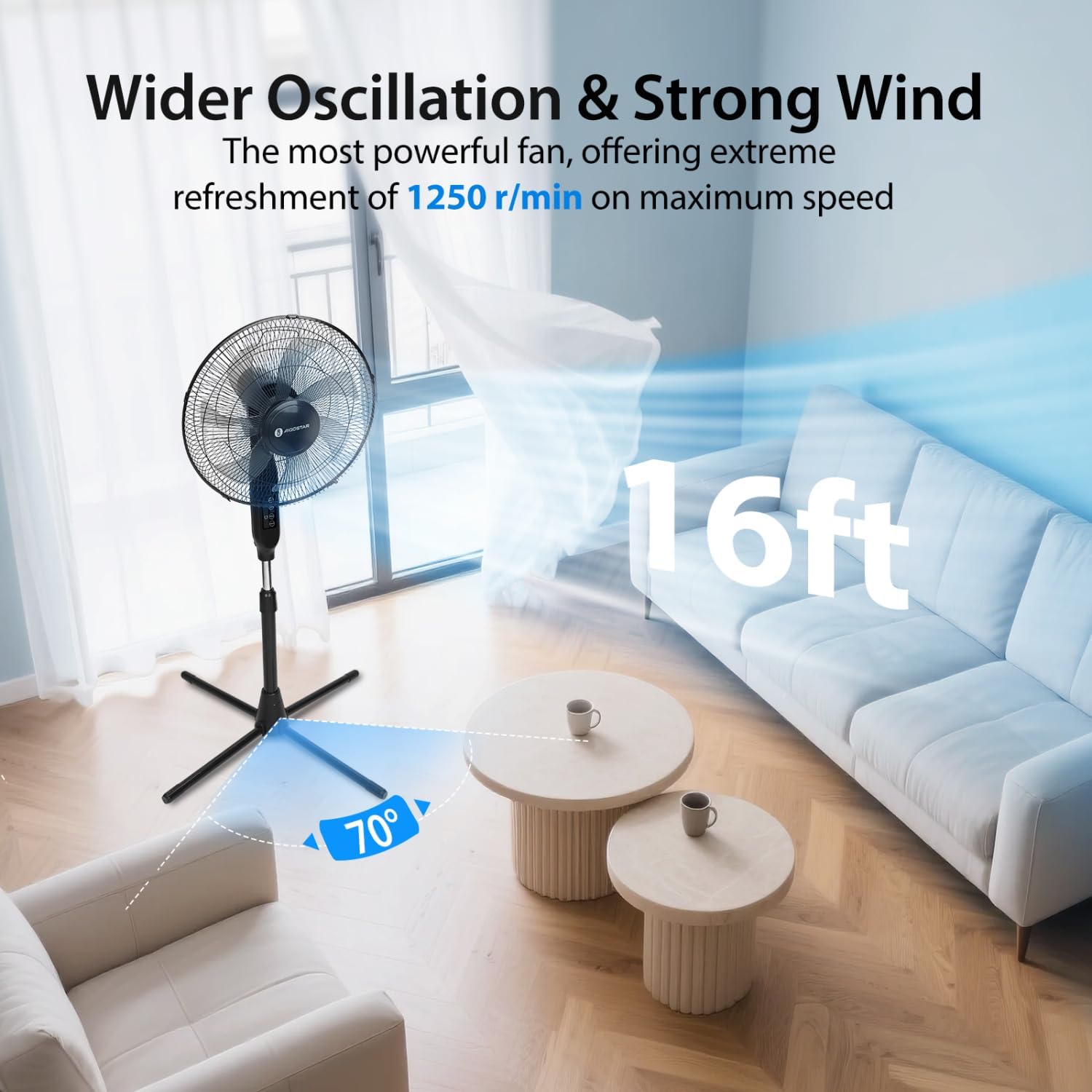
Image: The fan operating in a living room, demonstrating its wide oscillation angle and effective air distribution across the space.
タイマー機能
Set the fan to automatically turn off after a specified period, from 1 to 9 hours, in one-hour increments. This feature is particularly useful for nighttime use.

Image: A visual representation of the fan's low noise level and 9-hour timer function, designed to provide undisturbed sleep.
製品終了view ビデオ
Video: A short 6-second overview of the Aigostar Pedestal Fan, highlighting its features and the phrase "Coolness at your command."
メンテナンス
Regular cleaning and proper maintenance will ensure the longevity and efficient operation of your fan.
- クリーニング: 掃除をする前に必ずファンのプラグを抜いてください。柔らかくてamp cloth to wipe down the exterior surfaces. Do not use abrasive cleaners or allow water to drip into the motor housing.
- グリルのクリーニング: The grilles can be removed for thorough cleaning of the blades. Refer to the assembly instructions in reverse order to safely remove and reattach the grilles.
- ストレージ: When not in use, store the fan in a cool, dry place. The fan can be disassembled for compact storage.
トラブルシューティング
ファンに問題が発生した場合は、次の一般的な問題と解決策を参照してください。
| 問題 | 考えられる原因 | 解決 |
|---|---|---|
| ファンが作動しません。 | プラグが差し込まれていない、電源コンセントに障害がある、電源ボタンが押されていない。 | プラグが完全に挿入されていることを確認し、別のデバイスでコンセントをテストし、電源ボタンを押します。 |
| 空気の流れが弱い。 | ファン速度が低すぎる、グリルまたはブレードが汚れている。 | Increase fan speed; clean grilles and blades. |
| ファンはうるさいです。 | Loose parts; fan not on a level surface; debris in blades. | Check for loose components; place fan on a stable surface; clean blades. |
| リモコンが機能しない。 | 電池が切れているか、正しく挿入されていない、またはリモコンが範囲外です。 | Replace batteries; ensure correct polarity; operate within 13-foot range. |
これらの解決策を試しても問題が解決しない場合は、カスタマー サポートにお問い合わせください。
仕様
- モデル: B0DLW2CQ97
- ブランド: アイゴスター
- ブレードデザイン: 7 Aerodynamic Blades
- 速度: 3
- モード: 正常、自然、睡眠
- 発振: 70°
- タイマー: 1~9時間
- 高さ調節可能: 41.5~49インチ
- リモコン範囲: 最大13フィート
- 騒音レベル: 最大58dB
- 商品の重量: 7.68ポンド
- パッケージ寸法: 21.2 x 17.8 x 5.5インチ
保証とサポート
Aigostar products are designed and manufactured to the highest quality standards. For warranty information or technical support, please refer to the contact details provided with your purchase or visit the official Aigostar website. Please have your model number (B0DLW2CQ97) ready when contacting support.
Ask a question about this manual
Ask about setup, troubleshooting, compatibility, parts, safety, or missing instructions. Manuals+ will review the question and use this page’s manual context to help answer it.