
1. はじめに
Thank you for choosing the AWEI T13 Pro Wireless Bluetooth Earbuds. This manual provides essential information for the proper setup, operation, and maintenance of your device. Please read it carefully before use to ensure optimal performance and longevity of your earbuds.
パッケージ内容
- AWEI T13 Pro ワイヤレスイヤホン(左右)
- 充電ケース
- USB Type-C充電ケーブル
- イヤーチップ(各種サイズ)
- ユーザーマニュアル
2.製品オーバーview
Familiarize yourself with the components of your AWEI T13 Pro earbuds and charging case.

Image showing the AWEI T13 Pro wireless earbuds and their charging case, both in black, with the case open.

Diagram illustrating the internal components of an AWEI T13 Pro earbud, highlighting the 8mm speaker for enhanced audio quality.

Image depicting a person wearing the AWEI T13 Pro earbud, demonstrating its ergonomic and lightweight design for comfortable wear.
3. セットアップ
3.1 イヤホンとケースの充電
初めて使用する前に、イヤホンと充電ケースの両方を完全に充電してください。
- ケースの充電: Connect the provided USB Type-C cable to the charging port on the case and the other end to a USB power adapter (not included). The indicator lights on the case will show the charging status. A full charge takes approximately 1.5 hours.
- イヤホンの充電: Place the earbuds into their respective slots in the charging case. Ensure they are correctly seated. The earbuds will automatically begin charging. The case's indicator lights will confirm charging.

Image displaying the AWEI T13 Pro charging case connected via a Type-C cable for fast and stable charging.

Image showing the charging case with earbuds inside, indicating battery life metrics: 300 hours standby time, 8 hours play time, and 9 hours talk time per charge.
3.2 デバイスとのペアリング
The AWEI T13 Pro earbuds utilize Bluetooth 5.3 for a stable connection.
- 初期ペアリング:
- 充電ケースを開けると、イヤホンの電源が自動的にオンになり、ペアリングモードになります。
- On your device (smartphone, tablet, laptop, TV), enable Bluetooth.
- 検索する 利用可能なBluetoothデバイスを選択し、リストから「AWEI T13 Pro」を選択します。
- 接続されると確認音が聞こえ、イヤホンが使用できるようになります。
- 自動再接続: 最初のペアリング後、デバイスで Bluetooth が有効になっていて範囲内(最大 10 メートル)にある場合、イヤホンは充電ケースから取り出すと最後にペアリングしたデバイスに自動的に接続されます。
- シングルイヤホンモード: 左右どちらかのイヤホンを単独で使用できます。片方のイヤホンをケースから取り出すだけでデバイスに接続できます。もう片方のイヤホンはケースに入れたままでも、後で使用することも可能です。
4. 操作手順
4.1 電源オン/オフ
- 電源オン: 充電ケースを開けると、イヤフォンの電源が自動的にオンになります。
- 電源を切る: イヤホンを充電ケースに戻し、蓋を閉めます。自動的に電源がオフになり、充電が開始されます。
4.2 タッチコントロール
The AWEI T13 Pro earbuds feature smart touch controls for convenient operation.
| 関数 | アクション |
|---|---|
| 音楽の再生/一時停止 | どちらかのイヤフォンをシングルタップ |
| 次の曲 | 右のイヤホンをダブルタップ |
| 前の曲 | 左のイヤホンをダブルタップ |
| 音量を上げる | 右のイヤホンをトリプルタップします |
| 音量を下げる | 左のイヤホンをトリプルタップします |
| 通話の応答/終了 | どちらかのイヤフォンをシングルタップ |
| 通話を拒否 | どちらかのイヤホンを 2 秒間押し続けます |
| 音声アシスタントを有効にする | どちらかのイヤホンを 3 秒間押し続けます |
4.3 イヤホンの装着
For optimal sound quality and comfort, ensure the earbuds are properly seated in your ears. Choose the eartip size that provides a secure yet comfortable fit. The ergonomic design helps them stay in place during various activities.
5. メンテナンス
適切なメンテナンスを行うことで、イヤホンの寿命とパフォーマンスが向上します。
5.1 クリーニング
- イヤホンと充電ケースは、柔らかく乾いた糸くずの出ない布で定期的に清掃してください。
- イヤーチップを取り外し、中性洗剤と水で洗浄し、完全に乾かしてから再度取り付けます。
- 研磨剤入りの洗剤、アルコール、化学溶剤は使用しないでください。
- The earbuds are IPX6 waterproof, meaning they are resistant to splashes and sweat. However, do not submerge them in water.
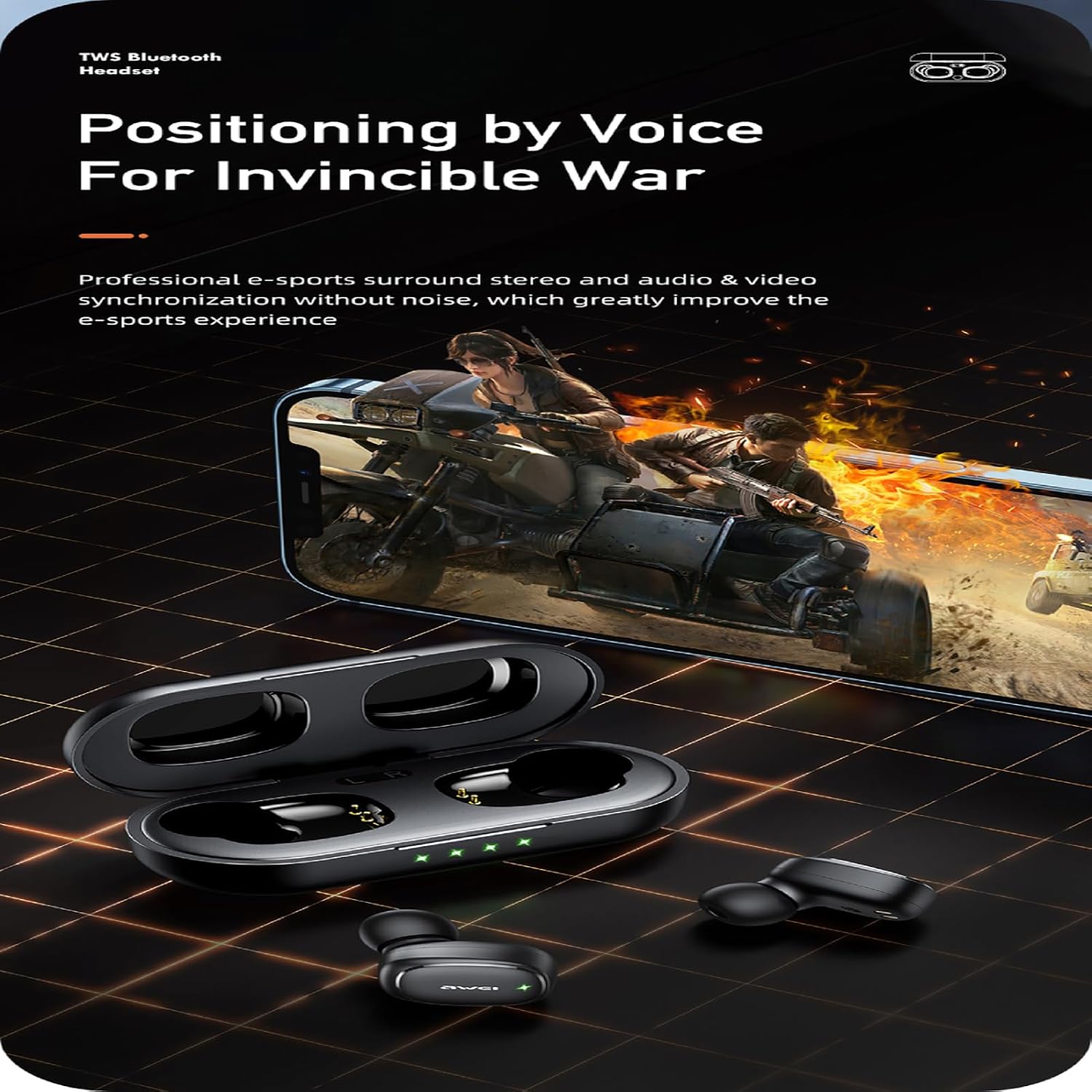
Image of the AWEI T13 Pro earbuds with water droplets, illustrating their IPX6 waterproof rating, making them resistant to rain and sweat.
5.2 ストレージ
- 使用していないときは、イヤホンを保護し、充電を保つために、必ず充電ケースに保管してください。
- 高温多湿、直射日光を避けて保管してください。
5.3バッテリーケア
- 頻繁にバッテリーを完全に使い切らないようにしてください。
- 頻繁に使用しない場合でも、バッテリーの状態を維持するために、イヤホンとケースを定期的に充電してください。
6。 トラブルシューティング
If you encounter any issues with your AWEI T13 Pro earbuds, refer to the following common solutions:
- イヤホンがペアリングされない:
- 両方のイヤホンが充電されていることを確認します。
- デバイスの Bluetooth をオフにしてから、再度オンにします。
- Forget/delete "AWEI T13 Pro" from your device's Bluetooth list and try pairing again.
- イヤホンをケースに戻し、蓋を閉じて数秒待ってから開けてペアリングを試みます。
- 片方のイヤホンから音が出ない:
- 両方のイヤホンが充電されていることを確認します。
- イヤホンをリセットしてみてください(メーカーの web必要に応じて、具体的なリセット手順についてはサイトを参照してください。
- イヤホンとケースの両方の充電接点を清掃してください。
- イヤホンが充電されない:
- 充電ケーブルがケースと電源の両方にしっかりと接続されていることを確認してください。
- Check if the power source is working.
- イヤホンが充電ケースに正しくセットされ、充電接点が清潔であることを確認します。
- 音質が悪い、または接続が切れる:
- デバイスが 10 メートルの Bluetooth 範囲内にあることを確認してください。
- デバイスとイヤホンの間に障害物がないようにしてください。
- 他のワイヤレス デバイスからの干渉がないか確認してください。
- イヤホンが清潔でゴミなどがないことを確認してください。
7. 仕様
| 特徴 | 仕様 |
|---|---|
| モデル名 | T13プロ |
| 接続技術 | ワイヤレス(Bluetooth) |
| Bluetoothバージョン | 5.3 |
| Bluetooth範囲 | 最大10メートル(33フィート) |
| オーディオドライバータイプ | ダイナミックドライバー(8mmスピーカー) |
| 周波数範囲 | 20 Hz - 20,000 Hz |
| インピーダンス | 32オーム |
| イヤホン再生時間(1回の充電) | 最大9時間 |
| 合計再生時間(充電ケース付き) | 最大36時間(両耳使用時)、最大54時間(片耳交互使用時) |
| 充電ケースのバッテリー容量 | 300mAh |
| 充電時間(ケース) | 約1.5時間(Type-C) |
| 耐水性レベル | IPX6(防水) |
| コントロールタイプ | タッチコントロール |
| 材料 | プラスチック、シリコン |
| 耳の位置 | 耳に装着 |
| 重量 (イヤホン単体) | 約4.2g |
8. 保証とサポート
For information regarding warranty coverage and customer support, please refer to the warranty card included with your product packaging or visit the official AWEI webサイトでご確認ください。保証請求の際は購入証明として領収書を保管してください。