
導入
This manual provides essential information for the safe and effective use of your DOSS Extreme Boom Pro D100 Bluetooth Speaker. Please read it thoroughly before operating the device and retain it for future reference.
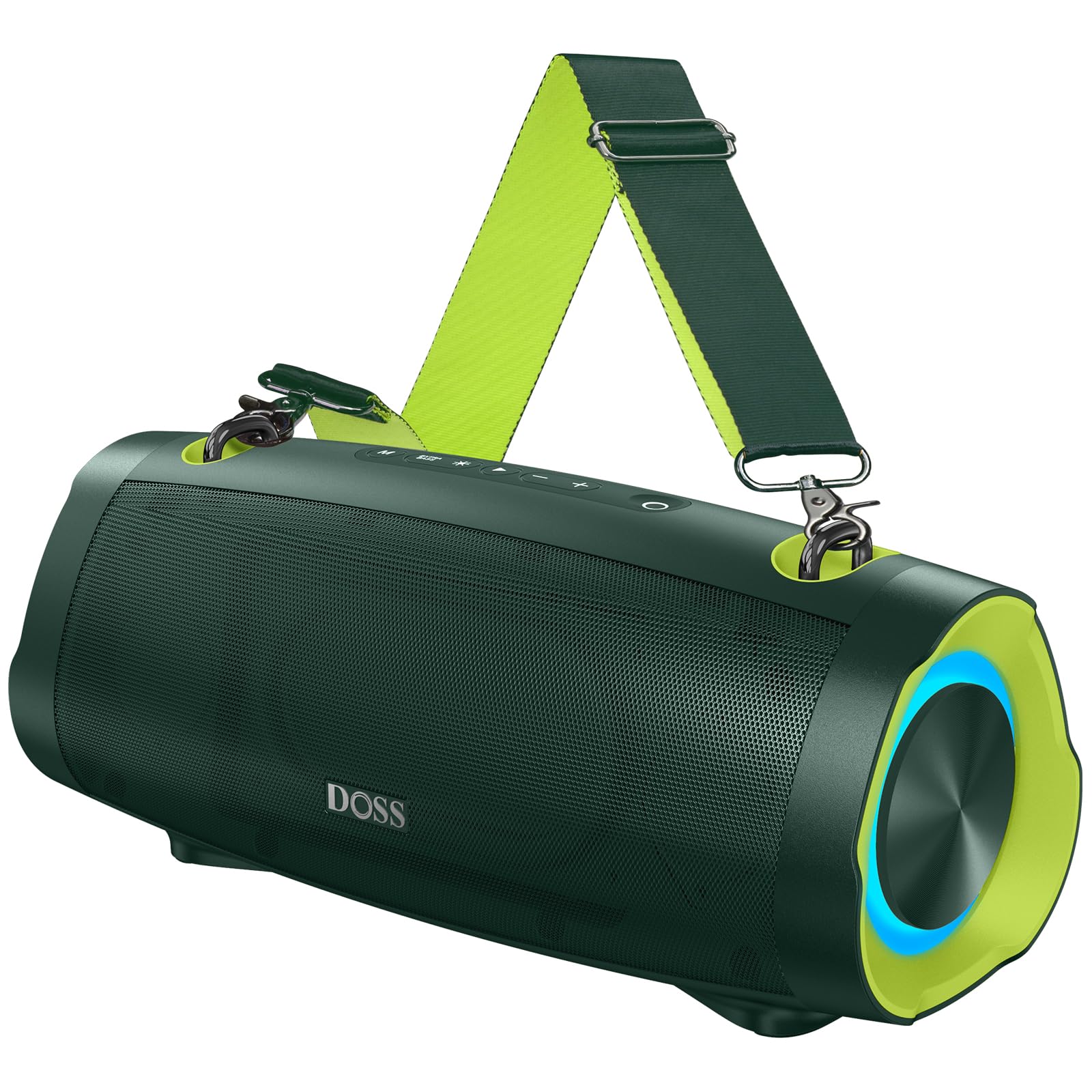
画像: DOSS Extreme Boom Pro D100 Bluetoothスピーカー、asin堅牢な設計です。
製品の特徴
- 強力なオーディオ: Experience 70W of bold sound (140W Peak) with a 40W full-range driver and two 15W tweeters, enhanced by three advanced DSP technologies.
- 強化された低音: Dual passive radiators provide deeper bass with a dedicated Extra Bass button.
- ポータブルデザイン: Features a durable, adjustable, and detachable shoulder strap for easy transport.
- 真のワイヤレスステレオ(TWS): Connect two speakers wirelessly for an immersive stereo sound experience.
- 延長プレイタイム: 最大 24 時間のバッテリー寿命。
- 内蔵パワーバンク: スピーカーから直接デバイスを充電します。
- IPX6防水性: Designed to withstand water splashes and jets.
- ダイナミックライトショー: Integrated lights synchronize with music rhythm.
箱の中身
パッケージの内容をご確認ください:
- DOSS Extreme Boom Pro D100 Bluetoothスピーカー
- USB-C充電ケーブル
- 補助オーディオケーブル
- 取り外し可能ショルダーストラップ
- ユーザーマニュアル
製品終了view
スピーカーのコントロールとポートについて理解しておきましょう。

Image: Top panel controls including Power, Volume, Play/Pause, Mode, Extra Bass, and Light buttons.

画像: 爆発した view illustrating the internal speaker components, including the full-range driver and tweeters.
セットアップと操作
1. 電源のオン/オフ
電源ボタン (O)を 2 秒間押し続けると、スピーカーの電源がオンまたはオフになります。
2.Bluetoothペアリング
To connect your DOSS Extreme Boom Pro D100 to a Bluetooth device:
- スピーカーの電源を入れます。自動的にBluetoothペアリングモードになり、青色のLEDが点滅します。
- デバイス(スマートフォン、タブレットなど)で Bluetooth を有効にし、利用可能なデバイスを検索します。
- Select "Extreme Boom Pro D100" from the list. A confirmation sound indicates successful pairing.
Video: Demonstrates how to power on the speaker and connect it via Bluetooth to a mobile device.
3. 完全ワイヤレスステレオ(TWS)ペアリング
For an enhanced stereo experience, you can pair two DOSS Extreme Boom Pro D100 speakers:
- 両方のスピーカーの電源がオンになっており、Bluetooth デバイスに接続されていないことを確認します。
- On one speaker (this will be your main speaker), press and hold the 'Extra Bass' button until you hear a prompt. The LED on the main speaker will flash slowly.
- On the second speaker, press and hold the 'Extra Bass' button. The LED on the second speaker will flash quickly.
- The speakers will automatically connect to each other. A confirmation sound will indicate successful TWS pairing. The main speaker's LED will flash slowly, and the second speaker's LED will be solid.
- Connect your device to the main speaker via Bluetooth as described in the Bluetooth Pairing section.
Video: Illustrates the steps for pairing two DOSS Extreme Boom Pro D100 speakers for True Wireless Stereo sound.

Image: Two DOSS Extreme Boom Pro D100 speakers positioned for a True Wireless Stereo setup.
4. 音量コントロール
音量を上げるには「+」ボタンを押し、音量を下げるには「-」ボタンを押します。
5. Extra Bass Function
Press the 'Extra Bass' button to activate or deactivate the enhanced bass mode.
Video: Shows how to activate the Extra Bass feature on the speaker.
6. ダイナミックライトショー
ライトボタン(※) to cycle through different light modes or turn the lights off.
Video: Demonstrates how to change the dynamic light modes on the speaker.

Image: The speaker displaying its dynamic light show in an outdoor setting.
7. Auto-Power Off Function
The speaker has an auto-power off feature to conserve battery. You can activate or deactivate this function:
- Press and hold the 'M' (Mode) button and the 'Power' button simultaneously.
- If the LED flashes red, auto-power off is removed (deactivated).
- If the LED flashes green, auto-power off is activated.
Video: Explains how to remove or activate the auto-power off feature on the speaker.
8. リセット機能
If you encounter issues, you can reset the speaker:
- Press and hold the 'Power' button and the 'Volume Down (-)' button simultaneously.
- A confirmation sound will indicate a successful reset.
Video: Demonstrates the process of resetting the speaker.
充電とパワーバンク機能
The DOSS Extreme Boom Pro D100 features a built-in power bank to charge your external devices.
- スピーカーの充電: Connect the provided USB-C cable to the speaker's charging port and a suitable USB power adapter (not included). The charging indicator will show the charging status.
- パワーバンクとして使用する場合: Connect your device's charging cable to the speaker's USB-A output port. The speaker will begin charging your device.

Image: The speaker being used to charge a smartphone in an outdoor setting, highlighting its power bank capability.
仕様
| ブランド | ドス |
| モデル番号 | エクストリームブームプロD100 |
| スピーカー最大出力 | 140ワット(ピーク)/ 70ワット(RMS) |
| 接続技術 | ブルートゥース |
| オーディオ出力モード | ステレオ |
| スピーカータイプ | 屋外 |
| 追加機能 | Bass Boost, Dynamic Light Show, Power Bank |
| 色 | Green (variant shown in product images) |
| バッテリーの平均寿命 | 24時間 |
| 防水等級 | IPX6 |
| 制御方法 | 触る |
| 商品の寸法(奥行き x 幅 x 高さ) | 奥行き12.17インチ x 幅5.39インチ x 高さ5.43インチ |
| アイテム重量 | 2キログラム |
| 対応デバイス | Laptop, MP3 Player, Projector, Smartphone, Tablet, Television |
| バッテリー容量 | 10400ミリamp 営業時間 |
| バッテリー充電時間 | 5時間 |
トラブルシューティング
スピーカーに問題が発生した場合は、次の一般的な解決策を参照してください。
- 電源なし: スピーカーが完全に充電されていることを確認してください。電源に接続し、少なくとも30分間充電してから電源を入れてください。
- Bluetooth接続の問題:
- スピーカーがペアリングモードになっていることを確認します(青色の LED が点滅します)。
- Ensure your device's Bluetooth is enabled and within range (up to 33 feet/10 meters).
- デバイスの Bluetooth リストからスピーカーを削除し、再度ペアリングを試みます。
- Try resetting the speaker as described in the Setup and Operation section.
- 音が出ない:
- スピーカーと接続されたデバイスの両方の音量レベルを確認してください。
- Ensure the speaker is correctly paired via Bluetooth or connected via the auxiliary cable.
- TWS ペアリング失敗: TWSペアリングを行う前に、両方のスピーカーが他のBluetoothデバイスに接続されていないことを確認してください。TWSペアリングの手順を注意深く実行してください。
- 水への露出: While the speaker is IPX6 waterproof, prolonged submersion is not recommended. If exposed to water, ensure all ports are dry before charging.
問題が解決しない場合は、カスタマー サポートにお問い合わせください。
メンテナンス
To ensure the longevity and optimal performance of your DOSS Extreme Boom Pro D100 speaker:
- クリーニング: スピーカーの外装を清掃する際は、柔らかく乾いた布をご使用ください。研磨剤入りの洗剤や溶剤は使用しないでください。
- ストレージ: スピーカーは直射日光や極端な温度を避け、涼しく乾燥した場所に保管してください。
- バッテリーのケア: To maintain battery health, charge the speaker fully at least once every three months if not in regular use.
- 防水: Always ensure the charging port cover is securely closed when near water to maintain IPX6 water resistance.
保証とサポート
Your DOSS Extreme Boom Pro D100 Bluetooth Speaker comes with a 1年間のメーカー保証, covering quality-related concerns from the date of purchase.
For any product issues or support inquiries, please contact us:

Image: A customer support representative with contact details.
電話: 1-833-275-3677
メールアドレス: support@dossav.com
We are committed to providing 24-hour prompt assistance and support.