
導入
This manual provides detailed instructions for the safe and effective use of your Acouto F6 Three-Axis Handheld Stabilizer. Please read this manual thoroughly before operating the device and retain it for future reference.
The Acouto F6 is designed to provide enhanced stability for smartphone video recording, eliminating unwanted picture shake with its high-precision brushless motor and advanced anti-shake technology. It supports both horizontal and vertical shooting modes and offers intelligent tracking features for dynamic content creation.
製品構成
Carefully unpack your Acouto F6 Stabilizer and ensure all components are present:
- Acouto F6 Three-Axis Handheld Stabilizer
- ミニ三脚
- USB充電ケーブル
- ユーザーマニュアル(このドキュメント)

Image: The Acouto F6 Three-Axis Handheld Stabilizer, mini tripod, USB charging cable, and a small instruction booklet.
セットアップガイド
1. スタビライザーの充電
Before first use, fully charge the stabilizer. Connect the provided USB charging cable to the charging port on the stabilizer and to a 5V USB power adapter (not included). The charging time is approximately 2.5 hours.
2. Attaching the Mini Tripod (Optional)
For stable standing, live broadcasting, or time-lapse photography, attach the mini tripod to the 1/4-inch screw hole located at the bottom of the stabilizer handle. Rotate clockwise until secure.
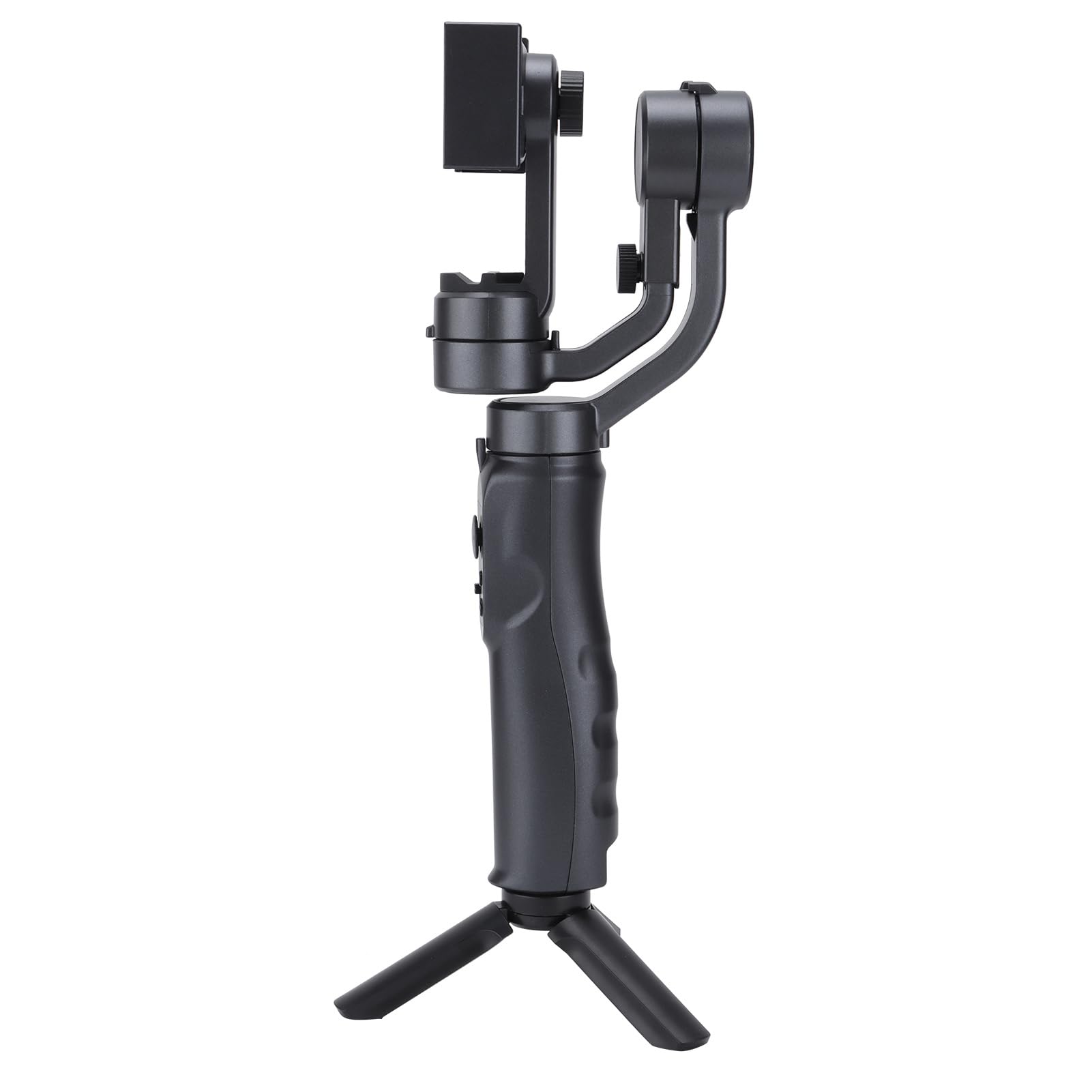
Image: The Acouto F6 Stabilizer shown upright with the mini tripod attached to its base.
3. スマートフォンの取り付け
- 電話のclを延長するamp on the stabilizer.
- スマートフォンを慎重にclに置きますamp中央に配置され、安全であることを確認します。
- Adjust the horizontal bar by stretching it to quickly level the screen, whether for horizontal or vertical orientation. The stabilizer supports phones up to 280g.

画像: クローズアップ view 電話clのamp mechanism on the Acouto F6 Stabilizer, ready to hold a smartphone.
操作手順
1. 電源のオン/オフ
Locate the power button on the handle. Press and hold for a few seconds to power on or off the stabilizer.

画像: 詳細な view of the control panel on the Acouto F6 Stabilizer handle, showing buttons and ports.
2. Switching Between Horizontal and Vertical Modes
The stabilizer allows seamless switching between horizontal (landscape) and vertical (portrait) shooting modes. When your arm tilts to the left more than 70 degrees, the stabilizer can automatically rotate the phone to vertical portrait mode. You can also manually adjust as needed.

Image: The Acouto F6 Stabilizer displayed with a smartphone mounted in both horizontal and vertical orientations, demonstrating its versatility.
3. Anti-Shake and Tracking Features
The high-precision brushless motor provides real-time compensation to eliminate picture shake. In full follow mode, the DC stepping motor upgrades to 150°/SEC, allowing quick locking onto targets.
The stabilizer also features accurate human face tracking and object tracking, ensuring your subjects remain in focus during recording.
4. コンパニオンアプリの使用
Connect your smartphone to the stabilizer's companion app (if available, check your phone's app store for "Acouto Stabilizer" or similar). The app may offer additional features such as:
- タイムラプス撮影
- Slow-motion photography
- Advanced camera controls
メンテナンス
To ensure the longevity and optimal performance of your Acouto F6 Stabilizer, follow these maintenance guidelines:
- クリーニング: Use a soft, dry cloth to wipe the stabilizer. Do not use harsh chemicals or abrasive materials.
- ストレージ: Store the stabilizer in a cool, dry place away from direct sunlight and extreme temperatures.
- バッテリーのケア: 長期保管の場合は、過放電を防ぐために 3 か月ごとにバッテリーを約 50% まで充電してください。
- 衝撃を避ける: Protect the stabilizer from drops and impacts, which can damage internal components.
トラブルシューティング
If you encounter issues with your Acouto F6 Stabilizer, refer to the following common problems and solutions:
- Stabilizer does not power on:
- バッテリーが完全に充電されていることを確認します。
- 電源ボタンを必要な時間押し続けます。
- Phone is not stable/shaking:
- スマートフォンが中央に正しく固定されていることを確認してくださいamp編。
- Verify the horizontal bar is stretched to level the phone correctly.
- Check if the phone's weight exceeds the maximum load capacity (280g).
- Gimbal motors are unresponsive:
- Restart the stabilizer.
- Ensure there are no obstructions preventing motor movement.
- アプリに接続できません:
- スマートフォンでBluetoothが有効になっていることを確認します。
- Restart both the stabilizer and your smartphone.
- アプリが最新バージョンに更新されているかどうかを確認してください。
If problems persist, please contact Acouto customer support.
仕様
| アイテムタイプ | Three-axis Handheld Stabilizer |
| ブランド | アクト |
| モデル | Acouto4smwt0ihg1 |
| 色 | 黒 |
| 材料 | アブソリュート |
| 重さ | 約595g / 21オンス |
| 動作電流 | Minimum 80mA, Standard 120mA, Maximum 3000mA |
| ワーキングVoltage | 5V |
| 動作温度 | 0℃~40℃ |
| Pitch Axis Movement Range | -165°~+165° |
| Roll Axis Movement Range | -90°~+90° |
| Yaw Axis Movement Range | -165°~+165° |
| 充電時間 | 2.5時間 |
| 勤務時間 | 6-8 Hours (depending on balance and phone size) |
| 最大積載量 | 280グラム |
| 対応デバイス | スマートフォン |
安全情報
次の安全上の注意事項を守ってください。
- Do not disassemble or modify the stabilizer.
- デバイスを水やその他の液体から遠ざけてください。
- Avoid exposing the stabilizer to extreme temperatures or direct heat sources.
- 付属の充電ケーブルまたは認定された同等品のみを使用してください。
- お子様の手の届かない場所に保管してください。