
1.製品オーバーview
The DBPOWER Smart WiFi Bluetooth Projector (Model: E2) offers a native 1080P Full HD resolution with 300 ANSI lumens brightness and a 10,000:1 contrast ratio. It features a 6-layer high-refractive lens for enhanced clarity and reduced eye strain. This projector is designed for versatile home and outdoor use, providing a large display experience with integrated smart features.
主な特徴:
- Native 1080P Resolution & 300 ANSI Brightness: Delivers stunning visuals with true Full HD and vibrant clarity.
- 内蔵スマートアプリ: Stream content directly from Netflix, YouTube, Prime Video, and more without an external TV stick.
- Fast Dual-Band 5G WiFi & Bluetooth 5.2: Ensures stable streaming and wireless audio connectivity with soundbars, headphones, or speakers.
- Large Display & Easy Setup: Projects a 40-200 inch screen with ±15° keystone correction, manual focus, and 50% digital zoom for effortless alignment.
- ドルビーオーディオ: Integrated dual speakers with Dolby Audio support provide immersive sound.
- 幅広い互換性: Features HDMI, USB, AV, and audio ports for connecting various devices like phones, laptops, and gaming consoles.
2. パッケージ内容
Your DBPOWER Smart WiFi Bluetooth Projector package includes the following items:
- DBPOWER Smart WiFi Bluetooth Projector (Model: E2)
- リモートコントロール
- 電源コード
- HDMIケーブル
- AVケーブル
- レンズキャップ
- Cleaning Kit (Q-tips)
- ユーザーマニュアル
- キャリングケース

Image 2.1: The DBPOWER Smart WiFi Bluetooth Projector with its included carrying case and a smartphone displaying Bluetooth and WiFi icons.
3.セットアップガイド
3.1 物理的な配置と調整
Place the projector on a stable, flat surface. Ensure there is adequate ventilation around the device. The projector can be placed on a table, mounted on a tripod, or ceiling-mounted.
- 高さの調整: Use the adjustable screw on the bottom of the projector to fine-tune the projection height.
- キーストーン補正: Use the keystone adjustment ring/slider on the projector to correct trapezoidal distortion, ensuring a rectangular image. The projector supports ±15° keystone correction.
- マニュアルフォーカス: 投影された画像が鮮明になるまで、プロジェクター レンズのフォーカス リングを回転させます。
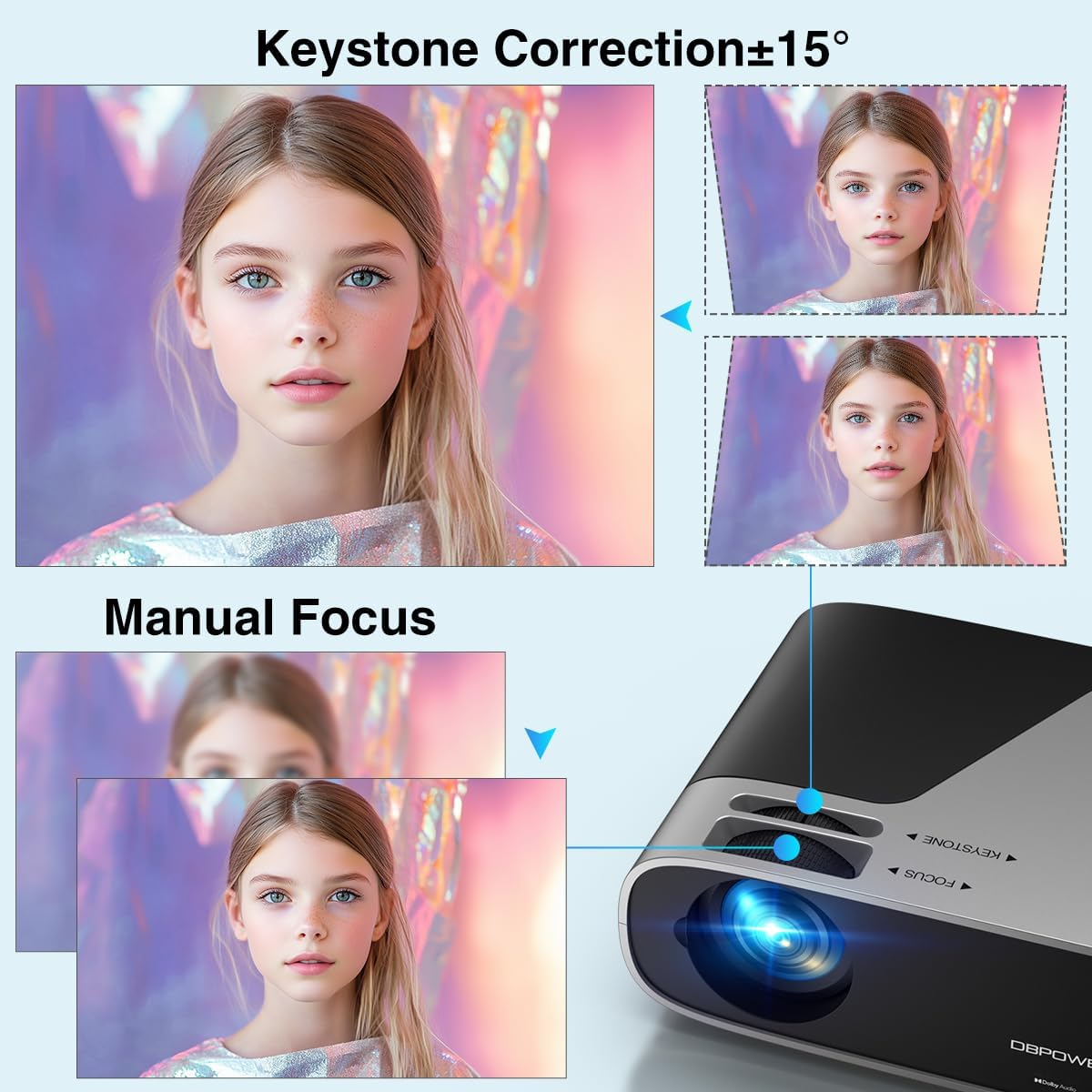
Image 3.1: Visual representation of keystone correction and manual focus adjustments on the projector.
3.2 電源投入と初期設定
- 電源コードをプロジェクターに接続し、電源コンセントに接続します。
- プロジェクタまたはリモコンの電源ボタンを押して、デバイスの電源をオンにします。
- Follow the on-screen prompts to select your preferred language and connect to your Wi-Fi network (2.4G/5G Dual-Band supported).
3.3 外部機器の接続
プロジェクターには複数の接続オプションがあります。
- HDMI: Connect devices like laptops, gaming consoles (PS5), or TV sticks using an HDMI cable.
- USB: メディアを再生するには USB ドライブを接続します。
- AV: 古いデバイスの場合は AV ポートを使用します。
- オーディオ出力: Connect external speakers or headphones via the 3.5mm audio jack or Bluetooth.

画像3.2: 以上view of the projector's input/output ports and various compatible devices.
3.4 Bluetooth接続
Bluetoothオーディオデバイスを接続するには:
- Ensure your Bluetooth device (e.g., soundbar, headphones) is in pairing mode.
- On the projector's home screen, navigate to the Bluetooth settings.
- ペアリング可能なデバイスのリストからデバイスを選択します。

Image 3.3: The projector demonstrating Bluetooth 5.2 connectivity with various audio devices.
4. 操作手順
4.1 ユーザーインターフェースの操作
Use the remote control or the physical buttons on top of the projector to navigate the user interface. The remote control provides direct access to apps like Netflix and YouTube.
4.2 組み込みストリーミングアプリの使用
The projector comes pre-licensed with popular streaming apps. Simply connect to Wi-Fi, log in to your accounts, and start streaming.

Image 4.1: The projector's smart interface showing various pre-installed streaming applications.
4.3 スクリーンミラーリング
Mirror your smartphone or tablet screen wirelessly:
- iOS デバイス: Use the ScreenSharer function. Ensure your iOS device and projector are on the same Wi-Fi network.
- Android デバイス: Use the ScreenCast function. Ensure your Android device and projector are on the same Wi-Fi network.
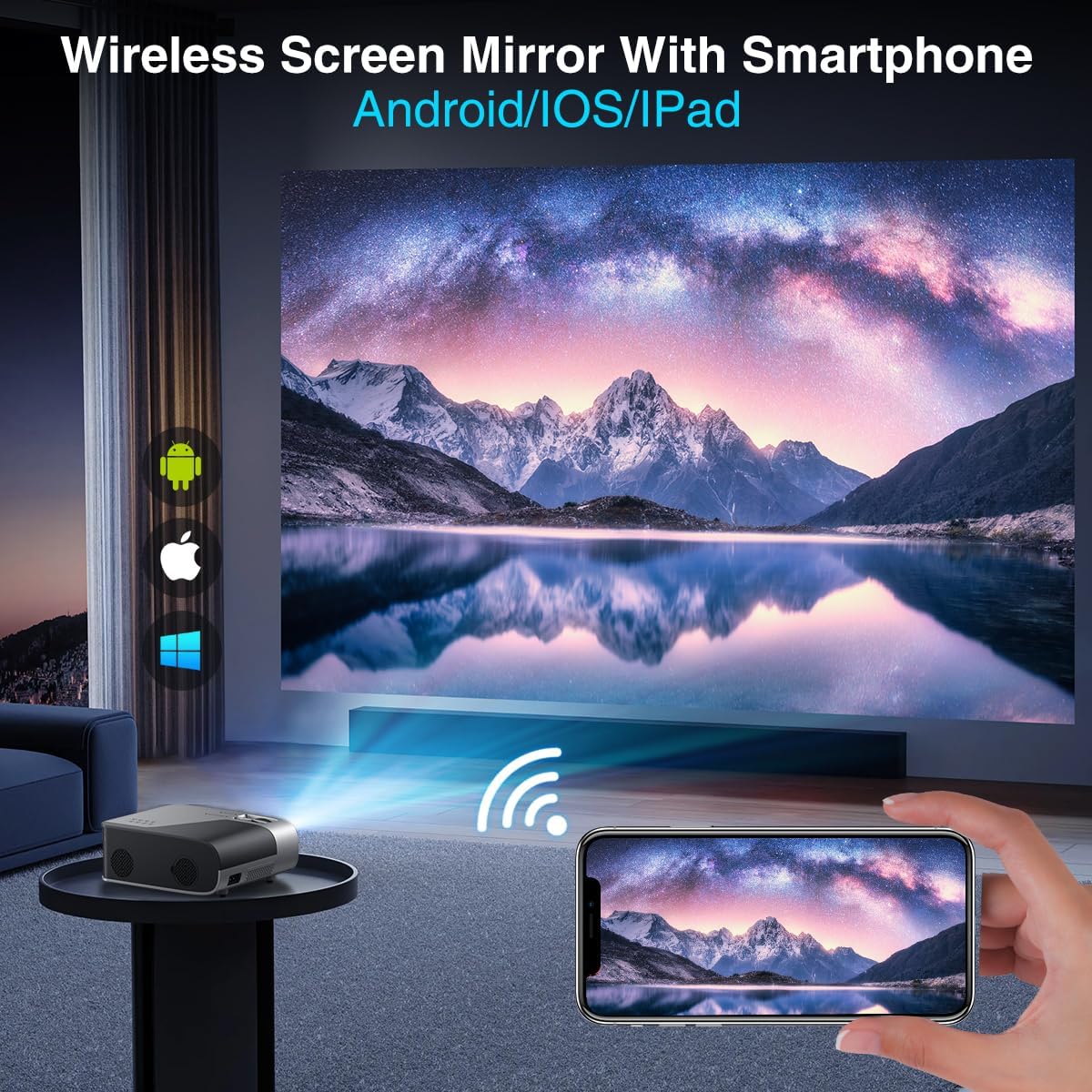
Image 4.2: A smartphone wirelessly mirroring its screen to the projector, compatible with Android and iOS devices.
4.4 投影モード
The projector supports multiple installation methods and projection modes:
- フロントプロジェクション: Standard setup where the projector is in front of the screen.
- リアプロジェクション: Projector is behind a translucent screen.
- Ceiling Mount (Front/Rear): Projector is mounted upside down from the ceiling. Adjust settings in the Projection Settings menu to flip the image.
4.5 ズーム機能
The projector features a 50% digital zoom function, allowing you to adjust the screen size without physically moving the projector. This can be accessed via the remote control or projector settings.

Image 4.3: Illustration of the projector's 50% digital zoom feature, showing various screen sizes from 60 to 200 inches.
4.6使用シナリオ
The DBPOWER projector is suitable for various entertainment and presentation needs:
- ホームシアター: 大画面で映画やテレビ番組をお楽しみください。
- ゲーム: ゲームコンソールを接続して没入感のある体験を。
- アウトドアエンターテイメント: 裏庭で映画を楽しむ夜に最適です。
- プレゼンテーション: Can be used for displaying content from laptops or PCs.
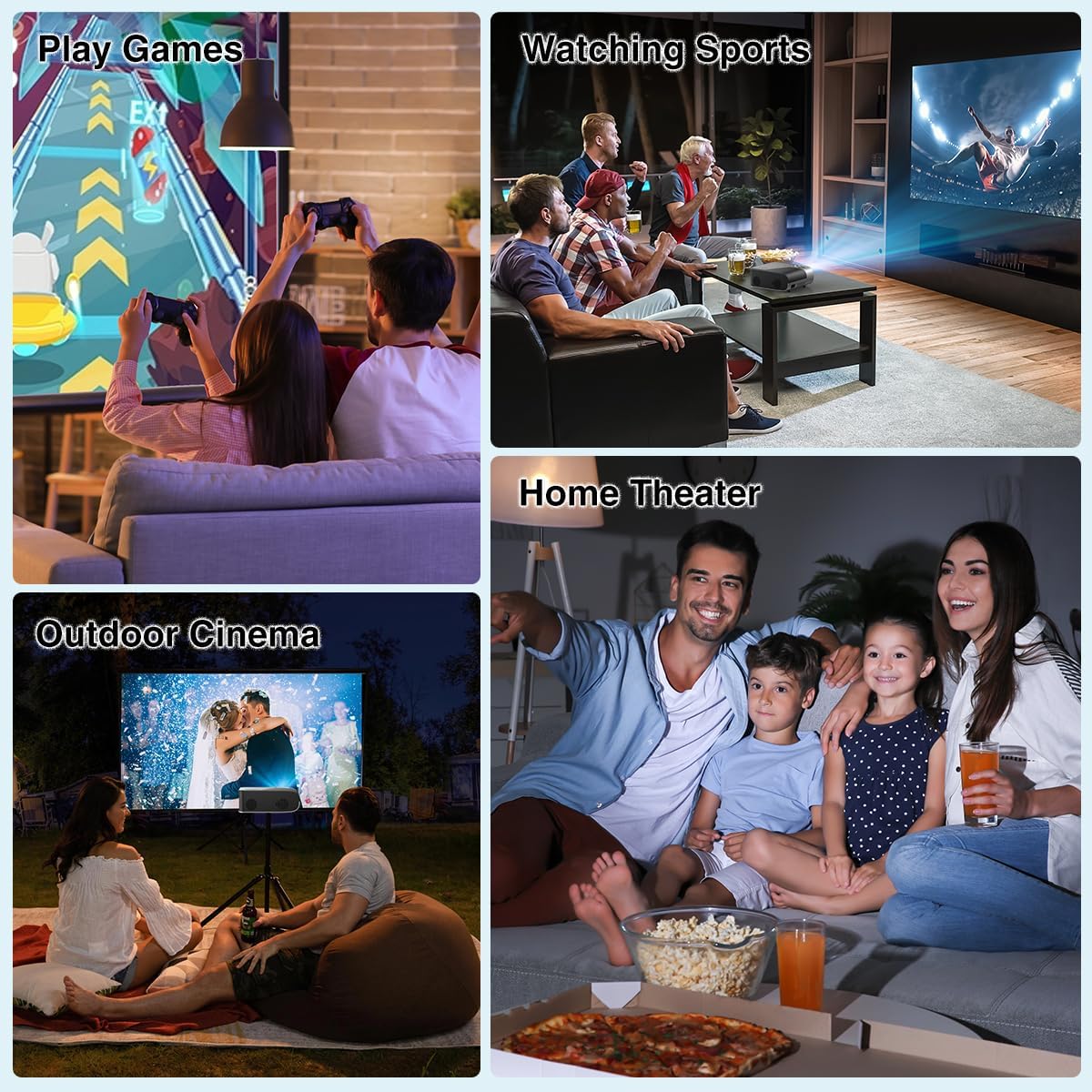
図4.4: 例amples of the projector's use in different settings, such as gaming, sports viewing, home theater, and outdoor cinema.
5. メンテナンス
5.1 レンズクリーニング
Regularly clean the projector lens to ensure optimal image clarity. Use a soft, lint-free cloth or the provided cleaning kit. Avoid abrasive materials or harsh chemicals.
5.2 ダストフィルターのクリーニング
The projector has a removable dust filter to prevent dust buildup inside the device. Periodically remove and clean the filter to maintain proper airflow and prevent overheating. Refer to the detailed instructions in the included user manual for specific steps on removing and cleaning the filter.
6。 トラブルシューティング
If you encounter issues with your projector, consider the following common solutions:
- ぼやけた画像: Adjust the manual focus ring until the image is sharp. Ensure the projector is placed at an appropriate distance from the screen.
- 台形画像: Use the keystone correction feature to adjust the image corners until it is rectangular.
- 信号なし: Check all cable connections (HDMI, AV, USB). Ensure the correct input source is selected on the projector.
- Wi-Fi/Bluetooth 接続の問題: Ensure the projector is within range of your Wi-Fi router or Bluetooth device. Restart both the projector and the external device.
- Sound Sync Issues: If using external Bluetooth speakers, ensure a stable connection. Sometimes, restarting both devices can resolve minor sync issues.
- 画面上の黒い斑点: This may indicate dust on the lens or inside the projector. Refer to the maintenance section for cleaning instructions.
7. 仕様
| 特徴 | 仕様 |
|---|---|
| ブランド | DBパワー |
| ディスプレイ解像度 | 1920 x 1080 (ネイティブ 1080P) |
| 輝度 | 300 ANSIルーメン |
| コントラスト比 | 10,000:1 |
| 接続技術 | HDMI, USB, AV, Bluetooth 5.2, 5G/2.4G Wi-Fi |
| 特集 | Built-In Speaker, Built-In Wi-Fi, Dolby Audio, ±15° Keystone Correction, 50% Digital Zoom |
| 推奨用途 | ホームシネマ |
| アイテム重量 | 5.17ポンド |
| パッケージ寸法 | 13.07 x 9.92 x 4.76インチ |
| 色 | 黒 |
8. 保証とサポート
Specific warranty details and support contact information are typically provided in the product packaging or on the manufacturer's official website. Please refer to these resources for the most accurate and up-to-date information regarding your DBPOWER Smart WiFi Bluetooth Projector.
9. 公式製品ビデオ
ビデオ9.1: 詳細なview of the DBPOWER E2 Smart Projector, demonstrating its features, setup, and performance in various environments.


