
導入
Thank you for choosing the DOSS SoundBox H100 Bluetooth Speaker. This manual provides essential information for setting up, operating, and maintaining your speaker to ensure optimal performance and longevity. Please read this manual thoroughly before use.
箱の中身
- 1x DOSS SoundBox H100 Bluetooth Speaker
- 1x Power Cable (Wall charger not included)
- ストラップ x 1
- ユーザーマニュアル x 1
製品終了view
The DOSS SoundBox H100 features a unique handbag-styled design with a rose gold and copper-tone pink control panel. It is equipped with intuitive controls and versatile connectivity options.

図1: 前面 view of the DOSS SoundBox H100 speaker with its detachable strap.
コントロールパネル
The top panel features physical knobs for Bass, Volume, and Treble adjustment, along with buttons for power, playback control, mode selection, and prompt tone activation/deactivation.

図2:詳細 view of the control panel with physical knobs and buttons.
ポートと接続
The side of the speaker houses various ports for charging, USB drive playback, MicroSD card input, and AUX-in connectivity.
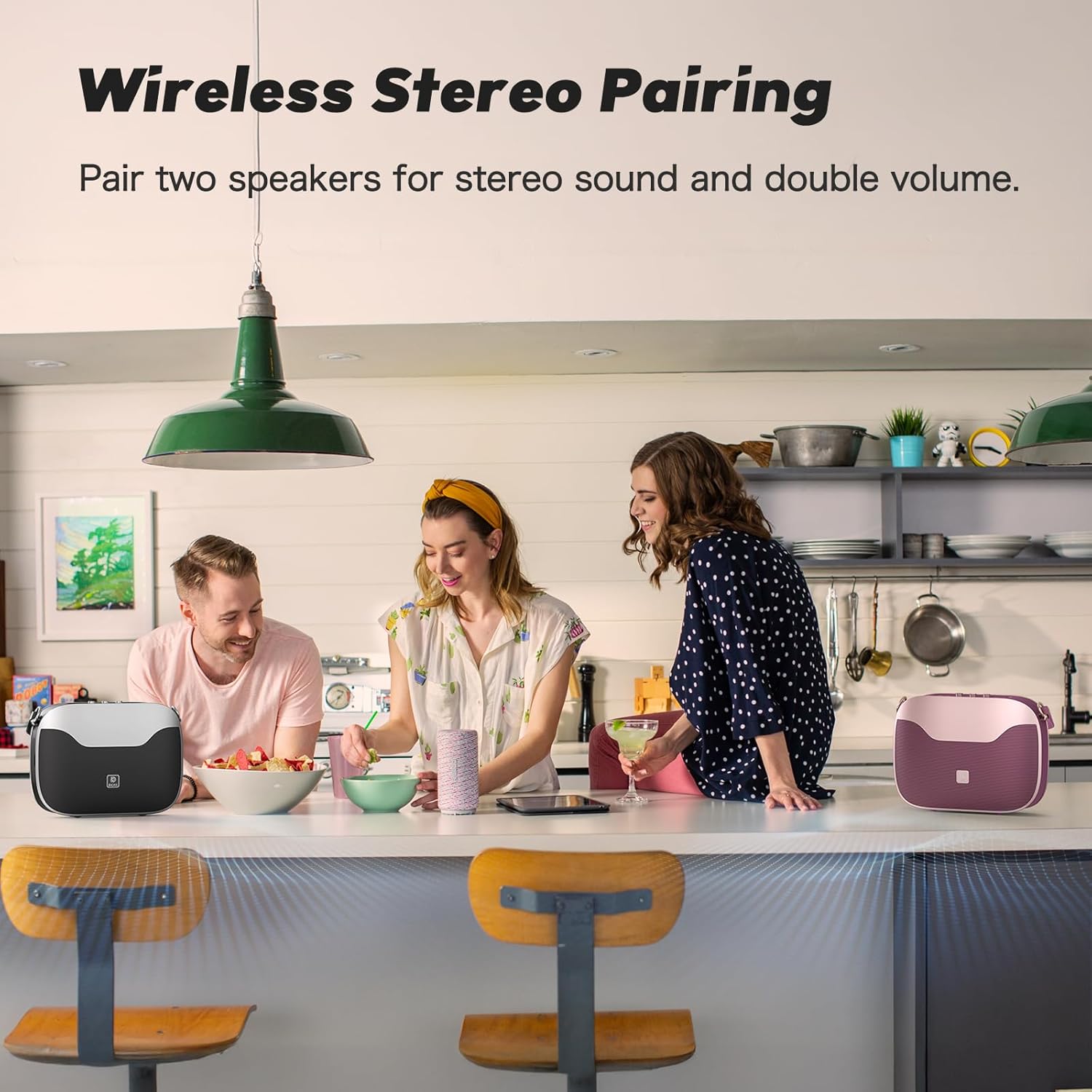
Figure 3: Side panel showing the USB-C charging port, USB-A port, MicroSD card slot, and AUX-in port.
設定
電源のオン/オフ
- 電源を入れるには: 電源ボタン(⏻) on the control panel until you hear an audible prompt.
- 電源を切るには: 電源ボタン(⏻)をもう一度押して、スピーカーの電源を切ってください。
Bluetoothペアリング
- スピーカーの電源がオンになっていて、Bluetooth ペアリング モードになっていることを確認します (青色の LED が点滅します)。
- モバイルデバイスで、Bluetooth 設定に移動します。
- Select "SoundBox H100" from the list of available devices.
- 接続されると、LED インジケーターが青色に点灯し、確認音が聞こえます。
真のワイヤレスステレオ(TWS)ペアリング
For an immersive stereo experience, you can pair two DOSS SoundBox H100 speakers together.
- Ensure both SoundBox H100 speakers are powered on and disconnected from any Bluetooth devices.
- On one speaker (this will be your primary speaker), press and hold the 'M' (Mode) button until the indicator flashes blue rapidly.
- On the second speaker (secondary speaker), press and hold the 'M' (Mode) button until its indicator flashes blue slowly.
- The speakers will automatically connect. The primary speaker's indicator will turn solid blue, and the secondary speaker's indicator will flash blue slowly.
- 上記の手順に従って、モバイルデバイスをBluetooth経由でメインスピーカーに接続します。これで両方のスピーカーからステレオ音声が再生されます。
Video 1: DOSS SoundBox H100 Bluetooth Speaker - Full Operation Guide. This video demonstrates the full operational guide including pairing and controls.
手術
オーディオ再生
The SoundBox H100 supports multiple audio sources:
- Bluetooth 5.3: Connect wirelessly to your smartphone, tablet, or laptop for seamless audio streaming.
- オーキシン: Use a 3.5mm audio cable to connect to devices without Bluetooth.
- USBドライブ: Insert a USB flash drive into the USB-A port to play audio file直接。
- MicroSDカード: Insert a MicroSD card into the dedicated slot to play audio files.
サウンドを調整する
Customize your audio experience using the physical knobs on the control panel:
- 低音ノブ: Rotate to increase or decrease the bass levels.
- トレブルノブ: Rotate to increase or decrease the treble levels.
- ボリュームノブ: 回転させて全体の音量を調整します。
パワーバンク機能
The DOSS SoundBox H100 features a built-in power bank. Connect your mobile device to the USB-A port using a compatible charging cable to charge it on the go.
Video 2: DOSS SoundBox H100 Bluetooth Speaker. This video provides a brief overview of the speaker's features, including its power bank function.
メンテナンス
- スピーカーを水、湿気、極端な温度から遠ざけてください。
- スピーカーは柔らかく乾いた布で拭いてください。研磨剤入りの洗剤や溶剤は使用しないでください。
- スピーカーを落としたり、強い衝撃を与えたりしないでください。
- 長期間使用しない場合は、スピーカーを涼しく乾燥した場所に保管してください。
トラブルシューティング
| 問題 | 解決 |
|---|---|
| スピーカーの電源が入りません。 | バッテリーが充電されていることを確認してください。付属のケーブルを使用してスピーカーを電源に接続してください。 |
| Bluetooth経由でペアリングできません。 | Make sure the speaker is in pairing mode (flashing blue LED). Ensure your device's Bluetooth is enabled and within range. Try restarting both devices. |
| 音が出ない、または音量が低い。 | Check the volume levels on both the speaker and your connected device. Ensure the correct input mode (Bluetooth, AUX, USB, MicroSD) is selected. |
| TWSペアリングに失敗します。 | Ensure both speakers are disconnected from other Bluetooth devices before initiating TWS pairing. Follow the TWS pairing steps carefully. |
仕様
| 特徴 | 詳細 |
|---|---|
| ブランド | ドス |
| モデル番号 | サウンドボックス H100 |
| スピーカー最大出力 | 50ワット |
| 接続技術 | ブルートゥース5.3 |
| オーディオ出力モード | ステレオ |
| バッテリーの平均寿命 | 24時間(50%のボリュームで) |
| バッテリー充電時間 | 8時間 |
| バッテリー容量 | 4500ミリamp 営業時間 |
| Bluetooth範囲 | 82フィート |
| 商品の寸法(奥行き x 幅 x 高さ) | 奥行き11.1インチ x 幅3.5インチ x 高さ8.5インチ |
| アイテム重量 | 2.5キログラム |
| 追加機能 | Adjustable Bass and Treble, Built-In Powerbank, Portable, Stereo Pairing, Dual DSP Technology |
| 耐水性レベル | 耐水性はありません |
保証とサポート
The DOSS SoundBox H100 comes with a 1年間のメーカー限定保証, covering any quality-related concerns from the date of purchase.
For any issues or support needs, please feel free to contact DOSS customer service:
- 電話: 1-833-275-3677
- メールアドレス: support@dossav.com
当社は、24 時間体制で迅速な援助とサポートを提供することに尽力しています。