
1. はじめにview
The akimart 10.1 Inch WiFi Digital Picture Frame is designed to display your cherished photos and videos with ease. Featuring a 1280x800 HD IPS touch screen, it offers clear visuals from various angles. The frame includes 32GB of built-in memory and supports extended storage via USB drives or SD cards. It also offers multiple functions such as slide show, video playback, calendar, weather, alarm, clock, and music playback.
This device allows you to share photos and videos privately and securely via a dedicated app or email, making it simple for friends and family to enjoy your moments instantly.
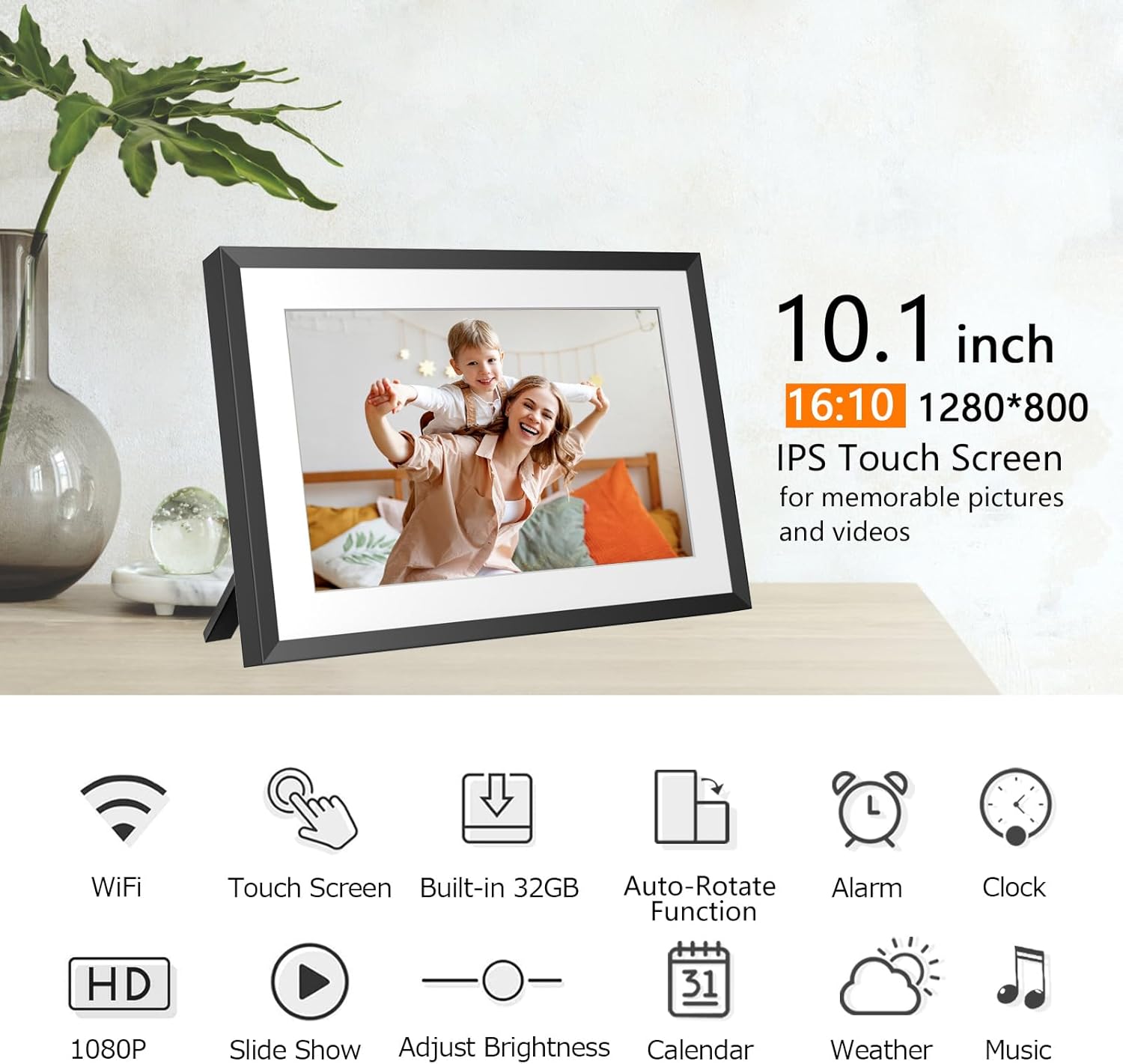
Image: The akimart 10.1 Inch WiFi Digital Picture Frame, showcasing its sleek design and a vibrant family photo on its screen.
2.セットアップガイド
- 電源オン: 電源アダプターをフレームと電源コンセントに接続します。フレームの電源が自動的にオンになります。
- 初期設定: 画面上の指示に従って言語とタイムゾーンを選択し、Wi-Fi ネットワークに接続します。
- アプリのダウンロード: Download the SSA WiFi Frame APP from Google Play Store (for Android) or Apple App Store (for iOS). 検索する "SSA WiFi Frame".
- アカウント登録: Register for an SSA WiFi Frame account and log in.
- フレームを接続: On the frame, navigate to 'Settings' > 'Device Info' > 'Connection Code'. Use the app to scan the QR code displayed on the frame or manually enter the Frame ID to bind the frame with your app. The connection code is valid for 12 hours.

Image: A smartphone displaying the SSA WiFi Frame app, indicating where to download it from app stores.
Video: An official product video demonstrating the setup process for the akimart WiFi Digital Picture Frame, including app connection and initial configuration.
3. 操作手順
3.1 タッチスクリーンナビゲーション
The frame features an intuitive touch screen interface. Swipe left or right to navigate through photos and menus. Tap icons to select functions or adjust settings.
3.2 写真とビデオの再生
- スライドショー: Photos will automatically cycle through in a slide show. You can customize the display order and transition effects in the settings.
- プレイバック: The frame supports MOV / MP4 / AVI / MKV video formats. Videos will play automatically within the slide show or can be selected individually.
3.3 多機能機能
- カレンダー: Access the built-in calendar to view dates and arrangements.
- 天気: Display daily and upcoming weather reports based on your location.
- アラーム: リマインダー用に複数のアラームを設定します。
- クロック: Choose from various clock display styles.
- 音楽: Play WAV/MP3 audio files from internal storage, USB drive, or SD card.

Image: The digital frame showing its calendar feature, with a small photo slideshow window.

Image: The digital frame showing its weather feature, providing current and forecast weather conditions.
4. Media Integration and Sharing
4.1 Sharing Photos and Videos via App/Email
You can send up to 50 pictures at once and videos up to 200MB via the SSA WiFi Frame app or email. This allows for instant sharing of memories with connected frames globally.
4.2 Extending Storage
The frame has 32GB of internal storage. You can extend this by inserting a USB drive or SD card. Photos and videos can be imported from or exported to these external storage devices.

Image: A visual representation of various methods to upload and export photos and videos, including app, email, USB, and SD card.
Video: An official product video demonstrating how to share moments, photos, and videos to the digital picture frame via the app.
5. 主な特徴
- 10.1インチ HD IPS タッチスクリーン: Enjoy a 1280x800 resolution display with a 178° wide viewing angle, ensuring clear and vibrant images from any perspective.
- 自動回転: フレームは、縦向きモードと横向きモードの両方で写真の向きを自動的に調整します。
- 壁に取り付け可能: Equipped with back mounting holes for easy wall installation, offering flexible placement options.
- スリープモード: Activate sleep mode to conserve energy and extend the device's lifespan by automatically turning off the screen during scheduled times or inactivity.
- 安全な保管: Your content is safely stored on secure, encrypted servers.

Image: The digital frame demonstrating its auto-rotate functionality and showing how it can be wall-mounted or used freestanding.
6. 仕様
| 特徴 | 詳細 |
|---|---|
| 製品寸法 | 7.87 x 7.09 x 0.99インチ |
| アイテム重量 | 1.76ポンド |
| 商品型番 | ZN-DP1012 |
| ブランド | アキマート |
| 色 | 黒 |
| 解決 | 1280x800 |
| 対応デバイス | スマートフォン |
| 画面サイズ | 10.1インチ |
| 内部ストレージ | 32GB |
| サポートされている画像形式 | JPG/JPEG/BMP/PNG/GIF |
| サポートされているオーディオ形式 | WAV / MP3 |
| サポートされているビデオ形式 | MOV/MP4/AVI/MKV (Max 1920x1080, 30FPS) |
7。 トラブルシューティング
- フレームがWi-Fiに接続しない: Wi-Fiパスワードが正しいこと、フレームがルーターの範囲内にあることを確認してください。フレームとルーターの両方を再起動してみてください。
- 写真がアップロードされない: Check your internet connection. Verify that the connection code is still valid (it expires after 12 hours). Ensure photos are in a supported format (JPG/JPEG/BMP/PNG/GIF) and videos are within the 200MB limit and supported formats (MOV/MP4/AVI/MKV).
- 画面が反応しない: If the touch screen is unresponsive, try restarting the device by holding down the power button.
- 自動回転が機能しない: Ensure the frame is placed on a stable surface or mounted correctly. Check settings to confirm auto-rotate is enabled.
- 外部ストレージが認識されません: Ensure the USB drive or SD card is inserted correctly and is formatted to a compatible file システム (例: FAT32)。
8. 保証とサポート
For warranty information and customer support, please refer to the documentation included in your product packaging or visit the official akimart website. You may also contact akimart customer service directly for assistance with your device.
保護プランはご購入いただけます:
- 2年間の保護プラン
- 3年間の保護プラン
- Complete Protect(月額課金)