
導入
This manual provides essential information for the safe and efficient use of your Samsung Galaxy A35 5G smartphone. Please read this manual thoroughly before operating the device to ensure proper functionality and to prevent damage. Keep this manual for future reference.
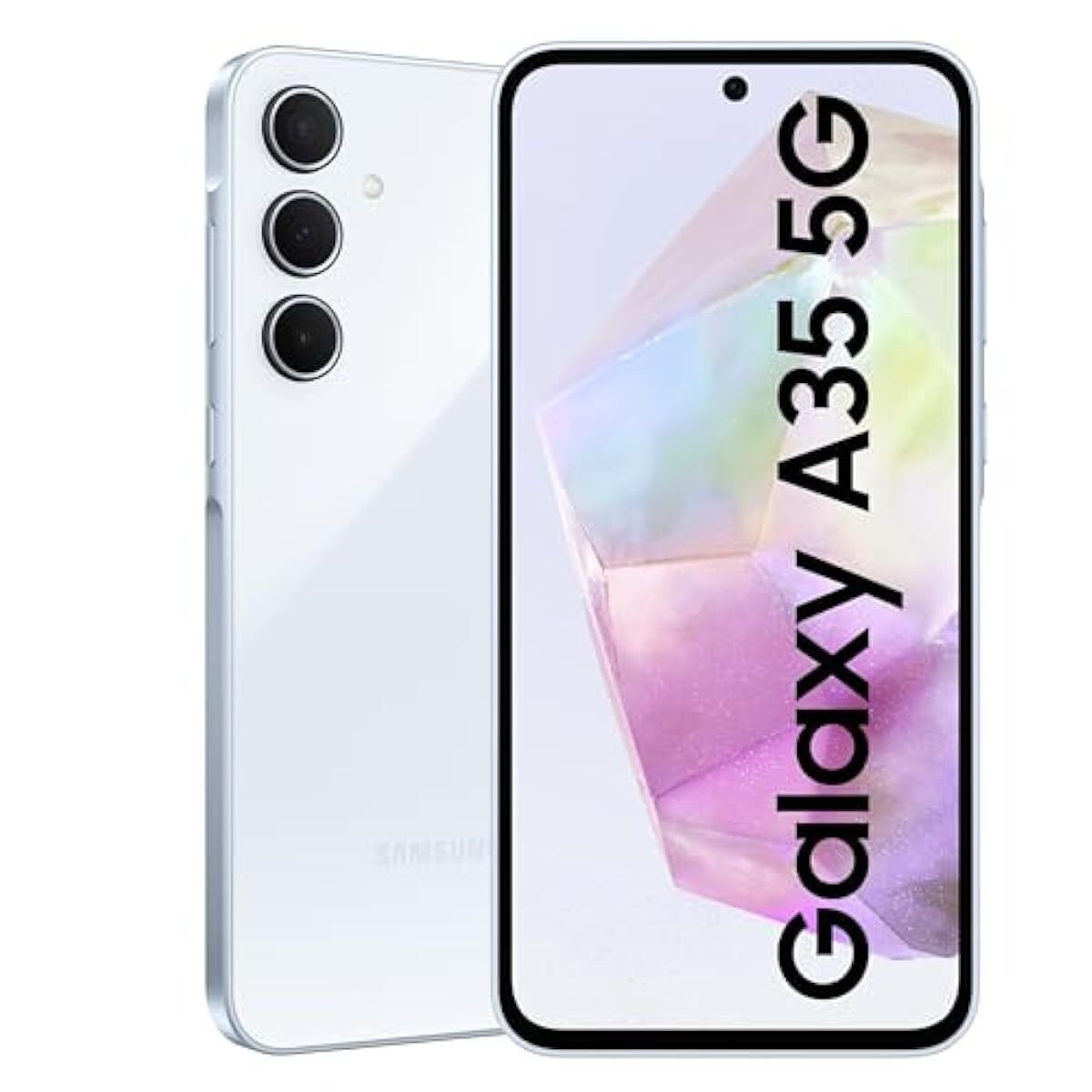
画像: 正面 view サムスンギャラクシーA35 5Gスマートフォンのasinディスプレイに表示されます。
設定
1. 開梱と初期検査
Carefully remove all items from the packaging. Verify that all components are present: Samsung Galaxy A35 5G smartphone, USB-C cable, and documentation. Inspect the device for any signs of physical damage.
2. SIMカードのインストール
- デバイスの側面にある SIM カード トレイを見つけます。
- Insert the provided SIM ejection tool into the small hole on the tray to open it.
- Place your Nano-SIM card(s) into the tray with the gold contacts facing down. The Galaxy A35 5G supports Dual SIM (DS).
- カチッと音がするまでトレイをゆっくりとスロットに戻します。
3. バッテリーの充電
Before first use, fully charge the device battery. Connect the USB-C cable to the phone's charging port and the other end to the included 25W wall charger. The charging indicator will appear on the screen. A full charge typically takes approximately 80 minutes with the 25W charger.
4. 電源投入と初期設定
Press and hold the Power button (located on the right side) until the Samsung logo appears. Follow the on-screen prompts to complete the initial setup, including language selection, Wi-Fi connection, Google account setup, and security settings.
デバイスの操作
1. 基本的なナビゲーション
The Galaxy A35 5G features a 6.6-inch FHD+ Super AMOLED Infinity-O display with a 120Hz refresh rate for smooth interaction. Use touch gestures such as tap, swipe, pinch-to-zoom, and long-press to navigate the interface.
2. カメラ機能
Your device is equipped with a 50MP high-resolution Wide-angle camera. To open the camera, tap the Camera icon on the home screen or lock screen. Key features include:
- ナイトグラフィー: Enhanced sensor and NPU for clear photos in low-light conditions.
- Super HDR: Captures rich colors and clear videos in various lighting.
- OIS (Optical Image Stabilization) & VDIS (Video Digital Image Stabilization): Provides smooth and steady videos while moving.
- 編集の提案: Utilize features like Background blur, Remaster, and Erase shadows to enhance your photos.
3. 接続性
The Galaxy A35 5G supports 5G and 4G LTE networks for high-speed mobile data. It also includes Wi-Fi, Bluetooth, and NFC for wireless connections. To manage these, go to 設定>接続.
4。 音声出力
For wired audio accessories, connect them via the USB-C port. The device does not feature a traditional 3.5mm audio jack.
メンテナンス
1. デバイスのクリーニング
To clean the screen and body of your phone, use a soft, lint-free cloth. For stubborn marks, slightly dampen the cloth with distilled water. Avoid using harsh chemicals, abrasive materials, or aerosol sprays, as these can damage the screen coating and finish.
2. ソフトウェアの更新
定期的にソフトウェアアップデートを確認し、インストールして、デバイスに最新の機能、セキュリティパッチ、パフォーマンスの改善が適用されていることを確認してください。 設定 > ソフトウェアアップデート > ダウンロードとインストール.
3. バッテリーのお手入れ
To prolong battery life, avoid exposing your device to extreme temperatures. It is recommended to keep the battery charge between 20% and 80% for optimal long-term health. The 5000 mAh battery provides up to 24 hours of talk time.
トラブルシューティング
1. デバイスの電源が入らない
Ensure the battery is sufficiently charged. Connect the device to the charger and wait a few minutes before attempting to power it on again. If the issue persists, perform a forced restart by pressing and holding the Volume Down button and the Power button simultaneously for more than 7 seconds.
2. ネットワーク接続の問題
If you experience problems with calls, messages, or mobile data, check the following:
- SIM カードが正しく挿入されていることを確認してください。
- Ensure Airplane mode is disabled (設定 > 接続 > 機内モード).
- デバイスを再起動します。
- サービスについてはネットワークプロバイダーに確認してくださいtagあなたの地域のes。
3. ディスプレイが応答しない
If the screen is unresponsive, try restarting the device using the forced restart method (Volume Down + Power button for 7+ seconds). If the problem continues, contact Samsung support.
4. Device Performance Issues
If your device is slow or apps are crashing, try clearing the cache of problematic apps (設定 > アプリ > [アプリ名] > ストレージ > キャッシュを消去). Regularly restart your device to clear temporary memory. As a last resort, consider a factory data reset (設定 > 一般管理 > リセット > データの初期化), but be aware this will erase all data on your device. Back up important data before proceeding.
仕様
| 特徴 | 仕様 |
|---|---|
| モデル名 | サムスンギャラクシーA35 |
| モデル番号 | SM-A356E / DS |
| オペレーティング·システム | アンドロイド |
| ラム | 8ギガバイト |
| 内部ストレージ | 128ギガバイト |
| 画面サイズ | 6.6インチ(168.3 mm) |
| ディスプレイ解像度 | 1080 x 2340 ピクセル |
| リフレッシュレート | 120Hz |
| メインカメラ | 50 MP (Triple Camera System) |
| バッテリー容量 | 5000mAh |
| 通話時間 | 最大24時間 |
| 接続性 | 5G, 4G LTE, Wi-Fi, Bluetooth, NFC, USB-C |
| 寸法(パッケージ) | 7 x 3.7 x 1インチ |
| アイテム重量 | 11.2オンス |
保証とサポート
1. 製品保証
The Samsung Galaxy A35 5G typically comes with a 1-year limited warranty from the date of purchase, covering manufacturing defects. Please refer to the warranty card included in your product packaging or visit the official Samsung webお住まいの地域に固有の詳細な利用規約については、こちらのサイトをご覧ください。
2. カスタマーサポート
For technical assistance, troubleshooting beyond this manual, or warranty claims, please contact Samsung customer support. You can find contact information (phone numbers, chat support, service center locations) on the official Samsung webあなたの国または地域のサイト。
オンラインリソース: 訪問 www.samsung.com/support for FAQs, software downloads, and additional user guides.