
TONGYOR DO100PRO
SMSL DO100PRO Digital Audio DAC User Manual
Model: DO100PRO | Brand: TONGYOR
1. はじめに
The SMSL DO100PRO is a high-resolution digital audio DAC designed for superior audio performance. It features dual ES9039Q2M DAC chips, XLR balanced and RCA single-ended outputs, and multiple input options including Bluetooth, USB, Optical, and Coaxial. This manual provides detailed instructions for setting up, operating, and maintaining your DO100PRO to ensure optimal performance and longevity.

Image: The SMSL DO100PRO Digital Audio Converter (DAC) shown with its included remote control. The device is compact and features a digital display.
2. 主な特徴
- ハイレゾオーディオ: Supports MQA decoding and MQA-CD, PCM up to 32bit/768kHz, and DSD512.
- プレミアムDACチップ: Equipped with two ESS ES9039Q2M high-end DAC chips for exceptional audio fidelity.
- 高度な Bluetooth 接続: Features Qualcomm's latest Bluetooth chip, supporting LDAC 24bit/96kHz, APTX-HD, SBC, and AAC codecs.
- 多彩な入力: Includes USB (XMOS XU-316), Optical, Coaxial, and HDMI (ARC) inputs.
- Balanced and Single-Ended Outputs: Provides XLR balanced and RCA single-ended line outputs.
- 低ノイズ電源: Built-in self-developed low-noise switching power supply and multiple analog circuit low-noise power supplies.
- 高品質のコンポーネント: 6つの高性能デュアルオペレーションを採用amps OPA1612 and other audio-grade components.
- フル機能のリモートコントロール: Comes with a comprehensive remote for convenient operation.
3. パッケージ内容
開梱したらパッケージの内容を確認し、すべてのアイテムが揃っていることを確認してください。
- SMSL DO100PRO Unit
- AC電源ケーブル
- USBケーブル
- リモコン(電池は付属しません)
- Bluetoothアンテナ
- ユーザーマニュアル(このドキュメント)
- 保証書

Image: An illustration showing all items included in the SMSL DO100PRO package: the DAC unit, AC power cable, USB cable, remote control, Bluetooth antenna, user manual, and warranty card.
4. セットアップと接続
4.1 フロントパネルとリアパネルview

Image: Detailed diagram of the SMSL DO100PRO's front and rear panels, indicating the location of the display screen, MQA/DSD indicators, knob, remote window, RCA/XLR outputs, optical/coaxial/HDMI(ARC) inputs, USB input, Bluetooth input, and power switch/AC input.
- フロントパネル: Display Screen, MQA indicator light, Standby indicator light, Knob (volume/menu navigation), Remote window, DSD indicator light.
- 後面パネル: RCA output, XLR output, Optical input, Coaxial input, HDMI(ARC) input, USB input, Bluetooth input, Power Switch, AC input.
4.2 オーディオソースへの接続
The DO100PRO offers various input options for connecting to your audio sources:
- USB入力: Connect to a computer (PC/Mac) or game console (PS5/Switch) using the provided USB cable. For game consoles, it may be necessary to switch to USB 1.1 mode for compatibility.
- 光/同軸入力: Connect to devices such as TVs, CD/DVD players, or other digital audio sources using optical or coaxial cables.
- HDMI(ARC)入力: Connect to an ARC-compatible TV using an HDMI cable. This allows audio from your TV or external devices connected to your TV to be played through the DO100PRO. Ensure your TV's HDMI port supports ARC. If audio synchronization issues occur, try disconnecting and reconnecting the HDMI cable, or power cycling the DO100PRO. Note: Do not connect to a TV set-top box's HDMI(ARC) interface.
- Bluetooth入力: Pair your smartphone, tablet, or other Bluetooth-enabled device wirelessly.

Image: A diagram illustrating the various input and output connections on the rear panel of the SMSL DO100PRO, including Bluetooth, Optical/Coaxial/HDMI(ARC), USB, and RCA/XLR outputs.

Image: A visual guide demonstrating how to connect the SMSL DO100PRO to a TV via HDMI (ARC) for audio return, showing the TV, DO100PRO, and active speakers.

Image: A user playing a video game with the SMSL DO100PRO connected, illustrating its compatibility with game consoles like Sony PS5/PS4 and Nintendo Switch via USB.
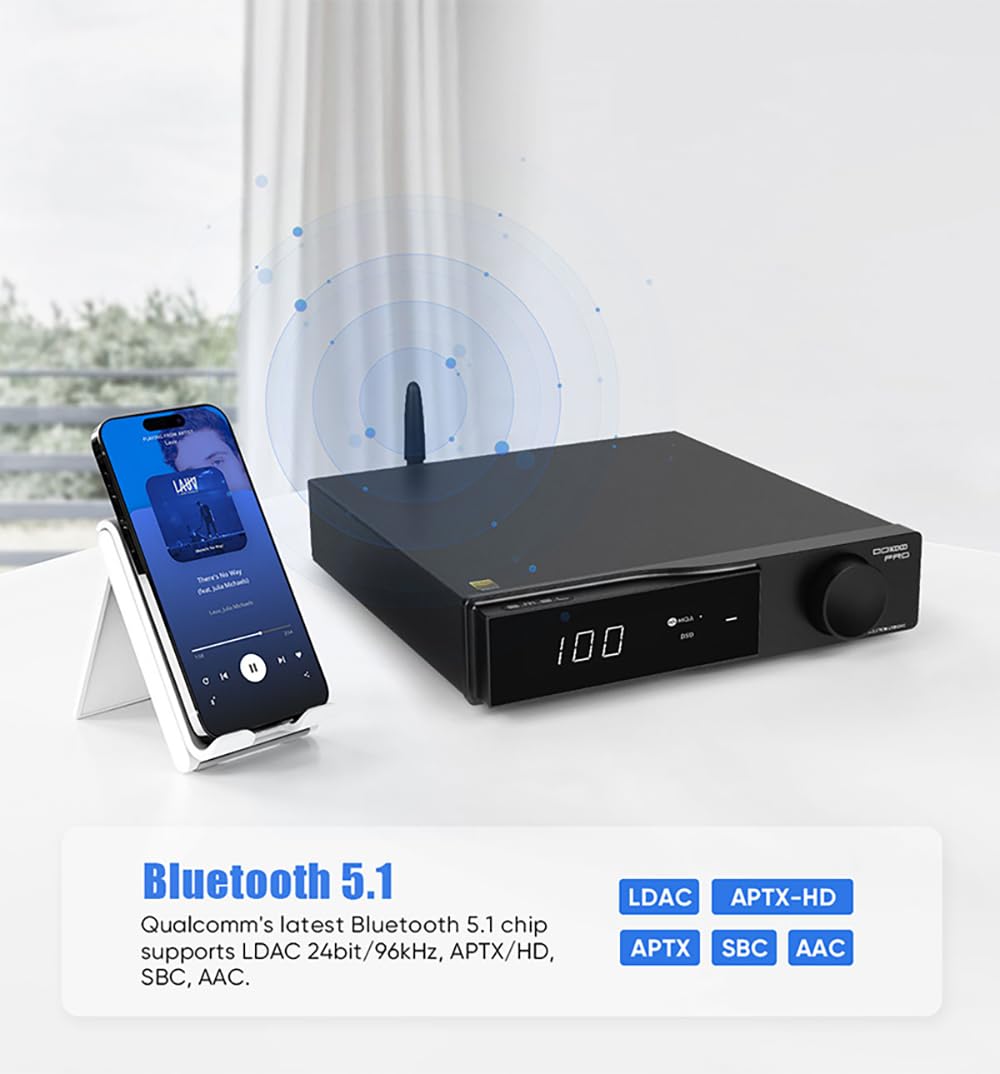
Image: A smartphone wirelessly connected to the SMSL DO100PRO via Bluetooth 5.1, highlighting support for LDAC, APTX-HD, APTX, SBC, and AAC codecs.
4.3 Connecting to Audio Outputs
The DO100PRO provides both balanced and single-ended analog outputs:
- XLRバランス出力: プロ仕様のオーディオ機器や ampXLR 入力を備えたライファ。
- RCA Single-Ended Output: For connecting to standard audio ampRCA 入力を備えたアンプまたはアクティブ スピーカー。
出力レベル調整: The DO100PRO supports 4V and 5V output level adjustment. This switch is located on the bottom of the unit. Adjusting the output level can improve compatibility with different ampライフライターとアクティブスピーカー。
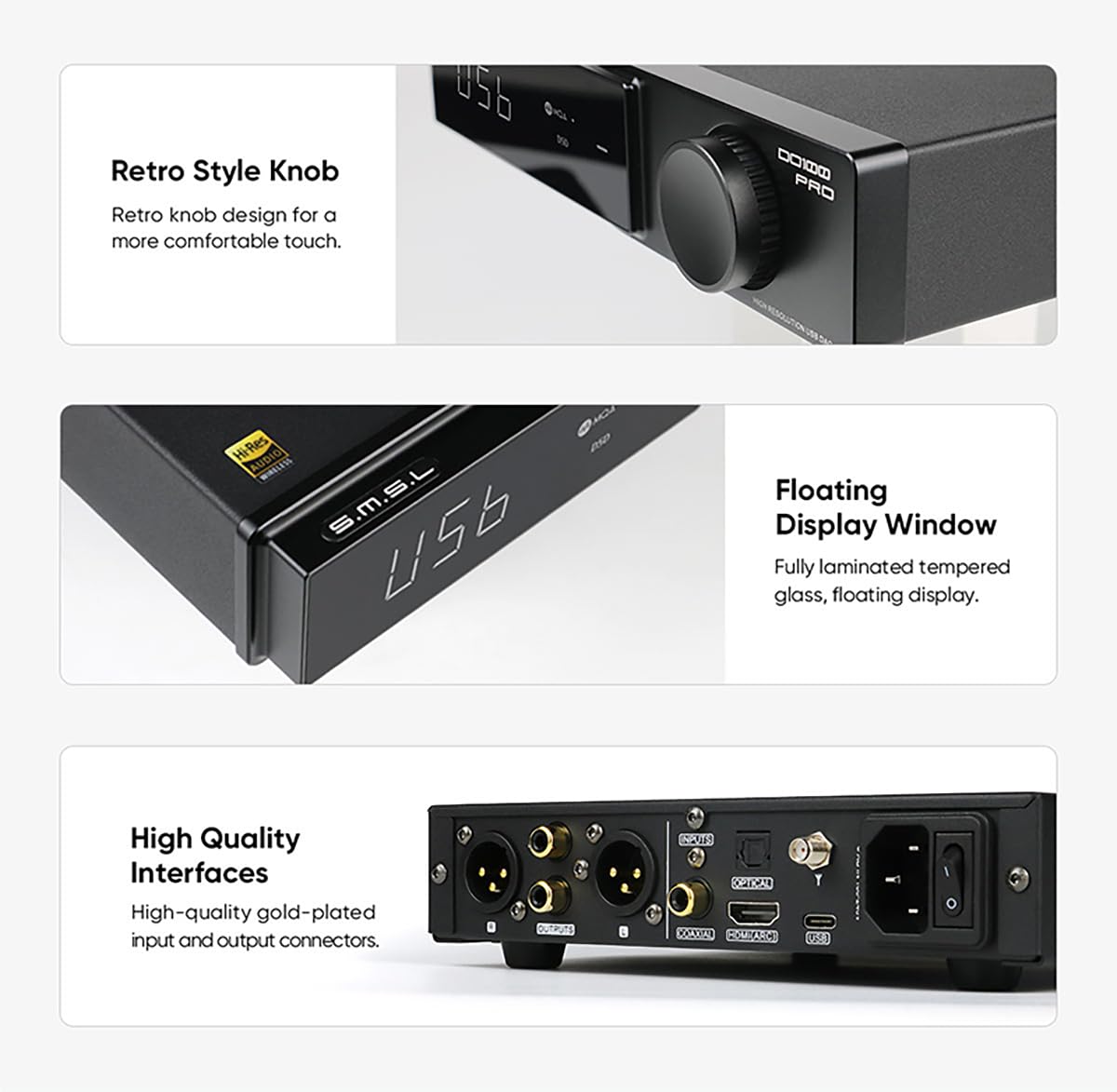
画像: クローズアップ view of the SMSL DO100PRO's high-quality gold-plated input and output connectors, along with an illustration of the 4V/5V output level adjustment switch located on the bottom of the device.
4.4電源接続
Connect the supplied AC power cable to the AC input on the rear panel of the DO100PRO, then plug the other end into a standard wall outlet. Use the power switch on the rear panel to turn the unit on or off.
5. 操作手順
5.1 フロントパネルコントロール
- つまみ: Rotate the knob to adjust volume. Press the knob to enter the menu or confirm selections.
- 表示画面: 現在の入力を表示します。amp料金、およびその他の運用情報。
- MQA/DSD Indicator Lights: Illuminate to indicate MQA or DSD audio playback.
画像: クローズアップ views of the SMSL DO100PRO's retro-style knob for comfortable tactile feedback and the fully laminated tempered glass floating display window.
5.2リモコン機能
The included remote control provides full functionality for convenient operation:

Image: A diagram of the SMSL DO100PRO's remote control, showing buttons for Power ON/OFF, Up, Menu/OK, Next level menu, Return, Input select, Mute, FN (Function), Volume +, and Volume -.
- 電源オン/オフ: ユニットの電源をオンまたはオフにします。
- 入力選択: Cycles through available input sources (USB, Optical, Coaxial, HDMI ARC, Bluetooth).
- ボリューム+/-: 出力音量を調整します。
- ミュート: オーディオ出力をミュートまたはミュート解除します。
- メニュー/OK: メニューに入るか、選択を確定します。
- ナビゲーション ボタン (上、下、左、右): メニュー オプションをナビゲートします。
- 戻る: 前のメニューまたは画面に戻ります。
- FN(関数): Reserved for future functions or specific settings.
6. 仕様
| 特徴 | 仕様 |
|---|---|
| モデル番号 | ド100プロ |
| DACチップ | 2 x ESS ES9039Q2M |
| USBプロセッサ | XMOS XU-316 |
| PCMサポート | 最大32ビット/768kHz |
| DSDサポート | 最大DSD512 |
| MQA サポート | MQA decoding, MQA-CD (USB, Optical, Coaxial) |
| Bluetoothバージョン | クアルコム Bluetooth 5.1 |
| Bluetooth コーデック | LDAC (24bit/96kHz), APTX-HD, SBC, AAC |
| 入力 | USB, Optical, Coaxial, HDMI (ARC), Bluetooth |
| 出力 | XLR Balanced, RCA Single-ended |
| 出力レベル | 4Vrms / 5Vrms (switchable) |
| オプ-Amps | 6 x OPA1612 |
| 寸法 | 11.93 x 9.33 x 3.23インチ |
| 重さ | 3.35 ポンド |
| メーカー | SMSL |
| 原産国 | 中国 |

画像: 詳細 view of the internal components of the SMSL DO100PRO, highlighting the two ES9039Q2M high-end digital-analog chips and the new third-generation XMOS XU-316 processor, emphasizing high quality and performance.

画像: 内部 view of the SMSL DO100PRO circuit board, showcasing the built-in low-noise power supplies, the Qualcomm QCC5125 Bluetooth chip, and the high-end dual op-amps OPA1612.
7。 トラブルシューティング
| 問題 | 考えられる原因 / 解決策 |
|---|---|
| 電源なし | Ensure the power cable is securely connected to both the unit and the wall outlet. Check the power switch on the rear panel is in the ON position. |
| オーディオ出力なし |
|
| No sound from HDMI (ARC) |
|
| USB audio issues (e.g., no sound, low sampルレート) |
|
| Bluetooth接続の問題 |
|
8. メンテナンスとケア
To ensure the longevity and optimal performance of your SMSL DO100PRO, follow these maintenance guidelines:
- クリーニング: 本体の外装は、柔らかく乾いた布で拭いてください。研磨剤入りの洗剤、溶剤、化学薬品スプレーは、表面の仕上げを傷める可能性があるため、使用しないでください。
- 配置: Place the unit on a stable, flat surface with adequate ventilation. Avoid placing it in direct sunlight, near heat sources, or in areas with high humidity or dust.
- 換気: 通気口を塞がないでください。過熱を防ぐには、適切な空気の流れが不可欠です。
- 電源を切る: Always power off the unit and disconnect it from the power outlet before cleaning or if it will not be used for an extended period.
- 取り扱い: 本体は丁寧に取り扱ってください。落としたり、強い衝撃を与えたりしないでください。
9. 保証とサポート
The SMSL DO100PRO comes with a manufacturer's warranty. Please refer to the included warranty card for specific terms and conditions, including warranty period and coverage details.
For technical support, troubleshooting assistance, or warranty claims, please contact TONGYOR customer service. We are committed to providing excellent support and will assist you with any questions or concerns.
カスタマーサービスの連絡先: Please refer to the contact information provided on your warranty card or the official TONGYOR web最新のサポート チャネルについては、こちらのサイトをご覧ください。
関連文書 - ド100プロ
 |
Topping E30 II DAC ユーザーマニュアルと仕様 Topping E30 II HiFi DAC の包括的なユーザー マニュアルと技術仕様。USB、同軸、光入力の機能、操作、パフォーマンスについて詳しく説明しています。 |
 |
SMSL C100 MQA USB DAC - ユーザーマニュアルと仕様 SMSL C100 MQA USB DAC の包括的なユーザー マニュアル。機能、仕様、操作、安全性、保証情報が詳細に記載されています。 |
 |
Eversolo DMP-A6 ハイファイミュージックストリーマー製品マニュアル Eversolo DMP-A6 High Fidelity Music Streamer の包括的な製品マニュアル。機能、仕様、ハードウェア、基本操作、システム設定、接続、ダウンロードについて詳しく説明しています。 |
 |
iFi NEO Stream ユーザーマニュアル: 超高音質ネットワークオーディオストリーマー DAC内蔵の超高音質ネットワークオーディオストリーマー、iFi NEO Streamの包括的なユーザーマニュアル。機能、デバイスの詳細、view接続、セットアップ ガイド (イーサネットおよび Wi-Fi)、MQA テクノロジー、仕様、クイック スタート ガイド。 |
 |
EVERSOLO DMP-A6 デジタルオーディオプレーヤーの仕様 EVERSOLO DMP-A6 デジタル オーディオ プレーヤーの詳細な仕様 (ディスプレイ、メモリ、DAC、オーディオ プロセッサ、接続性、オーディオ特性、寸法など)。 |
 |
EVERSOLO DMP-A6 デジタルオーディオプレーヤーの仕様 EVERSOLO DMP-A6 デジタル オーディオ プレーヤーの詳細な仕様 (ディスプレイ、メモリ、DAC、オーディオ プロセッサ、電源、ストレージ、接続性、オーディオ再生機能、出力特性、物理的寸法など)。 |
Ask a question about this manual
Ask about setup, troubleshooting, compatibility, parts, safety, or missing instructions. Manuals+ will review the question and use this page’s manual context to help answer it.