導入
This manual provides detailed instructions for the proper use and maintenance of your Elprico 5-inch MP4 Player. Please read this manual thoroughly before operating the device to ensure optimal performance and longevity. Keep this manual for future reference.
製品終了view
主な特徴
- Fast and Stable Performance: Equipped with an octa-core MTK chip for responsive operation.
- Bluetooth 5.0接続: Ensures broad compatibility with headphones, speakers, and car audio systems.
- 無線 File 転送: Supports Wi-Fi and Bluetooth for easy file sharing with smartphones.
- 5.0インチHDディスプレイ: Features a 16-million color screen for high-resolution video playback.
- HiFi Lossless Music Playback: Delivers high-fidelity audio quality.
- 内蔵カメラ: Includes a 5 MP rear camera for capturing photos.
- 長いバッテリー寿命: 2200 mAh battery provides up to 30 hours of music or 5 hours of video playback.
- プリインストールされたストリーミング アプリ: Comes with Spotify, Audible, Music, and Deezer.
- 拡張可能なストレージ: 16GB internal ROM, expandable up to 256GB via Micro SD card (128GB card included).
デバイスコンポーネント
MP4 プレーヤーの物理的なコンポーネントについて理解しておきましょう。
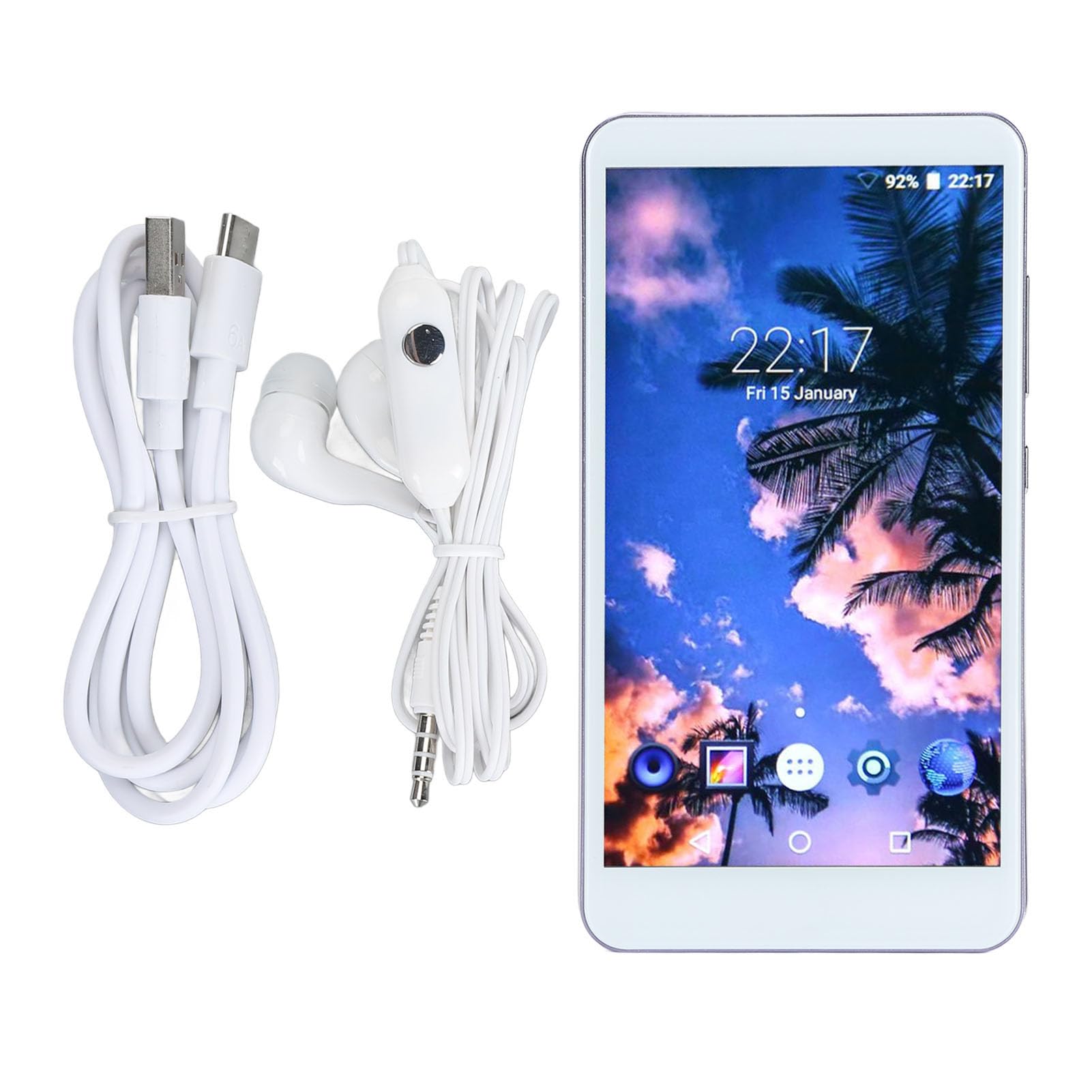
画像: フロント view of the Elprico 5-inch MP4 Player, displaying the screen and general layout.

画像: 戻る view of the Elprico MP4 Player, highlighting the rear camera module and side buttons.
設定
1. 初期充電
Before first use, fully charge the device using the provided USB Type-C cable and a compatible power adapter (not included). The charging indicator will show progress.
2. 電源のオン/オフ
- 電源を入れるには: 画面が点灯するまで、デバイスの側面にある電源ボタンを押し続けます。
- 電源を切るには: 電源ボタンを長押しし、画面上のオプションから「電源オフ」を選択します。
3. Language and Region Settings
Upon first startup, follow the on-screen prompts to select your preferred language and region settings.
4。 Wi-Fi接続
- へ移動 設定 > ネットワークとインターネット > Wi-Fi.
- Wi-Fiの切り替え On.
- リストから希望の Wi-Fi ネットワークを選択します。
- パスワードを求められた場合は入力し、タップします 接続する.
5.Bluetoothペアリング

画像: The Elprico MP4 Player highlighting its Bluetooth 5.0 chip and compatibility with wireless headphones, earbuds, speakers, and car systems.
- Ensure the Bluetooth device (headphones, speaker, car system) is in pairing mode.
- MP4プレーヤーで、 設定 > 接続されたデバイス > ブルートゥース.
- Bluetoothを切り替える On.
- タップ 新しいデバイスをペアリングする リストからデバイスを選択します。
- ペアリングコードの確認を求められた場合は、それを確認します。
操作手順
1. インターフェースの操作
The device runs on an Android operating system. Use touch gestures (tap, swipe, pinch) to navigate through menus and applications.
2.音楽の再生

画像: The Elprico MP4 Player displaying its main interface with icons for various functions like Music, Video, FM Radio, and more.

画像: The Elprico MP4 Player showing a music playback screen, emphasizing support for HiFi lossless music.
- 音楽へのアクセス: Tap the 'Music' application icon.
- ソート: Songs can be sorted by title, folder, album, artist, genre, or album + artist. Use the search function to quickly locate specific tracks.
- プレイリスト: Add multiple songs to playlists.
- 再生モード: Select from random, sequential, loop, or list loop playback.
- サポートされている形式: MP3, WMA, WAV, OGG, FLAC, APE.
3.ビデオ再生
- ビデオへのアクセス: Tap the 'Video' application icon.
- サポートされている形式: MPEG, RMVB, MPEG-4.
4. File 移行

画像: The Elprico MP4 Player illustrating its support for wireless file uploads via Wi-Fi and Bluetooth, in addition to USB.
- USB転送: Connect the device to a computer using the USB Type-C cable. The device will appear as a removable storage drive.
- ワイヤレス転送: プリインストールされた file transfer application to share or transfer files via Bluetooth or Wi-Fi, especially with Android smartphones.
5. プリインストールアプリの使用
The device comes with Spotify, Audible, Music, and Deezer pre-installed. Ensure you have an active Wi-Fi connection to use these streaming services.
6. カメラ機能
- Tap the 'Camera' application icon to open the camera.
- Tap the screen to focus and press the shutter button to take a photo.
メンテナンス
クリーニング
- デバイスの画面と本体を清掃するには、柔らかく乾いた糸くずの出ない布を使用してください。
- 研磨剤入りの洗剤、溶剤、エアゾールスプレーの使用は避けてください。
ストレージ
- デバイスは直射日光や極端な温度を避け、涼しく乾燥した場所に保管してください。
- 長期間保管する場合は、バッテリーの状態を維持するために、バッテリーが部分的に(約 50%)充電されていることを確認してください。
バッテリーケア
- バッテリーを頻繁に完全に放電することは避けてください。
- Do not expose the device to temperatures above 60°C (140°F).
トラブルシューティング
デバイスの電源が入っていない
- バッテリーが充電されていることを確認してください。デバイスを電源に接続し、数分後にもう一度お試しください。
- 強制的に再起動するには、電源ボタンを 10 ~ 15 秒以上押し続けます。
Bluetoothデバイスに接続できません
- MP4 プレーヤーとターゲット デバイスの両方で Bluetooth が有効になっていることを確認します。
- Place the devices close to each other (within 10 meters).
- 対象の Bluetooth デバイスをペアリング モードにします。
- Forget the device in the MP4 player's Bluetooth settings and attempt to pair again.
Wi-Fiに接続できません
- Verify that Wi-Fi is enabled on the device.
- Wi-Fi ネットワークがアクティブで範囲内にあるかどうかを確認します。
- 正しい Wi-Fi パスワードが入力されていることを確認してください。
- Restart the Wi-Fi router and the MP4 player.
パフォーマンスの低下またはフリーズ
- 不要なバックグラウンド アプリケーションを閉じます。
- Clear cache data from applications in 設定 > アプリ.
- デバイスを再起動します。
- If issues persist, consider performing a factory reset (backup data first).
仕様
| ブランド | エルプリコ |
| モデル番号 | Elpricogbkomgdu07 |
| 画面サイズ | 5インチ |
| 画面解像度 | 1920×1080 |
| オペレーティング·システム | アンドロイド |
| メモリ(RAM) | 2ギガバイト |
| 内部ストレージ (ROM) | 16ギガバイト |
| 拡張可能なストレージ | Up to 256 GB via Micro SD (128 GB card included) |
| 接続性 | Bluetooth 5.0, Wi-Fi, USB Type-C, 3.5mm Headphone Jack |
| カメラ | リア5 MP |
| バッテリー | 2200mAhリチウム電池 |
| サポートされているオーディオ形式 | MP3, WMA, WAV, OGG, FLAC, APE |
| サポートされているビデオ形式 | MPEG, RMVB, MPEG-4 |
| 原産国 | 中国 |
保証とサポート
メーカー保証
This Elprico MP4 Player comes with a 2年間のメーカー保証この保証は、通常の使用における材料および製造上の欠陥を対象とします。誤用、事故、不正な改造、または通常の摩耗や損耗による損傷は保証の対象外となります。
カスタマーサポート
For technical assistance, troubleshooting not covered in this manual, or warranty claims, please contact Elprico customer support through the retailer where the product was purchased. Please have your model number (Elpricogbkomgdu07) and proof of purchase ready when contacting support.