
導入
This manual provides essential information for setting up, operating, maintaining, and troubleshooting your Acer Aspire 5 A515-57-55BX Slim Laptop. Please read this manual thoroughly to ensure proper use and to maximize the lifespan of your device.
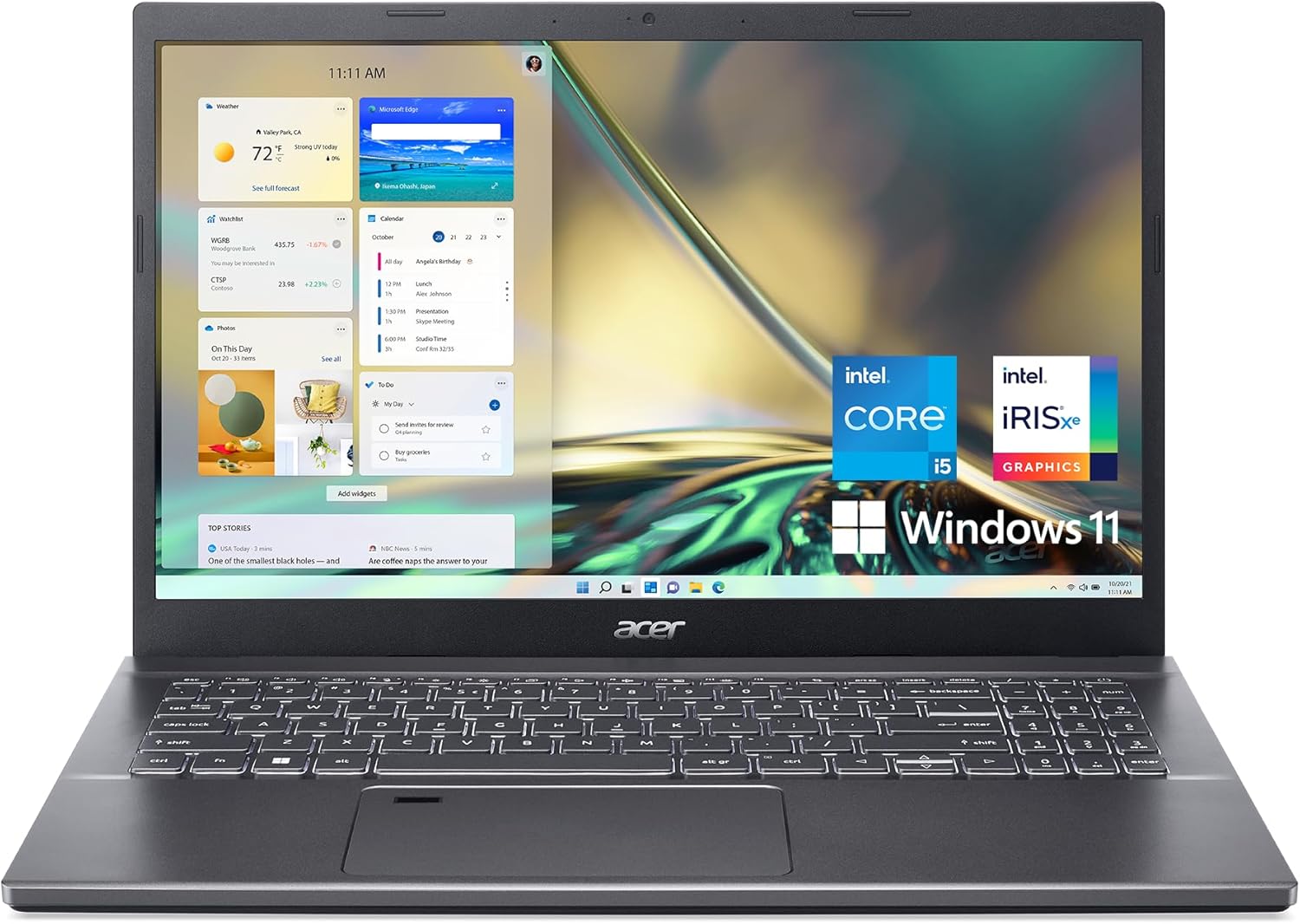
画像: 正面 view of the Acer Aspire 5 A515-57-55BX Slim Laptop, showcasinディスプレイとキーボード。
パッケージ内容
パッケージを開封したら、すべてのアイテムが揃っていて良好な状態であることを確認してください。
- Acer Aspire 5 A515-57-55BX Slim Laptop
- ACアダプター
- 電源コード
If any items are missing or damaged, contact your retailer or Acer support immediately.
設定
初期設定と電源オン
- ACアダプターを接続します: Plug the AC adapter into the laptop's power input port and then into a power outlet.
- バッテリーを充電する: It is recommended to fully charge the battery before initial use. The charging indicator light will show the charging status.
- 電源オン: Open the laptop lid. Press the power button, typically located on the keyboard deck, to turn on the laptop.
- Windowsセットアップ 画面上の指示に従って、言語の選択、ネットワーク接続、ユーザー アカウントの作成などの Windows 11 Home セットアップ プロセスを完了します。

画像: 左側 view of the Acer Aspire 5 laptop, illustrating the power input port, Ethernet port, HDMI port, USB 3.2 Gen 1 ports, and Thunderbolt 4 port.
ノートパソコンの操作
キーボードとタッチパッド
The laptop features a full-size backlit keyboard and a precision touchpad. The ergonomic hinge design slightly elevates the keyboard for comfortable typing and improved airflow.
- バックライト付きキーボード: Use the dedicated function keys (Fn + F key combination) to adjust keyboard backlight brightness.
- タッチパッドのジェスチャ: The touchpad supports multi-touch gestures for navigation, zooming, and scrolling. Refer to Windows settings for customization.
- 指紋リーダー: An embedded fingerprint reader is integrated for secure login. Configure it via Windows Hello settings.

画像: トップダウン view of the Acer Aspire 5 laptop's keyboard and touchpad, highlighting the layout and the fingerprint reader.
画面
The 15.6-inch Full HD (1920 x 1080) IPS display offers crisp visuals and wide viewing angles. Narrow bezels maximize screen space.

Image: The Acer Aspire 5 laptop display, emphasizing its Full HD (1920x1080) resolution and IPS technology for vibrant colors and wide view角度を変える。
接続性
Your laptop is equipped with various connectivity options:
- Wi-Fi 6(802.11ax): Supports dual-stream Wi-Fi in 2.4GHz and 5GHz bands, including 2x2 MU-MIMO Technology for fast wireless connections.
- Bluetooth 5.1: ヘッドフォン、マウス、キーボードなどのワイヤレス周辺機器を接続します。
- ポート:
- 1 x Thunderbolt 4 (USB Type-C Port, USB 3.2 Gen 2, DisplayPort over USB Type-C, USB Charging)
- USB 3.2 Gen 1 ポート x 3 (うち 1 つは電源オフ充電機能付き)
- HDCP対応HDMI 2.1ポート x 1
- イーサネット (RJ-1) ポート x 45
- ヘッドフォン/スピーカー/ライン出力ジャック x 1
- ケンジントンロックスロット x 1
- ACアダプター用DC入力×1

Image: The Acer Aspire 5 laptop angled to show its various connectivity ports, including USB, HDMI, and Ethernet, illustrating its comprehensive connection capabilities.
オーディオとビデオ
The laptop is equipped for high-quality audio and video communication:
- 720p HDカメラ: Features Acer's TNR (Temporal Noise Reduction) technology for improved image quality in low-light conditions.
- Acer PurifiedVoice: Utilizes AI Noise Reduction for clear audio during calls.
- エイサーピュリファイドView: Combines Background Blur, Automatic Framing, and Eye Contact features using advanced AI algorithms for enhanced video conferencing.

Image: A group of people engaged in a video call using the Acer Aspire 5 laptop, demonstrating its capabilities for online meetings and communication.
メンテナンス
ノートパソコンの掃除
- 画面: 柔らかく糸くずの出ない布で軽く拭き取ってください。amp水またはスクリーンクリーナーで拭き取ってください。液体を画面に直接吹き付けないでください。
- キーボードとシャーシ: 柔らかい布を使用してください。頑固な汚れには、軽く湿らせた布で拭き取ってください。amp 液体がデバイス内に入らないように、中性洗剤溶液を含ませた布を使用してください。
- 通気口: Periodically clean dust from the cooling vents using compressed air to maintain optimal airflow.
バッテリーケア
- バッテリーを頻繁に完全に放電することは避けてください。
- 長期間使用しない場合は、ノートパソコンを涼しく乾燥した場所に保管してください。
- 純正 Acer AC アダプタのみを使用してください。
ソフトウェアアップデート
システムの安定性、セキュリティ、最適なパフォーマンスを確保するために、Windows の更新プログラムと Acer ドライバーの更新プログラムを定期的に確認してインストールしてください。

Image: A diagram illustrating the internal cooling system of the Acer Aspire 5 laptop, showing dual fans and heat pipes designed for efficient heat dissipation.
トラブルシューティング
このセクションでは、ラップトップで発生する可能性のある一般的な問題について説明します。
電源が入らない / ノートパソコンが起動しない
- AC アダプターがラップトップと機能している電源コンセントの両方にしっかりと接続されていることを確認します。
- 別のデバイスを接続して、電源コンセントが機能していることを確認します。
- バッテリーが完全に消耗している場合は、電源を入れる前に少なくとも 30 分間充電してください。
表示の問題
- 空白の画面: プレス Fn+F6 キー to toggle the display output. Ensure the laptop is not connected to an external monitor that is turned off or disconnected.
- 薄暗い画面: Adjust brightness using the dedicated function keys (usually Fn+F3 キー for dimming, Fn+F4 キー for brightening).
Wi-Fi / Bluetooth Connectivity Problems
- Windows 設定で Wi-Fi と Bluetooth が有効になっていることを確認します。
- ルーター/モデムを再起動します。
- Update wireless drivers from the Acer support webサイト。
System Slowdown / Freezing
- バックグラウンドで実行されている不要なアプリケーションを閉じます。
- タスク マネージャー (Ctrl+Shift+Esc) で、CPU またはメモリを大量に消費しているプロセスを確認します。
- SSD に十分な空き容量があることを確認してください。
- ウイルススキャンを実行します。
サポートへのお問い合わせ
If you encounter issues not covered in this manual or require further assistance, please visit the official Acer support webサイトにアクセスするか、カスタマーサービスにお問い合わせください。
Acer サポート Webサイト: www.acer.com/support
仕様
| 特徴 | 仕様 |
|---|---|
| モデル名 | Acer Aspire 5 A515-57-55BX |
| プロセッサ | インテル Core i5-12450H (3.3GHz) |
| グラフィックス | Intel Iris Xe グラフィックス(統合型) |
| ラム | 8GB DDR4 |
| ストレージ | 512 GB PCIe Gen4 SSD |
| 画面 | 15.6インチ フルHD (1920 x 1080) IPSディスプレイ |
| オペレーティング·システム | Windows 11 ホーム |
| ワイヤレス接続 | Wi-Fi 6(802.11ax)、Bluetooth 5.1 |
| ポート | 1x Thunderbolt 4 (USB-C), 3x USB 3.2 Gen 1, 1x HDMI 2.1, 1x RJ-45 Ethernet, 1x Headphone/Speaker/Line-Out Jack, 1x DC-in |
| 特集 | Fingerprint Reader, Backlit Keyboard, Acer PurifiedVoice, Acer PurifiedView |
| 寸法(長さx幅x高さ) | 14.29 x 9.36 x 0.7インチ |
| 重さ | 3.88ポンド |
| 色 | グレー |
保証とサポート
Your Acer Aspire 5 A515-57-55BX Slim Laptop comes with a standard manufacturer's warranty. For detailed information regarding warranty terms, conditions, and duration, please refer to the warranty card included in your product packaging or visit the official Acer support webサイト。
オンラインサポート: For drivers, manuals, FAQs, and service requests, visit www.acer.com/support.
Acerで製品を登録することをお勧めします web更新情報を受け取ったり、保証サービスを容易にしたりするために、サイトにアクセスしてください。