
1.製品オーバーview
The farexon Electric Standing Desk is an adjustable height workstation designed for home and office environments. It features an electric lifting system, allowing seamless transitions between sitting and standing positions. The desk includes memory presets for convenient height adjustments and is equipped with features to enhance user experience and safety.

Image 1.1: The farexon Electric Standing Desk in a typical office setup, showcasing its spacious black tabletop, dual monitor support, and integrated cable management features. The desk is shown with its included caster wheels and non-slip foot pads.
2. 安全情報
怪我や製品の損傷を防ぐために、組み立てや操作の前にすべての安全に関する指示をよくお読みください。
- 衝突防止技術: The desk is equipped with an anti-collision system. If the desk encounters an obstacle during height adjustment, it will automatically reverse direction to prevent damage or injury.
- 物質の安全性: The desk materials meet U.S. federal and state safe air standards, with significant reductions in formaldehyde and other VOC emissions.
- 過熱保護: The motor includes overheating protection to ensure safe operation.
- チャイルドロック: The control panel may feature a child lock function to prevent unintended adjustments. Refer to the operating section for details.
- Keep hands and objects clear of the lifting mechanism during operation.
- 指定された重量容量を超えて机に過度の荷重をかけないでください。
- 高さ調整中にケーブルが絡まないように、すべてのケーブルが適切に管理されていることを確認してください。
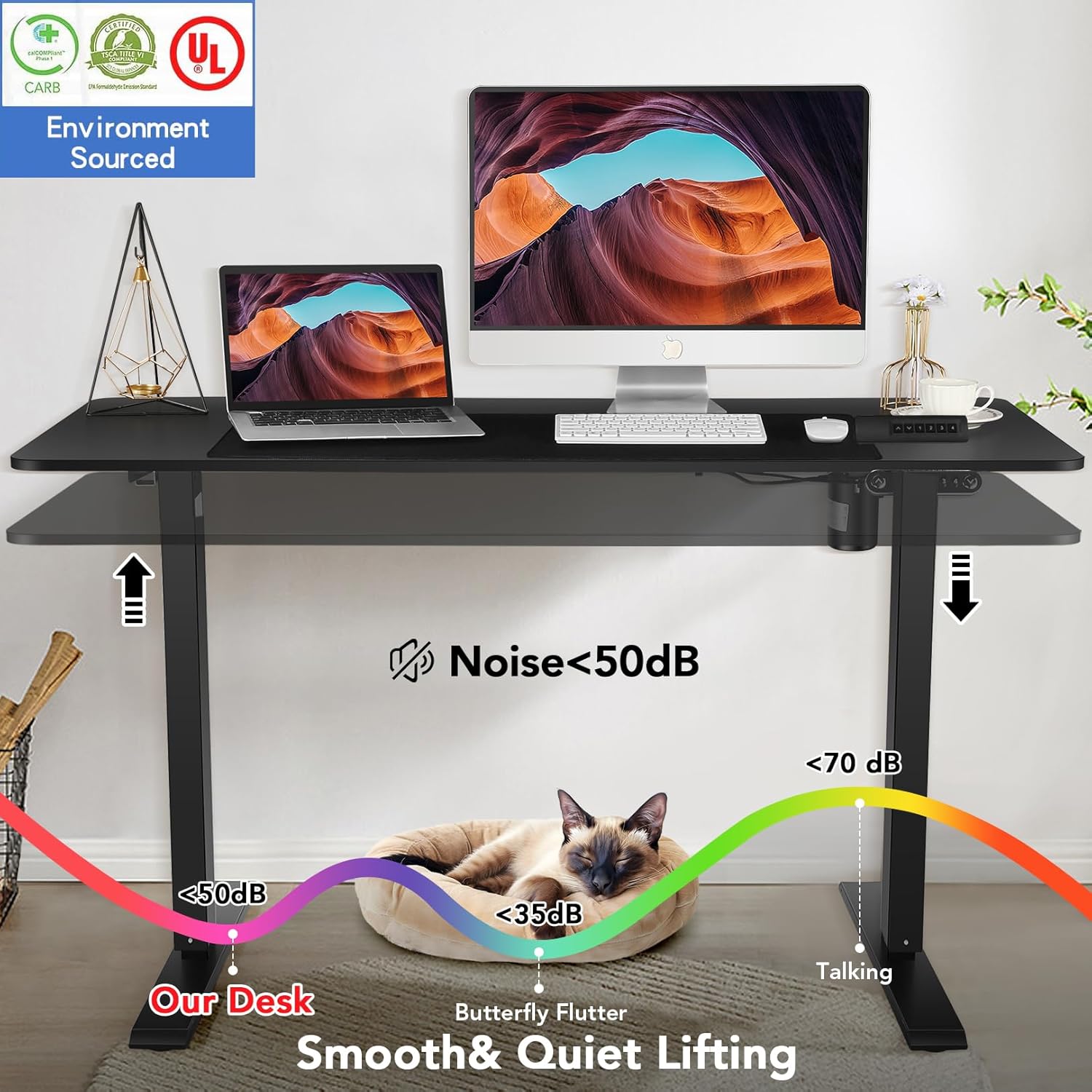
Image 2.1: Illustration demonstrating the low noise level (below 50dB) of the desk's lifting mechanism, ensuring a quiet working environment.
3. 特徴
The farexon Electric Standing Desk is designed with several key features for optimal functionality and user comfort:
- 高さ調節可能: Electric lifting range from 27 inches to 46 inches.
- メモリプリセット: Four programmable memory buttons to save preferred sitting and standing heights.
- 広々としたデスクトップ: Large 48" x 24" tabletop provides ampワークスペース。
- 耐久性のある構造: Supported by a sturdy metal frame and a thickened desktop board.
- モビリティオプション: Includes 4 caster wheels for easy movement and 4 non-slip heightening foot pads for stationary use.
- ケーブル管理 Two cord retraction holes to keep cables organized.
- アクセサリーフック: Two metal hooks for hanging headphones or other items.
- Waterproof Tabletop: The desktop surface is water and wear-resistant.
- Protective Edge: Designed with a protective edge for durability and safety.
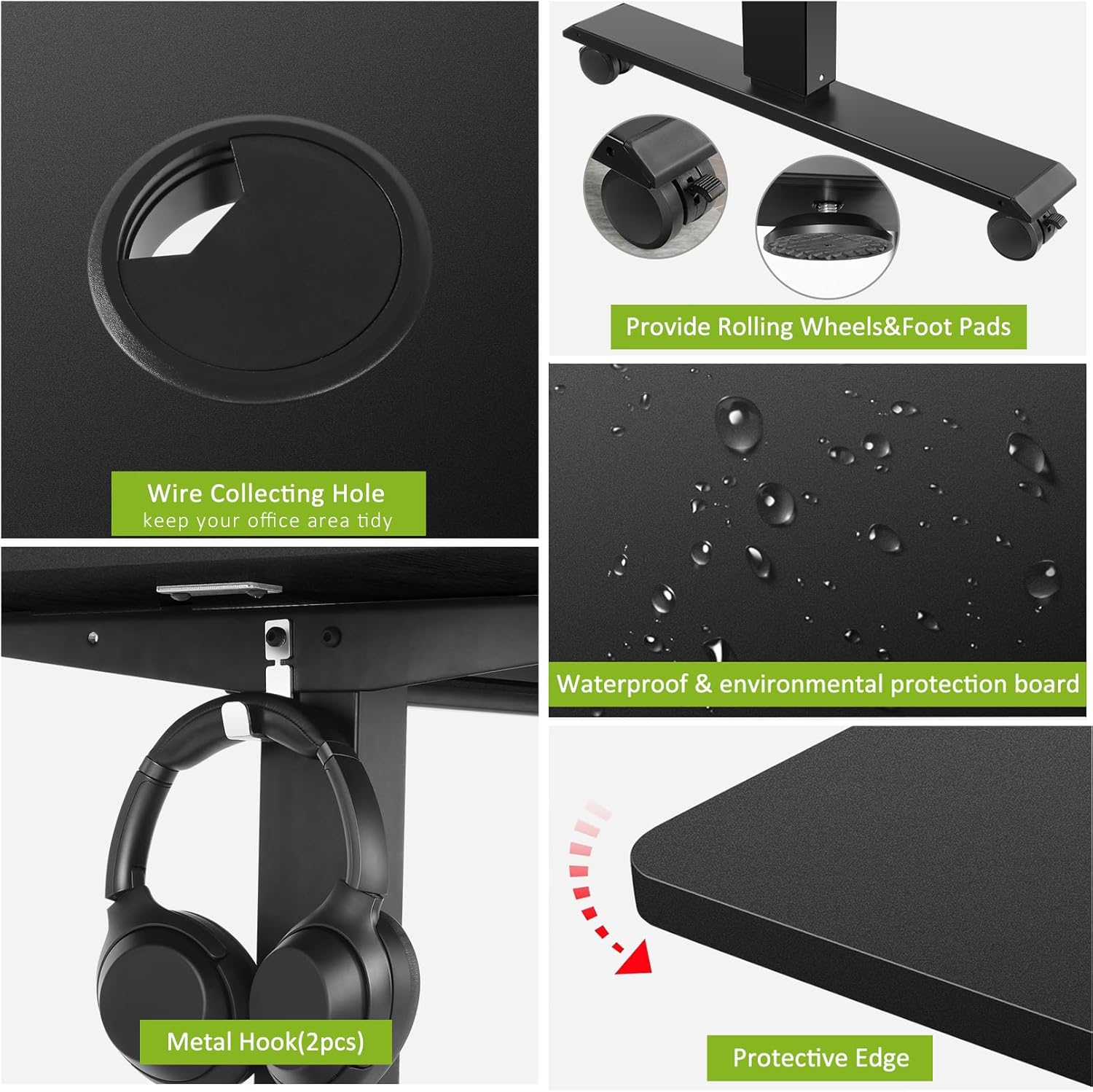
画像3.1: 詳細 view of key desk features including the wire collecting hole, interchangeable rolling wheels and non-slip foot pads, the waterproof tabletop surface, and the protective edge design.
4. セットアップと組み立て
Assembly of the farexon Electric Standing Desk is designed to be straightforward. All necessary assembly tools are included with the product.
4.1 開梱と検査
- すべてのコンポーネントをパッケージから慎重に取り出します。
- Verify that all parts listed in the assembly manual are present and undamaged.
- 組み立て中に傷がつかないように、コンポーネントを柔らかく清潔な表面に置いてください。
4.2組み立て手順
Follow the detailed step-by-step instructions provided in the included assembly manual. Key steps typically include:
- 昇降柱をデスクトップに取り付けます。
- Securing the foot supports to the lifting columns.
- Installing the control box and connecting the motor cables.
- コントロールパネルの取り付け。
- Attaching the caster wheels or non-slip foot pads as desired.
- Installing the accessory hooks and cable management grommets.
It is recommended to have assistance during certain assembly steps due to the weight of some components.
5. 操作手順
The farexon Electric Standing Desk features an intuitive control panel for easy height adjustment and memory functions.
5.1コントロールパネルオーバーview
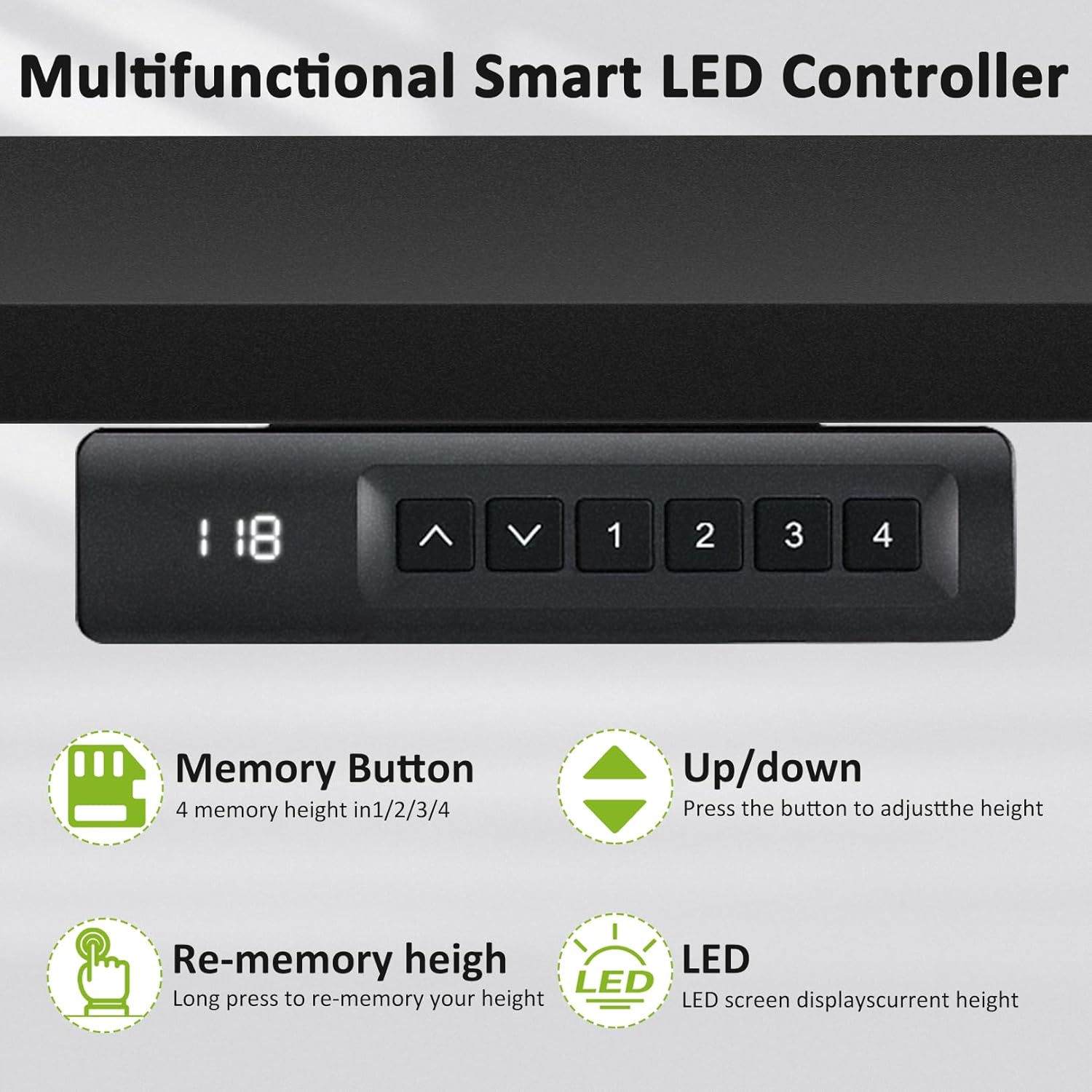
Image 5.1: The multifunctional smart LED controller, showing the LED display for current height, up/down buttons, and four memory preset buttons (1, 2, 3, 4).
- LEDディスプレイ: デスクの現在の高さをインチ単位で表示します。
- 上/下ボタン(▲/▼): Press to adjust the desk height incrementally.
- メモリボタン(1、2、3、4): 好みの高さ設定を保存および呼び出すために使用します。
5.2 高さ調整
- を押し続けます 上へ(▲) or 下へ(▼) button to move the desk to your desired height.
- Release the button when the desk reaches the desired position. The LED display will show the current height.
5.3 メモリプリセットの設定
You can save up to four preferred height settings:
- Adjust the desk to the desired height using the Up/Down buttons.
- Press and hold one of the memory buttons (1, 2, 3, or 4) until the LED display flashes or indicates that the height has been saved.
- 保存した高さを呼び出すには、対応するメモリボタン(1、2、3、または4)を押すだけです。デスクは自動的に保存された位置に移動します。
5.4 Anti-Collision Sensitivity
The anti-collision system is active during height adjustments. If the desk encounters an obstruction, it will stop and reverse slightly. There is no user adjustment for sensitivity.

Image 5.2: A user demonstrating the standing position at the farexon electric desk, highlighting its ergonomic benefits for a healthy lifestyle.
6. メンテナンス
Regular maintenance ensures the longevity and optimal performance of your farexon Electric Standing Desk.
- クリーニング: デスクトップの表面を柔らかくて乾いた布で拭きますamp cloth. Avoid abrasive cleaners or harsh chemicals that could damage the finish. For the metal frame, use a dry or slightly damp 布。
- ケーブル管理 Periodically check and reorganize cables to prevent tangling or damage during height adjustments.
- 留め具: 定期的にすべてのネジとボルトがしっかりと締まっているか確認してください。必要に応じて締め直してください。
- モーターとメカニズム: The electric motor and lifting mechanism are designed for maintenance-free operation. Do not attempt to lubricate or disassemble these components.
- 電源コード: Inspect the power cord for any signs of damage. If damaged, discontinue use and contact support.
7。 トラブルシューティング
If you encounter issues with your farexon Electric Standing Desk, refer to the following common troubleshooting steps:
| 問題 | 考えられる原因 | 解決 |
|---|---|---|
| 机は動きません。 | Power cord disconnected; Overload; Motor overheating. | 電源接続を確認してください。机の上の重量を減らしてください。モーターを20分間冷却してください。 |
| 机の動きが不均一であったり、異常な音がしたりします。 | 緩い接続、障害物、不均一な重量配分。 | Check all assembly connections. Remove any obstructions. Redistribute weight evenly on the desktop. |
| メモリプリセットが機能しません。 | プリセットが正しく保存されませんでした。 | Re-save the memory presets by following the operating instructions (Section 5.3). |
| 衝突防止システムが頻繁に作動します。 | Obstruction; Desk is too close to a wall/object. | Ensure there are no objects in the path of the desk's movement. Maintain adequate clearance from walls or furniture. |
If the problem persists after attempting these solutions, please contact farexon customer support for further assistance.
8. 仕様
| 属性 | 詳細 |
|---|---|
| ブランド | farexon |
| モデル番号 | 1 |
| 製品寸法(奥行き×幅×高さ) | 奥行き24インチ x 幅48インチ x 高さ46インチ |
| 色 | 黒 |
| 最小高さ | 27インチ |
| 最大高さ | 46インチ |
| テーブルトップの厚さ | 0.75インチ |
| ベース素材 | 金属 |
| 上部の材質の種類 | 木材 |
| 昇降機構 | 電気 |
| アイテム重量 | 46 ポンド |
| 含まれるコンポーネント | 4 Caster Wheels, 4 non-slip heightening foot pads, 2 Hooks |
| 必要な組み立て | はい |
| すべての組み立てツールが含まれています | はい |
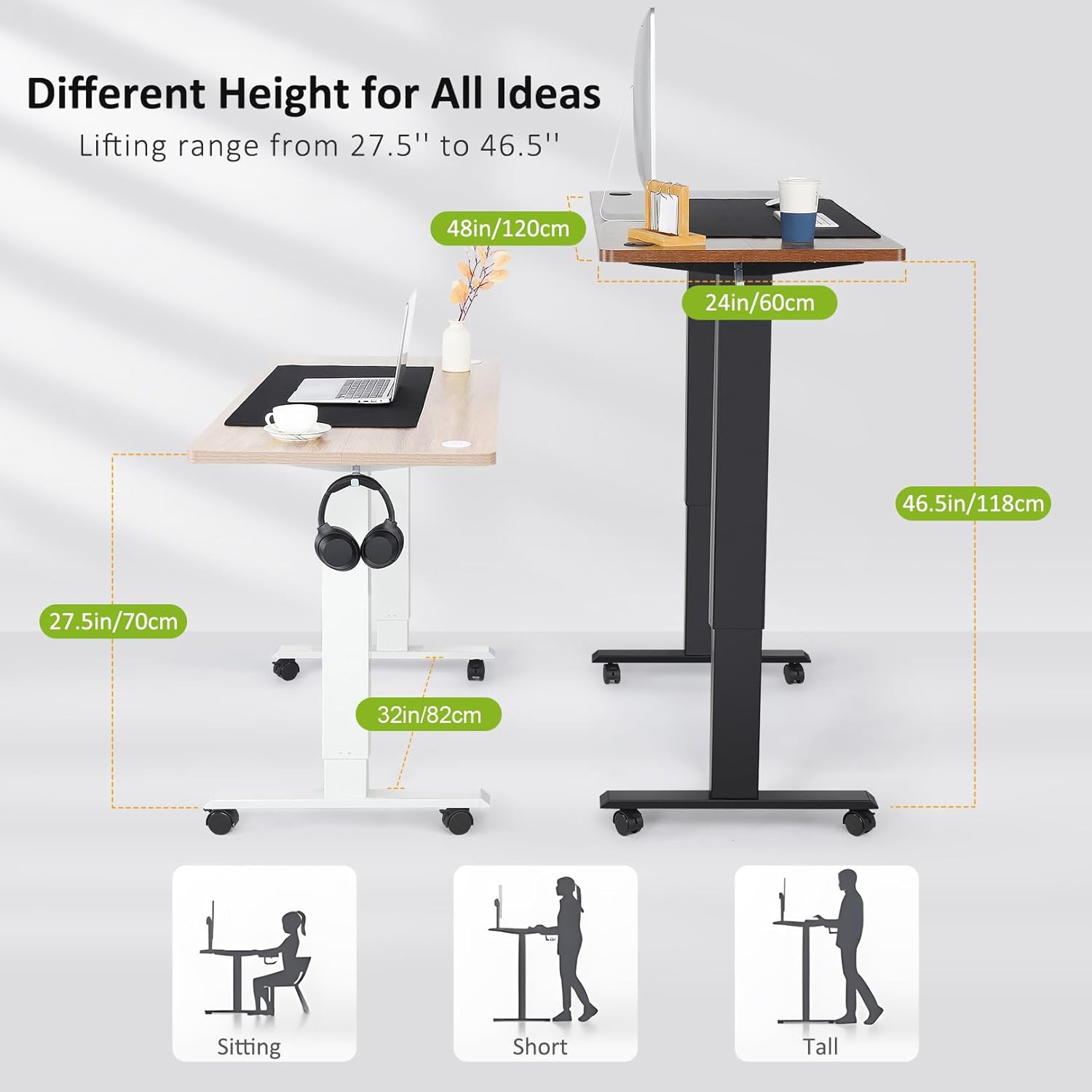
Image 8.1: Visual representation of the desk's adjustable height range from 27.5 inches to 46.5 inches, illustrating suitable heights for sitting, and standing for individuals of various heights.
9. 保証情報
The farexon Electric Standing Desk comes with a 完全保証. For specific details regarding the terms, duration, and coverage of your warranty, please refer to the warranty card included in your product packaging or contact farexon customer support.
10. カスタマーサポート
For any questions, concerns, or assistance with your farexon Electric Standing Desk, please do not hesitate to contact our customer support team. Your satisfaction is our top priority.
Contact information can typically be found on the farexon official web現場または梱包材に記載されています。