
Ctronics CTIPC-640C-M12B
Ctronics 4K 8MP Wi-Fi PTZ Outdoor Security Camera
ユーザーマニュアル
1. はじめに
Thank you for choosing the Ctronics 4K 8MP Wi-Fi PTZ Outdoor Security Camera. This manual provides detailed instructions for the installation, operation, and maintenance of your new security camera. Please read this manual thoroughly before use to ensure proper functionality and safety.
This camera is designed to provide comprehensive outdoor surveillance with advanced features such as 4K Ultra HD resolution, Pan-Tilt-Zoom capabilities, intelligent detection, and versatile storage options.

Image: The Ctronics 4K 8MP Wi-Fi PTZ Outdoor Security Camera, showcasing its sleek black design and dual antennas.
2. 安全情報
製品の損傷やご自身および他の人への傷害を防ぐために、次の安全上の注意事項を守ってください。
- 電源がカメラの仕様 (12 ボルト、24 ワット) と一致していることを確認します。
- カメラを動作範囲外の極端な温度にさらさないでください。
- 強い日光に長時間直接さらされると画質に影響が出る可能性がありますので、避けてください。
- カメラを強い磁場から遠ざけてください。
- カメラを分解したり改造したりしないでください。修理は必ず資格を持った専門家にご依頼ください。
- Ensure all cables are properly secured to prevent tripping hazards or accidental disconnection.
3. パッケージ内容
パッケージにすべてのアイテムが含まれていることを確認します。
- Ctronics 4K 8MP Wi-Fi PTZ Outdoor Security Camera
- 電源アダプター
- 取り付けネジと壁プラグ
- ネットワークケーブル用防水キット
- クイックスタートガイド
4.製品オーバーview
カメラの主なコンポーネントについて理解しておきましょう。
- レンズ: ビデオ foo をキャプチャしますtage.
- IR LED: 夜間視力のために赤外線照明を提供します。
- スポットライト: Enhance color night vision and act as deterrents.
- マイクロフォン: 双方向通信用の音声をキャプチャします。
- スピーカー: 双方向通信とアラーム用の音声を出力します。
- アンテナ: Wi-Fi接続用。
- マイクロSDカードスロット: ローカル ストレージ用 (最大 256 GB をサポート、付属していません)。
- リセットボタン: カメラを工場出荷時の設定にリセットするために使用されます。
- 電源ポート: 電源アダプタに接続します。
- イーサネットポート: 有線ネットワーク接続用(オプション)。
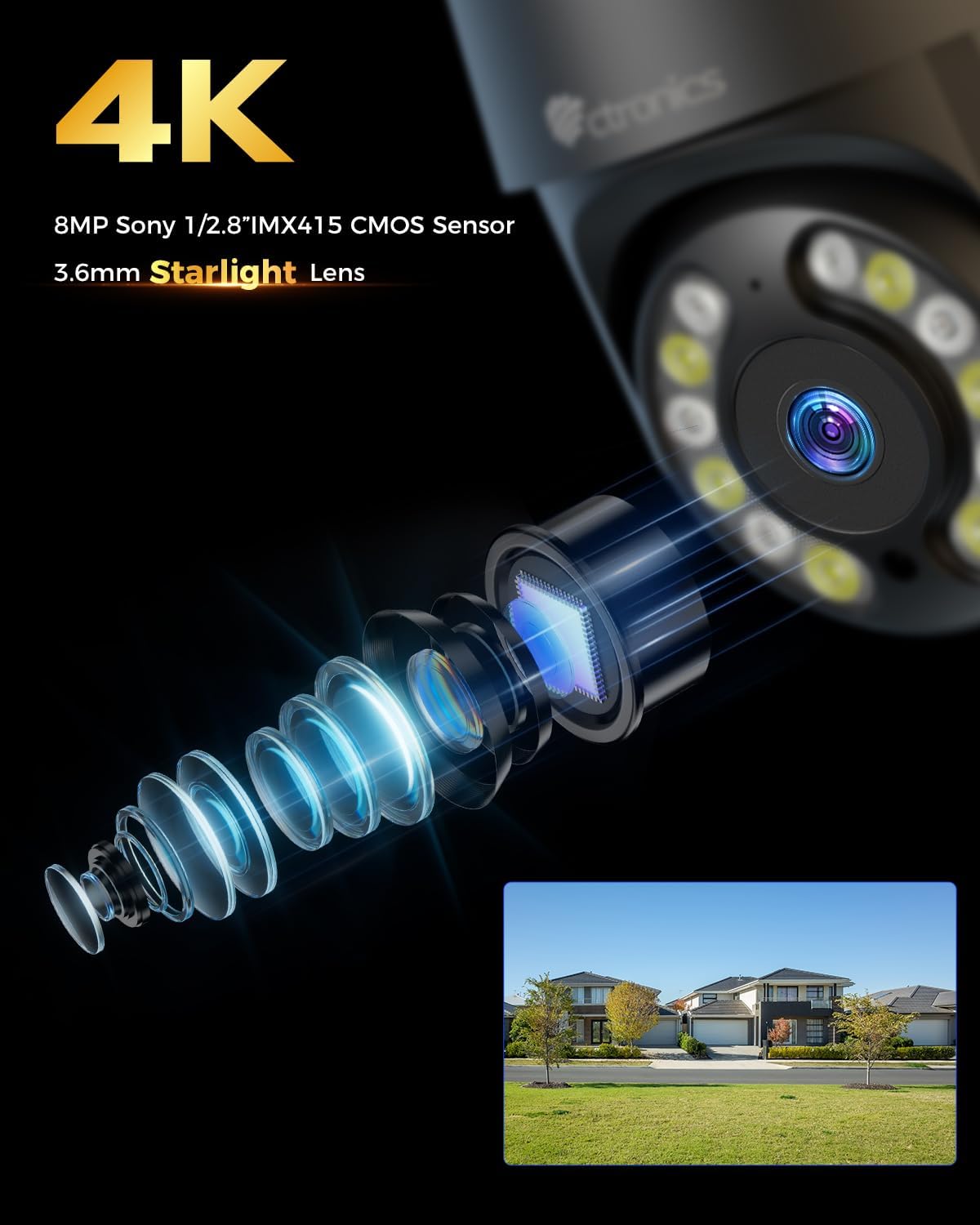
画像: クローズアップ view of the camera's 4K 8MP Sony 1/2.8" IMX415 CMOS Sensor and 3.6mm Starlight Lens, highlighting its advanced optical components.
5. セットアップ
5.1物理的な設置
カメラは天井と壁の両方に設置できます。必要な場所を選んで設置してください。 viewing angle and is within Wi-Fi range or near an Ethernet port.
- 掘削位置をマークする: 取り付けテンプレート (付属している場合) またはカメラ ベースを使用して、壁または天井にネジ穴をマークします。
- ドリル穴: マークした位置に穴を開け、壁プラグを挿入します。
- カメラを固定する: Align the camera base with the drilled holes and secure it with the provided screws.
- 接続電源: 電源アダプターをカメラの電源ポートに接続し、電源コンセントに差し込みます。

Image: Illustrates two flexible installation methods for the Ctronics camera: wall-mounted and ceiling-mounted, demonstrating its versatility.
5.2ネットワーク接続
The camera supports dual-band Wi-Fi (2.4GHz and 5GHz) for flexible connectivity.
- Wi-Fi接続: For wireless setup, ensure your Wi-Fi network is active. The camera will connect to your chosen network during the app setup process.
- イーサネット接続(オプション): For a stable wired connection, connect an Ethernet cable from your router to the camera's Ethernet port.
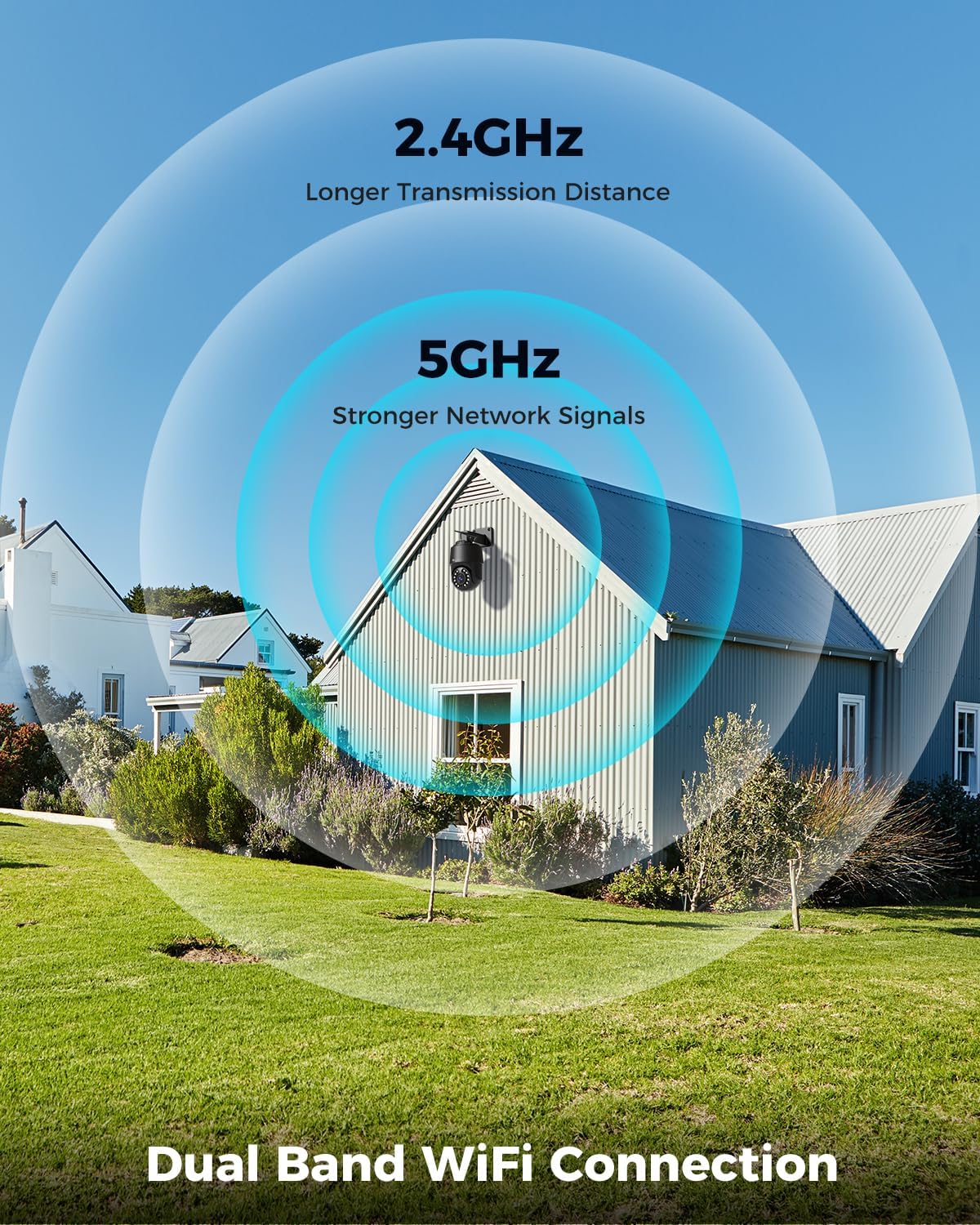
Image: Depicts the camera's dual-band Wi-Fi capability, showing 2.4GHz for longer transmission distance and 5GHz for stronger network signals, ensuring reliable connectivity.
5.3 アプリのインストールと初期設定
Download the 'Ctronics PRO' or 'HIP2P' app from your mobile app store (iOS/Android) or the Ctronics website for PC/Mac clients.
- アプリをダウンロードする: 検索する "Ctronics PRO" or "HIP2P" in the App Store or Google Play Store and install it.
- アカウント登録: アプリを開いて新しいアカウントを登録するか、すでにアカウントをお持ちの場合はログインします。
- デバイスを追加: Tap the "+" icon to add a new device. Follow the on-screen instructions to scan the QR code on the camera or manually enter the device ID.
- ネットワークを構成します: If connecting via Wi-Fi, select your Wi-Fi network and enter the password. The camera will then connect.
- パスワードを設定してください: セキュリティのためにカメラに強力なパスワードを作成してください。

Image: Shows the broad compatibility of the Ctronics camera with various operating systems and platforms, including iOS, Android, Mac OS, Windows, Ctronics Pro app, and HiP2P client.
6. カメラの操作
6.1 ライブ View
Once connected, you can access the live video feed from your camera through the app. This allows you to monitor your property in real-time.
6.2 PTZ制御(パン、チルト、ズーム)
The camera features 355° pan and 90° tilt capabilities, along with 5x optical zoom.
- パン/チルト: Use the directional controls in the app to move the camera horizontally and vertically.
- ズーム: Use the zoom controls in the app to optically zoom in or out on objects.
- プリセット位置: 特定のエリアに素早く移動できるように、最大 8 つのプリセット位置を設定します。

Image: Illustrates the camera's PTZ (Pan-Tilt-Zoom) functionality, showing its 355° pan and 90° tilt range for comprehensive coverage.
6.3 Detection Features & Auto Tracking
The camera can accurately detect people, vehicles, and pets, and automatically track them.
- 検出を有効にする: In the app settings, enable person, vehicle, or pet detection.
- 自動追跡: When enabled, the camera will automatically follow detected subjects within its field of view.
- アラーム通知: Receive real-time alarm notifications on your mobile device when motion is detected.
- 音と光のアラーム: The camera can activate a sound and red/blue light alarm at night to deter intruders. This feature can be toggled on/off in the app.

Image: Demonstrates the camera's advanced detection capabilities, highlighting its ability to identify and auto-track humans, vehicles, and pets, keeping them in focus.
6.4 ナイトビジョン
The camera offers both infrared (IR) and color night vision modes.
- IRナイトビジョン: Provides clear black and white images up to 50 meters in low light or complete darkness.
- カラーナイトビジョン: Utilizes built-in spotlights to provide full-color images up to 45 meters at night.

Image: Shows the camera's 4K Color/IR Night Vision capabilities, with bright spotlights illuminating a dark scene, available for audio and red & blue light alarm.
6.5 双方向オーディオ
内蔵マイクとスピーカーを使用して、訪問者と通信したり、侵入者を阻止したりできます。
- 話す: アプリ内のマイクのアイコンをタップすると、カメラのスピーカーから話すことができます。
- 聞く: The camera's microphone captures audio from its surroundings.
6.6 録音オプション
カメラはさまざまな録画方法をサポートしています。
- マイクロSDカード: Insert a Micro SD card (up to 256GB, not included) into the camera's slot for continuous 24/7 recording or scheduled recordings.
- NVR/NAS: Connect the camera to a Network Video Recorder (NVR) or Network Attached Storage (NAS) for extended recording and management.
- クラウドストレージ: Optional cloud storage services may be available through the app for secure off-site backup of your footage.

Image: Displays the camera's versatile storage options, including support for up to 256GB Micro SD card (not included), NVR/NAS for 24/7 recording, FTP, and Ctronics Cloud storage.
6.7 複数ユーザー共有とリモートアクセス
Share camera access with family and friends, and view フーtagどこからでもリモートで。
- 共有: Share access to the camera feed with up to four users simultaneously through the app.
- リモート アクセス: ライブアクセス view and recorded videos from your iOS, Android, Mac, or Windows devices via the Ctronics PRO or HIP2P app/software.
7. メンテナンス
To ensure optimal performance and longevity of your Ctronics camera, follow these maintenance guidelines:
- クリーニング: カメラのレンズと本体は、定期的に柔らかく乾いた布で拭いて、ほこりや汚れを取り除いてください。刺激の強い化学薬品や研磨剤入りの洗剤は使用しないでください。
- ファームウェアの更新: Check the app periodically for firmware updates. Keeping your camera's firmware up-to-date ensures you have the latest features and security enhancements.
- ケーブル検査: Periodically inspect all cables and connections for any signs of wear or damage. Ensure waterproof connections are sealed properly.
- ストレージ管理: Micro SDカードを使用する場合は、重要なファイルを定期的にバックアップしてください。tagパフォーマンスを維持するために、カードを定期的にフォーマットすることを検討してください。
8。 トラブルシューティング
カメラに問題が発生した場合は、次の一般的な問題と解決策を参照してください。
| 問題 | 考えられる原因 | 解決 |
|---|---|---|
| カメラがオフライン | No power; Wi-Fi signal weak/disconnected; Router issue | Check power connection; Move camera closer to router or use Ethernet; Restart router |
| 画質が悪い | Dirty lens; Insufficient lighting; Network bandwidth issue | Clean lens; Ensure adequate lighting or enable color night vision; Check network speed |
| モーション検出が機能しない | Detection sensitivity too low; Detection zone not set; Obstructions | Adjust sensitivity in app; Configure detection zones; Clear obstructions |
| 双方向オーディオが機能しない | Microphone/speaker disabled in app; Volume too low; Network delay | Enable audio in app; Adjust volume; Check network stability |
| 5GHz Wi-Fiに接続できません | ルーターの設定; ルーターからの距離 | Ensure router supports 5GHz and is configured correctly; 5GHz has shorter range, move camera closer |
If the problem persists, please contact Ctronics customer support for assistance.
9. 仕様
| 特徴 | 仕様 |
|---|---|
| モデル番号 | CTIPC-640C-M12B |
| 解決 | 4K (3840x2160p), 8 Megapixels |
| 光学ズーム | 5X |
| パン/チルト範囲 | パン: 355°、チルト: 90° |
| 暗視範囲 | IR: 50m, Color: 45m |
| Wi-Fi接続 | 2.4GHz / 5GHzデュアルバンド |
| ストレージオプション | Micro SD (up to 256GB), NVR/NAS, Cloud |
| 耐水性 | (防水)IP66 |
| 電源 | 12ボルト、24ワット |
| 材料 | 金属 |
| 寸法(長さ×幅×高さ) | 21.99 x 15.99 x 22 cm |
| 重さ | 1.28キロ |
| 対応デバイス | Computer, Laptop, Tablet, Smartphone |
| オペレーティングシステム | iOS、Android、Mac OS、Windows |
10. 保証とサポート
Ctronics products come with a standard warranty. Please refer to the warranty card included in your package or visit the official Ctronics web詳細な保証条件については、サイトをご覧ください。
For technical support, troubleshooting assistance, or any inquiries regarding your product, please contact Ctronics customer service through the following channels:
- 正式 Webサイト: Ctronicsの公式ウェブサイトをご覧ください webFAQ、サポート記事、連絡先情報が記載されたサイトです。
- メールサポート: Send an email to the support team (email address typically found on the website or quick start guide).
- アプリ内サポート: Some issues can be resolved directly through the support features within the Ctronics PRO app.
When contacting support, please have your product model number (CTIPC-640C-M12B) and purchase information ready.