
JUSTPRO MD-MINIPRO-Blue
JUSTPRO Mini Portable Wireless Guitar Amplifierユーザーマニュアル
Model: MD-MINIPRO-Blue
導入
Thank you for choosing the JUSTPRO Mini Portable Wireless Guitar Ampリファイアー。この多彩な amplifier is designed for guitarists seeking a compact, rechargeable solution with a wide range of effects and connectivity options for practice and recording. Please read this manual thoroughly to ensure proper use and maintenance of your amplifier。
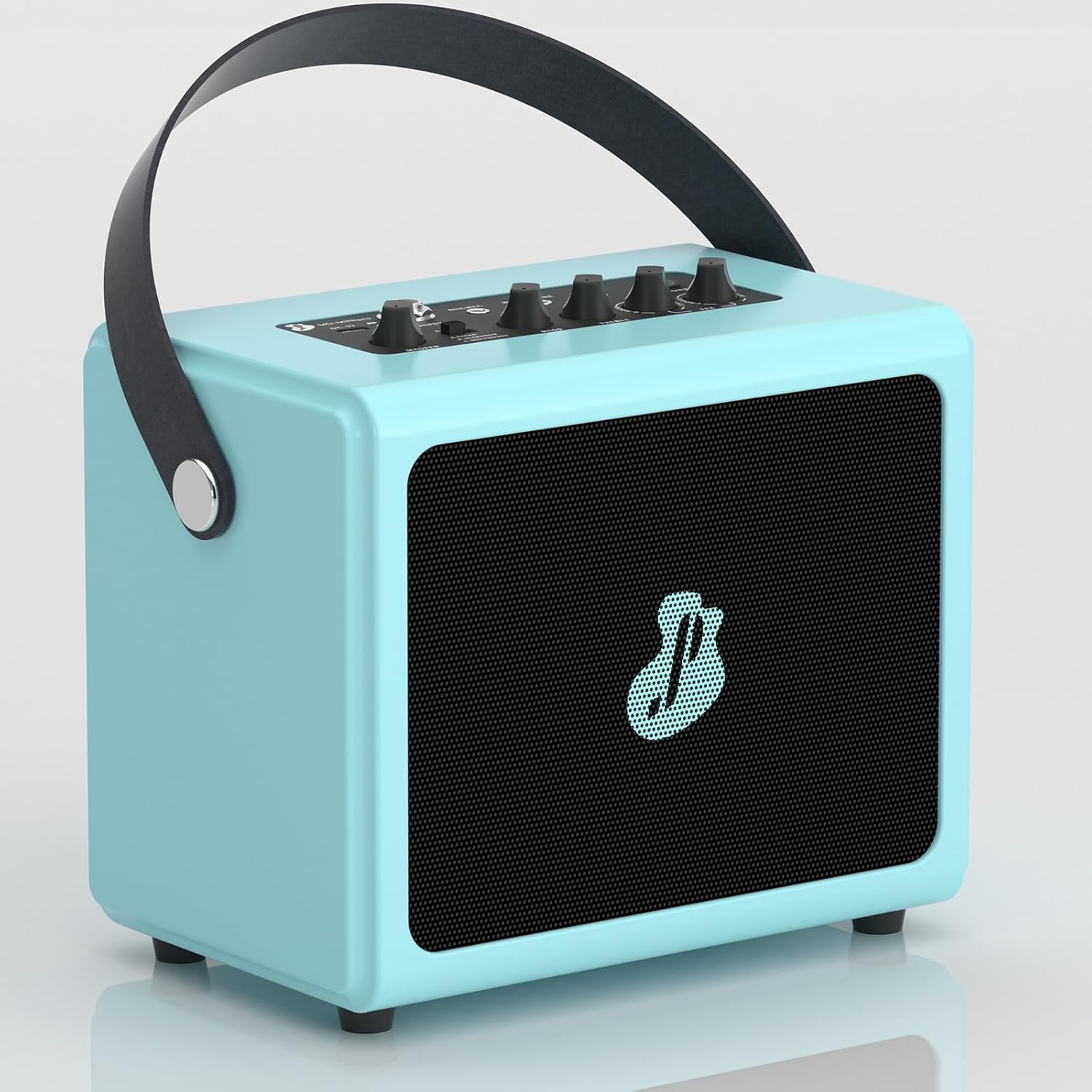
Figure 1: JUSTPRO Mini Portable Wireless Guitar Ampリファイアー
安全情報
- 露出させないでください amp水や過度の湿気に弱い。
- 置かないでください amp熱源の近くや直射日光の当たる場所に置かないでください。
- 充電には付属の USB ケーブルのみを使用してください。
- 分解したり改造したりしないでください。 amp保証は無効となります。
- お子様の手の届かない場所に保管してください。
- 使用中は適切な換気を行ってください。
パッケージ内容
パッケージにすべてのアイテムが揃っていることを確認します。
- ギター Amp
- USBケーブル
製品終了view
コントロールとインターフェース

図2: Ampライファイアコントロールとインターフェース
| いいえ。 | Control/Interface | 関数 |
|---|---|---|
| 1 | マスター | 全体の出力音量を調整します amplifier。 |
| 2 | A-CLEAN / B-OVERDRIVE / C-DISTORTION Switch | Selects between Clean, Overdrive, and Distortion effects. |
| 3 | BASS | 低周波応答を調整します。 |
| 4 | 高音 | 高周波応答を調整します。 |
| 5 | R-ROOM / R-HALL / CHORUS / DELAY Knob | Selects and adjusts the level of Reverb (Room/Hall), Chorus, or Delay effects. |
| 6 | POWER / BT Button | Powers the unit on/off and activates Bluetooth pairing mode. |
| 7 | ヘッドフォンジャック | 3.5mm output for private practice with headphones. |
| 8 | AUX/REC Jack | 3.5mm input for external audio sources or output for recording. |
| 9 | 入力ジャック | 6.35mm input for connecting your guitar. |
| 10 | DC-5V Charging Port | 充電用マイクロUSBポート amplifier。 |
主な特徴
- All-in-One Combo Amp: Features 7 built-in effects including Reverb (Room/Hall), Chorus, Delay, Clean, Overdrive, and Distortion.

Figure 3: Integrated Effects
- Wireless BT Audio Design: Seamlessly stream backing tracks or drum machine apps from your phone via Bluetooth.

図4: Bluetooth接続の使用
- 豊富なインターフェース: Built-in Aux/Rec, Input, and Headphone interfaces for versatile connectivity.

Figure 5: Rich Interface Options
- Full Wooden Shell Body: Crafted from high-quality wood with a piano painting finish for durability and aesthetic appeal.

Figure 6: Wooden Shell Body Construction
- 充電式バッテリー: Integrated rechargeable battery provides up to 3.5 hours of playtime on a single charge.

図7: 充電ポートとバッテリー寿命
- ミニポータブルデザイン: Compact size (7.8*5.1*7.1 inches) with a convenient leather handle for easy transport.

Figure 8: Portable Design in a Practice Setting
設定
- 充電 Amplifier:
初めて使用する前に、 amplifier using the provided USB cable. Connect the USB cable to the DC-5V charging port (10) on the amplifier and the other end to a standard USB power adapter (not included) or a computer USB port. The charging indicator light will show charging status.
- 電源のオン/オフ:
Long press the POWER / BT button (6) for 2 seconds to turn the ampリファイアのオンまたはオフ。
操作手順
ギターを接続する
- 確実に amplifierの電源がオンになっています。
- Connect your guitar to the INPUT Jack (9) using a standard 6.35mm instrument cable.
- Adjust the MASTER volume (1) to a comfortable listening level.
エフェクトの使用
の amplifier offers 7 built-in effects:
- Clean, Overdrive, Distortion: Use the A-CLEAN / B-OVERDRIVE / C-DISTORTION switch (2) to select your desired tone.

Figure 9: Three Channel Selection
Demonstration of effects:
Video 1: Demonstration of Clean, Overdrive, and Distortion effects on the amplifier。
- Reverb (Room/Hall), Chorus, Delay: Rotate the R-ROOM / R-HALL / CHORUS / DELAY knob (5) to select and adjust the intensity of these effects.

Figure 10: EFX Volume Control
Bluetooth接続
- Step 1: Activate Bluetooth on Ampリファイアー
Long press the POWER / BT button (6) for 2 seconds. The BT indicator light will flash, indicating it's in pairing mode.
- ステップ2: デバイスとペアリングする
On your phone or other Bluetooth-enabled device, open Bluetooth settings. Find "MINI pro" in the available devices list and select it to pair. Once paired, the BT indicator light will stop flashing and remain solid.

Figure 11: Easy Wireless Connection Steps
Using AUX/REC and Headphone Jacks
- AUX/REC (8): Connect an external audio source (e.g., MP3 player, phone) using a 3.5mm 4-pole audio cable (not included) to play along with music. This port can also be used to output audio for recording.
- HEADPHONE (7): Connect 3.5mm headphones for silent practice. The main speaker output will be muted when headphones are connected.
メンテナンス
- 掃除する amp柔らかく乾いた布で拭いてください。研磨剤入りの洗剤や溶剤は使用しないでください。
- 保存する amp直射日光や極端な温度を避け、涼しく乾燥した場所に保管してください。
- If not used for an extended period, charge the battery every 3 months to maintain its lifespan.
トラブルシューティング
| 問題 | 考えられる原因 | 解決 |
|---|---|---|
| 音が出ない amplifier。 | Amplifier is off; Volume is too low; Guitar cable is not connected properly; Headphones are connected. | 確保する amplifier is on; Increase MASTER volume; Check guitar cable connection; Disconnect headphones. |
| Bluetoothが接続されていません。 | Amplifier not in pairing mode; Device Bluetooth is off; "MINI pro" not selected. | Long press POWER/BT button to enter pairing mode (flashing light); Ensure Bluetooth is enabled on your device; Select "MINI pro" from your device's Bluetooth list. |
| 音質が悪い。 | Low battery; Incorrect effect setting; Cable issues. | 充電する amplifier; Adjust BASS/TREBLE knobs and effect settings; Try a different guitar cable. |
| バッテリー寿命が短い。 | バッテリーが完全に充電されていません。バッテリーが古いです。 | Ensure full charge before use; Battery lifespan naturally decreases over time. |
仕様
| 特徴 | 詳細 |
|---|---|
| ブランド | ジャストプロ |
| モデル番号 | MD-MINIPRO-Blue |
| 出力ワットtage | 5ワット |
| 製品寸法 | 5.1 x 7.8 x 7 インチ (13 x 20 x 18 cm) |
| アイテム重量 | 3.94ポンド(1.79kg) |
| 材質タイプ | 木材 |
| 電源 | 電池駆動 |
| 電池のタイプ | リチウムイオン(1個付属) |
| 接続性 | Bluetooth, 6.35mm Jack (Input), 3.5mm Jack (Aux/Rec, Headphone) |
| 効果 | Reverb (Room/Hall), Chorus, Delay, Clean, Overdrive, Distortion |