
導入
ご購入ありがとうございますasing the WISCENT WTB795-UK Cassette Player. This device combines classic cassette playback with modern features such as USB, Bluetooth, and AM/FM radio. It also includes a cassette to MP3 converter function, allowing you to digitize your old tape collection. This manual provides detailed instructions for setup, operation, and maintenance to ensure optimal performance and longevity of your device.
安全情報
- デバイスを使用する前に、すべての指示をよくお読みください。
- このマニュアルは将来の参照用に保管してください。
- デバイスを雨、湿気、または極端な温度にさらさないでください。
- ラジエーター、暖房口、ストーブ、その他の機器(電気製品を含む)などの熱源の近くにデバイスを置かないでください。 amp熱を発生する装置。
- メーカー指定のアタッチメント/アクセサリのみを使用してください。
- 雷雨のときや長期間使用しない場合は、デバイスのプラグを抜いてください。
- cを開けないでくださいasing. すべての修理は資格のあるサービス担当者に依頼してください。
- 電池は地域の規制に従って適切に廃棄してください。
パッケージ内容
- WISCENT WTB795-UK Cassette Player
- AC電源ケーブル
- 取扱説明書
製品の特徴
- カセットプレーヤー/レコーダー: Play your old tapes and audiobooks with fast forward, rewind, and auto-stop functions. Supports tape recording.
- Cassette to MP3 Converter: Convert old cassettes to MP3 format directly onto a USB flash drive without additional devices or software.
- AM/FMラジオ: Equipped with a long telescopic antenna and advanced DSP chip for excellent reception across AM 520-1710 KHz and FM 87-108 MHz frequencies.
- Bluetooth接続: Wirelessly stream music from Bluetooth-enabled devices.
- USB再生: Play MP3, WAV, WMA audio file■USBフラッシュドライブから。
- 内蔵マイク: Record audio directly to a USB drive or blank tape.
- 高品質のステレオサウンド: Features two 3-inch, 6W speakers for clear and dynamic audio.
- ポータブルデザイン: Compact with a comfortable handle for easy transport.
- デュアル電源オプション: Operates via AC power (included cable) or 4 x C-cell batteries (not included).
- ヘッドフォンジャック: プライベートリスニング用。

図1:以上view of WISCENT WTB795-UK main functions.
コントロールと機能
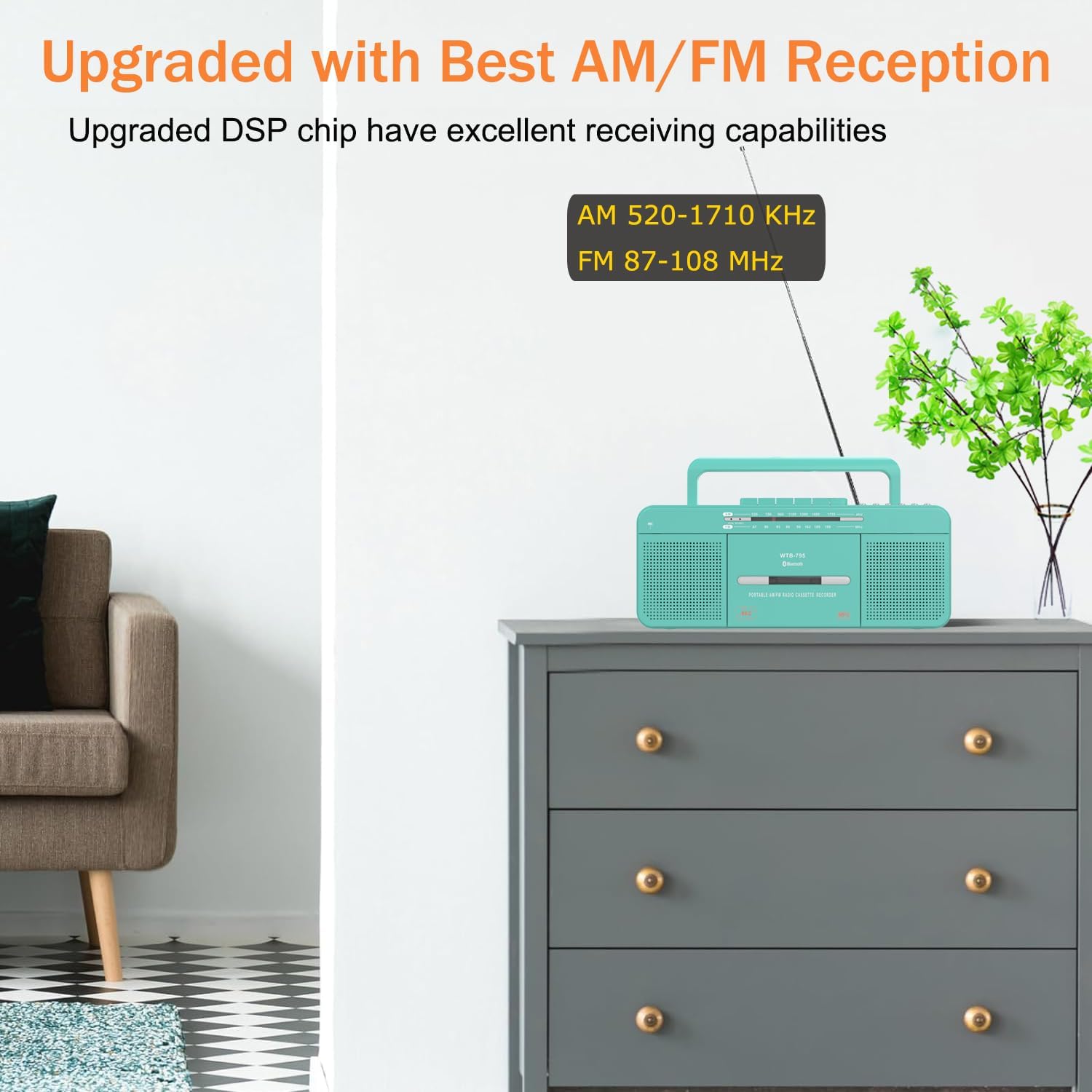
図2: 前面と側面 view of the WISCENT WTB795-UK controls.
フロントパネルコントロール
- ファンクションスイッチ: Selects between USB/Bluetooth, Radio, or Tape/Off modes.
- バンドスイッチ: Selects AM or FM radio band.
- カセットコントロールボタン:
- 一時停止: Temporarily stops cassette playback/recording.
- 停止/排出: Stops cassette operation and opens the cassette door.
- F.FWD(早送り): テープを早く送ります。
- F.REW (Fast Rewind): テープを早く巻き戻します。
- 遊びます: カセットの再生を開始します。
- REC(記録): Initiates recording onto a cassette (requires a blank tape).
- USB Control Buttons:
- USB: フラッシュドライブ用の USB ポート。
- 前: Skips to the previous track on USB.
- 再生/一時停止: Plays or pauses USB playback.
- 次: Skips to the next track on USB.
- 録音/停止: Starts or stops recording to USB.
- FILE: 用途 file management or mode selection within USB function.
- チューニングノブ: 無線周波数を調整します。
- ボリュームコントロールノブ: オーディオ出力レベルを調整します。
Side/Rear Panel Controls
- 外部イヤホンジャック: ヘッドフォン用の3.5mm出力。
- AC電源入力: AC 電源ケーブルを接続します。
- バッテリーコンパートメント: Holds 4 x C-cell batteries.
- 伸縮アンテナ: ラジオ受信を改善するために延長します。
設定
デバイスの電源供給
The WISCENT WTB795-UK can be powered by either AC electricity or batteries.

Figure 3: AC and Battery Power Options.
AC電源
- Ensure the unit is switched OFF (FUNCTION switch to TAPE/OFF).
- Insert the AC power cable into the AC input jack on the back of the unit.
- Plug the other end of the cable into a standard AC 220V-50Hz wall outlet.
バッテリー電源
- Ensure the unit is switched OFF (FUNCTION switch to TAPE/OFF).
- 本体背面の電池ケースカバーを開きます。
- Insert 4 x C-cell batteries (not included), ensuring correct polarity (+/-).
- 電池カバーをしっかりと閉じてください。
操作手順
カセット再生
- Set the FUNCTION switch to TAPE/OFF.
- STOP / EJECTボタンを押してカセットドアを開きます。
- カセットテープを、開いた端を上に向けて挿入します。
- カセットドアを閉じます。
- PLAYボタンを押すと再生が始まります。
- Adjust the Volume Control knob to your desired listening level.
- Use F.FWD or F.REW for fast winding.
- Press PAUSE to temporarily stop playback. Press again to resume.
- 再生を停止し、テープを取り出すには、STOP/EJECT を押します。
AM / FMラジオの操作
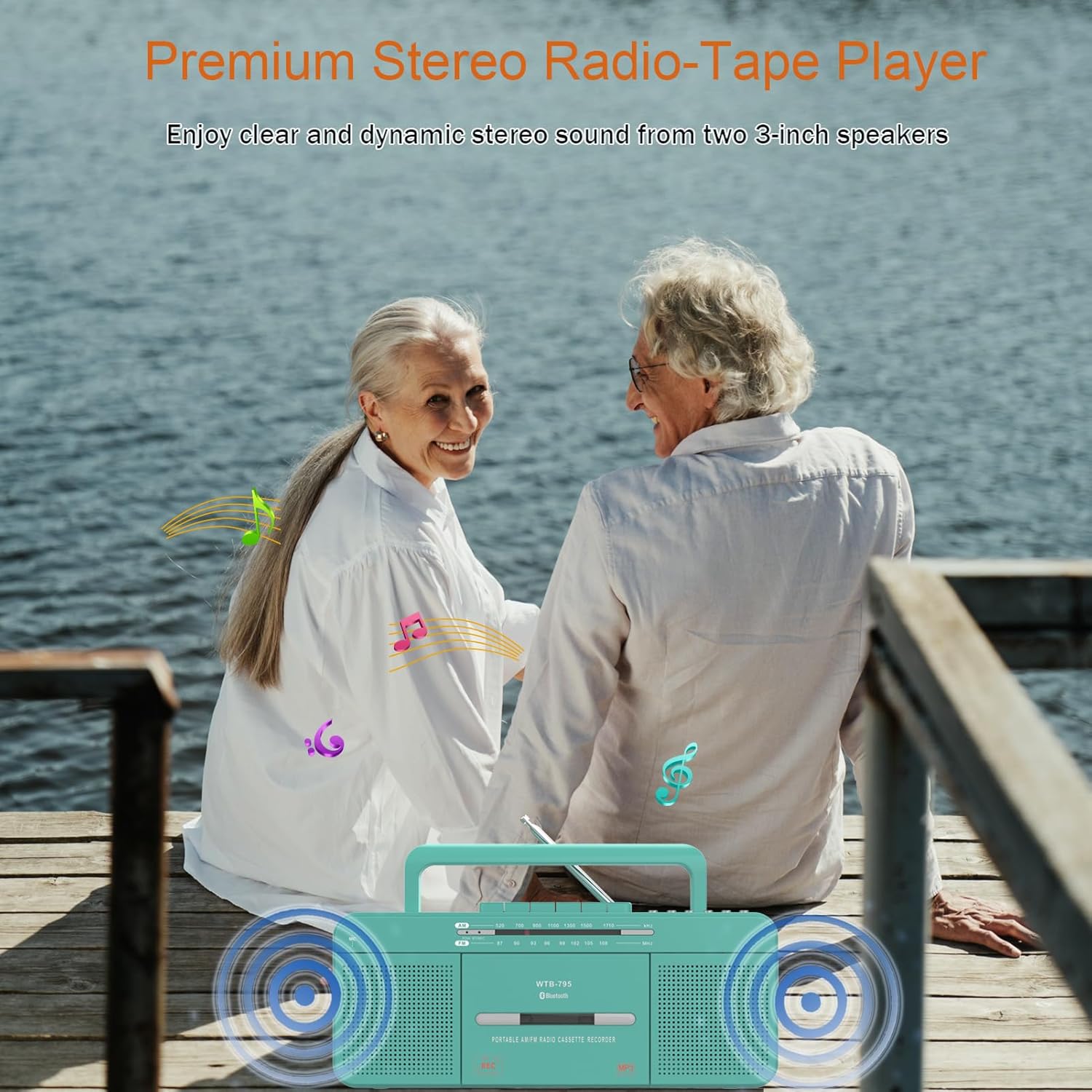
Figure 4: Extending the telescopic antenna for improved radio reception.
- Set the FUNCTION switch to RADIO.
- Select the desired band (AM or FM) using the BAND switch.
- Extend the telescopic antenna for better FM reception. For AM, rotate the unit for best reception.
- チューニングノブを回して、希望のラジオ局を見つけます。
- Adjust the Volume Control knob.
Bluetoothのペアリングと再生
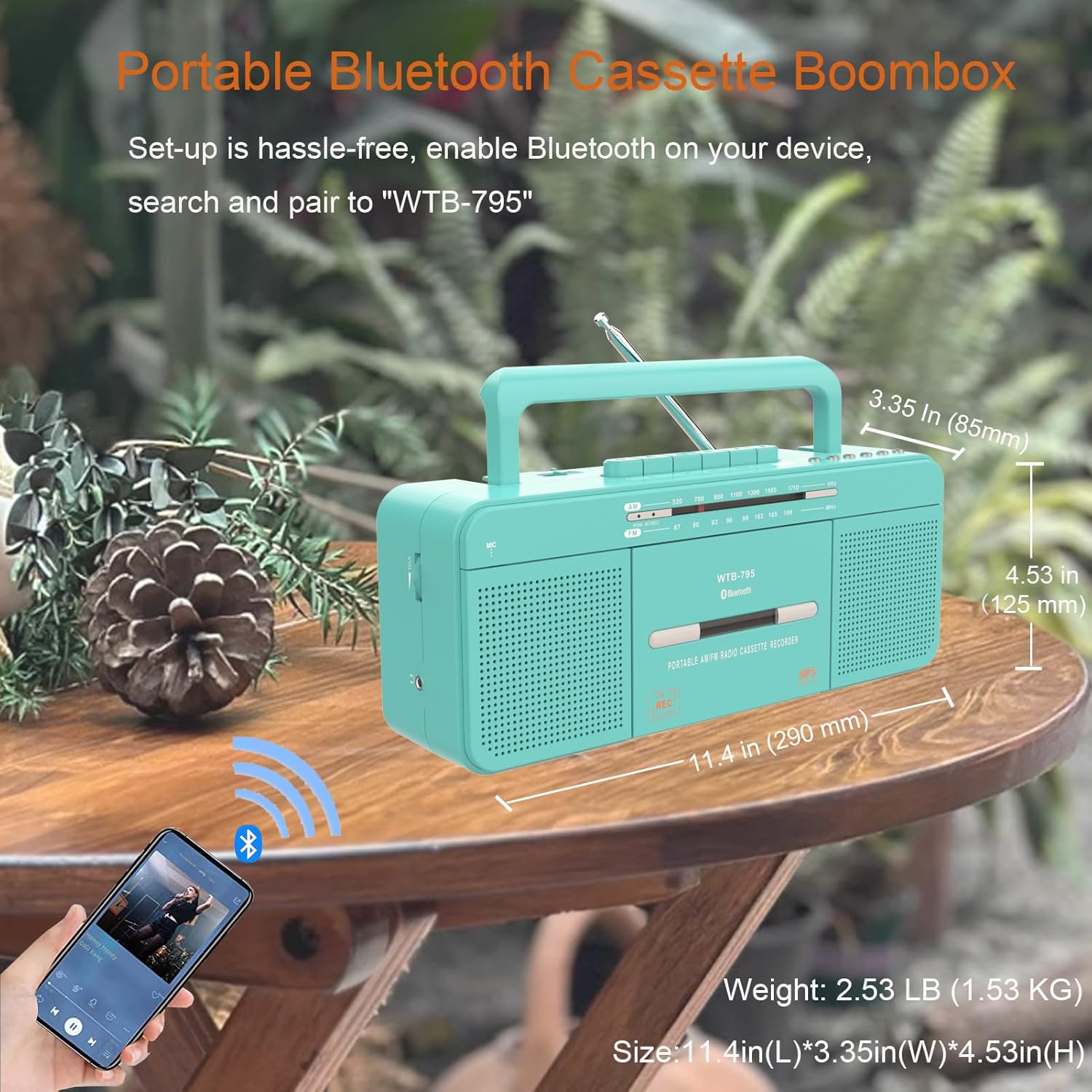
図 5: スマートフォンとの Bluetooth 接続。
- Set the FUNCTION switch to USB/Bluetooth. The unit will enter Bluetooth pairing mode, indicated by a flashing Bluetooth indicator.
- Bluetooth 対応デバイス (スマートフォン、タブレットなど) で Bluetooth を有効にし、利用可能なデバイスを検索します。
- Select "WTB-795" from the list of devices to pair.
- ペアリングされると、Bluetooth インジケーターは点滅を停止し、点灯したままになります。
- Start playing music on your connected device. The audio will stream through the WTB795-UK.
- Adjust volume using the Volume Control knob on the unit or your connected device.
USB再生
- Set the FUNCTION switch to USB/Bluetooth.
- USBフラッシュドライブをUSBポートに挿入します。自動的にUSBモードに切り替わり、対応するオーディオの再生を開始します。 files (MP3, WAV, WMA).
- Use the PREV and NEXT buttons to skip tracks.
- 再生を一時停止または再開するには、PLAY/PAUSE ボタンを押します。
- Adjust the Volume Control knob.
録音機能

Figure 6: Recording methods supported by the WTB795-UK.
1. Cassette to MP3 (USB Recording)

Figure 7: Cassette to MP3 conversion via USB.
- USB フラッシュドライブを USB ポートに挿入します。
- Insert the cassette tape you wish to record into the cassette compartment.
- Set the FUNCTION switch to TAPE/OFF.
- Press the PLAY button on the cassette player.
- Press the REC/STOP button on the USB control panel to start recording. The recording indicator will light up.
- Press REC/STOP again to stop recording. The recorded file USBドライブに保存されます。
2. Microphone to MP3 (USB Recording)
- USB フラッシュドライブを USB ポートに挿入します。
- Set the FUNCTION switch to USB/Bluetooth.
- Press the REC/STOP button on the USB control panel to start recording from the built-in microphone.
- Press REC/STOP again to stop recording.
3. Radio to Cassette Recording
- 空のカセットテープをカセットコンパートメントに挿入します。
- Set the FUNCTION switch to RADIO.
- ご希望のラジオ局に合わせてください。
- Press the REC button on the cassette control panel to start recording the radio broadcast onto the tape.
- STOP / EJECTボタンを押して録音を停止します。
4. Microphone to Cassette Recording
- 空のカセットテープをカセットコンパートメントに挿入します。
- Set the FUNCTION switch to TAPE/OFF.
- Press the REC button on the cassette control panel to start recording from the built-in microphone onto the tape.
- STOP / EJECTボタンを押して録音を停止します。
メンテナンス
- クリーニング: 本体の外装を清掃する際は、柔らかく乾いた布をご使用ください。研磨剤入りの洗剤や溶剤は使用しないでください。
- カセットヘッドクリーニング: カセットヘッド、ピンチローラー、キャプスタンを定期的に綿棒で軽く拭いてください。amp最適な音質を確保し、テープへの損傷を防ぐために、イソプロピルアルコールで消毒されています。
- バッテリーのケア: 長期間使用しない場合は、液漏れや損傷を防ぐために電池を取り外してください。
- ストレージ: 直射日光やほこりを避け、涼しく乾燥した場所に保管してください。
トラブルシューティング
| 問題 | 考えられる原因 | 解決 |
|---|---|---|
| 電源なし | AC cable not connected; Batteries depleted or incorrectly inserted; FUNCTION switch is OFF. | Check AC connection; Replace batteries or check polarity; Set FUNCTION switch to RADIO or USB/Bluetooth. |
| ラジオの受信状態が悪い | アンテナが伸びていない、信号が弱い、干渉がある。 | Extend the telescopic antenna fully; Rotate the unit for AM; Try moving the unit to a different location. |
| カセットテープが再生/録音されない | Tape incorrectly inserted; Tape damaged; Cassette mechanism dirty. | Re-insert tape correctly; Try a different tape; Clean cassette head and mechanism. |
| Bluetoothが接続されない | Device not in pairing mode; Bluetooth disabled on external device; Out of range. | Ensure FUNCTION switch is on USB/Bluetooth; Enable Bluetooth on your device; Move devices closer. |
| USB再生の問題 | USBドライブが正しく挿入されていません。互換性がありません。 file フォーマット; USB ドライブが破損しています。 | USBドライブを再度挿入し、 files are MP3, WAV, or WMA; Try a different USB drive. |
| Recording quality is poor | Input source quality is low; Microphone obstructed; Tape quality is poor. | Ensure the source audio is clear; Check microphone area; Use a new, high-quality blank tape. |
仕様
| 特徴 | 詳細 |
|---|---|
| モデル番号 | WTB795-UK |
| 寸法(長さ×幅×高さ) | 30.5 x 12.7 x 12.7 cm(12 x 5 x 5インチ) |
| 重さ | 1.53 kg (3.37 ポンド) |
| 電源 | AC 220V-50Hz or 4 x C-cell batteries |
| スピーカータイプ | ステレオ |
| スピーカー出力 | 6 Watts (2 x 3W speakers) |
| 接続技術 | ブルートゥース |
| 無線周波数 | AM: 520-1710 KHz, FM: 87-108 MHz |
| 互換性のあるオーディオ形式 | Cassette Tapes, MP3, WAV, WMA |
| ヘッドホンジャック | 3.5mm |
| 原産国 | 中国 |
保証とサポート
This WISCENT product comes with an 18ヶ月保証 ご購入日から1年間有効です。本保証は、通常の使用における製造上の欠陥および仕上がりの品質を保証するものであり、誤用、事故、不正な改造、または通常の摩耗や損耗による損傷は保証の対象外となります。
For warranty claims, technical support, or any questions regarding your WISCENT WTB795-UK Cassette Player, please contact your retailer or the WISCENT customer service team. Please have your purchase receipt and model number (WTB795-UK) ready when contacting support.