
1. はじめに
The LEAUDIO XDUOO XD05 Plus 2 is a high-performance portable Digital-to-Analog Converter (DAC) and headphone amplifier designed to deliver exceptional audio quality. It features advanced decoding capabilities, powerful output, and versatile connectivity options for various audio sources and headphones.
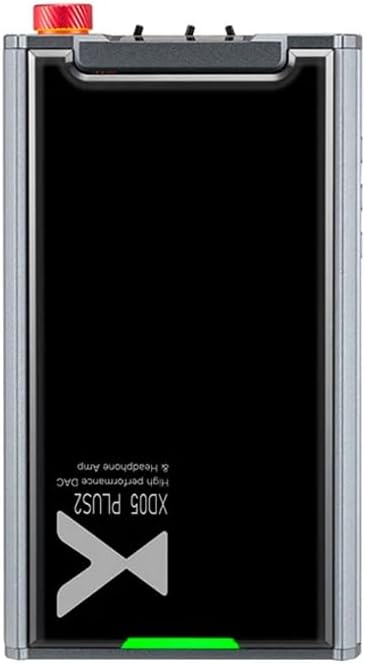
図1:上 view of the XDUOO XD05 Plus 2, highlighting its compact design and model branding.
2. パッケージ内容
パッケージに以下の項目が含まれているか確認してください。
- XDUOO XD05 Plus 2 Portable DAC Headphone Ampリファイアー
- USBケーブル
- ユーザーマニュアル(このドキュメント)
3. デバイスのレイアウト
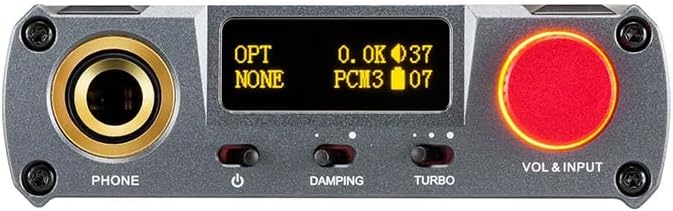
Figure 2: Front panel controls including the headphone output, OLED display, Damping switch, Turbo switch, and Volume/Input knob.

Figure 3: Rear panel connections featuring AUX In/Out, USB In, UAC 1.0/2.0 switch, Charge port, and Digital In (Optical/Coaxial).
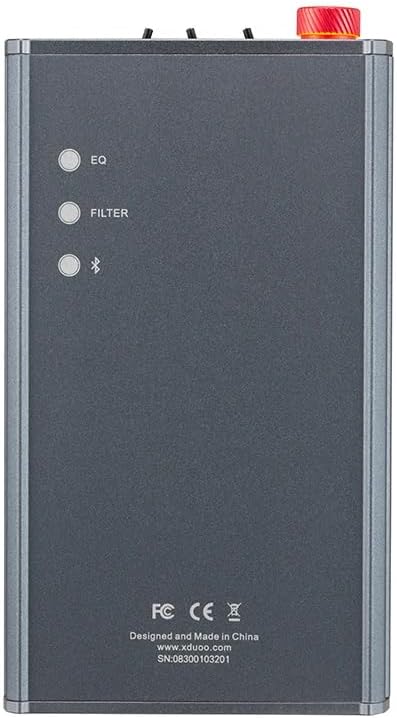
Figure 4: Side panel buttons for EQ, Filter, and Bluetooth functions.
4. セットアップと接続
4.1デバイスの充電
Connect the provided USB cable to the 'CHARGE' port on the rear panel (Figure 3) and plug the other end into a USB power adapter (not included) or a computer's USB port. The charging time is approximately 3 hours for fast charging and 5 hours for slow charging.
4.2 オーディオソースへの接続
The XD05 Plus 2 offers multiple input options:
- USB入力: Connect to computers (Windows/Linux/Mac OSX), smartphones (iOS/Android), or other USB audio sources using the 'USB IN' port (Figure 3). Ensure the UAC switch is set to the appropriate mode (UAC 1.0 or UAC 2.0) for your device.
- Digital Input (Optical/Coaxial): Connect to desktop CDs, Hi-Fi players, or digital turntables via the 'DIGITAL IN' port (Figure 3).
- Bluetooth入力: ワイヤレス オーディオ ストリーミングの場合、Bluetooth ペアリングの手順についてはセクション 5.4 を参照してください。
- AUX 入力/出力: Use the 'AUX IN/OUT' port (Figure 3) for analog input or output connections.
4.3 ヘッドフォンの接続
Plug your headphones into the 'PHONE' output jack on the front panel (Figure 2).
5. 操作手順
5.1 電源のオン/オフと入力の選択
Press and hold the power button (located near the 'PHONE' jack, Figure 2) to turn the device on or off. Rotate the 'VOL & INPUT' knob (Figure 2) to adjust the volume. Press the 'VOL & INPUT' knob to cycle through available input sources (USB, Optical, Coaxial, Bluetooth, AUX).
5.2 ボリュームコントロール
The device features a 99-level digital volume adjustment, ensuring balanced left and right channels at any volume setting. Rotate the 'VOL & INPUT' knob to precisely set your desired listening level.
5.3 Sound Adjustments (EQ, Filter, Damping, Turbo)
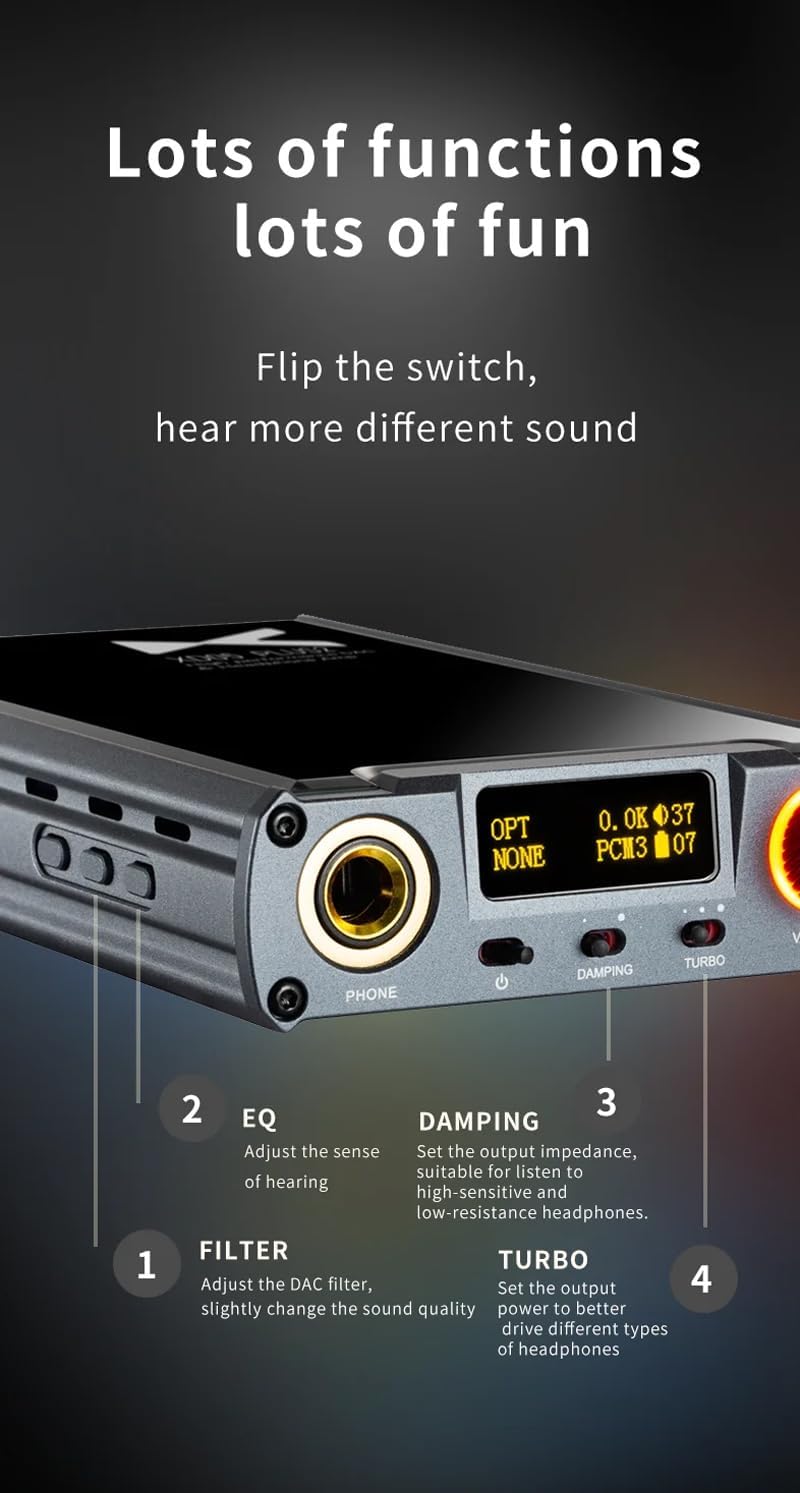
図5:詳細 view of sound adjustment controls and their functions.
- EQ(イコライザー): Press the 'EQ' button (Figure 4) to adjust the sense of hearing and tailor the sound to your preference.
- フィルター: Press the 'FILTER' button (Figure 4) to slightly change the sound quality by adjusting the DAC filter settings.
- Damping: Use the 'DAMPING' switch (Figure 2) to set the output impedance, suitable for high-sensitivity and low-resistance headphones.
- ターボ: Use the 'TURBO' switch (Figure 2) to set the output power, allowing the device to better drive different types of headphones.
5.4Bluetoothペアリング
To pair your device via Bluetooth 5.1:
- Ensure the XD05 Plus 2 is powered on and Bluetooth input is selected.
- Press the 'Bluetooth' button (Figure 4) to enter pairing mode. The Bluetooth indicator on the OLED screen will flash.
- On your source device (e.g., smartphone, tablet), search for available Bluetooth devices and select "XDUOO XD05 Plus 2".
- Once connected, the Bluetooth indicator will stop flashing.
Supported Bluetooth formats include AAC, SBC, aptX, aptX LL, aptX HD, and LDAC.
5.5 交換 Ampリファイアチップ
の amplifier chip is user-replaceable, allowing for customization of your audio experience. Refer to the manufacturer's guidelines or a qualified technician for instructions on safely replacing the op-amp チップ。
6. 仕様
| 特徴 | 仕様 |
|---|---|
| バッテリー | 3.8V/5000mAh |
| 画面 | 0.91インチOLED |
| 対応OS | Windows/Linux/Mac OSX/iOS/Android |
| 周波数応答(USB/SPDIF) | 20Hz~20kHz (±0.5dB) |
| 周波数応答(AMP) | 10Hz~80kHz (±0.5dB) |
| USB Sampリングレート(PCM) | 16-32ビット/44.1-384KHZ |
| USB Sampリングレート(DSD) | DOP/NATIVE DSD64-256 |
| USB Sampling Rate (MQA) | OFS rendering layer decoding |
| OPT/COA Sampリングレート(PCM) | 16-24ビット/44.1-192KHZ |
| OPT/COA Sampリングレート(DSD) | DSD64(DOP) |
| Bluetoothフォーマット | AAC/SBC/aptX/aptX LL/aptX HD/LDAC |
| 得 | +0dB/3dB/6dB |
| ヘッドホン出力 | 1200mW(32Ω負荷) |
| ヘッドフォンTHD+N | 0.0015%@1kHz |
| ヘッドフォンS/N | 121デシベル |
| ヘッドフォンのクロストーク | >76デシベル |
| AUX OUT Output Level | 2.0Vrms |
| AUX出力THD+N | 0.0009%@1kHz |
| AUX出力シリアル番号 | 122デシベル |
| AUX出力クロストーク | ≥109dB |
| バッテリー寿命(USB入力) | ≥9時間 |
| Battery Life (SPDIF IN) | ≥15時間 |
| バッテリー寿命(BT IN) | ≥18時間 |
| 充電時間(高速) | ≤3時間 |
| 充電時間(遅い) | ≤5時間 |
| サイズ | 13.0 x 7.5 x 2.2 cm |
| 重さ | 0.29キロ |
7. メンテナンス
To ensure the longevity and optimal performance of your XDUOO XD05 Plus 2, follow these maintenance guidelines:
- 柔らかく乾いた布で拭いて、デバイスを清潔に保ちましょう。刺激の強い化学薬品や研磨剤の使用は避けてください。
- 極端な温度、直射日光、湿気からデバイスを保護してください。
- 落としたり、強い衝撃を与えないでください。
- 長期間使用しない場合は、デバイスを涼しく乾燥した場所に保管してください。
8。 トラブルシューティング
If you encounter issues with your XDUOO XD05 Plus 2, please refer to the following common troubleshooting steps:
- 音が出ない:
- デバイスの電源がオンになっているかどうかを確認します。
- ヘッドフォンが正しく接続されていることを確認してください。
- 正しい入力ソースが選択されていることを確認します。
- 音量レベルを調整します。
- Check the audio source device for proper playback and volume settings.
- 音質が悪い:
- すべてのケーブルがしっかりと接続されていることを確認してください。
- 別のオーディオ ケーブルまたはソースを試してください。
- Check EQ and Filter settings; reset them to default if necessary.
- Ensure the UAC switch is set correctly for your USB connection.
- Bluetooth接続の問題:
- Ensure the device is in Bluetooth pairing mode.
- ソースデバイスを amplifier。
- Clear previous Bluetooth pairings on both devices and try pairing again.
- デバイスが充電されない:
- Verify the USB cable is connected to the 'CHARGE' port.
- 別の USB ケーブルまたは電源アダプターを試してください。
- 電源が機能していることを確認してください。
9. 公式製品ビデオ
ビデオ1: オーバーview of the LEAUDIO XDUOO XD05 Plus 2 DAC Amp、ショーasing its features and design. This video provides a visual guide to the product's capabilities and physical aspects.
10. 保証とサポート
For warranty information and technical support, please refer to the documentation included with your product or contact LEAUDIO customer service directly. You may also visit the official LEAUDIO web最新のサポート リソースについては、こちらのサイトをご覧ください。