
導入
Thank you for choosing SOUNDPEATS RunFree Wireless Open-Ear Headphones. This manual provides detailed instructions on how to set up, operate, and maintain your headphones. Please read this manual thoroughly before use to ensure optimal performance and longevity of your device.
The SOUNDPEATS RunFree headphones are designed for comfort and awareness, allowing you to enjoy audio while remaining aware of your surroundings. They feature Bluetooth 5.3 for stable connectivity, multipoint connection for seamless device switching, and 16.2mm drivers for clear sound.
パッケージ内容
- SOUNDPEATS RunFree Wireless Open-Ear Headphones
- USB-C充電ケーブル
- ユーザーマニュアル
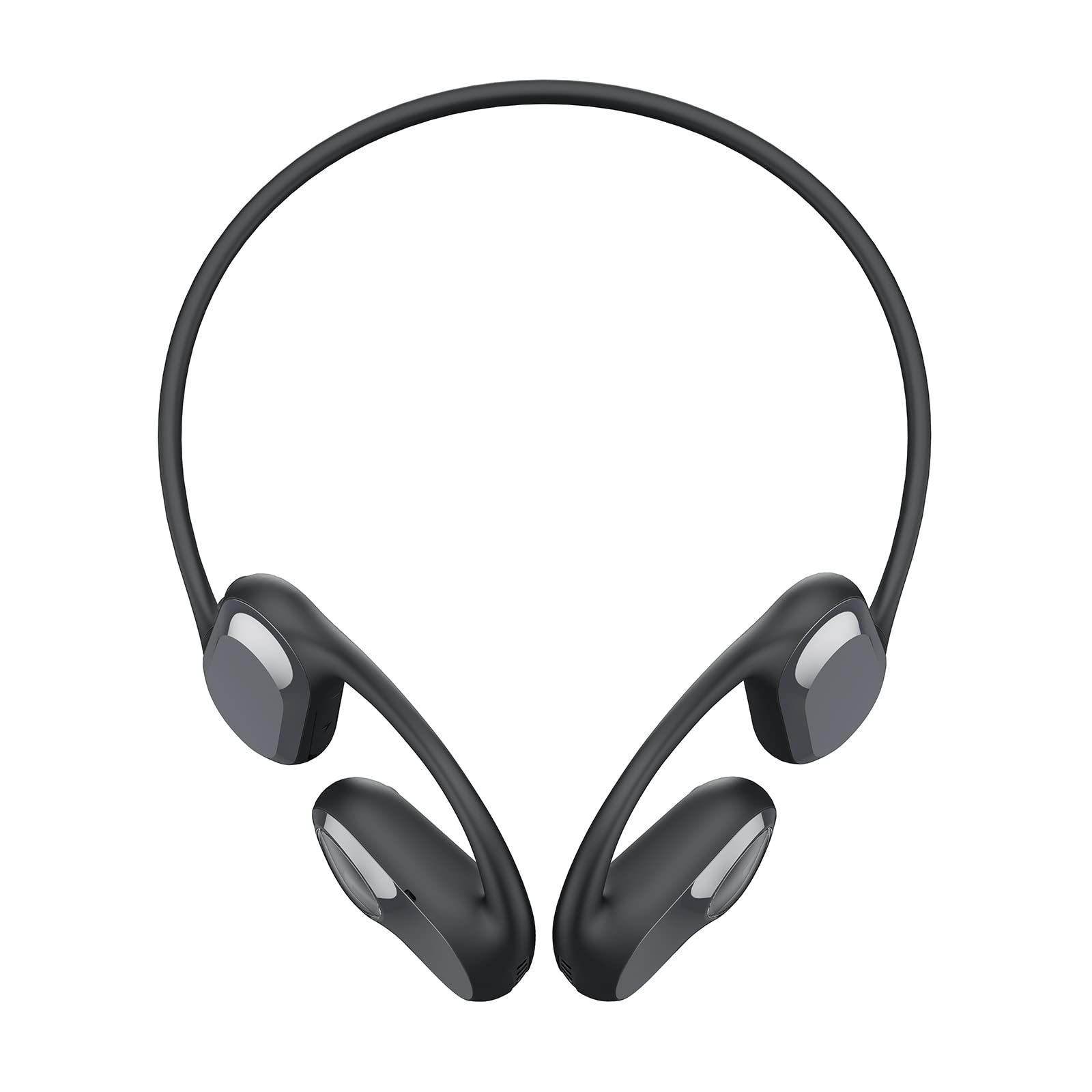
Image: The SOUNDPEATS RunFree headphones, shown with the included USB-C charging cable. The headphones feature an open-ear design with ear hooks.
製品図
Familiarize yourself with the components of your SOUNDPEATS RunFree headphones.

Image: A diagram illustrating the key components of the RunFree headphones, including the ear hook, speaker unit, multi-function button, volume buttons, and charging port.
- スピーカーユニット: 音声を配信します。
- 耳かけフック: Secures the headphones over the ear.
- 多機能ボタン(MFB): 電源、再生、通話、音声アシスタントを制御します。
- 音量アップボタン(+): Increases volume, skips track forward.
- 音量ダウンボタン (-): Decreases volume, skips track backward.
- USB-C充電ポート: ヘッドホンの充電用。
- LEDインジケーター: 電源とペアリングのステータスを表示します。
- マイクロフォン: 通話と音声コマンド用。
設定
1. 充電
Before first use, fully charge the headphones. The headphones have a built-in rechargeable battery.
- Connect the USB-C charging cable to the charging port on the headphones and to a USB power adapter (not included) or a computer's USB port.
- 充電中は LED インジケーターが赤く点灯し、完全に充電されると青に変わります。
- フル充電には通常約 1.5 時間かかります。

Image: The RunFree headphones with a USB-C cable inserted into the charging port, indicating the charging process.
2. ペアリング
初期ペアリング:
- ヘッドフォンが充電されていることを確認してください。
- Press and hold the Multi-function Button (MFB) for 3 seconds to power on the headphones. The LED indicator will flash red and blue alternately, indicating pairing mode.
- Activate Bluetooth on your device (smartphone, tablet, etc.) and search for "SOUNDPEATS RunFree" in the list of available devices.
- Select "SOUNDPEATS RunFree" to connect. Once connected, the LED indicator will turn blue.
マルチポイント接続:
The RunFree headphones support connecting to two devices simultaneously.
- 上記のように、ヘッドフォンを最初のデバイスとペアリングします。
- After successful connection, disable Bluetooth on the first device. The headphones will re-enter pairing mode (LED flashes red and blue).
- ヘッドフォンをXNUMX番目のデバイスとペアリングします。
- 最初のデバイスでBluetoothを再度有効にします。ヘッドフォンは両方のデバイスに自動的に接続されます。
- To switch between devices, pause audio on the currently playing device and start playback on the other.
操作手順
| 関数 | 手術 |
|---|---|
| 電源オン | MFBを3秒間押し続けます。 |
| 電源オフ | Press and hold MFB for 3 seconds (when powered on). |
| 再生/一時停止 | MFBを1回押します。 |
| 音量を上げる | Single press Volume Up (+) button. |
| 音量を下げる | Single press Volume Down (-) button. |
| 次のトラック | Press and hold Volume Up (+) button for 1.5 seconds. |
| 前のトラック | Press and hold Volume Down (-) button for 1.5 seconds. |
| 通話の応答/終了 | MFBを1回押します。 |
| 通話を拒否 | MFBを1.5秒間押し続けます。 |
| 音声アシスタントを有効にする | MFBをXNUMX回押します。 |
| ゲームモードのオン/オフ | MFBを2度押します。 |

Image: An illustration highlighting the location of the Multi-function Button (MFB), Volume Up (+), and Volume Down (-) buttons on the RunFree headphones.
メンテナンス
適切なメンテナンスを行うことで、ヘッドフォンの寿命が長くなり、最適なパフォーマンスが確保されます。
- クリーニング: Regularly wipe the headphones with a soft, dry, lint-free cloth. Do not use harsh chemicals or abrasive materials.
- 防汗: The headphones are sweatproof, making them suitable for workouts. After intense exercise, wipe off any sweat before charging or storing.
- ストレージ: ヘッドフォンは直射日光や極端な温度を避け、涼しく乾燥した場所に保管してください。
- 充電ポート: USB-C 充電ポートを清潔に保ち、ゴミが付着しないようにしてください。
トラブルシューティング
ヘッドフォンで問題が発生した場合は、次の一般的な問題と解決策を参照してください。
| 問題 | 解決 |
|---|---|
| ヘッドホンの電源が入りません。 | ヘッドフォンが完全に充電されていることを確認してください。 |
| デバイスとペアリングできません。 |
|
| 音が出ない、または断続的に音が出る。 |
|
| マイクが機能しません。 |
|
仕様
| 特徴 | 詳細 |
|---|---|
| ブランド | サウンドピーツ |
| モデル | ランフリー |
| ヘッドフォンタイプ | オープンイヤー |
| 接続性 | ワイヤレス(Bluetooth 5.3) |
| ドライバーサイズ | 16.2mm |
| 再生時間 | 最大14時間 |
| 特集 | Sweatproof, Multipoint Connection, Game Mode |
保証とサポート
SOUNDPEATS products are covered by a warranty. For detailed warranty information, please refer to the warranty card included with your purchase or visit the official SOUNDPEATS webサイト。
If you require further assistance or have questions not covered in this manual, please contact SOUNDPEATS customer support through their official web製品を購入したサイトまたは小売店にお問い合わせください。
正式 Webサイト: www.soundpeats.com