
1. はじめに
The GOYOJO UV-759 UV Visible Double Beam Spectrophotometer is an advanced instrument designed for precise laboratory testing and scientific research. This new generation intelligent instrument features a dual beam optical system, ensuring high stability and a strong signal-to-noise ratio. It offers high resolution and low stray light, making it suitable for daily analysis and various scientific applications.
This manual provides essential information for the safe and efficient operation of your spectrophotometer, including setup, operational procedures, maintenance, and troubleshooting.

画像1.1: 以上view of the GOYOJO UV-759 Spectrophotometer highlighting its scanning capabilities and product introduction.
2. 安全情報
怪我や機器の損傷を防ぐために、常に次の安全上の注意事項を守ってください。
- Ensure the instrument is connected to a grounded power outlet with the correct voltage (220 V ± 10% 50 Hz ± 1 Hz).
- Do not operate the instrument in environments with excessive humidity, dust, or corrosive gases.
- UV光源に直接さらされないようにしてください。
- 機器を開けないでくださいasing 資格のあるサービス担当者の指示がない限り使用しないでください。
- Handle cuvettes and samples with care, especially when dealing with hazardous chemicals.
3. パッケージ内容
開梱時にすべてのコンポーネントが揃っていて損傷がないことを確認します。
- GOYOJO UV-759 Spectrophotometer Unit
- 電源ケーブル
- USB Communication Cable (for RS232 interface)
- Cuvettes (quantity may vary)
- 取扱説明書
- ソフトウェア CD(該当する場合)
4. セットアップ
4.1開梱と配置
Carefully remove the spectrophotometer from its packaging. Place the instrument on a stable, level surface away from direct sunlight, vibrations, and strong electromagnetic fields. Ensure adequate ventilation around the unit.
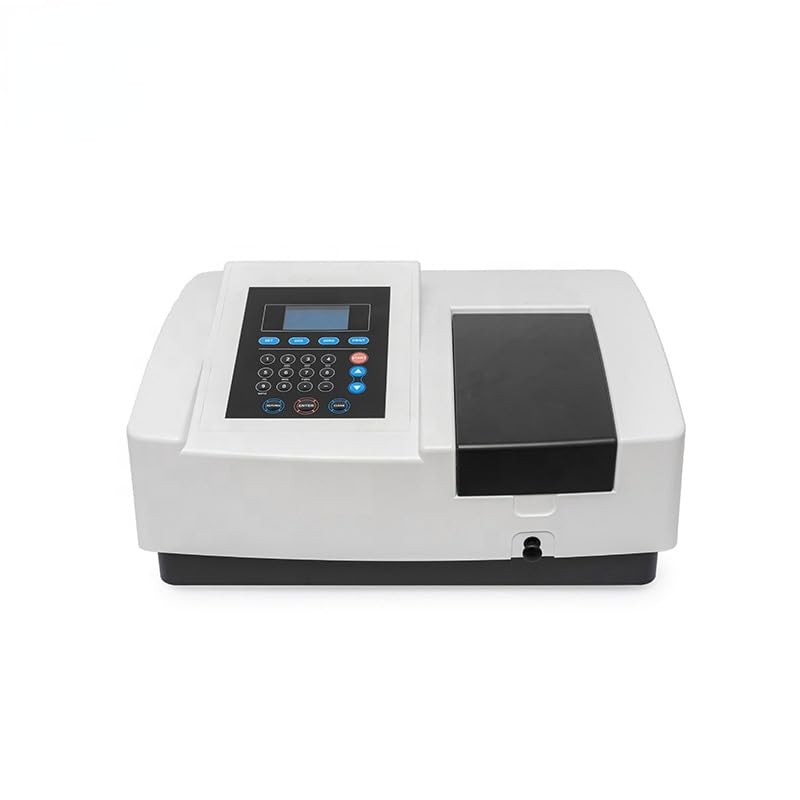
画像4.1:正面 view of the GOYOJO UV-759 Spectrophotometer, showing the main unit and control panel.
4.2電源接続
Connect the provided power cable to the power inlet on the rear of the instrument and then to a suitable grounded electrical outlet. Ensure the power switch is in the OFF position before connecting.
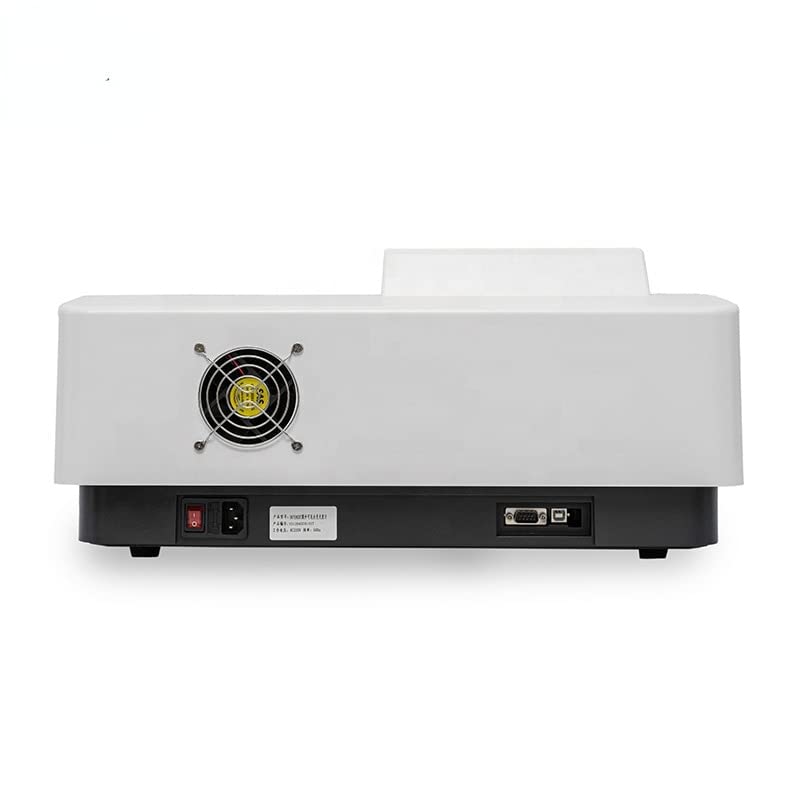
Image 4.2: Rear panel of the spectrophotometer, illustrating the power input and RS232 communication port.
4.3 Communication Setup (Optional)
If connecting to a computer for data acquisition or control, use the provided USB cable to connect the RS232 communication port on the instrument to your computer. Install any necessary drivers or software as per the instructions provided with the software package.
5. 操作手順
5.1 Powering On and Initial Warm-up
- Flip the power switch on the rear of the instrument to the ON position.
- The instrument will perform a self-test. Allow approximately 15-30 minutes for the lamps to warm up and stabilize for accurate measurements.
- The display will show the main menu or a ready state once warm-up is complete.
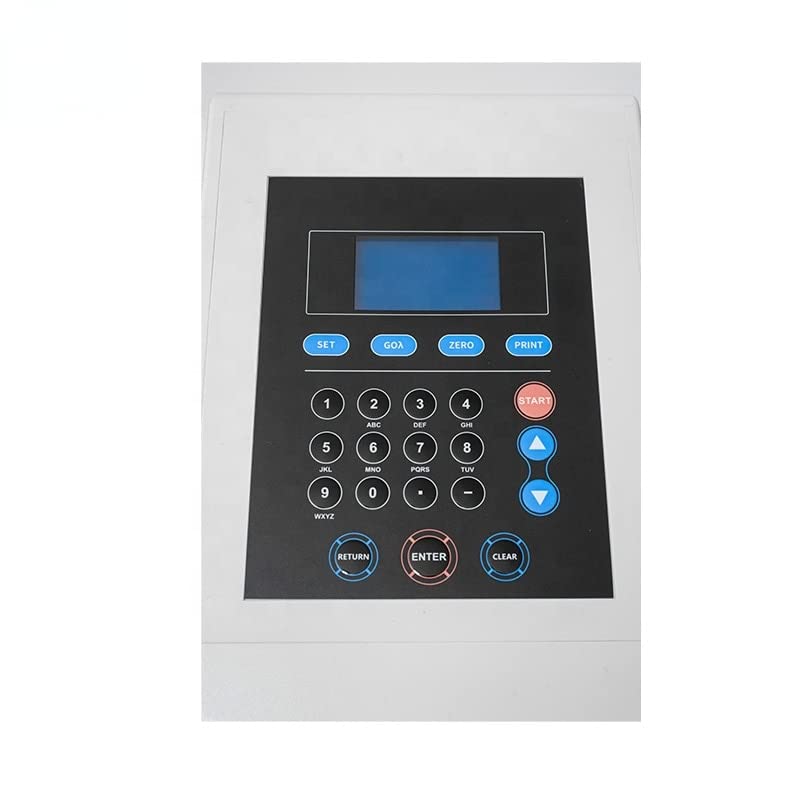
画像5.1: 詳細 view of the control panel, including the LCD screen and function keys.
5.2 基本的な測定手順
- モードの選択: From the main menu, select the desired measurement mode (e.g., Absorbance, Transmittance, Concentration, or Quantitative).
- Set Wavelength: Use the keypad to enter the desired wavelength for your measurement. Press ENTER.
- Prepare Blank: Fill a clean cuvette with your blank solution (e.g., solvent). Insert it into the sampルコンパートメント。
- Zero/Calibrate: Press the "ZERO" or "CAL" button to set the baseline or zero the instrument with the blank.
- Sを準備するamp上: Remove the blank and insert a cuvette containing your sampのソリューションampルコンパートメント。
- 測定: Press the "START" or "MEASURE" button to initiate the measurement. The result will be displayed on the screen.
- 繰り返す: 複数のsの場合amples, repeat steps 5 and 6.
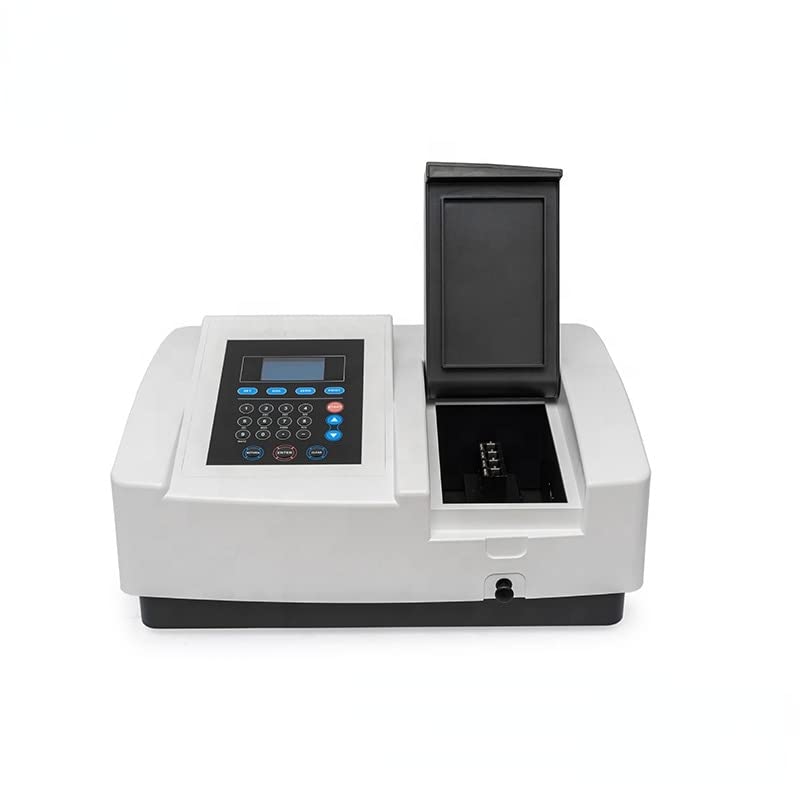
Image 5.2: The sample compartment opened, revealing the cuvette holder for sample insertion.
5.3高度な機能
Refer to the detailed software manual (if applicable) for instructions on advanced functions such as spectral scanning, kinetics, and multi-wavelength analysis. These functions typically require connection to a computer and specialized software.
6. メンテナンス
6.1 クリーニング
- 外観: 外側の表面を柔らかい布で拭きます。amp 布で拭いてください。研磨剤や溶剤は使用しないでください。
- Sampleコンパートメント: sを維持するample compartment clean and dry. Use a lint-free cloth to remove any spills.
- Cuvettes: Always use clean cuvettes. Rinse them thoroughly with appropriate solvent and dry them before use.
6.2リットルamp 交換
The UV and Visible lamps have a finite lifespan. When lamp performance degrades (e.g., unstable readings, low energy), they may need replacement. This procedure should ideally be performed by qualified service personnel or by following specific instructions in a service manual, as it involves sensitive optical components.
6.3 ストレージ
When not in use for extended periods, power off the instrument, disconnect it from the power supply, and cover it with a dust cover to protect it from dust and environmental contaminants.
7。 トラブルシューティング
| 問題 | 考えられる原因 | 解決 |
|---|---|---|
| 機器の電源が入らない | 電源ケーブルが外れている;電源スイッチがオフ;コンセントから電力が供給されていない | Check power cable connection; Ensure power switch is ON; Verify power outlet functionality |
| 不安定な測定値 | Instrument not warmed up; Dirty cuvettes; Air bubbles in sample; Lamp 人生の終わりが近づいている | Allow adequate warm-up time; Clean cuvettes thoroughly; Remove air bubbles; Consider lamp 交換 |
| No light detected / Error message | Lamp failure; Sample compartment lid open; Optical path blocked | lを確認してくださいamp status; Ensure sample compartment lid is closed; Verify no obstructions in optical path |
| Communication error with PC | ケーブルが正しくありません。ドライバーがインストールされていません。ソフトウェアの設定が正しくありません。 | Use correct USB/RS232 cable; Install necessary drivers; Configure software communication settings |
8. 仕様
The following table outlines the key technical specifications for the GOYOJO UV-759 UV Visible Double Beam Spectrophotometer:

Image 8.1: Key technical specifications of the spectrophotometer.
| パラメータ | 価値 |
|---|---|
| 製品名 | UV Visible Double Beam Spectrophotometer |
| モデル | UV-759 (MAKIT-82530) |
| 波長範囲 | 190-1100nm |
| 波長精度 | ± 0.3nm |
| Wavelength Repeatability | 0.1 nm |
| Spectral Bandwidth | 1.8 nm |
| Transmittance Accuracy | ± 0.3% T |
| 測光範囲 | -3 ~ 3a, 0-200% T, 0 ~ 9999c |
| Baseline Straightness | ± 0.001 A/h |
| 迷い光 | 0.05% T@220nm, 360nm |
| 安定性 | ± 0.001 A/h @ 500nm |
| RS232通信 | USBインターフェース |
| 電源 | 220 V ± 10% 50 Hz ± 1 Hz, 70 W |
| 重さ | 18キロ |
9. 保証とサポート
9.1 保証情報
GOYOJO products are manufactured to high-quality standards. For specific warranty terms and conditions, please refer to the warranty card included with your product or contact GOYOJO customer service. Keep your purchase receipt as proof of purchase.
9.2 カスタマーサポート
If you encounter any issues not covered in this manual or require technical assistance, please contact GOYOJO customer support. Provide your product model (UV-759) and serial number (if applicable) when contacting support for faster service.
For contact information, please visit the official GOYOJO webサイトまたは製品パッケージを参照してください。