
導入
This manual provides detailed instructions for setting up, operating, maintaining, and troubleshooting your Amazon Kindle Paperwhite Signature Edition 32GB. Please read this guide thoroughly to ensure optimal use of your device.
1. セットアップ
1.1 開梱と初期充電
Upon unboxing, locate the Kindle Paperwhite Signature Edition device and the included USB-C charging cable. It is recommended to fully charge your device before first use.
- ボックスに含まれるもの: Kindle Paperwhite Signature Edition、USB-C充電ケーブル、クイックスタートガイド。
- 充電: Connect the USB-C cable to the Kindle and a compatible USB power adapter (9W adapter recommended, sold separately). A full charge takes less than 2.5 hours.
- ワイヤレス充電: The Signature Edition supports wireless charging. Place the device on a compatible wireless charging dock (sold separately).

Image: Kindle Paperwhite Signature Edition charging wirelessly on a dock. The device can be charged via USB-C or wirelessly for extended battery life.
1.2 電源オン/オフ
- 電源を入れるには: 画面が点灯するまで、デバイスの下端にある電源ボタンを押し続けます。
- 電源を切るには: Press and hold the power button until a power dialog appears, then select 'Power Off'. A short press will put the device to sleep.
1.3 Wi-Fi接続
To access the Kindle Store and download content, connect your device to a Wi-Fi network.
- ホーム画面から、 設定 icon (gear icon) or swipe down from the top of the screen and tap すべての設定.
- 選択 Wi-FiとBluetooth、 それから Wi-Fi ネットワーク.
- リストから希望のネットワークを選択し、プロンプトが表示されたらパスワードを入力します。
The device supports 2.4 GHz and 5.0 GHz networks with WEP, WPA, WPA2, WPA3, and OWE security.
1.4 アカウントの設定
Register your Kindle to your Amazon account to access your content library and the Kindle Store.
- After connecting to Wi-Fi, follow the on-screen prompts to sign in with your Amazon account credentials.
- If you do not have an Amazon account, you can create one during this process.
2. Kindleの操作
2.1 Basic Navigation and Page Turns
The Kindle Paperwhite Signature Edition features a 7-inch glare-free display designed for comfortable reading.
- ページめくり: Tap the right side of the screen to turn to the next page, or the left side to go back. Swiping left or right also turns pages.
- ホーム画面: Tap the top of the screen to reveal the navigation bar, then tap the 家 icon to return to your library.

Image: A hand holding the Kindle Paperwhite, displaying a book page. The 7-inch Paperwhite display offers fast page turns for an enhanced reading experience.
2.2 読書機能
Customize your reading experience with various display and font settings.
- Adjusting Front Light: The Signature Edition features an auto-adjusting front light. You can also manually adjust the brightness by tapping the top of the screen while reading and using the brightness slider.
- 暖かい光: Adjust the warmth of the screen light for comfortable reading in different environments.
- ダークモード: Invert screen colors for white text on a black background, ideal for low-light conditions. Access this from the quick settings menu.
- フォント設定: While reading, tap the top of the screen, then select the Aa アイコンをクリックして、フォント サイズ、フォント フェイス、行間隔、余白を調整します。
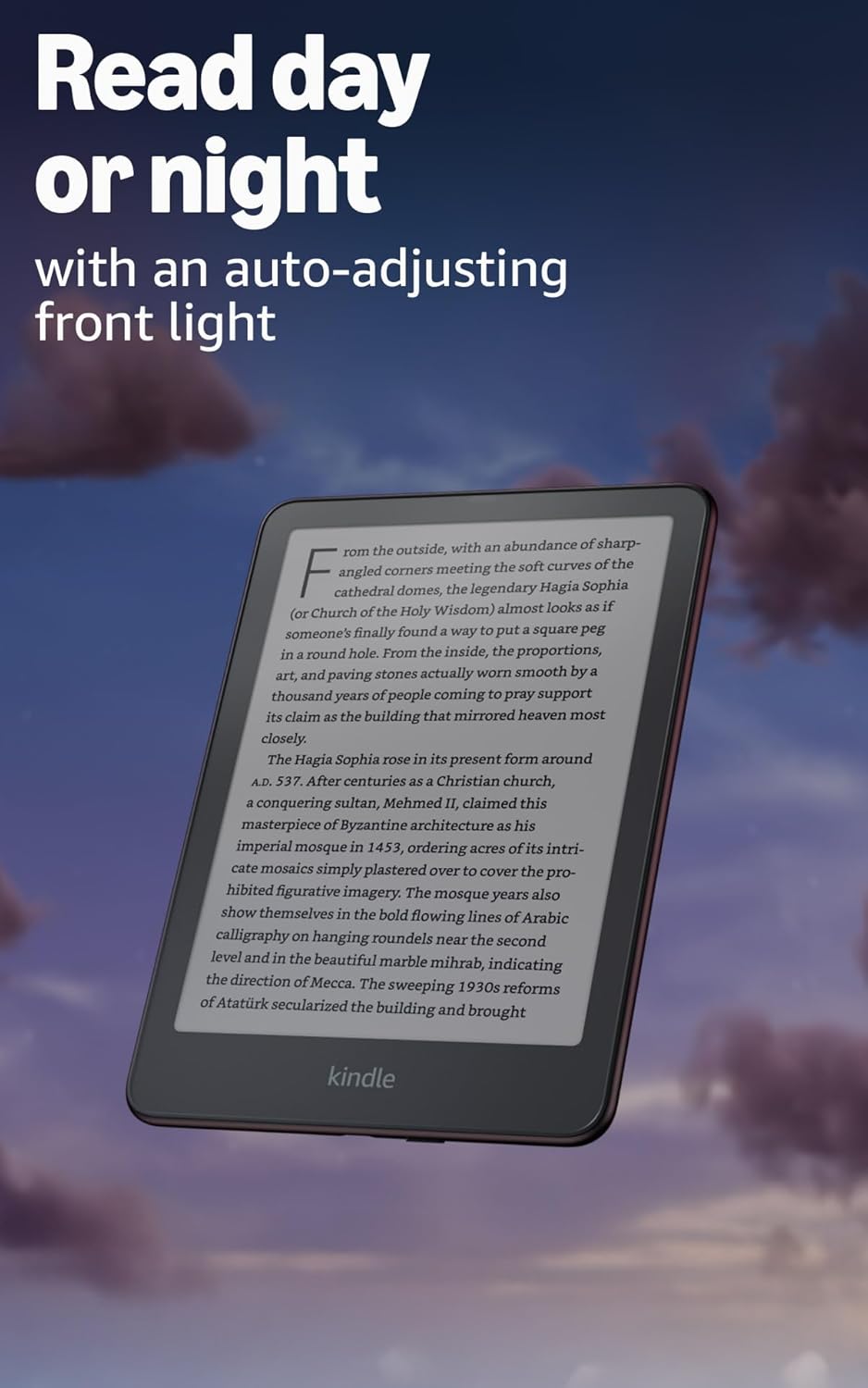
Image: Kindle Paperwhite screen illuminated in a dark room. The auto-adjusting front light allows for comfortable reading day or night.

Image: Close-up of the Kindle Paperwhite screen displaying text. Enjoy a glare-free display without distracting notifications.
2.3 コンテンツ管理
Your Kindle provides access to a vast library of content.
- Kindleストア: ホーム画面から、 店 icon to browse and purchase books.
- 図書館: All purchased content is stored in your library and can be downloaded to your device.
- クラウドストレージ: All Amazon content is stored for free in the cloud, allowing you to access it from any compatible device.
- サポートされている形式: Kindle Format 8 (AZW3)、Kindle (AZW)、TXT、PDF、保護されていない MOBI、PRC にネイティブ対応。PDF、DOCX、DOC、HTML、EPUB、TXT、RTF、JPEG、GIF、PNG、BMP には変換対応。Audible オーディオ形式 (AAX)。

Image: A collage of various book covers. The Kindle Store offers access to over 15 million titles worldwide.
2.4 オーディオブック
Listen to Audible audiobooks on your Kindle Paperwhite Signature Edition.
- ブルートゥース: Connect Bluetooth headphones or speakers to your Kindle via the Wi-FiとBluetooth 設定。
- オーディオブックの再生: Download Audible audiobooks from the Kindle Store and play them through your connected Bluetooth device.
2.5 防水
Your Kindle Paperwhite Signature Edition is waterproof (IPX8 rated).
- It is tested to withstand immersion in 2 meters of fresh water for 60 minutes.
- This makes it suitable for reading by the pool, in the bath, or at the beach.
- After exposure to water, ensure the USB-C port is dry before charging.
3. メンテナンス
3.1 デバイスのクリーニング
- Use a soft, lint-free cloth to clean the screen and body of your Kindle.
- 研磨剤入りの洗剤、溶剤、エアゾールスプレーの使用は避けてください。
- If the device has been exposed to water, gently wipe it dry.
3.2バッテリーケア
- To maximize battery life, avoid exposing your Kindle to extreme temperatures.
- A single charge can last up to twelve weeks, based on half an hour of reading per day with wireless off and the light setting at 13. Heavy use, especially with wireless features or audiobook streaming, will reduce battery life.
- デバイスは定期的に充電しますが、再充電する前に完全に放電する必要はありません。
3.3ソフトウェアアップデート
Your Kindle will periodically receive software updates to improve performance and add new features.
- Ensure your Kindle is connected to Wi-Fi to receive automatic updates.
- You can manually check for updates by going to 設定 > デバイスオプション > アップデートを確認する.
4。 トラブルシューティング
4.1 デバイスが応答しない
- Kindle がフリーズしたり応答しなくなった場合は、デバイスが再起動するまで電源ボタンを 40 秒間押し続けます。
4.2 Wi-Fi接続の問題
- Wi-Fi ルーターがオンになっており、範囲内にあることを確認してください。
- Try restarting your Kindle and your Wi-Fi router.
- 正しい Wi-Fi パスワードを入力していることを確認してください。
4.3 バッテリーが充電されない
- Check that the USB-C cable is securely connected to both the Kindle and the power adapter.
- 別の USB-C ケーブルまたは電源アダプターを使用してみてください。
- Ensure the USB-C port on the Kindle is clean and free of debris.
4.4 Content Not Downloading
- Verify your Wi-Fi connection is active and stable.
- Check your Amazon account for any payment issues or content restrictions.
- Ensure your device has sufficient storage space.
5. 仕様
| 特徴 | 説明 |
|---|---|
| 画面 | 7” Paperwhite display technology with built-in front light, 300 ppi, optimized font technology, 16-level gray scale. |
| サイズ | 5 x 7 x 0.3 インチ (127.6 x 176.7 x 7.8 mm) |
| 重さ | 7.5オンス(214g) |
| デバイス内ストレージ | 32 GB; 数千冊の本を保存できます。 |
| クラウドストレージ | すべての Amazon コンテンツを無料でクラウド ストレージに保存できます。 |
| バッテリー寿命 | Up to twelve (12) weeks (based on 30 mins reading/day, wireless off, light setting 13). |
| 充電時間 | 9W USB 電源アダプター使用時 2.5 時間未満。 |
| Wi-Fi接続 | Supports 2.4 GHz and 5.0 GHz networks with WEP, WPA, WPA2, WPA3, and OWE security. |
| アクセシビリティ機能 | 声View screen reader (Bluetooth audio, English only), dark mode, adjustable font size, font face, line spacing, and margins. |
| サポートされているコンテンツ形式 | Kindle Format 8 (AZW3)、Kindle (AZW)、TXT、PDF、保護されていない MOBI、PRC にネイティブ対応。PDF、DOCX、DOC、HTML、EPUB、TXT、RTF、JPEG、GIF、PNG、BMP には変換対応。Audible オーディオ形式 (AAX)。 |
| 防水加工 | IPX8 rated (withstands immersion in 2 meters of fresh water for 60 minutes). |
| 世代 | 12th Generation (2024 release). |
6. 保証とサポート
6.1 保証情報
Your Kindle Paperwhite Signature Edition comes with a 1-year limited warranty and service. Extended warranty options may be available for purchase separately in some regions.
6.2 追加サポート
さらに詳しいサポートと情報については、次のリソースを参照してください。
- クイックスタートガイド: Included in your product packaging.
- Kindle User Guide: Accessible on your device or via the Amazon webサイト。
- Accessibility for Kindle: Learn more about accessibility features on the Amazon webサイト。
- Manage Your Content and Devices: Visit your Amazon account online to manage your Kindle content and device settings.