
1. はじめに
Thank you for choosing the iWALK MAG-X 10000mAh Magnetic Wireless Power Bank. This compact and powerful device is designed to provide convenient and efficient charging for your iPhone and Apple Watch simultaneously. It features strong magnetic alignment for optimal wireless charging and a versatile USB-C port for fast wired charging. Please read this manual carefully to ensure safe and proper use of your new power bank.
2.製品オーバーview
2.1 主な特徴
- 同時充電: Wirelessly charge your iPhone and Apple Watch at the same time.
- 強力な磁気アタッチメント: Ensures perfect alignment for efficient and stable wireless charging.
- 幅広い互換性: Supports Apple Watch SE/Ultra/8/7/6/5/4, iPhone 16/15/14/13/12 series, MagSafe-compatible phone cases, and AirPods.
- 10000mAhの大容量: Provides multiple charges for your devices (e.g., approximately 2 charges for iPhone 14, up to 22 charges for Apple Watch, 26 charges for AirPods).
- USB-C PD急速充電: Offers fast wired charging output for various devices.
- コンパクトで軽量なデザイン: 旅行や日常使用に持ち運びが簡単です。
- 内蔵スタンド: ハンズフリーが可能 viewing while charging your iPhone.
- インテリジェント温度制御: Protects devices from overheating during charging.
- Airline-Friendly: Designed for safe travel.
2.2 パッケージ内容
- iWALK MAG-X Wireless Power Bank
- USB-C から USB-C へのケーブル
- Instruction Manual (Welcome Guide)

Image: Package contents of the iWALK MAG-X power bank.
3. セットアップ
3.1 パワーバンクの初期充電
Before first use, fully charge the iWALK MAG-X power bank. Connect the provided USB-C to USB-C cable to the power bank's USB-C port and to a compatible USB-C power adapter (not included). The LED display will show the charging progress.
3.2 電源のオン/オフとモードの選択

Image: Explanation of the power bank's switch and LED display.
- 電源オン: Press the side button once. The LED display will illuminate.
- 電源を切る: サイドボタンをダブルクリックします。
- 低電流モード: Press and hold the side button for 3 seconds to activate low current discharge mode. This mode is suitable for charging small devices like wireless earphones. Repeat the action to exit low current mode.
4. 操作手順
4.1 Charging iPhone (MagSafe Compatible)
Ensure your iPhone is MagSafe compatible (iPhone 12 series or newer) or is using a MagSafe-compatible case. Align the back of your iPhone with the magnetic charging area on the power bank. The strong magnets will snap your iPhone into perfect alignment, and wireless charging will begin automatically. The LED display will show the power bank's remaining charge.

Image: iWALK MAG-X power bank wirelessly charging an iPhone and Apple Watch simultaneously.
4.2 Apple Watchの充電
Place your Apple Watch on the dedicated wireless charging pad located on the top surface of the power bank. Ensure the watch is centered on the pad for optimal charging. Charging will start automatically.

Image: Apple Watch charging on the iWALK MAG-X, highlighting compatibility.
4.3 同時充電
The iWALK MAG-X allows you to charge both your iPhone and Apple Watch at the same time. Simply place each device on its respective wireless charging area. You can also use the USB-C port to charge a third device simultaneously.
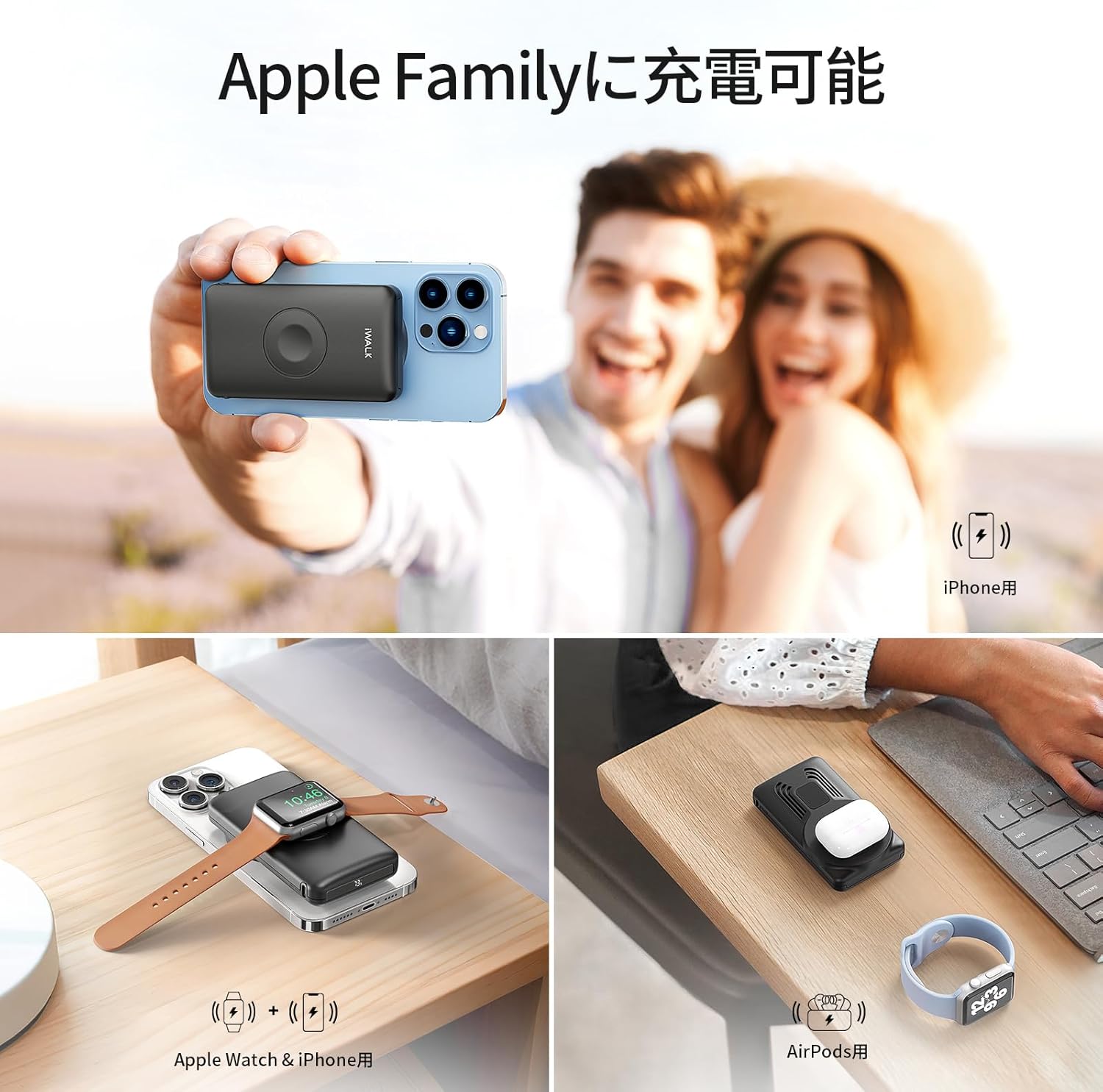
Image: The power bank charging an iPhone, Apple Watch, and AirPods.
4.4 有線充電
Connect your device (e.g., iPad, other smartphones) to the USB-C port on the power bank using a compatible USB-C cable. The power bank supports PD fast charging for efficient power delivery.

Image: Multiple devices charging simultaneously via wireless and wired connections.
4.5 内蔵スタンドの使用
The iWALK MAG-X features a retractable stand. Extend the stand from the back of the power bank to prop up your iPhone, allowing for hands-free viewing in landscape or portrait mode while it charges.

Image: The power bank with its built-in stand and indication of airline compatibility.
5. メンテナンス
- Keep the power bank dry and away from extreme temperatures (both hot and cold).
- 柔らかく乾いた布でデバイスを拭いてください。刺激の強い化学薬品や研磨剤は使用しないでください。
- パワーバンクを長期間使用しない場合は、涼しく乾燥した場所に保管してください。
- 落としたり、強い衝撃を与えないでください。
6。 トラブルシューティング
6.1 デバイスが充電されない
- パワーバンクの充電を確認する: Ensure the iWALK MAG-X has sufficient charge. Refer to the LED display.
- 電源オン: Press the side button once to ensure the power bank is turned on.
- アライメント: For wireless charging, verify that your iPhone or Apple Watch is correctly aligned with the charging area.
- ケーブル接続: 有線充電の場合は、USB-C ケーブルがパワーバンクとデバイスの両方にしっかりと接続されていることを確認してください。
- 携帯ケース: If using a phone case, ensure it is MagSafe compatible and not excessively thick, as this can interfere with wireless charging.
6.2 充電が遅い
- アライメント: Ensure optimal alignment for wireless charging.
- 低電流モード: Check if low current mode is accidentally activated (indicated by a specific icon on the LED display). Press and hold the side button for 3 seconds to toggle this mode.
- 電源アダプター: For charging the power bank itself, use a compatible fast charging adapter.
6.3 Power Bank Getting Hot
Some heat generation during charging is normal. If the power bank becomes excessively hot to the touch, discontinue use immediately and allow it to cool down. If the issue persists, contact customer support.

Image: Intelligent temperature control chip ensures safe charging.
6.4 パワーバンクの電源が入らない
- Attempt to charge the power bank for at least 30 minutes.
- 充電後も問題が解決しない場合は、カスタマー サポートにお問い合わせください。
7. 仕様
| 特徴 | 詳細 |
|---|---|
| モデル番号 | MXB001 |
| ブランド | 私は歩く |
| バッテリー容量 | 10000mAh |
| 入力ボリュームtage | 12V |
| 出力電流 | 2A |
| 接続性 | USBタイプC |
| 対応デバイス | Apple Watch SE/Ultra/8/7/6/5/4/Airpods, iPhone 14/13/12/11/XR/X/SE/8/7/6 Pro Max, iPhone 15 Series (iPhone 15, 15 Plus, 15 Pro, 15 Pro Max), iPhone 16 Series (iPhone 16, 16 Plus, 16 Pro, 16 Pro Max) |
| 製品寸法 | 14.4 x 10.2 x 3.9 cm |
| 製品重量 | 0.34キロ |
| コンプライアンス | PSE認証 |
8. 安全情報
デバイスの損傷や人的傷害を防ぐために、次の安全ガイドラインに従ってください。
- Do not expose the device to water, moisture, or flammable liquids.
- Avoid dropping, puncturing, or subjecting the device to strong impacts.
- Do not attempt to disassemble, repair, or modify the device. This will void the warranty and may cause safety hazards.
- パワーバンクはお子様の手の届かないところに保管してください。
- If the battery appears swollen, emits an unusual odor, or shows any signs of damage, discontinue use immediately and dispose of it properly according to local regulations.
- 極端に高温または低温の環境でデバイスを使用しないでください。
9. 保証とサポート
For warranty information, technical support, or any inquiries regarding your iWALK MAG-X power bank, please refer to the official iWALK website or contact your authorized retailer. Please retain your proof of purchase for warranty claims.