
1. はじめにview
Thank you for choosing the Acoyer Roku TV Remote and Remote Cover set. This product provides reliable replacement remote controls for your compatible Roku TV, along with durable silicone protective covers. The covers are designed to enhance visibility, provide protection against drops, and prevent loss, ensuring a more convenient and worry-free viewing の経験。

Image: The Acoyer Roku TV Remote and Remote Cover set, featuring two black remote controls and two brightly colored silicone protective covers (green and blue).
2. パッケージ内容
Your Acoyer Roku TV Remote and Remote Cover package includes the following items:
- 2 x Acoyer Roku TV Remote Controls
- 2 x Acoyer Remote Control Sleeves (Green and Blue)
3. 互換性
The Acoyer Remote Control is designed for broad compatibility with Roku Series TVs. Please review 互換性情報は以下の通りです。
3.1互換性のあるデバイス
This remote control is compatible with the following Roku TV brands and models:
- ロクテレビ
- ハイセンス録テレビ
- Roku TVで
- Sharp Roku TV
- エレメント六テレビ
- ウェスティンハウス・ロクTV
- フィリップス六テレビ
- インシグニア Roku TV
- JVCロクTV
- RCA ロクテレビ
- 日立録テレビ
- Sanyo Roku TVs
3.2 Non-Applicable Devices
The Acoyer Remote is ない compatible with the following Roku devices:
- Roku Stick
- Roku ストリーミングスティック
- Roku Box 1/2/3/4 (HD/LT/XS/XD)
- ロクウルトラ
- ロクエクスプレス
- Rokuプレミア
- Roku Player

Image: Visual guide illustrating the types of Roku remotes that are compatible (standard TV remotes) and incompatible (remotes with headphone jacks or for streaming sticks/boxes).
4. セットアップ
The Acoyer Roku TV Remote is designed for easy setup. No complex programming or settings are required for most compatible Roku TVs.
4.1 Initial Setup (Pairing)
- バッテリーの挿入: Open the battery compartment on the back of the remote. Insert two AAA batteries (not included), ensuring correct polarity (+/-).
- 自動ペアリング: For most compatible Roku TVs, the remote should automatically pair with your TV once batteries are inserted and the TV is on.
- 手動ペアリング(必要な場合): If the remote does not respond, ensure your Roku TV is powered on. Press and hold the pairing button located inside the battery compartment (or on the back of some Roku TVs) for 5 seconds. A pairing message should appear on your TV screen. Follow any on-screen prompts.
- テスト機能: Once paired, test all buttons to ensure full functionality.
5. 操作手順
The Acoyer Roku TV Remote provides intuitive control over your Roku TV. The included remote covers offer additional features for convenience and protection.
5.1リモコン機能
The remote features standard Roku TV controls, including:
- 電源ボタン: テレビの電源をオンまたはオフにします。
- Directional Pad (D-Pad) with OK Button: メニューを移動し、オプションを選択します。
- 戻るボタン: 前の画面に戻ります。
- ホームボタン: Roku ホーム画面に戻ります。
- 音量を上げる/下げる: テレビの音量を調整します。
- 消音ボタン: テレビの音声をミュートまたはミュート解除します。
- インスタントリプレイ: ビデオの再生時に数秒戻ります。
- Rewind/Fast Forward/Play/Pause: メディアの再生を制御します。
- ダイレクトアクセスボタン: Dedicated buttons for popular streaming services like Netflix, Hulu, YouTube, and Disney+ for quick access.
5.2 Remote Control Cover Features
The silicone remote covers are designed with several user-friendly features:
- 強化された可視性: The bright green and blue colors make your remote easier to spot, reducing the chance of it getting lost between cushions or in dark rooms.
- Glow-in-the-Dark Functionality: The green and blue covers glow in the dark after being exposed to light. For optimal glow, place the cover under strong light for a period.
- 完全な保護: The durable silicone material provides protection against drops, impacts, and daily wear and tear.
- 正確なカットアウト: Customized openings ensure all buttons and functions, including infrared signals, are fully accessible and usable without obstruction.
- 滑り止め設計: The textured surface of the cover provides a better grip, preventing accidental slips.
- 付属のストラップ: Each cover features a lanyard for added security, allowing you to attach it to a convenient location or wear it around your wrist to prevent loss.

Image: The green remote cover absorbing light, demonstrating the glow-in-the-dark feature.
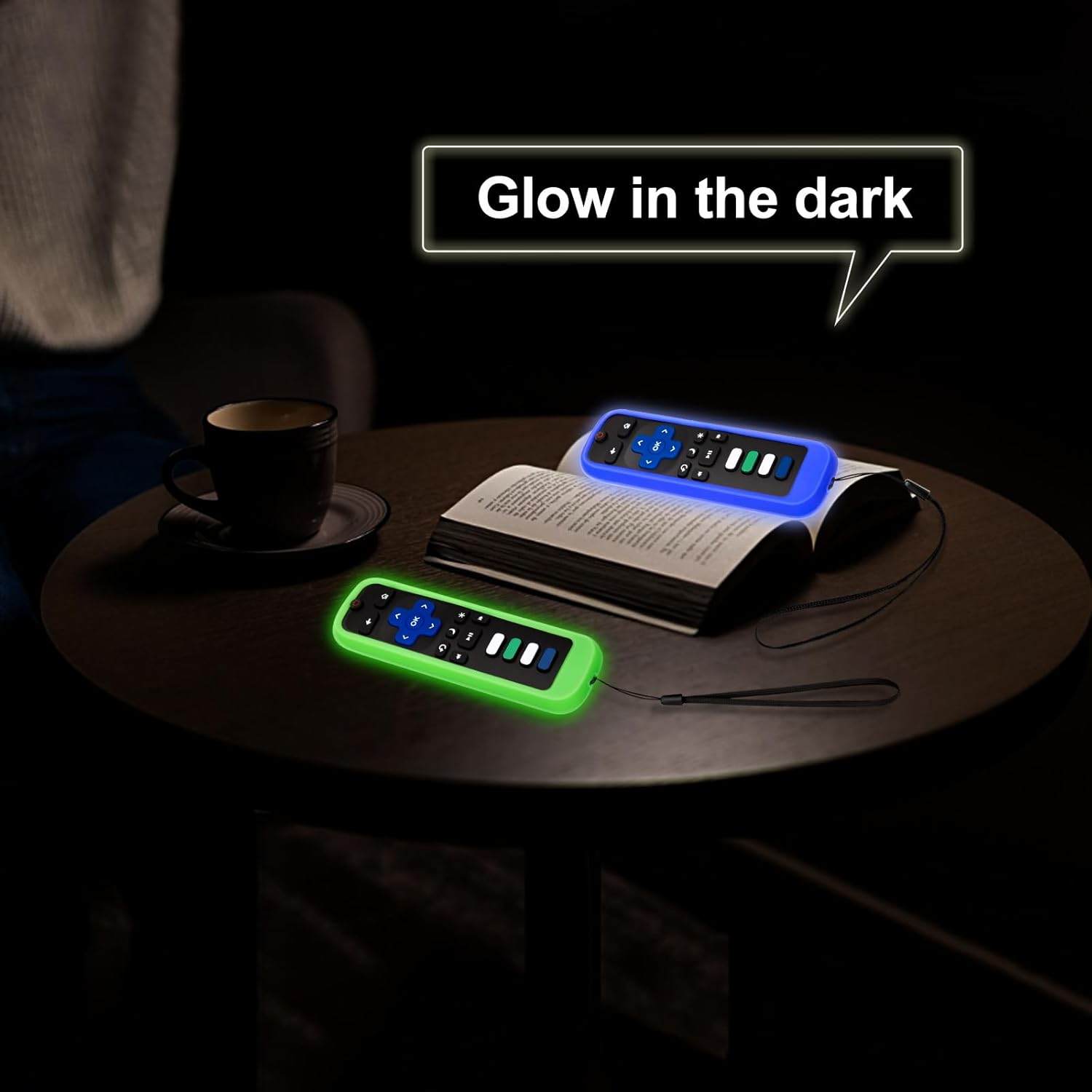
Image: Both the green and blue remote covers glowing in a dark environment, making them easy to locate.

画像: 詳細 view of the remote cover's design, showcasing the lanyard, precise cutouts for buttons, anti-slip texture, and signal window.
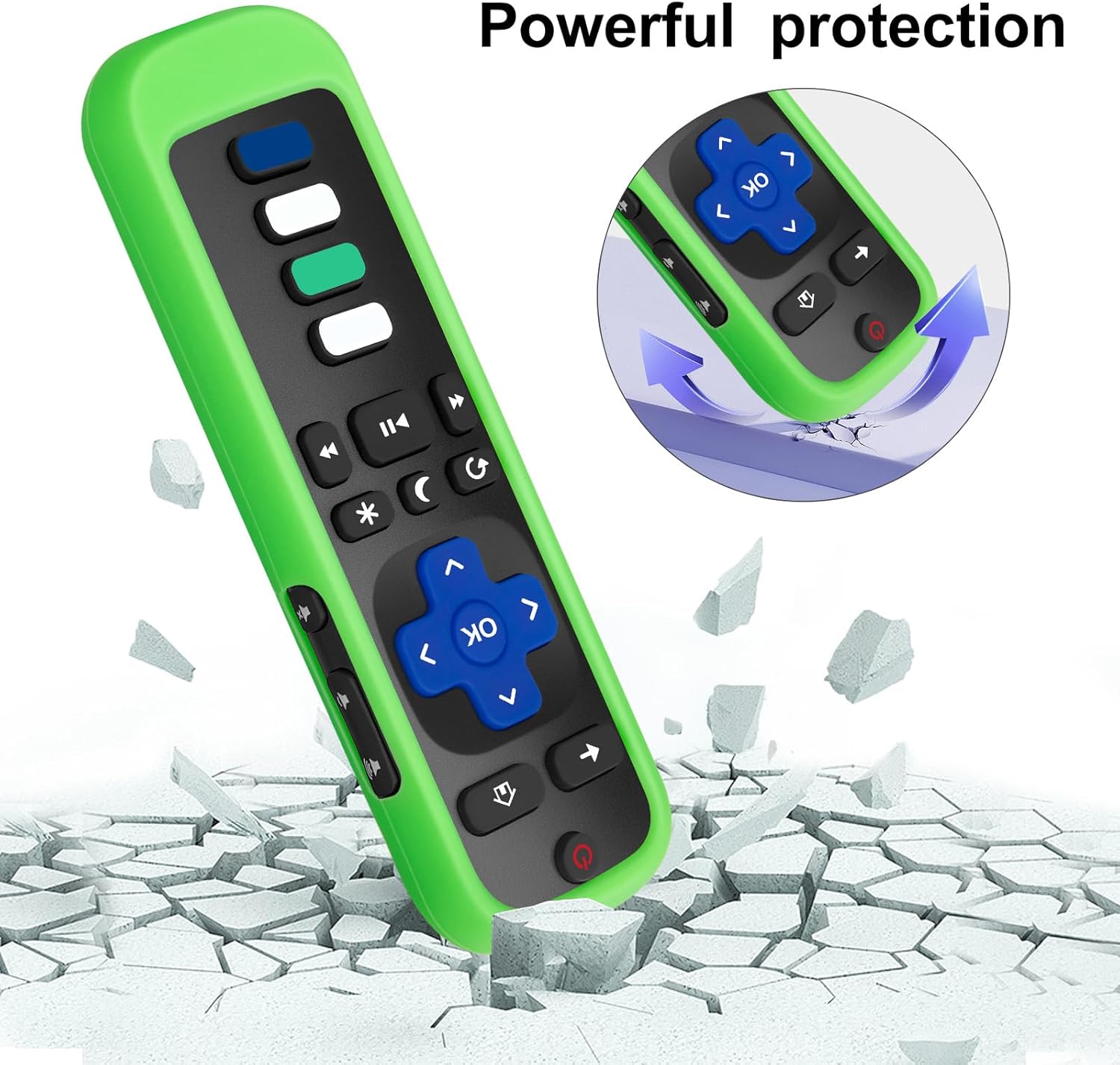
Image: Illustration of the remote cover's protective capabilities, showing a remote on a cracked surface with an arrow indicating impact absorption.
6. メンテナンス
Proper care and maintenance will extend the life of your Acoyer Roku TV Remote and its protective cover.
- リモコンのクリーニング: Use a soft, dry cloth to wipe down the remote control. For stubborn dirt, slightly damp布に水または低刺激性の非研磨性洗剤を含ませて拭いてください。過度の湿気は避けてください。
- カバーのクリーニング: The silicone cover can be removed and washed with mild soap and water. Ensure it is completely dry before placing the remote back inside.
- バッテリー交換: Replace batteries when the remote's performance degrades. Always use new, high-quality AAA batteries and dispose of old batteries responsibly.
- ストレージ: リモコンは、直射日光や極端な温度を避け、涼しく乾燥した場所に保管してください。
7。 トラブルシューティング
If you encounter issues with your Acoyer Roku TV Remote, try the following troubleshooting steps:
| 問題 | 解決 |
|---|---|
| リモコンが応答しません。 |
|
| Glow-in-the-dark feature is weak or not working. |
|
| Buttons feel stiff or unresponsive with the cover on. |
|
8. 仕様
| 特徴 | 詳細 |
|---|---|
| ブランド | Acoyer |
| モデル | Roku TV Remote (Replacement) |
| コントローラータイプ | ボタンコントロール |
| 特集 | 人間工学に基づいたデザインで快適なグリップを実現 |
| Remote Cover Material | シリコーン |
| Remote Cover Colors | Black, Green, Blue (covers) |
| 対応デバイス | Roku Series TVs (TCL, Hisense, Onn, Sharp, Element, Westinghouse, Philips, Insignia, JVC, RCA, Hitachi, Sanyo) |
9. 保証とサポート
Acoyer is committed to providing high-quality products and excellent customer service.
9.1 Return and Refund Service
Acoyer Products come with an unlimited return and refund service for 60 days from the date of purchase.
9.2 カスタマーサポート
If you have any questions, concerns, or require assistance regarding your order or product, please do not hesitate to reach out to Acoyer customer support. You can typically find contact information on the product packaging or through the retailer's web購入したサイト。