
1. はじめに
This manual provides detailed instructions for the installation, operation, and maintenance of your Ymlike Bluetooth Smart Hose Water Timer with Wi-Fi Hub. Please read this manual thoroughly before use to ensure proper function and longevity of the device.
2. 安全情報
- 漏れを防ぐために、すべての接続が確実に固定されていることを確認してください。
- Do not immerse the Wi-Fi Hub in water. The water timer is IP54 waterproof, but the hub is not.
- Use only specified batteries (2 AAA) for the water timer.
- Operate within the specified temperature range of 3℃ - 50℃ (37 °F-122 °F).
- デバイスを子供の手の届かない場所に保管してください。
3. パッケージ内容
パッケージにすべてのアイテムが含まれていることを確認します。
- Ymlike Bluetooth Smart Hose Water Timer (SWV-02)
- Wi-Fiハブ
- ユーザーマニュアル(このドキュメント)
- Note: 2 AAA batteries for the water timer are not included.

画像3.1: Components of the Ymlike Smart Hose Water Timer system, including the timer, Wi-Fi hub, and a smartphone displaying the control application.
4 製品の特徴
- BluetoothおよびWi-Fi接続: Connects to your smartphone via Bluetooth and remotely via the Wi-Fi Hub (2.4GHz network required).
- Two Irrigation Modes: Supports Normal and Cycle & Soak watering schedules.
- 柔軟なスケジュール: Set up to 20 separate watering schedules with options for daily, weekdays, or specific periods.
- 手動散水: Initiate watering instantly via the device button or the app.
- 雨天遅延機能: Automatically skips watering based on local weather forecasts.
- 耐久性のある構造: IP54 waterproof ABS plastic with anti-UV coating.
- 電池式: Requires 2 AAA batteries (not included) for up to 12 months of operation.
- マルチデバイスサポート: Connect up to 4 water timers to a single Wi-Fi hub.
- App Control & Sharing: Manage watering schedules and share control with family members via the Tuya app.
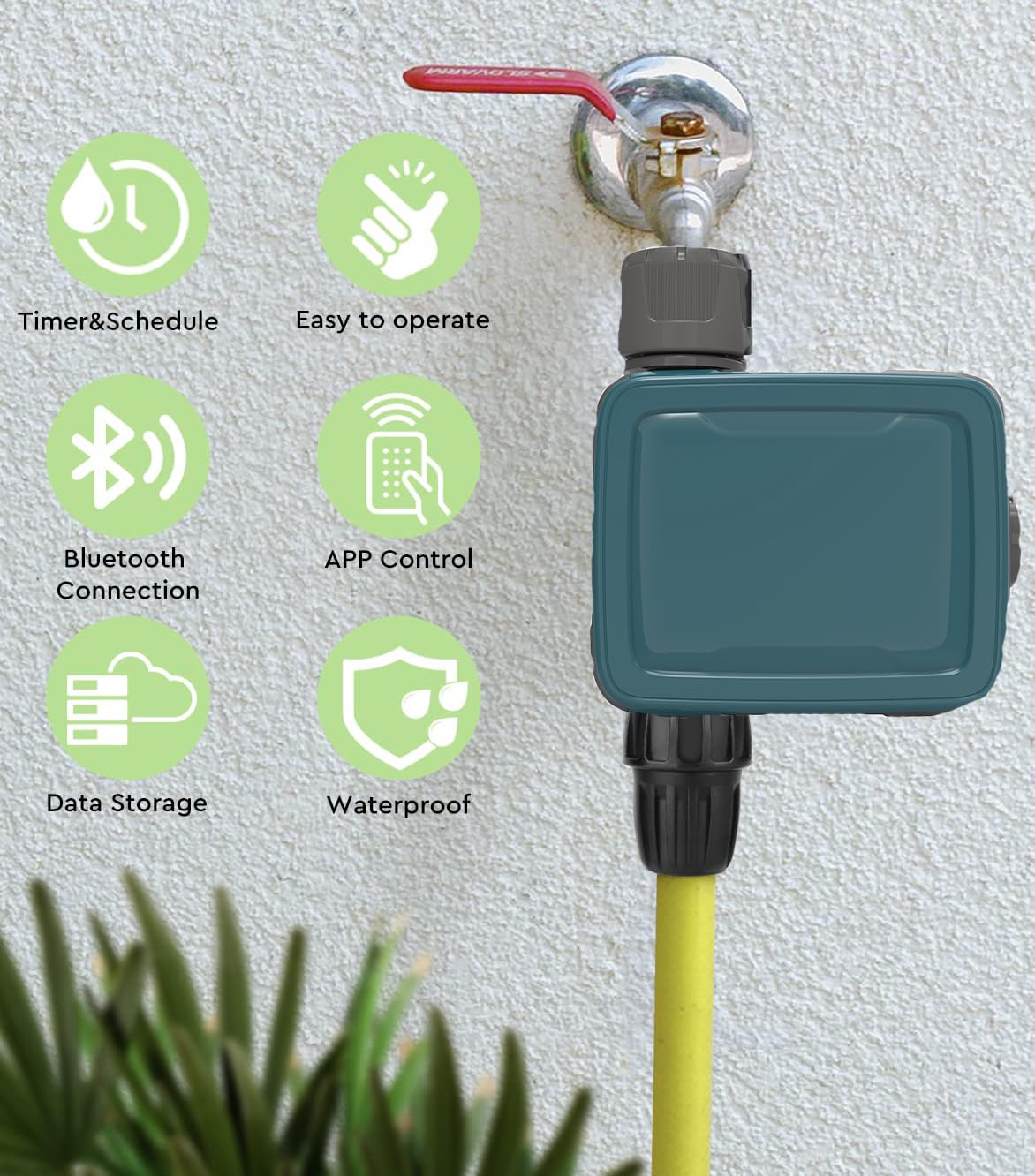
画像4.1: Visual representation of key product features, including scheduling, ease of use, Bluetooth and app control, data storage, and waterproof design.
5. セットアップとインストール
5.1 Install Batteries in Water Timer
- Locate the battery compartment on the water timer.
- Open the compartment and insert 2 new AAA alkaline batteries, ensuring correct polarity.
- Securely close the battery compartment, ensuring the two shields are properly seated to maintain IP54 waterproof rating.
5.2 Install Water Timer
- Screw the water timer onto your outdoor faucet (tap). The inlet thread is 3/4'' F. A reduction to 3/4'' F is also provided if needed.
- Connect your garden hose to the outlet of the water timer.
- 漏れを防ぐために、すべての接続が手でしっかりと締められていることを確認してください。
5.3 Wi-Fi Hub Connection
- Plug the Wi-Fi Hub into a standard electrical outlet indoors, within range of your home's 2.4GHz Wi-Fi network.
- Ensure the hub is placed in a location that allows for good signal strength to both your Wi-Fi router and the water timer (via Bluetooth).

画像5.1: Illustration of the remote connectivity setup, demonstrating the Wi-Fi Hub's role in enabling remote control of the water timer via a smartphone application. Note: Only supports 2.4GHz Wi-Fi.
5.4 アプリのインストールとペアリング
- Download the "Tuya" app from your smartphone's app store (iOS or Android).
- Tuya アカウントを登録またはログインします。
- In the app, add the Wi-Fi Hub by following the on-screen instructions. Ensure your phone is connected to a 2.4GHz Wi-Fi network during this process.
- Once the Wi-Fi Hub is added, use the app to pair the water timer to the hub via Bluetooth. The app will guide you through the pairing process.
- You can connect up to 4 water timers to a single Wi-Fi hub.
6. 操作手順
6.1 散水スケジュールの設定
The Tuya app allows for flexible scheduling with two main irrigation modes:
- 通常モード: Set a specific start time and duration for watering.
- Cycle & Soak Mode: Ideal for sloped areas or dense soil, this mode allows you to set a watering duration, followed by a soak time, repeated over a set period. This helps prevent runoff and promotes deeper water penetration.
スケジュールを設定するには:
- Open the Tuya app and select your water timer.
- Navigate to the "Timer" or "Schedule" section.
- Choose your desired irrigation mode (Normal or Cycle & Soak).
- Set the start time, duration (1 minute to 11 hours 59 minutes), and frequency (once, daily, weekdays, or specific days).
- Save the schedule. You can set up to 20 separate schedules.

画像6.1: App interface demonstrating how to configure watering schedules, including Normal and Cycle & Soak modes, with options for start times and durations.
6.2 手動散水
You can initiate watering instantly without affecting your programmed schedules:
- アプリ経由: In the Tuya app, select your water timer and look for a "Manual" or "Water Now" option. Set the desired duration (1 minute to 60 minutes) and confirm.
- デバイス経由: Press the button on the water timer to start or stop manual watering. The default manual watering duration can usually be configured in the app.
6.3 降雨遅延機能
The smart timer can automatically adjust to local weather conditions:
- The timer uses local weather forecasts to detect rain or snow.
- If precipitation is expected, the timer can automatically skip scheduled watering cycles to conserve water. This function does not disrupt your existing programmed schedules; it only postpones them.
- This feature can typically be enabled or disabled within the Tuya app settings for your water timer.
6.4 Water Usage Monitoring
The Tuya app provides insights into your water consumption:
- View the last watering run time and duration.
- Check the total water usage over a period (e.g., daily, weekly, monthly).
- Monitor upcoming schedules and local weather forecasts directly in the app.

画像6.2: App screen displaying water usage monitoring features, including historical data and future schedule information, integrated with local weather forecasts.
7. メンテナンス
7.1 クリーニング
- Wipe the exterior of the water timer with a damp 必要に応じて布で拭きます。
- 研磨剤や溶剤は使用しないでください。
- Ensure the Wi-Fi Hub remains dry and clean.
7.2 電池の交換
- When the battery indicator in the app shows low power, replace the 2 AAA alkaline batteries in the water timer.
- Follow the steps in Section 5.1 for battery installation, ensuring the compartment is sealed correctly.
- 古い電池は地域の規制に従って廃棄してください。
7.3 防寒
- Before the first frost, disconnect the water timer from the faucet and store it indoors in a dry, protected area.
- Remove batteries if storing for an extended period.
8。 トラブルシューティング
| 問題 | 考えられる原因 | 解決 |
|---|---|---|
| Water timer not responding. | 電池残量が少ない、または切れている。 | 新しい単4アルカリ電池と交換してください。 |
| 水が流れません。 | Faucet is off; timer is not scheduled; manual watering not activated; low water pressure. | Ensure faucet is fully open. Check app schedule or activate manual watering. Verify water pressure. |
| App cannot connect to Wi-Fi Hub. | Hub is unplugged; incorrect Wi-Fi network (not 2.4GHz); poor Wi-Fi signal. | Ensure hub is plugged in. Confirm your router is broadcasting a 2.4GHz network and your phone is connected to it during setup. Move hub closer to router. |
| Water timer not pairing with Wi-Fi Hub. | Timer out of Bluetooth range of hub; batteries low. | Move timer closer to hub during pairing. Replace batteries. |
| 接続部からの漏れ。 | 接続が緩んでいる、ワッシャーが欠落または破損している。 | Tighten connections. Check for and replace any damaged rubber washers. |
9. 仕様
| 特徴 | 詳細 |
|---|---|
| モデル番号 | SWV-02 |
| ブランド | Ymlike |
| 材料 | アクリロニトリルブタジエンスチレン(ABS) |
| 入口スレッド | 3/4'' F (with 3/4'' F reduction) |
| 最大流量 | 35 L/min @ 3 bar |
| 最大作動圧力 | 8バール |
| 動作温度 | 3℃ - 50℃ (37 °F-122 °F) |
| 灌漑頻度 | 1〜7日ごと |
| Auto Irrigation Duration | 1分~11時間59分 |
| 手動散水時間 | 1分から60分 |
| Waterproof Rating (Timer) | IP54 |
| Power Source (Timer) | 単2電池XNUMX本(別売) |
| Communication (Hub) | 2.4GHz Wi-Fi |
| Connectable Timers per Hub | 最大4 |
| Item Weight (Timer) | 0.5キログラム(約500g) |

画像9.1: Physical dimensions of the Ymlike water timer and its accompanying Wi-Fi hub.
10. 保証とサポート
この製品には、 1年間保証 from the date of purchase. If you encounter any issues or require technical assistance, please contact Ymlike customer support through your retailer or the contact information provided with your purchase documentation.
Your satisfaction is our priority. Please retain your proof of purchase for warranty claims.