
導入
This manual provides detailed instructions for the UGREEN HDMI Switch 5 in 1 Out, Model CM568. This device allows you to connect up to five HDMI source devices to a single HDMI display, offering seamless switching between inputs. It supports high-resolution video up to 4K@60Hz, including 3D, CEC, HDR, and HDCP2.2, ensuring a high-quality visual and audio experience.
パッケージ内容
- 1 x UGREEN HDMI Switch (Model CM568)
- リモコン x 1
- 1 x USB電源ケーブル
- ユーザーマニュアル x 1
製品終了view

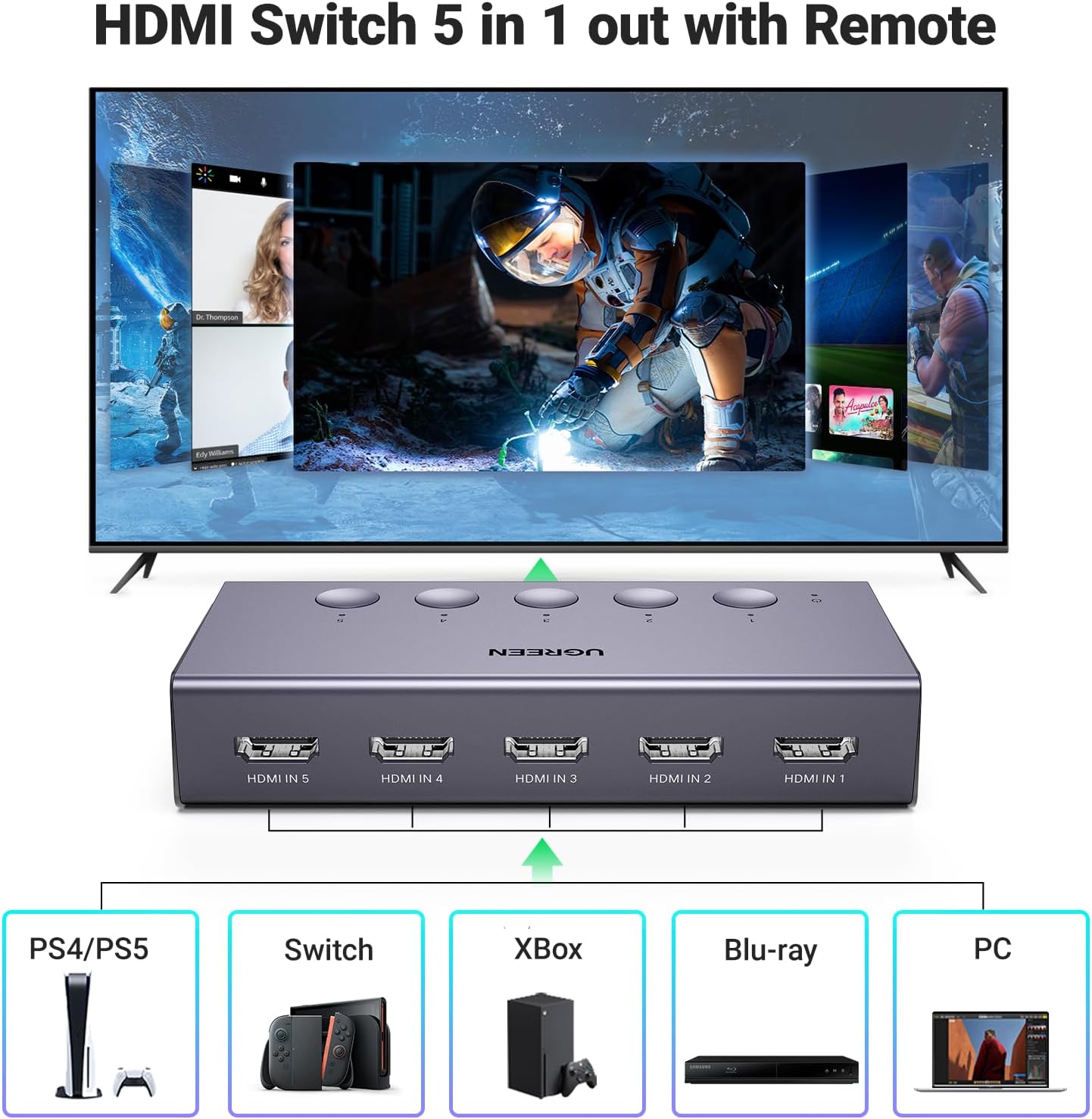
製品機能の活用例
このビデオはオーバーを提供しますview of the UGREEN HDMI Switch 5 in 1 Out 4K@60Hz, demonstrating its design and functionality.
製品の特徴
- 5-in-1 HDMIスイッチング: Connect up to five HDMI source devices (e.g., PS5, Xbox, Nintendo Switch, Blu-ray players, Fire TV stick, PC, laptop) to a single HDMI display.
- 4K@60Hz解像度: Supports resolutions up to 4K@60Hz, with backward compatibility for 4K@30Hz, 2560*1440@120Hz, and 1920*1080@240Hz.
- 高度なビデオテクノロジー: Compatible with HDMI 2.0/1.4, HDCP2.2/1.4, VRR, Dynamic HDR, 3D, and CEC.
- 高帯域幅: Supports 18Gbps data transmission for fast and stable video.
- USB電源: Ensures stable video transmission and better performance. A USB power cable is included (power adapter not included).
- デュアルスイッチング方式: Switch inputs using either the manual buttons on the device or the included remote control.
- LEDインジケーター: Five LED indicators clearly show which input port is currently active.


セットアップ手順
- HDMIソースデバイスを接続します: Plug your HDMI source devices (e.g., gaming consoles, Blu-ray players, streaming sticks) into the HDMI IN 1-5 ports on the UGREEN HDMI Switch.
- ディスプレイに接続: Connect one end of an HDMI cable to the HDMI OUT port on the switch and the other end to an HDMI input port on your TV or monitor.
- 電力供給: Connect the included USB power cable to the USB-C Power Port on the switch and plug the other end into a USB power source (e.g., a USB wall adapter, TV USB port). Ensure the switch is connected to a power source for proper operation.

セットアップデモビデオ
This video demonstrates the physical setup and connection process for the UGREEN HDMI Switch 5 in 1 Out.
操作手順
入力の切り替え
The UGREEN HDMI Switch offers two convenient methods for switching between your connected HDMI devices:
- Manual Button Switch: Press the corresponding numbered button (1-5) on the top of the switch to select your desired input. The LED indicator above the button will light up to show the active input.
- リモートコントロール: Use the included remote control to switch inputs from a distance. Press the numbered buttons (1-5) to directly select an input, or use the 'Next' button to cycle through the inputs sequentially.
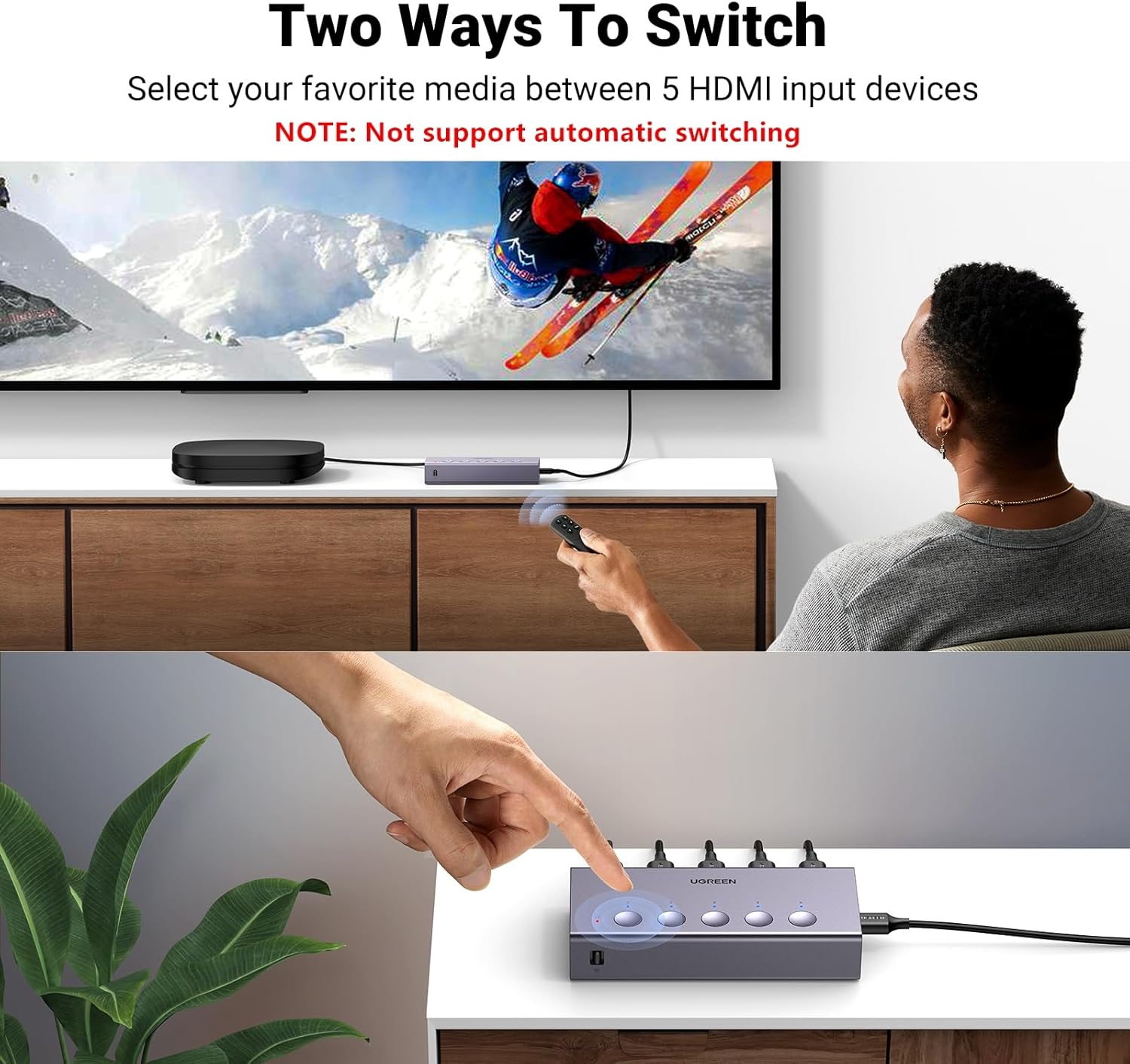
リモコンの使用
For optimal performance, ensure the remote control is used within a 55-degree angle of the switch's IR receiver. The effective control range is within 33 feet (10 meters).

Operating the Switch with Remote
This video demonstrates how to operate the UGREEN HDMI Switch using the remote control to switch between connected devices.
仕様
| 特徴 | 説明 |
|---|---|
| モデル番号 | CM568 |
| 色 | グレー |
| コネクタタイプ | HDMIからHDMIへ |
| ポート数 | 5入力、1出力 |
| 最大解像度 | 4K@60Hz |
| 下位互換性 | 4K@30Hz, 2560*1440@120Hz, 1920*1080@240Hz |
| HDMI規格 | HDMI 2.0/1.4, HDCP2.2/1.4 |
| サポートされているテクノロジー | VRR, Dynamic HDR, 3D, CEC |
| データ転送帯域幅 | 18Gbps |
| 電源 | USB Powered (USB power cable included, adapter not included) |
| 商品の寸法(奥行き x 幅 x 高さ) | 奥行き4.98インチ x 幅2.31インチ x 高さ0.96インチ |
Recommended HDMI Cable Specifications

トラブルシューティング
- No 4K@60Hz Output: Ensure that both the input and output HDMI cables are within 3 meters (9 feet) and are AWG30 standard. Longer or lower-quality cables may not support 4K@60Hz.
- 信号なし/断続的な信号: Verify that the HDMI switch is properly connected to a power source using the provided USB power cable. A stable power supply is crucial for optimal performance.
- No Audio Return Channel (ARC/eARC) Support: This HDMI switch does not support ARC or eARC functionalities. If you require ARC/eARC, please ensure your setup bypasses the switch for these features.
- 自動切り替えなし: The UGREEN HDMI Switch does not support automatic input switching. Inputs must be selected manually using either the physical buttons on the device or the remote control.
保証とサポート
The UGREEN HDMI Switch (Model CM568) comes with a 24ヶ月保証. For any technical support or warranty claims, please contact UGREEN customer service through their official channels or the retailer where the product was purchased.