
導入
Thank you for choosing the PETLIBRO 5L Automatic Pet Feeder with 1080P Camera. This device is designed to provide convenient and reliable feeding for your pets, ensuring they receive their meals on schedule while allowing you to monitor and interact with them remotely. This manual provides essential information for setting up, operating, and maintaining your feeder.

The PETLIBRO 5L Automatic Pet Feeder offers a range of features including a 1080p HD camera, night vision, two-way audio, remote feeding, in-app monitoring, and easy cleanup.
安全に関する注意事項
- フィーダーを使用する前に、すべての指示をよくお読みください。
- この機器は屋内専用です。
- 本体を水などの液体に浸さないでください。
- 給餌器を直射日光や熱源から遠ざけてください。
- 電源コードが破損していないことを確認し、ペットが噛むことのできない場所に置いてください。
- フィーダーに付属の純正電源アダプターのみを使用してください。
- Always supervise children around the feeder.
- Only use dry pet food with a diameter between 2-15mm.
パッケージ内容
パッケージにすべてのコンポーネントが含まれていることを確認します。
- PETLIBRO Automatic Pet Feeder (Main Unit)
- ステンレス製フードボウル
- 電源アダプター
- ユーザーマニュアル
- Desiccant Bag (may be pre-installed)
製品終了view
Familiarize yourself with the different parts of your PETLIBRO Automatic Pet Feeder.

The main unit of the feeder, featuring the food hopper, dispensing mechanism, 1080P camera, and control panel. A cat is shown eating from the stainless steel bowl, with a smartphone displaying the live camera feed.
- フードホッパー: 乾燥したペットフードを保管します。
- Lid with Twist-Lock: Secures the food hopper and keeps food fresh.
- コントロールパネル: Buttons for manual feeding and settings.
- 1080P HDカメラ: ライブ監視および録画用。
- 赤外線センサー: Detects low food levels and blockages.
- スピーカーとマイク: 双方向の音声通信用。
- 飲食店: ボウルに餌を分配する場所。
- ステンレススチールボウル: 取り外して簡単に掃除できます。
- 電源ポート: ACアダプターを接続します。
- バッテリーコンパートメント: バックアップバッテリー用(別売)。
設定
1. 開梱と組み立て
- すべてのコンポーネントをパッケージから取り出します。
- メインフィーダーユニットを平らで安定した面に置きます。
- ステンレス製のボウルをフィーダーの底にある指定されたスロットに挿入します。
2. 電源
- 電源アダプターをフィーダーの電源ポートに接続し、壁のコンセントに差し込みます。
- パワーouのためにtage protection, install 3 D-cell alkaline batteries (not included) into the battery compartment at the bottom of the feeder. This ensures continuous operation during power interruptions.
3. フードホッパーへの充填
- Open the Twist-Lock lid on top of the feeder.
- Pour dry pet food into the hopper. Ensure the food size is between 2-15mm.
- Close the lid securely by twisting it until it locks.
4. アプリのインストールとWi-Fi接続
- PETLIBRO アプリを App Store (iOS) または Google Play Store (Android) からダウンロードします。
- アカウントを作成してログインします。
- Follow the in-app instructions to add your feeder. Ensure your smartphone is connected to a 2.4GHz or 5GHz Wi-Fi network. The feeder supports both for a more stable connection.
- アプリは、フィーダーを自宅の Wi-Fi ネットワークに接続する手順を案内します。
5. カメラの設定
- Once connected to Wi-Fi, the 1080P camera will automatically activate.
- For video recording, insert a Micro SD card (up to 256GB, not included) into the designated slot, usually located near the camera or at the bottom of the unit.
操作手順
1. 手動給餌
- Press the manual feed button on the feeder's control panel to dispense one portion of food instantly.
- Alternatively, use the 'Feed Now' option in the PETLIBRO app for immediate dispensing.
2. アプリで食事のスケジュール管理
The PETLIBRO app allows you to customize your pet's feeding schedule.

The PETLIBRO app provides an intuitive interface to set custom feeding times and amounts, and to review feeding logs.
- Open the PETLIBRO app and select your feeder.
- Navigate to the 'Feeding Schedule' section.
- 1日に最大10食まで設定できます。各食事ごとに、時間と分量(1食あたり1~50食)を指定します。
- スケジュールを保存してください。給餌器はプログラムされた時間に自動的に餌を与えます。
- あなたはできる view feeding logs within the app to track your pet's meal history.
3. Two-Way Audio & Voice Recording
Communicate with your pet remotely using the two-way audio feature.

The feeder allows two-way audio communication, enabling you to speak to your pet and hear their responses through the app.
- ライブコミュニケーション: アプリのライブで view, tap the microphone icon to speak to your pet. Your voice will be played through the feeder's speaker.
- 音声録音: Record a personalized voice message (up to 10 seconds) in the app. This message can be set to play at meal times (0-5 times per meal). A new recording will overwrite any previous one.
4. Monitoring with 1080P Camera and Night Vision
The integrated camera allows you to keep an eye on your pet at all times.

The 1080P camera provides clear vision, even at night, allowing you to monitor your pet's meals with high-definition infrared night vision.
- Access the live camera feed through the PETLIBRO app to view あなたのペットをリアルタイムで監視します。
- The 145° wide-angle lens provides a broad view 給餌エリアの。
- Infrared night vision ensures clear visibility even in dark conditions.
- Videos can be stored on a Micro SD card (up to 256GB, not included).
5. スマートアラートと通知
- 動きと音の検出: The feeder automatically records pet activity and saves video clips (SD card required). You will receive notifications on your phone for detected motion or sounds.
- Low Food Level Alert: The infrared sensor monitors the food level in the hopper. You will receive an alert on your phone when the food supply is low, prompting you to refill.
- Blockage Detection: The sensor also detects potential food blockages in the dispensing mechanism and will send an alert if an issue occurs.
- Wi-Fi Disconnection Alert: If the feeder loses its Wi-Fi connection, you will be notified via the app.
メンテナンス
1. フィーダーの清掃
定期的に清掃することで、給餌器の衛生状態と適切な機能が保たれます。
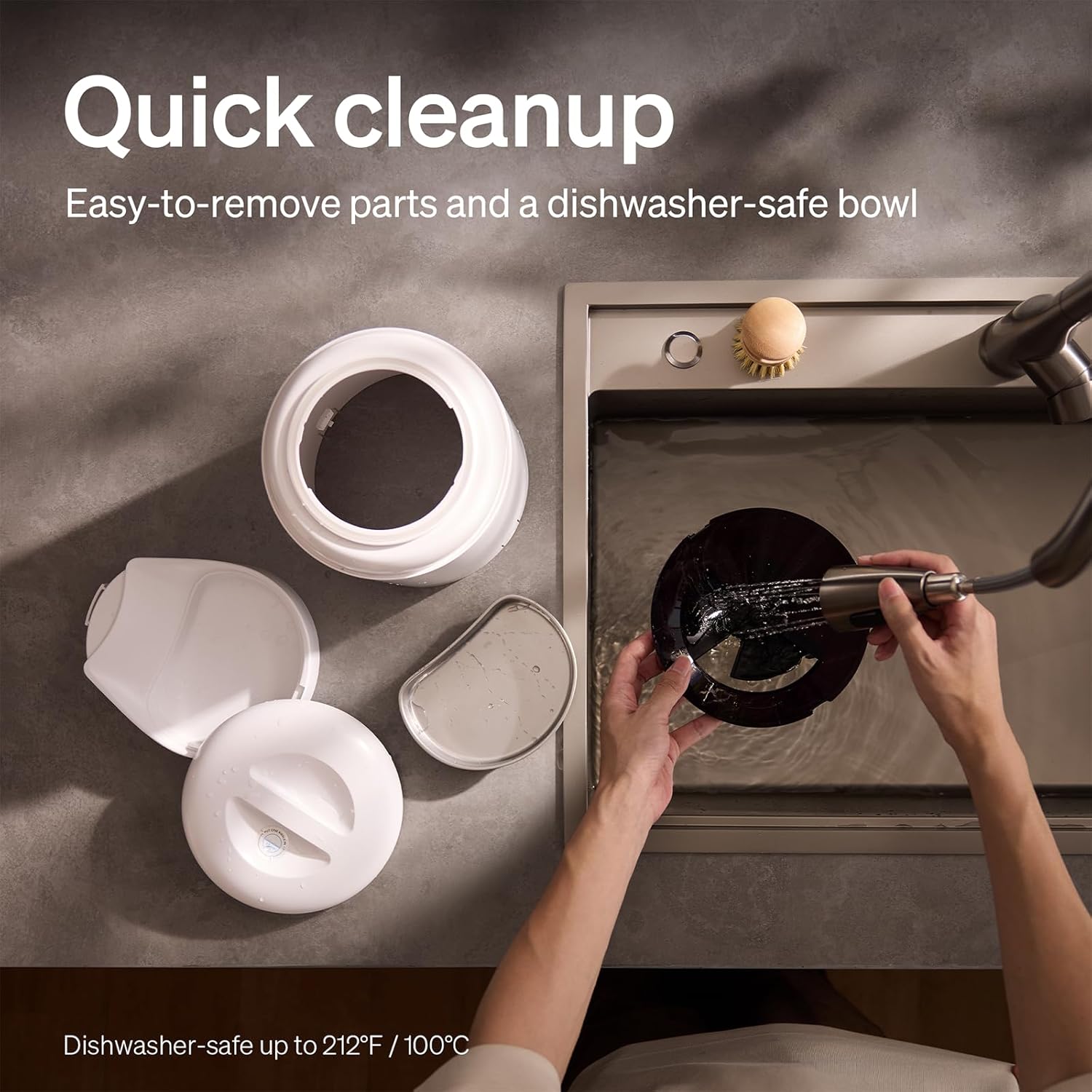
The feeder is designed for quick cleanup with easy-to-remove parts and a dishwasher-safe bowl.
- 電源を切る: 清掃する前に必ずフィーダーのプラグを抜いてください。
- 食べ物を取り除く: Empty any remaining food from the hopper.
- 分解: Remove the food bowl, lid, and food hopper.
- 洗えるパーツ: The stainless steel bowl and food hopper are dishwasher-safe (up to 100°C / 212°F) or can be hand-washed with mild soap and water.
- 本体: d 柔らかい布で本体を拭くamp 布。 水に浸さないでください。
- 完全に乾かす: 再度組み立てて食品を補充する前に、すべての部品が完全に乾いていることを確認してください。
2. 乾燥剤の交換
- The desiccant bag helps keep the food fresh. It is recommended to replace it every 15 days.
- Locate the desiccant compartment, usually under the lid.
- Remove the old desiccant bag and insert a new one.
トラブルシューティング
| 問題 | 考えられる原因 | 解決 |
|---|---|---|
| 給餌器が餌を配給しません。 | Food blockage; empty hopper; dispensing mechanism issue. | Check for food blockages and clear them. Refill hopper if empty. Ensure food size is appropriate (2-15mm). |
| Wi-Fi 切断。 | Weak Wi-Fi signal; router issues; incorrect password. | Ensure feeder is within Wi-Fi range. Restart your router. Reconnect the feeder to Wi-Fi via the app, verifying the password. |
| Camera not working or frequently disconnecting. | Poor Wi-Fi connection; app glitch; SD card issue. | Check Wi-Fi stability. Restart the feeder and the app. Ensure the SD card is properly inserted and not full. Consider a system reset if issues persist. |
| App shows "status unknown" or feeding errors. | Wi-Fi disconnection; app synchronization issue. | Verify Wi-Fi connection. Close and reopen the app. Restart the feeder. |
| 音声録音が再生されません。 | No recording saved; volume too low; incorrect schedule. | Ensure a voice message is recorded and saved in the app. Check the playback settings for meal times. |
仕様
| 特徴 | 詳細 |
|---|---|
| モデル番号 | AF203 |
| 寸法(長さ×幅×高さ) | 12 x 10 x 27 cm |
| 重さ | 2.15キロ |
| 材料 | ステンレス(ボウル) |
| 容量 | 5リットル |
| 対象種 | 猫、犬 |
| 推奨用途 | Automatic indoor dog/cat feeding |
| 特集 | 1080P Camera, Smart App, Two-way Audio |
| 色 | 白 |
| 接続技術 | Wi-Fi(2.4GHzおよび5GHz) |
| 操作モード | 自動 |
| お手入れ方法 | Dishwasher safe (bowl) |
| 電池が必要 | No (for primary operation), Yes (for backup, 3 D-cell, not included) |
保証とサポート
PETLIBRO products come with a standard manufacturer's warranty. For detailed warranty information, please refer to the warranty card included in your package or visit the official PETLIBRO webサイト。
If you encounter any issues or have questions regarding your PETLIBRO Automatic Pet Feeder, please contact PETLIBRO customer support through the following channels:
- メールアドレス: 製品のパッケージまたはPETLIBROを参照してください。 web最新のサポート メール アドレスについては、サイトをご覧ください。
- Webサイト: PETLIBROの公式ウェブサイトをご覧ください webFAQ、トラブルシューティング ガイド、お問い合わせフォームのサイト。
- アプリ内サポート: The PETLIBRO app may offer a support section for direct assistance.
Please have your model number (AF203) and purchase information ready when contacting support.