
CHUWI Hi10X Pro
CHUWI Hi10 XPro Android 14 Tablet User Manual
Comprehensive guide for your CHUWI Hi10 XPro Tablet.
1. はじめに
The CHUWI Hi10 XPro is a versatile 10.1-inch Android 14 tablet designed for both productivity and entertainment. Featuring an Unisoc T606 Octa-Core processor, 8GB RAM, and 128GB ROM (expandable up to 1TB), it offers smooth performance for various applications. This tablet supports 4G LTE and 5G WiFi connectivity, includes a 7000mAh battery, and comes with 13MP rear and 5MP front cameras. This manual provides essential information for setting up, operating, and maintaining your device.

図1.1: 前面と背面 view of the CHUWI Hi10 XPro Tablet.
2. 箱の中身
パッケージにすべてのアイテムが揃っていることを確認します。
- CHUWI Hi10 XPro Tablet
- 5V/2A adapter (PSE, CE, UL, FCC certified)
- Multi-language manual
- 適合証明書
- 品質証明書
- 保証書
- 128GB マイクロ SD カード
3. セットアップ
3.1 初期充電
Before first use, fully charge the tablet using the provided 5V/2A adapter and Type-C cable. The battery indicator on the screen will show charging progress.
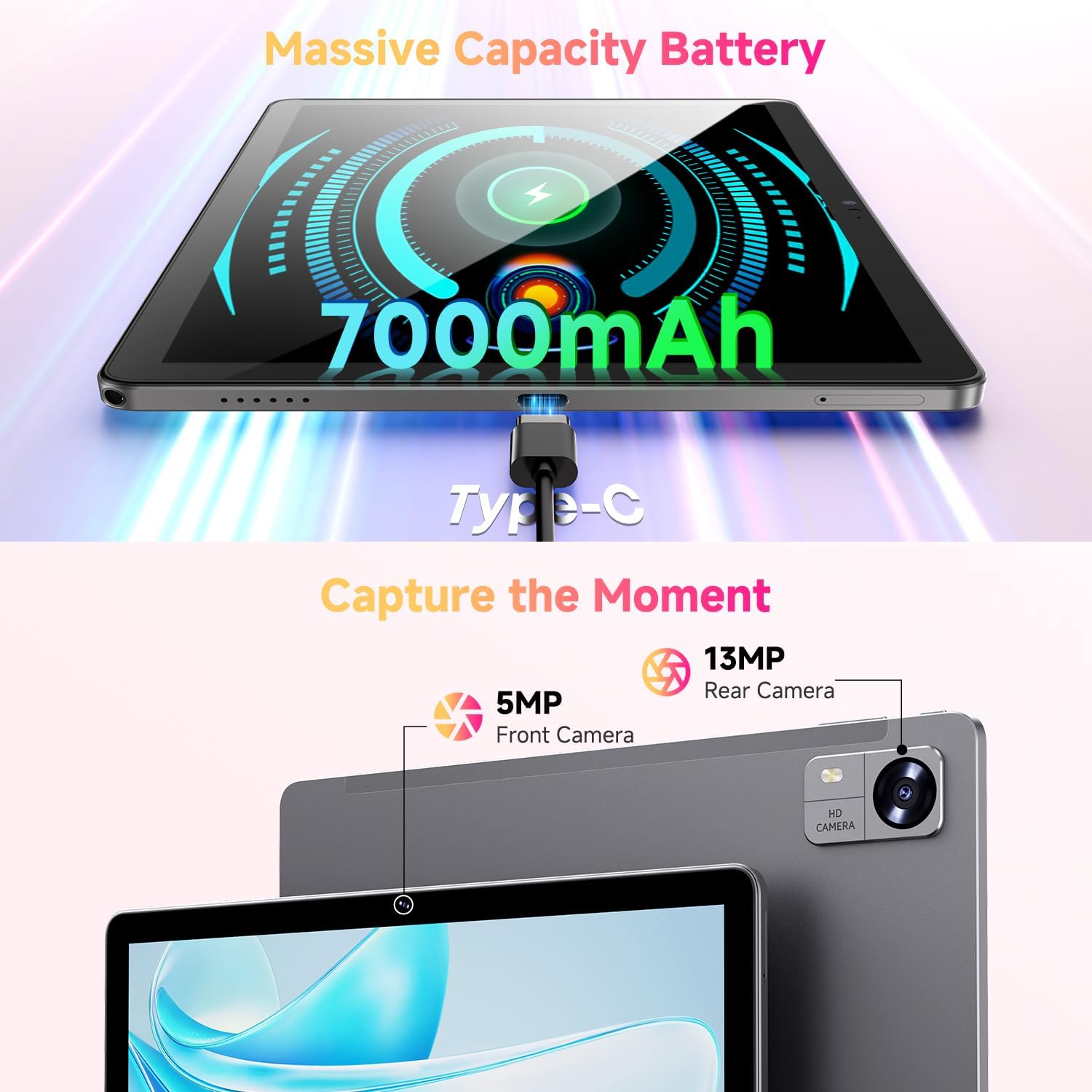
Figure 3.1: Charging the tablet via Type-C port.
3.2 電源オン/オフ
- 電源オン: Press and hold the Power button on the side of the tablet until the CHUWI logo appears.
- 電源を切る: 電源ボタンを長押しし、電源オフメニューが表示されるまで待ちます。「電源を切る」を選択してデバイスをシャットダウンします。
- 再起動: 電源オフメニューから「再起動」を選択してデバイスを再起動します。
3.3 SIMカードとTFカードのインストール
The tablet supports dual SIM cards and a TF (MicroSD) card for expanded storage. Use the provided SIM ejector tool to open the tray.
- タブレットの側面にある SIM/TF カード トレイを見つけます。
- SIM イジェクタ ツールをトレイの横にある小さな穴に挿入し、トレイが飛び出すまでゆっくりと押します。
- Nano-SIM カードおよび/または MicroSD カードをトレイの指定されたスロットに正しい向きで挿入します。
- カチッと音がするまでトレイをタブレットに慎重に押し戻します。
*Important Note for Cellular Functionality: Please register the IMEI number of your device with local carriers before using cellular network functions. Failure to do so may result in the SIM card functions (network and calls) being disabled by the carriers after a period of use.
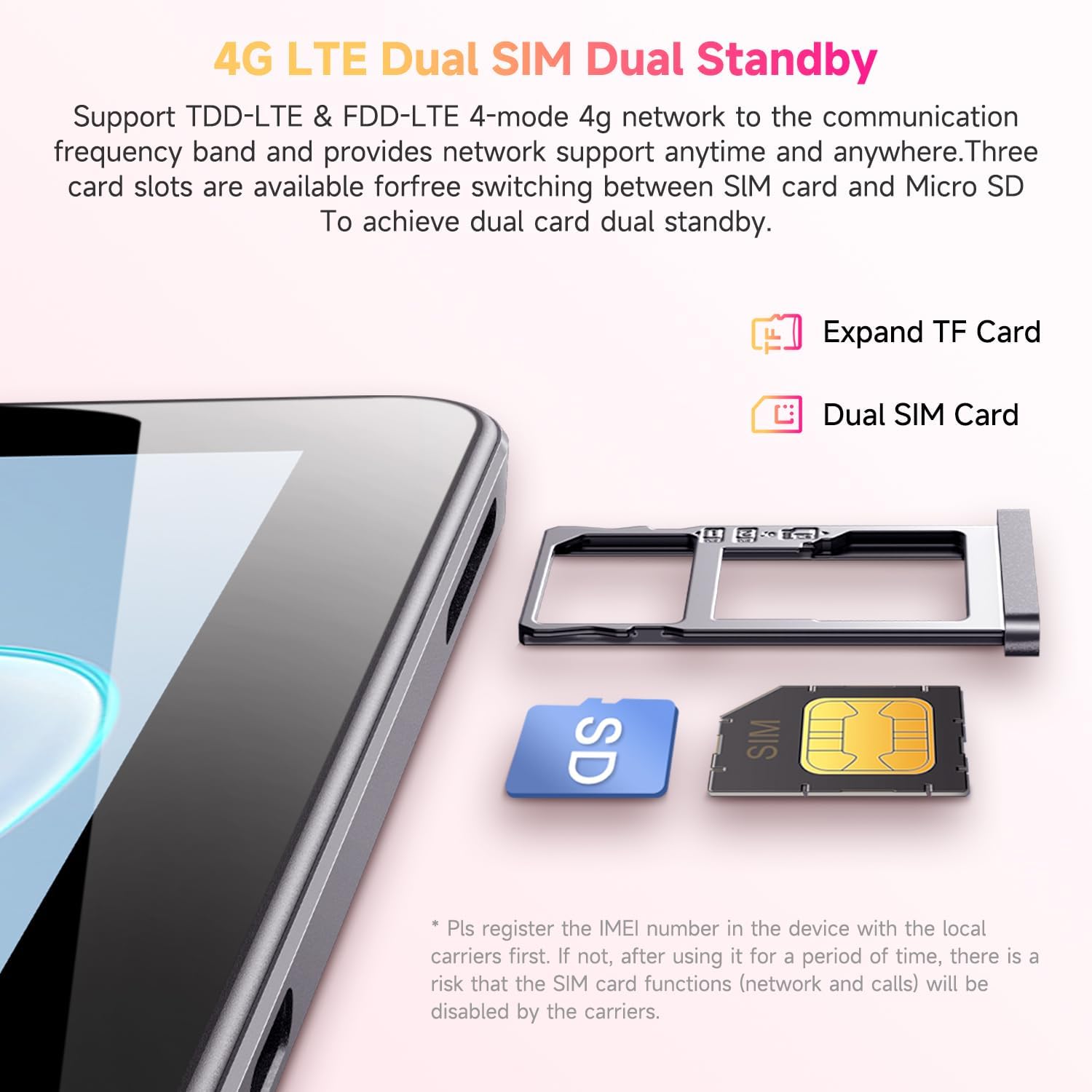
Figure 3.2: Inserting SIM and TF cards into the tray.
3.4 初期セットアップウィザード
初めて電源を入れると、タブレットの初期設定の手順が表示されます。画面の指示に従って、以下の操作を行ってください。
- 言語を選択します。
- Wi-Fi ネットワークに接続します。
- Google アカウントでサインインするか、新しいアカウントを作成してください。
- 画面ロック(PIN、パターン、パスワード)を設定します。
- Review 利用規約に同意します。
4. 操作手順
4.1 表示とナビゲーション
The CHUWI Hi10 XPro features a 10.1-inch HD IPS touchscreen with a resolution of 1280x800 pixels, providing clear and vibrant visuals. Navigation is primarily touch-based, with gestures and on-screen buttons for home, back, and recent apps.

Figure 4.1: The tablet's 10.1-inch HD IPS display.
4.2 パフォーマンスとストレージ
Equipped with a 1.6GHz Unisoc T606 Octa-Core processor and Mali-G57 GPU, the tablet ensures smooth operation for daily tasks, browsing, and light gaming. It comes with 8GB RAM (4GB physical + 4GB virtual) and 128GB of internal storage, expandable up to 1TB via a MicroSD card.

Figure 4.2: Illustration of the Unisoc T606 Octa-Core Processor.

Figure 4.3: Visual representation of storage and connectivity options.
4.3 接続性
The tablet supports dual-band 2.4G+5G WiFi (802.11ac) for stable and fast internet connections, and Bluetooth 5.0 for connecting wireless accessories. Dual 4G LTE support allows for mobile data and calls (with proper SIM registration).
4.4 カメラ機能
Capture moments with the 13MP rear camera and take clear selfies or make video calls with the 5MP front camera.
4.5 バッテリー寿命
The built-in 7000mAh battery provides approximately 8-10 hours of usage on a full charge, depending on usage patterns.
4.6 Android 14 オペレーティング システム
The CHUWI Hi10 XPro runs on Android 14, offering enhanced privacy controls, efficient memory management, and multitasking capabilities. It supports Widevine L1 for high-definition streaming on platforms like Netflix, Prime Video, and Disney+.
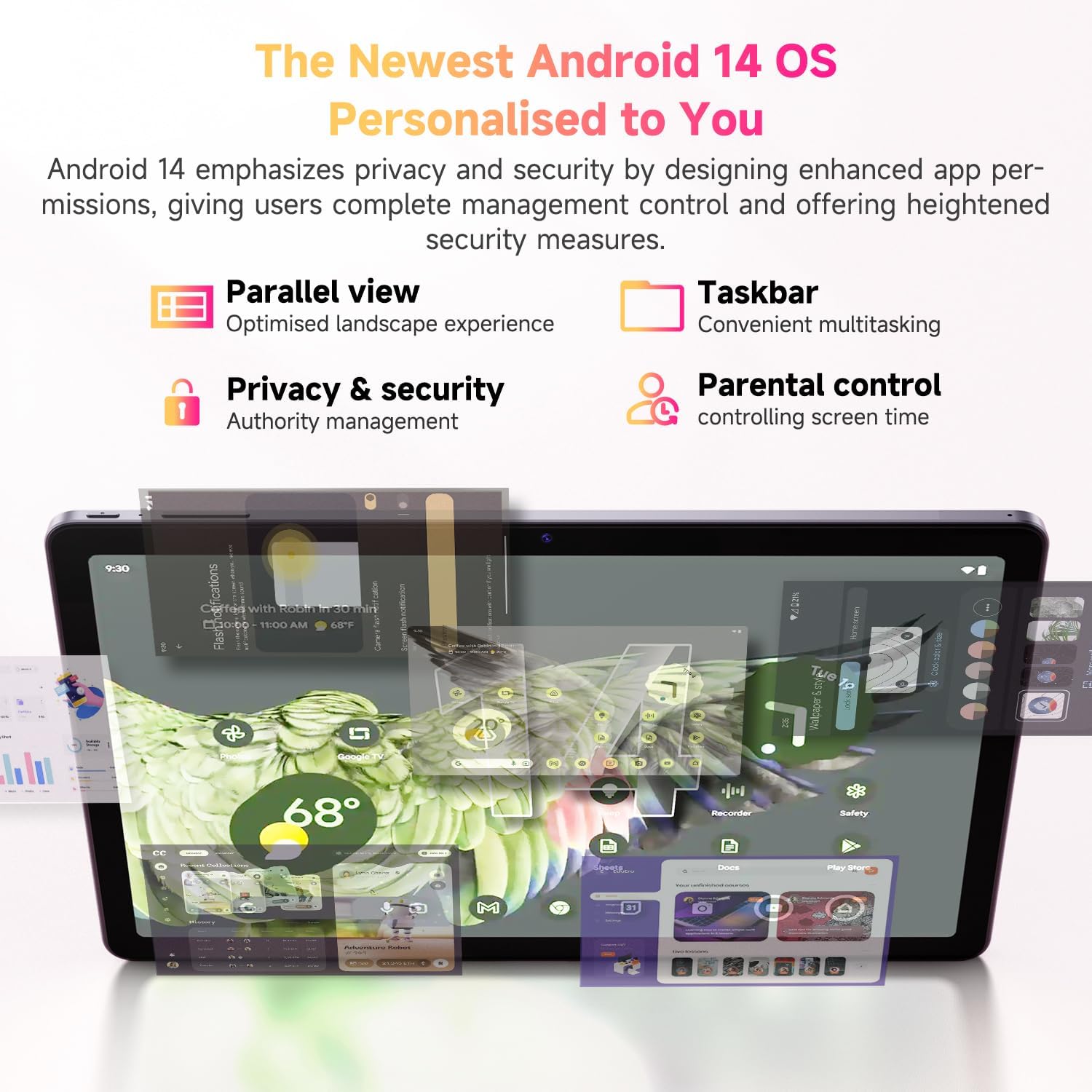
図 4.4: Android 14 オペレーティング システムの主な機能。
4.7 公式製品ビデオ
ビデオ4.1: 公式製品ビデオショーasing the CHUWI Android 13 Tablet Hi10 XPro Tablet 10.1 Inch 8+128GB. This video highlights various features and usage scenarios of the tablet, including its sleek design, display quality, and performance capabilities.
5. 仕様
| 特徴 | 仕様 |
|---|---|
| ブランド | チュウィ |
| モデル名 | Hi10 XPro |
| スタンディングスクリーンの表示サイズ | 10.1インチ |
| 画面解像度 | 1280 x 800 ピクセル |
| プロセッサ | 1.6GHz Unisoc T606 オクタコア |
| グラフィックスコプロセッサ | マリ-G57 |
| ラム | 8GB (4GB+4GB virtual) |
| ハードドライブ/フラッシュメモリのサイズ | 128GB SSD |
| 拡張可能なストレージ | MicroSDカードで最大1TB |
| オペレーティング·システム | アンドロイド14 |
| ワイヤレスタイプ | 802.11ac (2.4G+5G WiFi), Bluetooth 5.0 |
| セルラー接続 | デュアル4G LTE |
| 後方 Webカム解像度 | 13 MP |
| フロントカメラの解像度 | 5 MP |
| バッテリー容量 | 7000mAhリチウムポリマー |
| 平均バッテリー寿命 | 8~10時間 |
| アイテム重量 | 15.5オンス(約438g) |
| 製品寸法 | 9.41 x 6.2 x 0.29インチ(約239.3 x 158 x 7.5 mm) |
| 色 | 黒 |
| GPS機能 | Supported (GPS, Glonass, Galileo, Beidou) |
| Widevine認定 | L1 Supported |
6. メンテナンス
- クリーニング: タブレットの画面と本体を拭く際は、柔らかく糸くずの出ない布をご使用ください。刺激の強い化学薬品や研磨剤の使用は避けてください。
- ソフトウェアアップデート: 最適なパフォーマンスとセキュリティを確保するために、タブレットの設定でシステム アップデートを定期的に確認してください。
- バッテリーのケア: バッテリーの寿命を延ばすには、極端な温度を避け、バッテリーが頻繁に完全に消耗しないようにしてください。
- ストレージ管理: 定期的に不要なものをクリアする files and apps to maintain sufficient free storage space for smooth operation.
- 保護: Consider using a screen protector and a protective case to guard against scratches and accidental damage.
7。 トラブルシューティング
7.1 タブレットの電源が入らない
- タブレットが十分に充電されていることを確認してください。少なくとも30分間充電器に接続してください。
- 強制的に再起動するには、電源ボタンを 10 ~ 15 秒間押し続けます。
7.2 Wi-Fi接続の問題
- タブレットの設定で Wi-Fi が有効になっているかどうかを確認します。
- Wi-Fiルーターを再起動します。
- タブレットの設定でネットワークを削除し、再接続します。
- Wi-Fi 信号の範囲内にいることを確認してください。
7.3 パフォーマンスの低下
- 不要なバックグラウンド アプリケーションを閉じます。
- 頻繁に使用するアプリのキャッシュとデータを消去します。
- 十分な空きストレージ容量を確保してください。
- タブレットを再起動します。
7.4 アプリがクラッシュしたり応答しなくなったりする
- Force close the app from recent apps or app settings.
- アプリのキャッシュとデータを消去します。
- アプリをアンインストールして再インストールしてください。
- タブレットのソフトウェアが最新であることを確認してください。
8. 保証とサポート
CHUWI offers a One-year reassuring quality assurance for the Hi10 XPro tablet. This includes long-term technical support and 24-hour online customer service.
For technical assistance or warranty claims, please contact CHUWI customer service. You can typically find contact information by logging into your Amazon account, finding your order, and selecting "Contact the seller."
For more information, visit the official CHUWI webサイトを参照するか、製品パッケージに同梱されている保証カードを参照してください。
Ask a question about this manual
Ask about setup, troubleshooting, compatibility, parts, safety, or missing instructions. Manuals+ will review the question and use this page’s manual context to help answer it.