
1. Product Overview
The Dowinx LS-6657B02 Gaming Chair is designed for comfort and ergonomic support during extended periods of use. It features a breathable linen fabric, a unique pocket spring cushion, adjustable backrest, 4D armrests, massage lumbar support, and a retractable footrest. This manual provides essential information for assembly, operation, maintenance, and troubleshooting to ensure optimal performance and longevity of your chair.
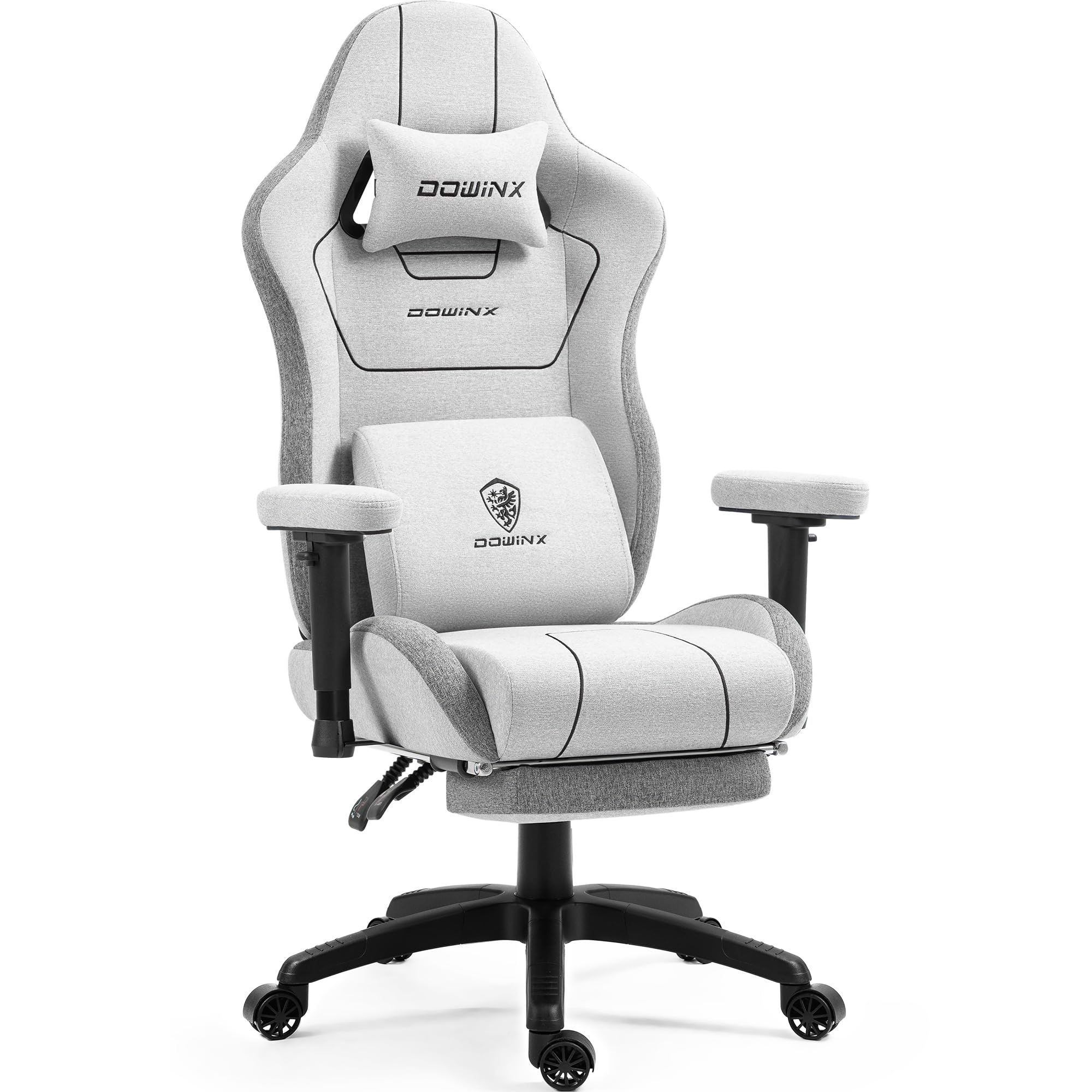
Figure 1: Overall view of the Dowinx LS-6657B02 Gaming Chair in Grey.
2. Key Features
- Comfort and Breathable Cushion Structure: The cushion combines pocket springs and breathable foam for excellent support, comfort, and air circulation, preventing heat and moisture accumulation.
- More Breathable Linen Fabric: Linen is a lightweight and durable material that helps regulate body temperature, prevents excessive sweating, and resists wear and tear.
- High Quality Guarantee: Features an upgraded backrest with steel plate fixings for enhanced stability (withstands over 200lbs impact) and triangular screw distribution. The tilt mechanism and gas cylinder exceed industry standards, supporting a maximum load capacity of 300lbs.
- Multi-functional Adjustments: The backrest can be adjusted between 90° and 135°. 4D armrests offer height, forward/backward, and rotation adjustments. The headrest and massage lumbar support are adjustable to suit various sitting positions.
- Retractable Footrest: Provides additional comfort for reclining, gaming, working, or napping.

Figure 2: Detailed view of the chair's exclusive cushion structure, highlighting breathable linen, cotton, shaping foam, and individually pocketed coils for superior support and comfort.

Figure 3: Illustration of the multi-layered linen fabric surface, emphasizing its tough, durable, skin-friendly, hygroscopic, and breathable properties for timely sweating and comfort.

Figure 4: Detail of the Dowinx Special 2D Soft Armrests, filled with high-density foam for comfort and breathability, featuring a sturdy structure and flexible support.

Figure 5: Overview of the chair's ergonomic functions, including 90°-135° tilt, 3-inch sitting height adjustment, 3-inch armrest height adjustment, 350 lbs max load capacity, and massage lumbar support function.
3. Setup and Assembly
Your Dowinx Gaming Chair requires assembly. All necessary installation tools and detailed instructions are included in the package. Please follow the step-by-step guide provided in the separate assembly manual for a smooth setup process. Ensure all components are securely fastened before use. The backrest fixings have been upgraded with a steel plate and triangular screw distribution for improved stability.

Figure 6: Diagram illustrating various components of the gaming chair for assembly.
4. Operating Instructions
4.1 Adjusting Backrest Tilt
To recline the backrest, locate the lever on the side of the chair (typically on the right). Pull the lever upwards and lean back to your desired angle (between 90° and 135°). Release the lever to lock the backrest in position.
4.2 Adjusting Armrests
The 4D armrests offer multiple adjustment options:
- Height Adjustment: Press the button on the side of the armrest and move it up or down.
- Forward/Backward Adjustment: Slide the armrest pad forward or backward.
- Rotation Adjustment: Rotate the armrest pad left or right.
4.3 Using Massage Lumbar Support
The lumbar support cushion features a massage function. Connect the USB cable from the lumbar cushion to a power source (e.g., computer USB port, power bank). The massage function will activate. Adjust the position of the lumbar support cushion along the backrest to find your most comfortable spot.
4.4 Deploying/Retracting Footrest
To deploy the footrest, pull it out from underneath the seat. Flip the padded section upwards. To retract, flip the padded section down and push the footrest back under the seat until it is fully hidden.
4.5 Adjusting Seat Height
To adjust the seat height, locate the lever under the seat (typically on the right, near the tilt lever). Pull the lever upwards. To raise the seat, lift your weight off the chair. To lower the seat, remain seated and pull the lever upwards until the desired height is reached. Release the lever to lock the height.
5. Maintenance
- Cleaning: The linen fabric material is recommended for dry cleaning. For minor spills, gently blot with a clean, damp cloth. Avoid harsh chemicals.
- Fastener Check: Periodically check all screws and bolts to ensure they are tight. Loose fasteners can affect the chair's stability and safety.
- General Care: Avoid exposing the chair to direct sunlight for prolonged periods to prevent fading. Keep sharp objects away from the fabric to prevent tears.
6. Troubleshooting
- Decreased Support: If the chair's support effect decreases, especially for users weighing ≥300 lbs, this is due to the characteristics of the spring. Please consider this before purchase.
- Stability Issues: Ensure all assembly screws are properly tightened. If issues persist, contact customer support.
- Massage Function Not Working: Verify the USB cable is securely connected to a working power source.
7. Specifications
| Brand | Dowinx |
| Model Number | LS-6657B02 |
| Color | Grey |
| Product Dimensions | 33"D x 24.8"W x 10.4"H |
| Item Weight | 45.5 pounds |
| Maximum Weight Recommendation | 300 Pounds |
| Material | Textile (Linen), Foam |
| Special Features | Adjustable Backrest, Adjustable Height, Arm Rest, Foot Rest, Head Support, Massage Lumbar Support |
| Product Care Instructions | Dry Clean |
8. Warranty and Support
The Dowinx Gaming Chair comes with a 1-month return policy and a 1-year repair service. Our dedicated after-sales service department is available to provide installation guidance and free replacement parts for any issues covered under warranty. Please refer to your purchase documentation for specific terms and conditions.