
1. はじめに
The Satel BE WAVE AXD-200 is a wireless multipurpose detector designed for integration into home and apartment alarm systems. It functions as a window and door contact sensor, providing anti-burglary protection, and also includes a temperature sensor. This manual provides essential information for the proper installation, operation, and maintenance of your AXD-200 detector.
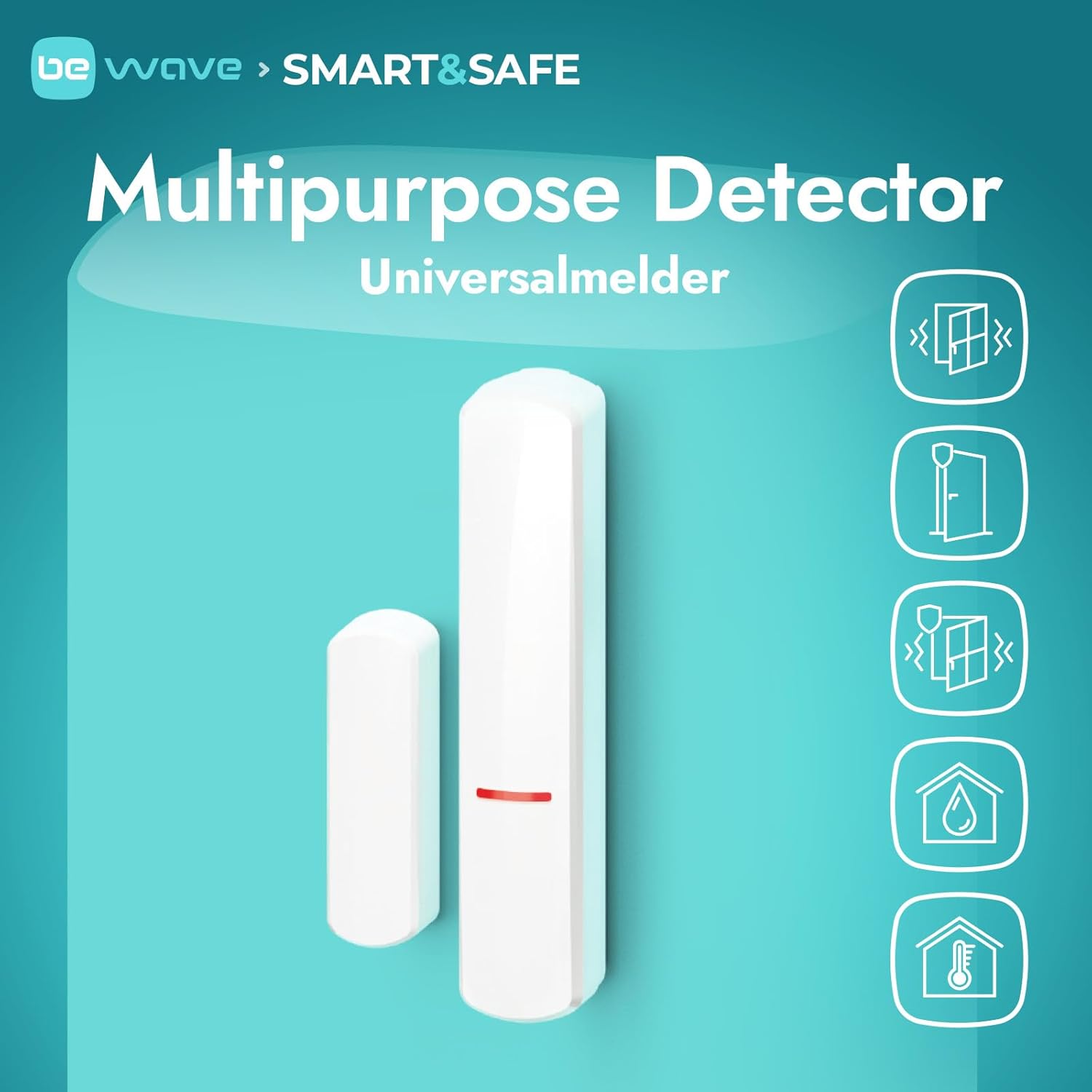
Figure 1: Satel BE WAVE AXD-200 Multipurpose Detector components.
2. 安全情報
- インストールおよび使用する前に、すべての指示をよくお読みください。
- This device is intended for outdoor use, but ensure it is protected from direct extreme weather conditions if possible.
- Use only the specified battery type (1 CR123A Lithium-manganese dioxide). Incorrect battery types may cause damage or fire.
- ご自身でデバイスの分解や修理を試みないでください。資格のあるサービス担当者にご相談ください。
- Keep the device away from strong magnetic fields, which can interfere with its operation.
3. セットアップ
3.1 開梱とコンポーネント
すべてのコンポーネントが存在することを確認します。
- AXD-200 Detector Unit
- マグネット部品
- Mounting Screws and Anchors (if included)
3.2 バッテリーの取り付け
- 検出器cを開くasin慎重にgしてください。
- Insert one CR123A Lithium-manganese dioxide battery, observing the correct polarity (+/-).
- 検出器cを閉じるasin安全に。
3.3 検出器の取り付け
The AXD-200 detector consists of two parts: the main detector unit and a magnet. These parts must be mounted in close proximity to each other on a window or door frame and the moving part (window/door) respectively.
- Choose a suitable location on the window or door frame where the detector and magnet can be aligned when the window/door is closed. The gap between the two components should not exceed 1 cm (0.4 inches).
- 取り付け面をよく清掃してください。
- Attach the main detector unit to the stationary part of the frame using the provided screws or adhesive strips.
- Attach the magnet component to the moving part of the window or door, ensuring it aligns with the marked area on the main detector unit when closed.

図2:例ample installation of the white AXD-200 detector.

図3:例ample installation of the brown AXD-200 detector.
3.4 Pairing with a Smart HUB
The AXD-200 detector requires a Satel Smart HUB or Smart HUB Plus for operation. Refer to your Smart HUB's manual for specific pairing instructions. Generally, this involves putting the HUB into pairing mode and then activating the detector (e.g., by opening/closing the contact or pressing a pairing button if available).

Figure 4: A Satel Smart HUB is required for detector functionality.
3.5アプリの構成
Once paired, use the dedicated Satel mobile application to configure the detector settings, view its status, and monitor temperature readings. The app allows you to customize notifications and integrate the detector into your overall security system.

Figure 5: Mobile application for configuration and monitoring.
4. 検出器の操作
4.1 Door/Window Contact Function
The detector monitors the open/close status of the door or window it is installed on. When the magnet separates from the main unit (door/window opens), the detector sends a signal to the Smart HUB, triggering an alarm or notification according to your system's configuration.
4.2 Temperature Sensor Function
The integrated temperature sensor continuously monitors the ambient temperature at the detector's location. This data is transmitted to the Smart HUB and can be viewed via the mobile application. You may be able to set temperature thresholds for alerts within the app.
4.3Tamper保護
The AXD-200 features tamper protection. If the detector casing is opened or forcibly removed from its mounting location, it will trigger a tamper alarm, enhancing the security of your system.

図 6: Tamper protection mechanism.
5. メンテナンス
5.1 電池の交換
When the battery level is low, your Smart HUB and mobile application will typically provide a notification. Replace the CR123A battery as described in Section 3.2. Always use a fresh, high-quality battery of the specified type.
5.2 クリーニング
Clean the exterior of the detector with a soft, dry cloth. Do not use abrasive cleaners, solvents, or excessive moisture, as these can damage the device.
5.3ファームウェアアップデート
Periodically check the Satel mobile application or website for available firmware updates for your detector. Updates can improve performance, add features, or address security vulnerabilities. Follow the instructions provided by Satel for any update procedures.
6。 トラブルシューティング
- 検出器が応答しません: Check battery level. Ensure the detector is within range of the Smart HUB. Re-pair the detector if necessary.
- 誤報: Verify the mounting alignment of the detector and magnet. Ensure the gap is not too wide. Check for any loose components or vibrations that might cause false triggers.
- Temperature readings inaccurate: Ensure the detector is not exposed to direct sunlight or extreme heat/cold sources that do not reflect the ambient room temperature.
- 接続の問題: Check the Smart HUB's status and Wi-Fi connection. Ensure there are no significant obstructions or interference sources between the detector and the HUB.
If issues persist, consult the Satel support webサイトをご覧いただくか、カスタマーサービスにお問い合わせください。
7. 仕様
| 特徴 | 詳細 |
|---|---|
| モデル番号 | AXD-200 |
| ブランド | サテル |
| メーカー | SATELsp。 z oo |
| 寸法(長さ×幅×高さ) | 25.4 x 5.08 x 6.86 cm(10 x 2 x 2.7インチ) |
| 重さ | 80グラム(2.82オンス) |
| 電池のタイプ | 1 x CR123A (Lithium-manganese dioxide) |
| バッテリー付属 | いいえ |
| 推奨用途 | For alarm systems |
| 屋内/屋外での使用 | 屋外 |
| パッケージ内のアイテム数 | 1 |
| 原産国 | アメリカ合衆国 |
8. 保証とサポート
For detailed warranty information, please refer to the official Satel webご購入いただいた製品に付属の保証書またはウェブサイトをご覧ください。購入証明書としてレシートを保管してください。
For technical support, product inquiries, or service, please visit the official Satel support portal or contact their customer service department. Contact information can typically be found on the manufacturer's webサイト。
Satel Official Webサイト: www.satel.pl