
1. はじめに
This manual provides detailed instructions for the installation, operation, and maintenance of your ZOSI 3MP WiFi Surveillance Kit. This system offers a comprehensive security solution with solar-powered cameras, an 8-channel Network Video Recorder (NVR) with a pre-installed 1TB hard drive, two-way audio, and remote monitoring capabilities.
The cameras feature 2K 3MP HD resolution for clear images and videos, are IP66 weatherproof for outdoor and indoor use, and support both color and black-and-white night vision. The system is designed for 100% wire-free operation, utilizing rechargeable batteries and solar panels for continuous power. Advanced features include PIR human motion detection, siren and spotlight alarms, and secure local storage without monthly fees.
2. パッケージ内容
Please verify that all items listed below are included in your package. If any items are missing or damaged, contact ZOSI support immediately.
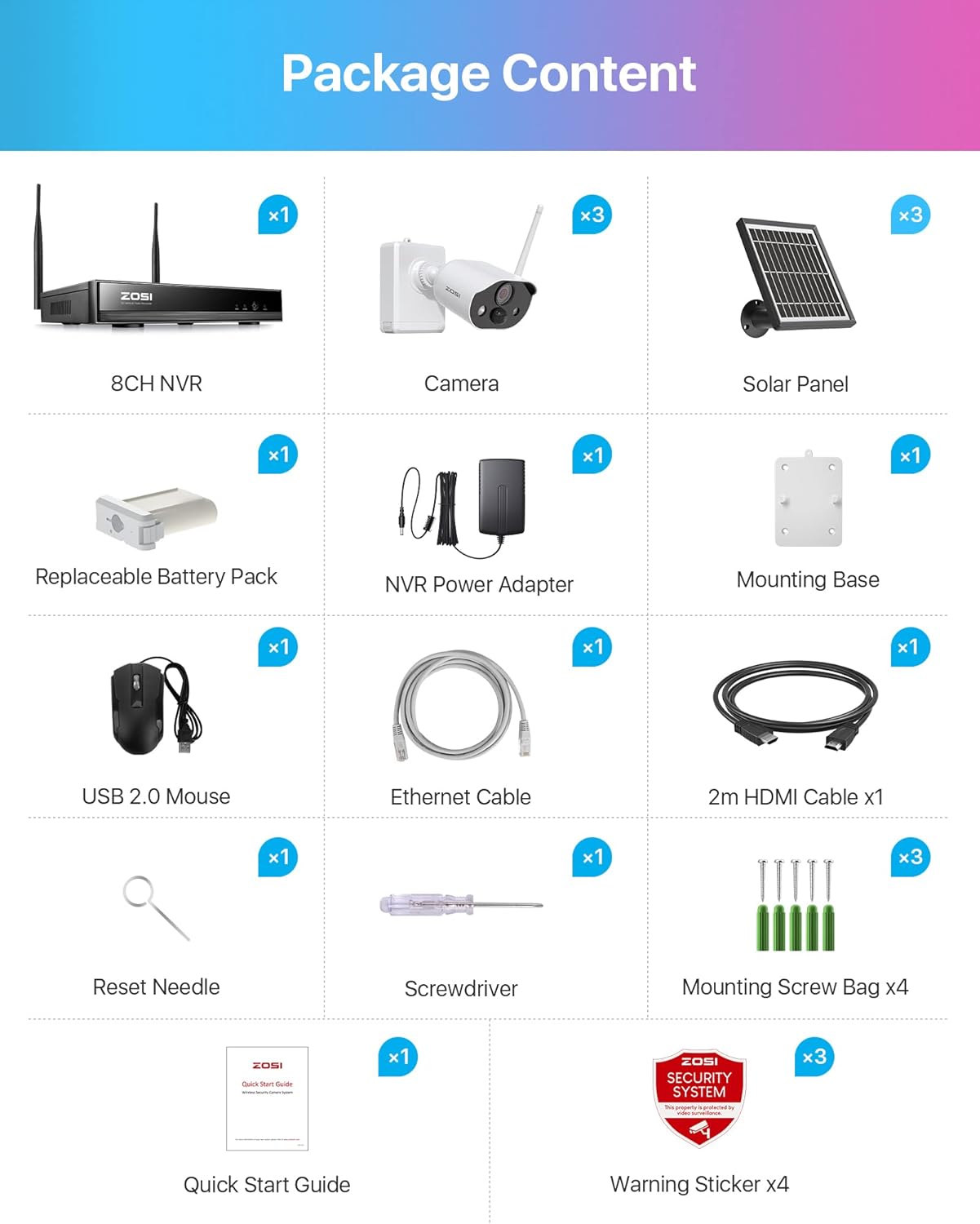
画像: パッケージ内容 以上view
This image displays all items included in the ZOSI 3MP WiFi Surveillance Kit, ensuring you have everything needed for setup.
- 1x 8チャンネルNVR(ネットワークビデオレコーダー)
- 3x Telecamera with Solar Panel (Battery Cameras with Solar Panels)
- HDMIケーブル x 1
- USBマウス x 1
- 1x Power Adapter (for NVR)
- ドライバー x 1
- 1x Manual (Quick Start Guide)
- Mounting Screws and Warning Stickers
3. セットアップ手順
3.1 カメラの初期充電
Before first use, fully charge the camera batteries using the provided DC5V adapter. This ensures optimal battery performance and longevity.
3.2 NVR接続
- 付属の電源アダプターを使用して NVR を電源に接続します。
- Connect the NVR to a monitor via the HDMI cable.
- ナビゲーションのために USB マウスを NVR に接続します。
- Ensure the NVR is connected to your 2.4 GHz WiFi network. The system does not support 5 GHz WiFi.
3.3 カメラのインストールとペアリング
The system is designed for auto-pairing, offering a true plug-and-play experience. Cameras will automatically connect to the NVR once powered on and within range.

画像: 設置図
This diagram illustrates the four steps for installing the cameras: 1. Install fixing plates, 2. Install the camera, 3. Fix cameras, 4. Fix battery/solar panel. It is recommended to mount the camera on the ceiling for easier angle adjustment.
- Install Fixing Plates: Securely attach the mounting base to your desired location using the provided screws.
- カメラをインストールします。 Mount the camera onto the fixing plate.
- 固定カメラ: Ensure the cameras are firmly attached.
- Fixed Battery/Solar Panel: Connect the solar panel to the camera and position it to receive maximum sunlight. The solar panel provides continuous power, extending battery life.
注記: It is recommended that the camera be mounted on the ceiling so that the angle can be adjusted more easily.

画像: Auto Pair, True Plug & Play
This image demonstrates the simple setup process, highlighting the NVR's wireless connection and the ability to view camera feeds on a laptop or smartphone via the ZOSI Smart app or AVSS software.
3.4 システム終了view
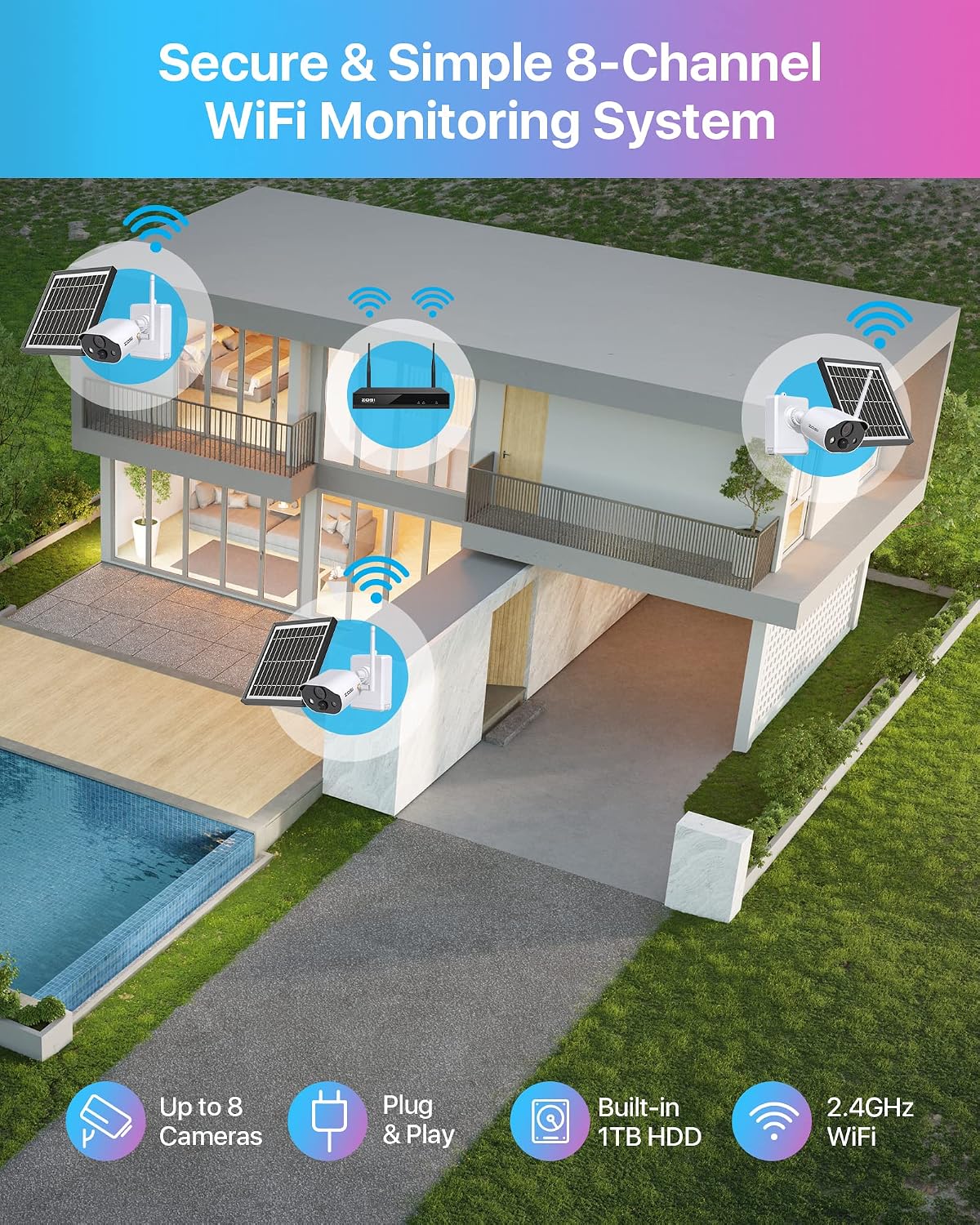
画像: Secure & Simple 8-Channel WiFi Monitoring System
This image provides a visual representation of the ZOSI 8-channel WiFi monitoring system installed around a house, showing the wireless connectivity of up to 8 cameras to the NVR with a built-in 1TB HDD, operating on 2.4GHz WiFi.
4. 操作手順
4.1 ビデオ解像度と品質
The cameras capture video in 2K 3MP HD resolution, providing clear and detailed surveillance footage.

画像: 3MP Super HD Visual Quality
This image highlights the superior visual clarity provided by the 3MP camera resolution, showcasing a detailed outdoor scene.
4.2 ナイトビジョンモード
The cameras offer both color and black-and-white night vision options for enhanced visibility in low-light conditions.

画像: カラーナイトビジョン
This image illustrates the camera's ability to provide clear, illuminated color night vision with its spotlight activated, covering a range of up to 50 feet.

画像: 白黒ナイトビジョン
This image demonstrates the camera's standard black and white night vision, offering clear visibility in darkness without the spotlight.
4.3 双方向オーディオ
The integrated speaker and microphone allow for two-way audio communication, enabling you to hear and speak to anyone near the camera.

画像: 双方向オーディオ
This image depicts the two-way audio feature, showing a person interacting with someone at their door through the camera's microphone and speaker.
4.4 Smart Detection and Deterrence
The cameras feature PIR (Passive Infrared) human motion detection, triggering alerts and recording only when human movement is detected, reducing false alarms.
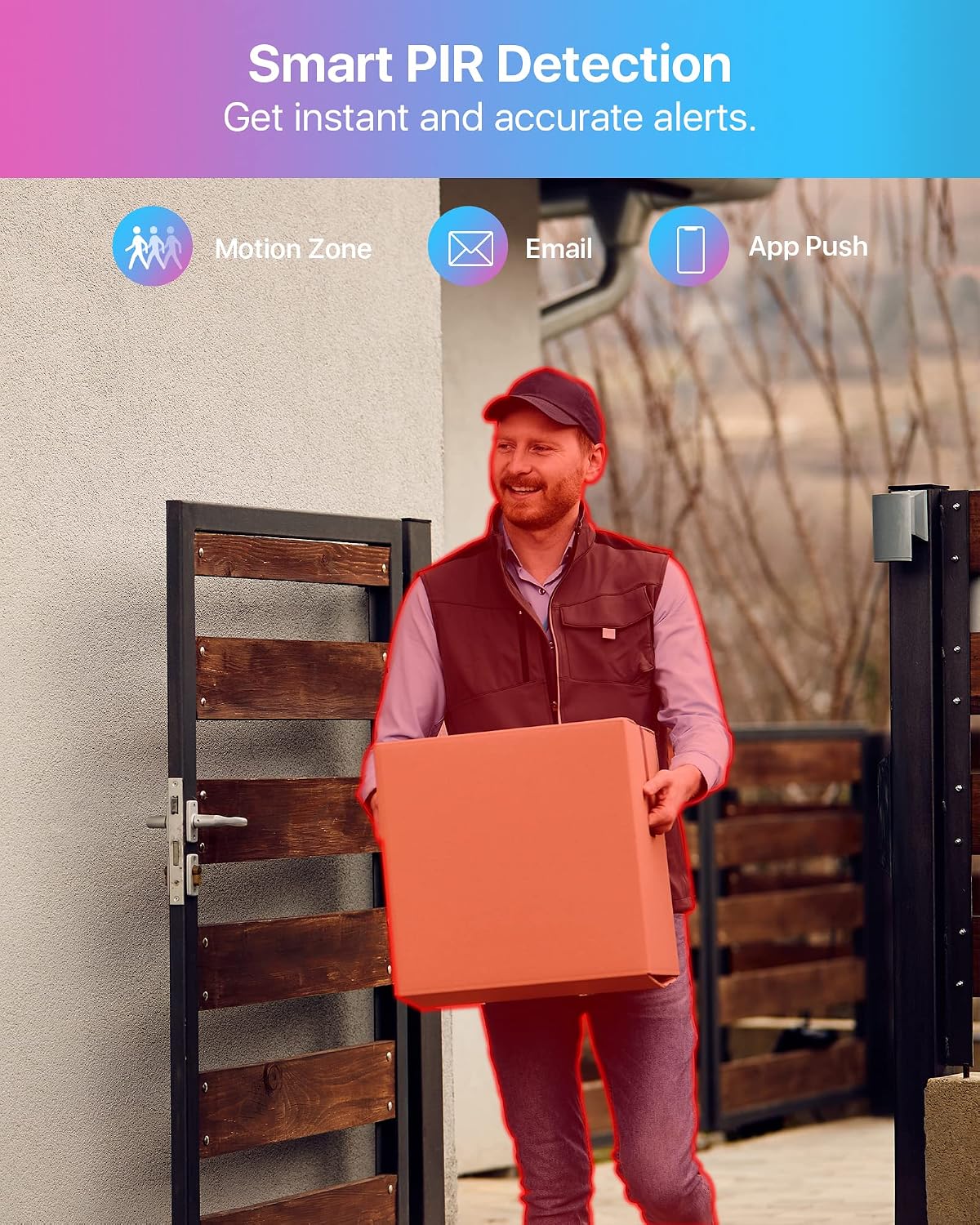
画像: Smart PIR Detection
This image demonstrates the smart PIR detection feature, highlighting how the system identifies human motion to provide instant and accurate alerts via motion zones, email, and app push notifications.
When motion is detected, the camera can activate LED spotlights and a siren to deter intruders. You can also manually activate these features via the app.

画像: Smart Deterrence
This image illustrates the intelligent deterrence feature, where the camera uses spotlights and a siren to warn potential intruders, enhancing security.
4.5 録音と再生
The system supports motion-activated recording to conserve battery life. When motion is detected, the camera records for a few seconds and then returns to standby mode. You can easily play back recorded footage by selecting the date and time on the timeline.
All recordings are stored locally on the pre-installed 1TB hard drive in the NVR, ensuring secure storage without additional monthly cloud storage fees. The system utilizes H.265+ compression for efficient storage.

画像: 安全なローカルストレージ
This image highlights the benefit of secure local storage on the NVR, ensuring your recordings are kept private and accessible without recurring costs.
4.6 リモートアクセス
Monitor your property remotely using the ZOSI Smart app on your smartphone or the AVSS software on your computer. This allows you to view ライブフィードと録画されたフードtagどこからでも。

画像: リモートアクセス
This image demonstrates the remote access feature, allowing users to view live camera feeds from their smartphone or computer, ensuring constant awareness of their home security.
5. メンテナンス
5.1 バッテリーとソーラーパネルのケア
The cameras are powered by long-lasting rechargeable batteries and weather-resistant solar panels. Ensure solar panels are positioned to receive direct sunlight for optimal charging. Regularly clean the solar panels to remove dust or debris that may hinder charging efficiency.

画像: 100% Wire-Free with Non-Stop Power
This image illustrates the wire-free design of the camera system, powered by a rechargeable battery and continuously charged by a solar panel, ensuring uninterrupted operation.
5.2 耐候性
The cameras are IP66 rated, meaning they are protected against dust and powerful water jets. This allows them to function reliably in various weather conditions, both outdoors and indoors. Periodically inspect the camera housing and connections for any signs of wear or damage.

画像: IP66耐候性
This image visually confirms the camera's IP66 rating, signifying its robust design for outdoor use in various weather conditions.
5.3 ハードドライブ管理
The NVR comes with a pre-installed 1TB hard drive. No specific user maintenance is typically required for the hard drive beyond ensuring continuous power and proper ventilation for the NVR unit.
6。 トラブルシューティング
If you encounter issues with your ZOSI Surveillance Kit, please refer to the following common problems and solutions:
- Camera Battery Drains Quickly:
- Ensure solar panels are clean and positioned for maximum direct sunlight exposure.
- Reduce the frequency of motion detection events or adjust sensitivity settings.
- Verify the camera is fully charged initially with the DC5V adapter.
- Consider using motion-activated recording mode to conserve power.
- Cameras Frequently Disconnect or Go Offline:
- Ensure the NVR is connected to a 2.4 GHz WiFi network. The system does not support 5 GHz WiFi.
- Check the distance between the cameras and the NVR. Obstacles like thick walls can reduce signal strength.
- NVR とカメラの両方を再起動します。
- ビデオが表示されない、またはビデオ品質が悪い:
- Verify all cables (HDMI, power) are securely connected to the NVR and monitor.
- Check camera lens for dirt or obstructions.
- Ensure cameras are within WiFi range and have sufficient battery power.
- 双方向オーディオが機能しない:
- Check microphone and speaker settings in the ZOSI Smart app or NVR interface.
- カメラのマイクやスピーカーを遮る物理的な障害物がないことを確認してください。
- アプリまたはソフトウェアの問題:
- Ensure your ZOSI Smart app or AVSS software is updated to the latest version.
- Check your smartphone or computer's internet connection.
- Restart the app/software and your device.
これらの手順で問題が解決しない場合は、ZOSI カスタマー サポートに問い合わせて、さらにサポートを受けてください。
7. 仕様
| 特徴 | 仕様 |
|---|---|
| ブランド | ゾシ |
| モデル番号 | Überwachungskamera Set |
| 接続技術 | Wired, Wireless (2.4 GHz WiFi only) |
| ビデオキャプチャ解像度 | 2048 x 1536(3 MP) |
| チャンネル数 | 8 |
| データストレージ容量 | 1 TB(プリインストールHDD) |
| 電源 | Battery (Solar Charge) |
| オペレーティングシステム | Specialized OS for video surveillance |
| 対応デバイス | カメラ |
| ナイトビジョン | はい |
| ナイトビジョンフィールド View | 98フィート |
| 録画モード | 2K Super HD, Two-way audio |
| ハードウェアインターフェイス | 802.11 ac / b / g / n |
| ビデオ入力タイプ | RJ45、HDMI |
| View角度 | 120度 |
| 光センサー技術 | CMOS、CCD |
| 色 | 白と黒 |
| アイテムの寸法 | 32 x 25 x 17 cm |
8. 保証とサポート
ZOSI は、信頼性の高い製品と優れた顧客サービスの提供に尽力しています。

画像: 保証およびサポート情報
This infographic outlines ZOSI's customer service commitments, including a 30-day hassle-free return policy, lifetime technical assistance, and a 2-year product warranty.
- 30日間の返品ポリシー: ご購入後 30 日以内であれば、手間のかからない返品ポリシーをご利用いただけます。
- 生涯テクニカルサポート: ZOSI provides lifetime technical assistance for its products.
- 2年間保証: 製品にはご購入日から 2 年間の保証が付いています。
For any questions, technical support, or warranty claims, please visit the official ZOSI website or contact their customer service team directly. Contact information can typically be found in the Quick Start Guide included with your product or on the ZOSI brand store page.