
導入
The AGPTEK T06S is a versatile WiFi MP3 player designed for music, video, and app usage. Featuring a 4-inch touch screen, Bluetooth connectivity, and a 5MP camera, it offers a comprehensive portable entertainment experience. This manual provides instructions for setting up, operating, maintaining, and troubleshooting your device.

画像: 正面 view of the AGPTEK T06S WiFi MP3 Player.
パッケージ内容
パッケージにすべてのアイテムが揃っていることを確認します。
- AGPTEK T06S MP3 Player
- USB-Cケーブル
- イヤホン
- ユーザーマニュアル
- シリコンケース
- スクリーン保護フィルム

Image: The AGPTEK T06S MP3 Player and its included accessories: USB-C cable, earphones, manual, silicone case, and screen protector film.
設定
1. デバイスの充電
Before first use, fully charge the AGPTEK T06S. Connect the provided USB-C cable to the device and a power source (e.g., computer USB port or USB wall adapter). A full charge typically takes approximately 2 hours.
2.電源のオン/オフ
- 電源をオンにするには: 画面が点灯するまで電源ボタンを押し続けます。
- To power off: Press and hold the Power button, then select "Power off" on the screen.
3. 初期Wi-Fi接続
To access online features and apps, connect to a Wi-Fi network:
- へ移動 設定.
- 選択 ネットワークとインターネット、 それから Wi-Fi.
- Wi-Fiをオンにする On.
- リストから希望のネットワークを選択し、プロンプトが表示されたらパスワードを入力します。
- 重要: Ensure the device's date and time are correctly set before attempting to connect to Wi-Fi, as incorrect settings can prevent successful connection.

Image: The AGPTEK T06S display showing the Google Play Store interface with various app icons, indicating its Wi-Fi capabilities.
4.Bluetoothペアリング
Bluetoothヘッドフォンまたはスピーカーを接続するには:
- へ移動 設定.
- 選択 接続されたデバイス、 それから ブルートゥース.
- Bluetoothをオンにする On.
- Bluetooth アクセサリがペアリング モードになっていることを確認します。
- ペアリング可能なデバイスのリストからアクセサリを選択します。
- 注記: Avoid using Bluetooth near 2.4 GHz signal source devices (e.g., routers) to prevent signal interference.

Image: The AGPTEK T06S MP3 Player displaying music playback, with icons for Bluetooth earphones and speakers, illustrating its Bluetooth connectivity.
5. ストレージの拡張
The device has 16GB of internal storage and supports Micro SD cards up to 128GB for additional storage. Insert a Micro SD card into the designated slot to expand your music and media library.
操作手順
1. ナビゲーションとインターフェース
The AGPTEK T06S features a 4-inch HD full touch screen (480x800 resolution) for easy navigation. Swipe, tap, and pinch gestures are used to interact with the Android 8.1 operating system.
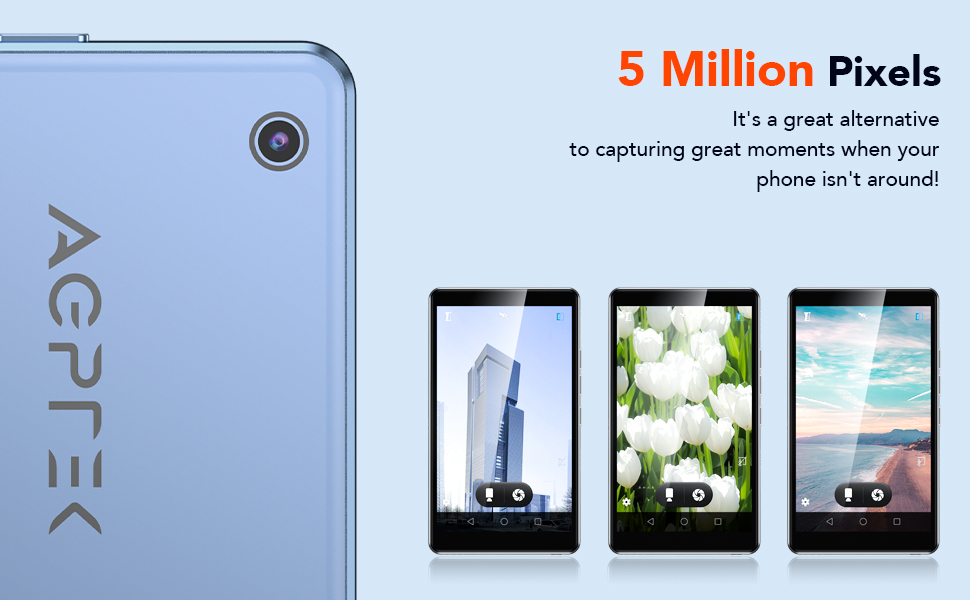
Image: The AGPTEK T06S MP3 Player displaying a video on its 4-inch full touch screen, highlighting its smooth operation and HD display.
2.音楽の再生
The device supports various audio formats including MP3, OGG, AAC, FLAC, APE, and MAV, offering HiFi lossless sound quality. You can listen to stored music or stream online via Wi-Fi.
- To add music: Connect the device to a computer using the USB-C cable and transfer audio files.
- To play music: Open the Music app and select your desired tracks or playlists.
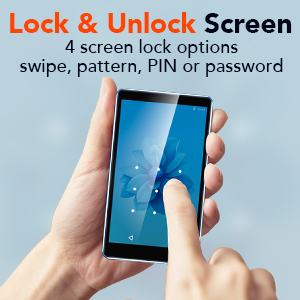
Image: A person using the AGPTEK T06S MP3 Player with wired earphones, demonstrating its music playback capabilities both online and offline.
3.ビデオ再生
The T06S supports 1080p HD video playback without conversion for formats like RM, AVI, RMVB, 3GP, FLV, MP4, DAT, MKV, MPG, and MOV. Videos can be watched on the 4-inch screen or through the built-in speaker.
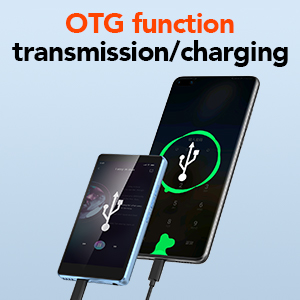
Image: The AGPTEK T06S MP3 Player playing a video, with sound waves emanating from the device, indicating the built-in speaker feature.
4. カメラ機能
The device includes a 5MP camera for capturing photos and videos. Open the Camera app to access its functions.

Image: Hands holding the AGPTEK T06S MP3 Player, using its 5-megapixel camera to capture a moment.
5.アプリのインストール
Running on a customized Android 8.1 OS, the T06S supports downloading various applications from the Android market, such as Spotify, TikTok, and Facebook.
6. その他の機能
- FMラジオ: Access the FM Radio app for auto-searching stations between 87.5-108MHz.
- ボイスレコーダー: Use the built-in voice recorder for audio notes.
- 電子書籍: Read e-books on the 4-inch HD screen.
- OTG機能: Supports On-The-Go (OTG) for data transmission and charging with compatible devices.
- スクリーンロック: Configure screen lock options including swipe, pattern, PIN, or password for security.
- 画像編集: Basic image editing and printing functions are supported.

Image: The AGPTEK T06S displaying its lock screen feature, offering swipe, pattern, PIN, or password options.

Image: The AGPTEK T06S connected via OTG for data transfer or charging.

Image: The AGPTEK T06S displaying the FM radio interface with auto-search functionality.
メンテナンス
1. バッテリー寿命
The device has a built-in 1200 mAh battery. Actual battery life varies based on usage conditions (e.g., screen brightness, volume, Wi-Fi/Bluetooth usage, file type). Refer to the table below for estimated usage times:
| テスト環境 | アプリ | 使用モード | 使用時間 |
|---|---|---|---|
| Offline playback (WiFi and Bluetooth off) | Music (Screen off status) | 有線ヘッドセット | 28時間 |
| Music (Screen off status) | スピーカー | 14時間 | |
| ビデオ | 有線ヘッドセット | 4時間 | |
| Online play (WiFi and Bluetooth on) | FM Radio (Screen off status) | 有線ヘッドセット | 29時間 |
| FM Radio (Screen off status) | スピーカー | 10時間 | |
| Music (Screen off status) | スピーカー | 6時間 | |
| Music (Screen off status) | Bluetoothヘッドセット | 15時間 | |
| ビデオ | 有線ヘッドセット | 3時間 | |
| ビデオ | スピーカー | 2.5時間 |
For optimal battery performance, avoid extreme temperatures and use the provided USB-C cable for charging.
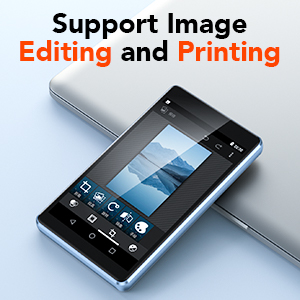
Image: The AGPTEK T06S MP3 Player connected for charging, with an 80% battery level displayed on the screen.
2. ソフトウェアの更新
Periodically check for system updates in the device settings to ensure optimal performance and access to the latest features. Updates can improve compatibility with apps and overall system stability.
3. 一般的なケア
- デバイスを乾燥した状態に保ち、極端な温度から遠ざけてください。
- 柔らかく糸くずの出ない布で画面を拭きます。
- デバイスを落としたり、強い衝撃を与えたりしないでください。
トラブルシューティング
1. Wi-Fi接続の問題
If you experience difficulty connecting to Wi-Fi, ensure the device's date and time are set correctly. Incorrect date/time settings can prevent successful network authentication.
2. SD Card Not Detected After Update
If an SD card is not detected after a system update:
- Close any related notifications.
- SD カードを取り外します。
- デバイスの電源をオフにします。
- SDカードを挿入し直します。
- デバイスの電源を入れます。
- Allow the firmware to update completely without the device going to sleep. You may need to disable sleep mode temporarily or keep the screen active.
3. Bluetooth Interference
If Bluetooth connectivity is unstable or experiences interference, avoid using the device near 2.4 GHz signal sources such as Wi-Fi routers or base stations.
仕様
| 特徴 | 詳細 |
|---|---|
| ブランド | AGPTEK |
| モデル名 | T06S |
| 接続技術 | Bluetooth、USB、Wi-Fi |
| メモリストレージ容量 | 16 GB(Micro SD経由で最大128 GBまで拡張可能) |
| 画面サイズ | 4インチ |
| ディスプレイ技術 | TF-TFT の |
| サポートされているオーディオ形式 | AAC, APE, FLAC, MP3, OGG, MAV |
| サポートされているビデオ形式 | RM, AVI, RMVB, 3GP, FLV, MP4, DAT, MKV, MPG, MOV, TS (1080p HD without conversion) |
| カメラ | 5 MP |
| プロセッサ | 8コア |
| ラム | 2ギガバイト |
| ロム | 16ギガバイト |
| オペレーティング·システム | Customized Android 8.1 |
| バッテリー容量 | 1200mAh |
| 充電ポート | USB-C |

Image: A visual representation of the MTK 8-core processor, highlighting the device's internal hardware capabilities.
保証とサポート
AGPTEK provides comprehensive support for your T06S MP3 Player:
- 1年間保証: Your device is covered by a one-year warranty from the date of purchase.
- 生涯テクニカルサポート: 製品の寿命期間中、技術サポートをご利用いただけます。
- 24時間7日オンラインサービス: カスタマーサービスは24時間7日ご利用いただけます。
For support, please refer to the contact information provided in your warranty card or visit the official AGPTEK webサイト。

Image: Icons representing AGPTEK's service commitments: 1-Year Warranty, Lifetime Technical Support, and 7x24 Online Service.