
Vance & Hines FP4 (66045)
Vance & Hines FP4 Fuelpak Auto Tuner User Manual
Model: FP4 (66045)
導入
The Vance & Hines FP4 Fuelpak Auto Tuner is an advanced ECU tuning device designed for Harley-Davidson motorcycles. It provides comprehensive control over your motorcycle's engine management system, allowing for performance optimization, live sensor data monitoring, and diagnostic capabilities directly from your smartphone.
This manual provides detailed instructions for the installation, operation, and maintenance of your FP4 device, ensuring you can fully utilize its features for an enhanced riding experience.

Figure 1: The Vance & Hines FP4 device alongside its smartphone application interface, demonstrating the compact design of the tuner and the user-friendly layout of the mobile app.
セットアップとインストール
Proper installation of the FP4 device is crucial for its functionality. Follow these steps carefully.
1. 開梱とコンポーネント
パッケージにすべてのコンポーネントが含まれていることを確認します。
- Vance & Hines FP4 Module
- Vehicle-specific wiring harness (integrated)
- クイックスタートガイド(詳細についてはこのマニュアルを参照してください)
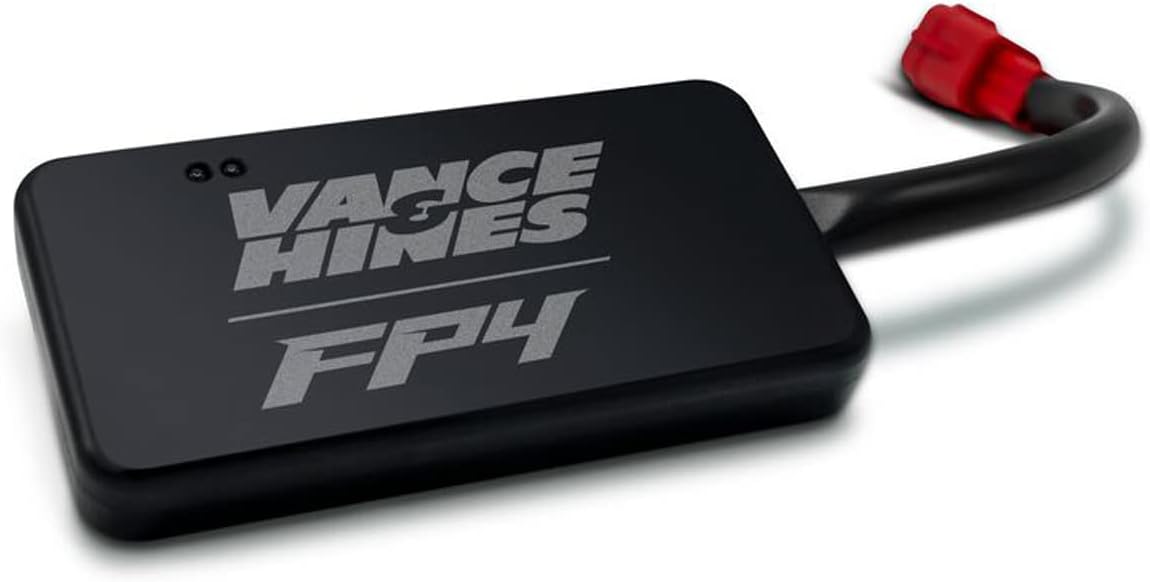
図2: 詳細な view of the Vance & Hines FP4 module, highlighting its compact size and integrated wiring harness.
2. アプリのダウンロードとアカウント設定
- Download the official Vance & Hines FP4 app from your smartphone's app store (iOS or Android).
- アプリを開いて新しいユーザー アカウントを作成するか、既にアカウントがある場合はログインします。
- スマートフォンの Bluetooth が有効になっていることを確認してください。
3. Device Installation on Motorcycle
The FP4 module connects directly to your motorcycle's diagnostic port. The exact location may vary by model, but it is typically found near the battery, under the seat, or behind a side cover.
- Locate your motorcycle's diagnostic port.
- Ensure the motorcycle's ignition is OFF.
- Connect the FP4 module's wiring harness to the diagnostic port. It is designed for a secure, plug-and-play fit.
- Secure the FP4 module in a safe location, away from excessive heat, moisture, and moving parts. The compact design allows for discreet placement.

Figure 3: Illustrates the process of connecting the FP4 device to the motorcycle's diagnostic port, showing the secure fit of the harness.
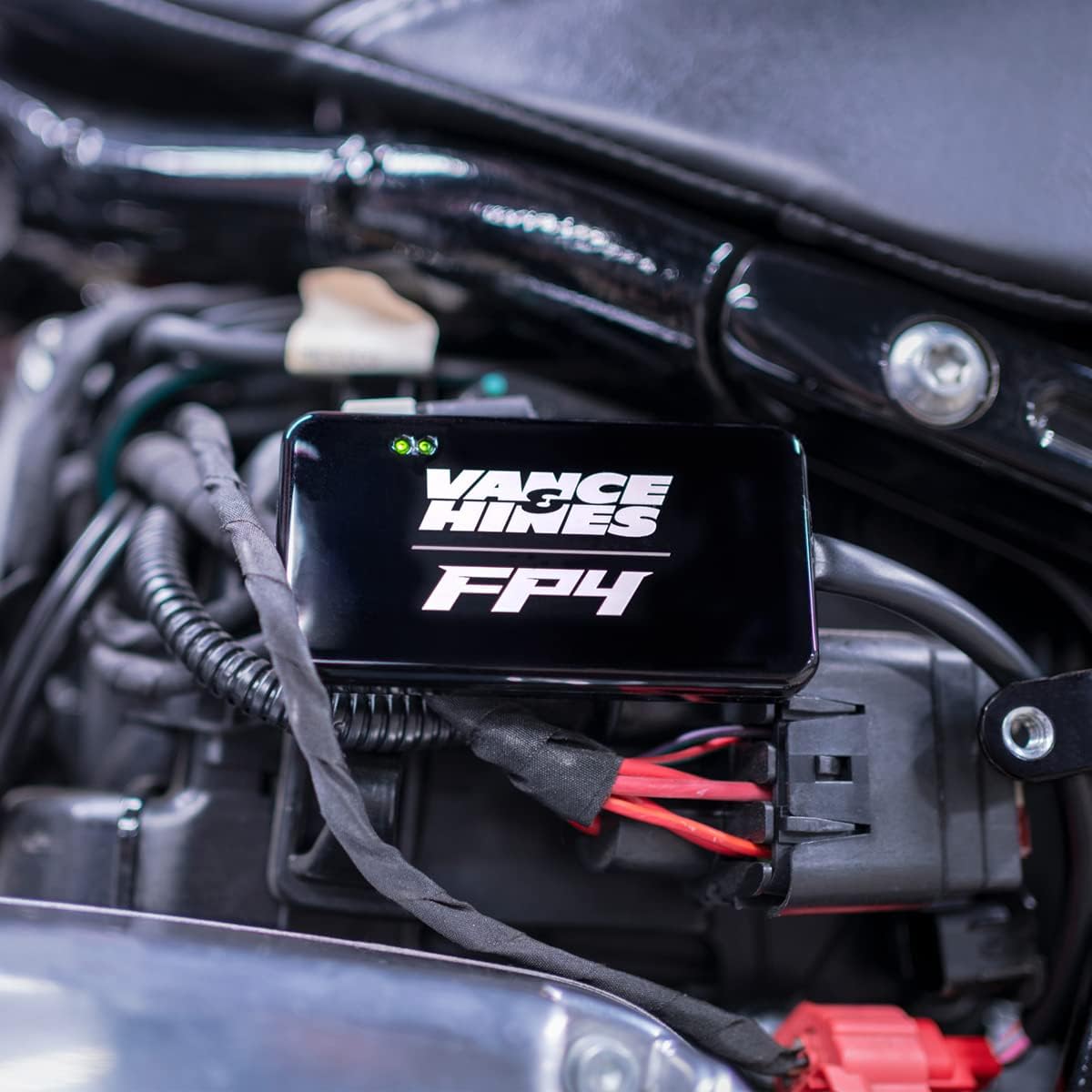
図4: クローズアップ view of the FP4 module securely connected to the motorcycle's electrical system, indicating proper installation.
4. 初期接続とペアリング
- Turn the motorcycle's ignition ON (do not start the engine yet).
- Open the FP4 app on your smartphone.
- The app will automatically search for and connect to your FP4 module via Bluetooth. Follow any on-screen prompts to complete the pairing process.
- Once connected, the app will display the main menu.
Operating the FP4 Fuelpak
The FP4 app provides a user-friendly interface to access various tuning and diagnostic features.
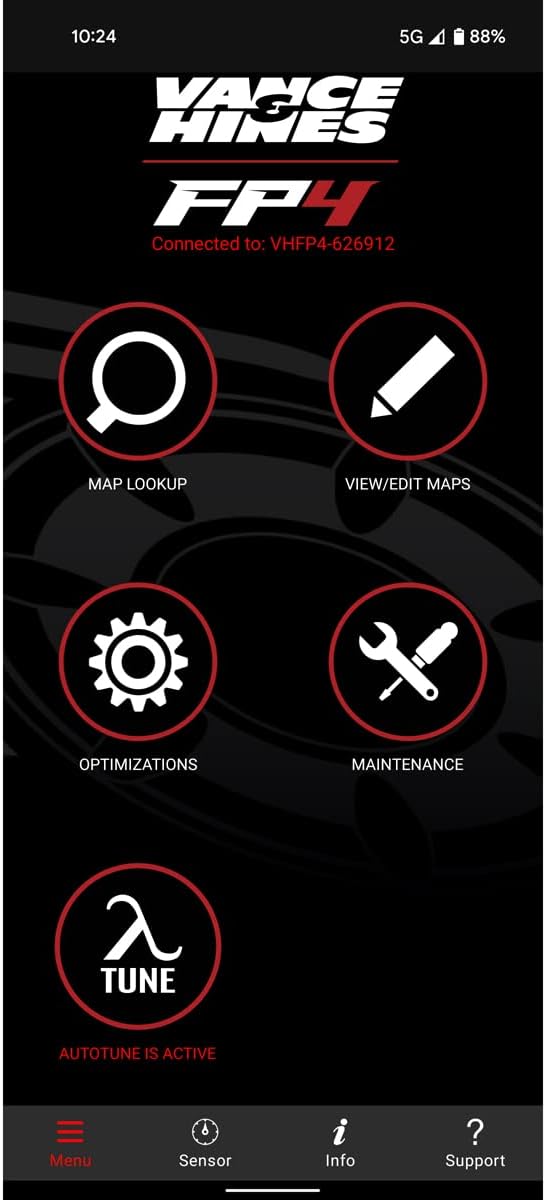
Figure 5: The main menu of the FP4 application, showing key functionalities such as Map Lookup, Optimizations, and Autotune.
主な特徴と機能:
- Map Lookup: Access a vast library of dyno-tuned maps specifically designed for various motorcycle configurations (exhaust, air intake, etc.). Select the map that best matches your setup.

Figure 6: Screenshot of the FP4 app demonstrating the map lookup interface, allowing users to select their specific exhaust manufacturer and model for optimal tuning.
- View/Edit Maps: Review and make minor adjustments to existing maps.
- 最適化: Fine-tune specific parameters for advanced users.
- オートチューン: Utilize the Autotune feature to automatically optimize your fuel delivery based on real-time riding conditions. This feature records data during your ride and suggests adjustments for improved performance.
- ライブセンサーデータ: Monitor crucial engine parameters in real-time, such as RPM, engine temperature, throttle position, and more. The app provides an upgraded display with additional gauges.
- パフォーマンス: Record your ride data, including sensor readings and GPS information, to analyze performance and identify areas for improvement.
- Read and Clear Trouble Codes: Diagnose engine issues by reading diagnostic trouble codes (DTCs) and clear them after addressing the underlying problem.
- Dealer Tools: Access specialized functions for authorized dealers.

Figure 7: The FP4 app displaying both the detailed map optimization grid for precise tuning and the intuitive main menu for easy navigation.
Tuning Process Overview:
- Select a Map: From the "Map Lookup" section, choose the base map that most closely matches your motorcycle's modifications (e.g., exhaust system, air cleaner).
- Flash the ECU: Once a map is selected, follow the app's prompts to "flash" or upload the new map to your motorcycle's ECU. Ensure the motorcycle's ignition remains on and the battery is sufficiently charged during this process. Do not interrupt the flashing process.
- Autotune (Optional but Recommended): For further optimization, activate the "Autotune" feature. Ride your motorcycle under various conditions (city, highway, different RPMs) to allow the FP4 to collect data and refine the fuel delivery.
- Review and Apply: After an Autotune session, review the suggested adjustments in the app and apply them to your map.
メンテナンス
The Vance & Hines FP4 is designed for durability and requires minimal maintenance. However, following these guidelines will ensure its longevity and optimal performance:
- 清潔に保ちます: Periodically wipe the FP4 module with a soft, dry cloth to remove dust and debris. Avoid using harsh chemicals or abrasive cleaners.
- 安全な配置: Ensure the module remains securely mounted on your motorcycle to prevent damage from vibrations or impacts.
- ソフトウェアアップデート: Regularly check the FP4 app for software and firmware updates. These updates often include performance improvements, new features, and bug fixes. Install updates as they become available to ensure compatibility and optimal functionality.
- 接続の整合性: Periodically inspect the wiring harness and connectors for any signs of wear, corrosion, or damage. Ensure connections remain tight and secure.
- 環境保護: While the FP4 is designed for motorcycle environments, avoid prolonged exposure to extreme temperatures, direct water submersion, or excessive humidity.
トラブルシューティング
If you encounter issues with your FP4 Fuelpak, refer to the following common problems and solutions:
| 問題 | 考えられる原因 | 解決 |
|---|---|---|
| FP4 App cannot connect to module. | Bluetooth is off; module not powered; app permissions; incorrect pairing. | Ensure Bluetooth is on. Turn motorcycle ignition ON. Check app permissions for Bluetooth. Restart app and try pairing again. |
| Map flashing fails or is interrupted. | Low motorcycle battery; ignition turned off; app closed during flash. | Ensure motorcycle battery is fully charged. Do not turn off ignition or close app during flashing. Retry the flash. |
| Motorcycle runs poorly after flashing. | Incorrect map selected; incomplete flash; underlying mechanical issue. | Verify the selected map matches your motorcycle's configuration. Re-flash the map. Check for diagnostic trouble codes (DTCs) using the app. Consult a qualified mechanic if issues persist. |
| Live data not displaying or is erratic. | Loose connection; app glitch; module fault. | Check all connections to the FP4 module. Restart the app. If the problem continues, contact Vance & Hines support. |
For more detailed troubleshooting or issues not listed here, please refer to the official Vance & Hines support resources.
仕様
- モデル名: FP4
- 商品モデル番号: 66045
- メーカー: Vance & Hines
- 接続性: ブルートゥース
- 特別な機能: Live Sensor Data, Error Code Reading, Real-time Sensor Display, GPS Integration, Autotune
- 車両サービスの種類: Motorcycle (Harley-Davidson CAN-BUS models: 2014-2020 Touring, 2011-2020 Softail, 2012-2017 Dyna, 2014-2022 Sportster, 2014-2020 Street)
- 寸法(モジュール): 約14.2×13.7×2.6cm
- Weight (Module): 約103g
- 含まれるコンポーネント: FP4 Module with integrated wiring harness
保証とサポート
For warranty information, product registration, and technical support, please visit the official Vance & Hines webご購入いただいたサイトをご覧いただくか、カスタマーサービス部門にお問い合わせください。保証請求のために購入証明書を保管してください。
Vance & Hines offers industry-leading support from FP4 technicians to assist with any questions or issues you may encounter.
正式 Webサイト: バンスアンドハインズ
関連文書 - FP4 (66045)
 |
Vance & Hines 2-INTO-1 Upsweep Exhaust Installation Instructions (Part# 47328) Comprehensive installation guide for the Vance & Hines 2-INTO-1 Upsweep exhaust system designed for Harley-Davidson Sportster motorcycles. Includes parts list, removal and installation steps, and maintenance tips. |
 |
Vance & Hines Fuelpak FP3 ユーザーマニュアルとガイド Vance & Hines Fuelpak FP3 ECUチューナーの包括的なユーザーマニュアル。ハーレーダビッドソンバイク用のインストール、マップフラッシュ、オートチューニング、センサーデータ、トラブルシューティング、編集可能なテーブル設定などを網羅しています。iOSおよびAndroidデバイス用の説明書も含まれています。 |
 |
Harley-Davidson Dyna Big Radius 2-2 Black Exhaust Installation Instructions Installation instructions for the Vance & Hines Big Radius 2-2 Black exhaust system for Harley-Davidson Dyna models, including tools required, step-by-step guide, packing list, exhaust care tips, and warranty information. |
 |
バンス&ハインズ ショートショットStaggered Exhaust Installation Instructions for Harley-Davidson Softail (2014-2017) This document provides detailed installation instructions for the Vance & Hines ShortShots Staggered exhaust system, part numbers 17325 and 47325, designed for 2014-2017 Harley-Davidson Softail models. It includes a comprehensive parts list, required tools, steps for removing the stock exhaust, and instructions for installing the new system, along with emissions notices and warranty information. |
 |
Vance & Hines Twin Slash Slip-On Black Exhaust Installation Instructions for Harley-Davidson Sportster (Part #46839) Detailed installation instructions for Vance & Hines Twin Slash Slip-On Black exhaust systems (Part #46839) for Harley-Davidson Sportster models. Includes tools required, step-by-step removal and installation procedures, care tips, warranty information, and optional accessories like Fuelpak. |
 |
ハーレーダビッドソン ソフテイル ツインスラッシュ スリップオン 取り付け手順 ハーレーダビッドソン ソフテイル用Vance & Hines Twin Slash スリップオンマフラーの取り付け手順。パーツリスト、必要な工具、取り付け手順が記載されています。 |
Ask a question about this manual
Ask about setup, troubleshooting, compatibility, parts, safety, or missing instructions. Manuals+ will review the question and use this page’s manual context to help answer it.