
FreedConn KY Pro
FreedConn KY PRO バイク用 Bluetooth ヘッドセット ユーザーマニュアル
モデル:KYプロ
導入
This manual provides comprehensive instructions for the FreedConn KY PRO Motorcycle Bluetooth Headset. It covers essential information regarding setup, operation, maintenance, and troubleshooting to ensure optimal performance and a seamless communication experience while riding. The KY PRO features Bluetooth 5.0, group intercom for up to 4 riders, high-fidelity audio, 8th-generation CVC intelligent noise reduction, FM radio, voice assistant support, and IP65 waterproofing.
パッケージ内容
パッケージにすべてのアイテムが含まれていることを確認してください。
- Bluetooth Kit (Main Unit)
- 2-in-1 ソフト&ハードマイクイヤホン
- フッククリップとベルクロクリップ
- ヘッドフォンベルクロ
- USBケーブル
- ユーザーマニュアル(このドキュメント)

Image: FreedConn KY PRO package contents, showing the main unit, microphone/earphone set, mounting clips, velcro pads, and USB cable.
設定
1. デバイスの充電
Before initial use, fully charge the FreedConn KY PRO headset. Connect the provided USB Type-C cable to the charging port on the device and to a suitable USB power source. A full charge takes approximately 2 hours. The device offers up to 12 hours of intercom talk time, 25 hours of call time, and 168 hours of standby time.

Image: Illustration showing the FreedConn KY PRO headset with battery life indicators and charging time details.
2. ヘルメットへの取り付け
The FreedConn KY PRO is designed for easy installation on most full-face and half-face motorcycle helmets. Use either the hook clip or velcro clip to securely attach the main unit to the side of your helmet. Position the speakers inside the helmet's ear pockets and the microphone near your mouth for clear communication. Ensure all cables are neatly tucked away to avoid obstruction.

Image: A FreedConn KY PRO unit mounted on the side of a motorcycle helmet.
3.携帯電話とのペアリング
To connect your FreedConn KY PRO to your mobile phone:
- ヘッドセットの電源がオフになっていることを確認します。
- Long press the "on/off" button for 8 seconds until the red and blue lights flash alternately. This indicates the product is in pairing mode.
- 携帯電話で Bluetooth 設定に移動し、Bluetooth を有効にします。
- 検索する available devices and select "KY Pro" to connect. Once connected, the blue light will flash slowly.
Video: Demonstrates how to pair the FreedConn KY PRO headset with a mobile phone, including activating pairing mode and connecting via Bluetooth settings. This video also covers music playback, call management, voice commands, and FM radio.
4. Intercom Pairing (Two Units)
To establish an intercom connection between two FreedConn KY PRO units:
- Ensure both devices are powered off.
- Long press the "on/off" button on both devices for 8 seconds until the red and blue lights flash alternately. Both devices are now in pairing state.
- Press the "on/off" button on one of the devices (Device A) once. It will search for the other device (Device B).
- When the red and blue flash on both devices turns to a blue flash, it means the two devices have been successfully paired, and intercom communication can begin.
Video: Instructions on how to pair two FreedConn KY PRO units for intercom communication, showing the button presses and light indicators.
操作手順
1. 電源のオン/オフ
- 電源オン: Long press the "on/off" button until you hear a power-on tone and the blue light flashes.
- 電源を切る: Long press the "on/off" button until you hear a power-off tone and the red light flashes before turning off.
2.音楽の再生
Once paired with your mobile phone, you can control music playback:
- 再生/一時停止: 多機能ボタンをXNUMX回押します。
- 音量調整: Turn the knob clockwise to increase volume, counter-clockwise to decrease volume.
- 次の曲: Turn the knob clockwise and hold briefly.
- 前の曲: Turn the knob counter-clockwise and hold briefly.
3.通話管理
着信と発信の通話を簡単に管理します。
- Answer Automatically: A call will be automatically answered if it is ringing for 15 seconds without any operation.
- Answer Manually: 着信に応答するには、多機能ボタンを 1 回押します。
- 電話を切る: Press the multifunction button once during a call to hang up.
- 通話を拒否: Press the multifunction button for 2 seconds to reject an incoming call.
4. インターコム通信
After pairing two units (refer to Setup section 4), you can initiate and manage intercom calls:
- インターコムを開始: Press the "on/off" button on either paired device once.
- インターコム終了: Press the "on/off" button on either device once during an intercom call.
- グループインターホン: The KY PRO supports group intercom for up to 4 riders simultaneously. Follow the specific instructions in the full manual for multi-unit pairing.
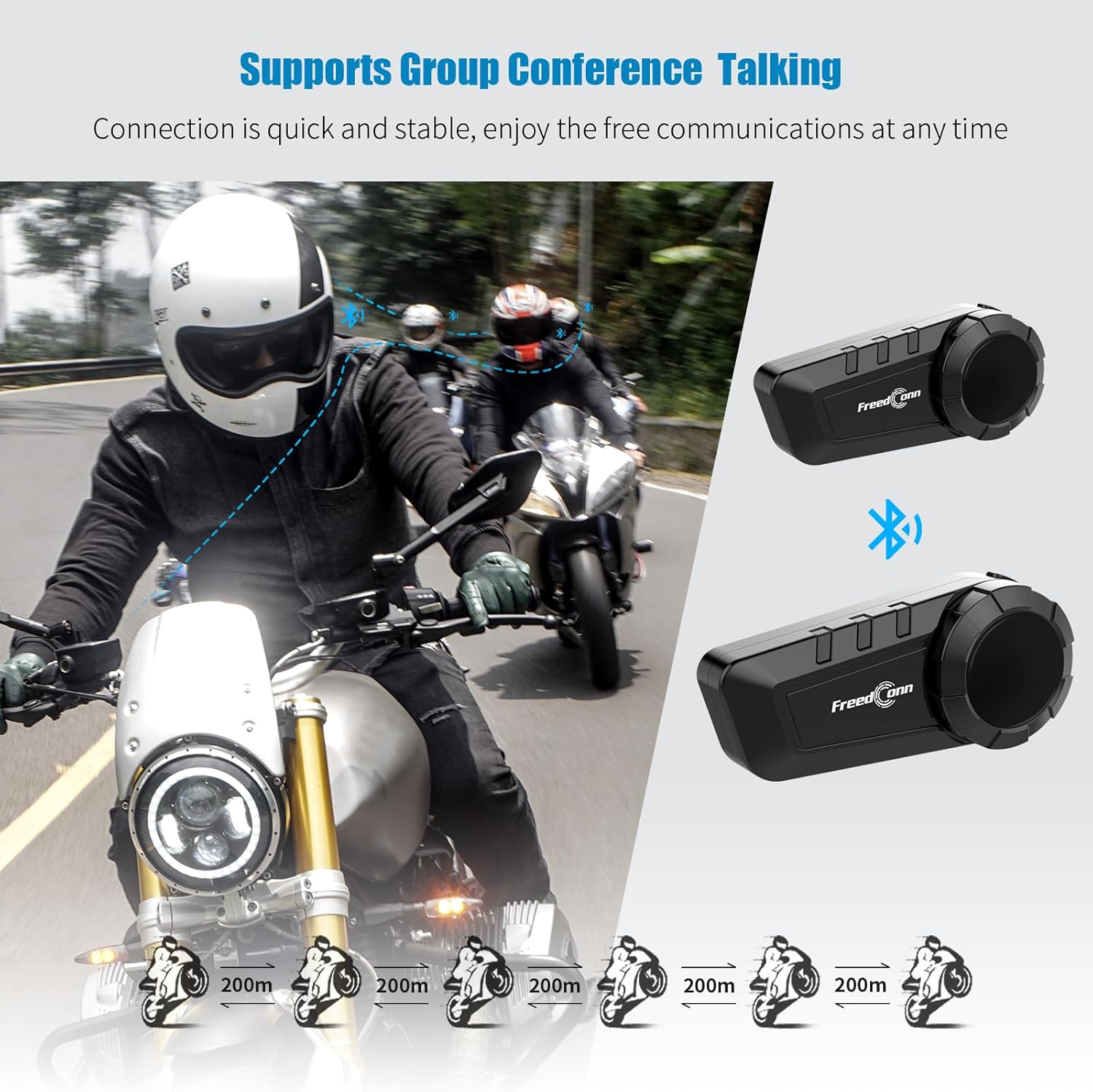
Image: Diagram illustrating the group intercom capability of the FreedConn KY PRO, showing multiple riders connected.
5. FMラジオ
The device includes an FM radio function:
- Initiate FM Radio: In music mode or standby mode, double press the multifunction button to turn on the radio function.
- チャンネルを調整: Turn the knob clockwise or counter-clockwise to change the radio channel.
- 音量を調整: Turn the knob clockwise to increase volume, counter-clockwise to decrease volume.
- ラジオの一時停止/再開: Press the multifunction button once to pause, press again to resume.
- Exit FM Radio: Double press the multifunction button to switch back to music playing state or standby state.
6. 音声コマンド
Activate your mobile phone's voice assistant:
- When the product is connected to your mobile phone, long press the multifunction button for 2 seconds to activate the voice control function (e.g., Siri, Google Assistant).

Image: A smartphone displaying a voice assistant interface next to the FreedConn KY PRO headset, illustrating the voice command feature.
7. 音楽の共有
Share your music with another FreedConn KY PRO user:
- Under the premise that the two devices have been paired, press the "on/off" button of one of them to exit the intercom state.
- If the headset is playing music, press the multifunction button to pause the music.
- Double press the "on/off" button on the device that needs to share music to start music sharing mode. After 1-2 seconds, you will hear the sound "Turn on Share". Now you have successfully entered the music sharing mode.
- In the music sharing mode, press the multifunction button to continue playing the music, and the other device starts playing the same song.
- To stop music sharing, press the multifunction button again to pause the music. Then press the "on/off" button twice. When you hear the prompt of "Turn off Share", it means that the music sharing mode has been closed successfully.
Video: Detailed steps on how to activate and deactivate the music sharing feature between two FreedConn KY PRO headsets.
メンテナンス
- クリーニング: 柔らかくてamp デバイスの外側を布で拭いてください。刺激の強い化学薬品や研磨剤入りの洗剤の使用は避けてください。
- 耐水性: The FreedConn KY PRO is IP65 waterproof, meaning it is protected against dust and low-pressure water jets. It is suitable for use in rain but should not be submerged in water.
- ストレージ: 使用しないときは、涼しく乾燥した場所に保管してください。極端な温度を避けてください。
トラブルシューティング
| 問題 | 考えられる原因 | 解決 |
|---|---|---|
| デバイスの電源が入りません。 | バッテリー残量が少なくなりました。 | デバイスを完全に充電します。 |
| 電話/別のユニットとペアリングできません。 | Not in pairing mode; too far apart; interference. | Ensure device is in pairing mode (red/blue flashing). Move closer. Clear pairing records (see below) and try again. |
| 音が出ない、または音量が低い。 | Volume too low; speakers not positioned correctly; loose connection. | Adjust volume. Check speaker placement. Ensure all connections are secure. |
| インターホンが頻繁に切断されます。 | 範囲外; 干渉。 | Stay within the specified intercom range. Avoid areas with high electromagnetic interference. |
ペアリング記録の消去
If you experience persistent pairing issues, clearing the device's pairing records may help:
- デバイスの電源がオフになっていることを確認してください。
- Press and hold the "on/off" button for 8 seconds until you see the red light flash quickly 3 times.
- At this point, the pairing record is cleared successfully. You can now attempt to pair the device again.
仕様
- モデル名: KY Pro
- 接続技術: ワイヤレス(Bluetooth 5.0)
- 騒音制御: Active Noise Cancellation (8th-generation CVC)
- 耐水性レベル: IP65防水
- バッテリー容量: 1100mAh
- 充電時間: 約2時間(Type-C急速充電)
- Intercom Talk Time: 最大12時間
- 呼び出し時間: 最大25時間
- 待機時間: 最大168時間
- Bluetooth範囲: 10 Meters (for phone connection)
- インターコム範囲: Up to 400 meters (between units, line of sight)
- 対応デバイス: Bluetooth-enabled devices (smartphones, tablets, other intercom brands)
- コントロールタイプ: メディアコントロール、音声コントロール
- 商品の重量: 10.8 オンス (0.31 キログラム)
- 材料: プラスチック
保証とサポート
The FreedConn KY PRO Motorcycle Bluetooth Headset comes with a 1年間保証 ご購入日から1年間。この保証は製造上の欠陥をカバーし、通常の使用条件下での信頼性の高い動作を保証します。
For technical support, warranty claims, or any questions regarding your product, please contact FreedConn customer service. Our dedicated support team is available to assist you promptly.
FreedConnの公式ウェブサイトをご覧ください web最新の連絡先情報については、当社のサイトまたは購入書類をご覧ください。
関連文書 - KY Pro
 |
KY-Pro クイックスタートガイドと操作マニュアル KY-Proの包括的なガイド。クイックスタート手順、操作モード、ペアリング、高度な機能などを網羅しています。このドキュメントでは、KY-Proヘルメット通信システムの使用方法を詳細に説明しています。 |
 |
FreedConn R3 Bluetooth WIFI レコーダー 取扱説明書 FreedConn R3 Bluetooth WIFI レコーダーの包括的な取扱説明書。このオートバイ用ヘルメット インターコム システムのセットアップ、操作、機能、トラブルシューティングについて詳しく説明しています。 |
 |
Freedconn T-COM VB/SC Bluetoothインターコムクイックスタートガイド 通話処理、音楽コントロール、インターコム機能など、Freedconn T-COM VB および T-COM SC Bluetooth オートバイインターコム システムのインストール、ペアリング、操作に関する包括的なガイドです。 |
 |
FreedConn KYヘルメットワイヤレスヘッドセットのユーザーマニュアルと説明書 FreedConn KY ヘルメット ワイヤレス ヘッドセットの包括的なユーザー マニュアル。インストール、電話とのペアリング、操作機能、バッテリー ステータス インジケーター、日常のメンテナンス、保証情報などを網羅しています。 |
 |
FreedConn FX Plus Helmet Bluetooth Intercom Headset User Manual Comprehensive user manual for the FreedConn FX Plus Helmet Bluetooth Intercom Headset. Learn about product functions, installation, operation, connectivity, MESH networking, troubleshooting, and technical specifications. |
 |
FreedConn FG Bluetooth Motorcycle Helmet Intercom Kit: Features, Installation, and Controls Comprehensive guide to the FreedConn FG Bluetooth Motorcycle Helmet Intercom Kit, detailing its features, parts list, step-by-step installation, and control panel functions for riders. |