
GUTA GT30+6GS02+GB30
GUTA Trailer Tire Pressure Monitoring System (TPMS) User Manual
Model: GT30+6GS02+GB30
1. はじめに
This manual provides detailed instructions for the installation, operation, and maintenance of your GUTA Trailer Tire Pressure Monitoring System. This system is designed to monitor tire pressure and temperature in real-time for RVs, campers, motor homes, and other large vehicles, supporting up to 3 trailers and 6 sensors. Proper use of this system enhances driving safety and helps maintain optimal tire conditions.

Image 1.1: The GUTA TPMS package includes the display unit, six tire sensors, and a signal booster.
2. 安全情報
Please read and understand all safety warnings and instructions before using the GUTA TPMS. Failure to follow these instructions may result in property damage or injury.
- プログラミングモード: To enter programming mode for TPMS sensors, press and hold the CODE button on the display until a beep sound is heard, then release. Releasing the button before the beep will prevent entry into programming mode.
- Data Display When Stationary: If the monitor does not display data when the vehicle is stationary, it may be in power-saving mode. Press any button or induce vibration to wake it up. If data is still not read, ensure the repeater (if used) is powered on by restarting the vehicle, as its power comes from the vehicle battery.
- Puncture Accidents: A Tire Pressure Monitoring System cannot prevent punctures caused by sharp objects or damaged tires. It monitors air pressure and temperature over time, not instantaneous changes. It is designed to alert you to abnormalities that develop slowly. Regular tire inspections are crucial.
- タイヤ点検: Perform a comprehensive tire inspection at least once a month. Consult a tire technician to address any faulty tires promptly.

Image 2.1: The TPMS helps prevent issues like tire crown wear, shoulder wear, cracks, and increased fuel consumption by maintaining proper tire pressure.
3.製品コンポーネント
The GUTA Trailer TPMS package includes the following items:
- TPMS Display Monitor
- 6 External Tire Sensors
- Signal Booster (Repeater)
- USB充電ケーブル
- Anti-theft Nuts and Wrench
- Mounting Bracket (for dashboard or windshield)
- ユーザーマニュアル

Image 3.1: All components included in the GUTA TPMS kit.
4. セットアップとインストール
4.1 モニターの設置
The display monitor can be installed on your dashboard or windshield using the provided mounting bracket.
- ダッシュボードのインストール: Place the monitor on a flat surface of your dashboard using the adhesive base.
- フロントガラスの取り付け: Attach the suction cup mount to a clean, smooth area of your windshield.
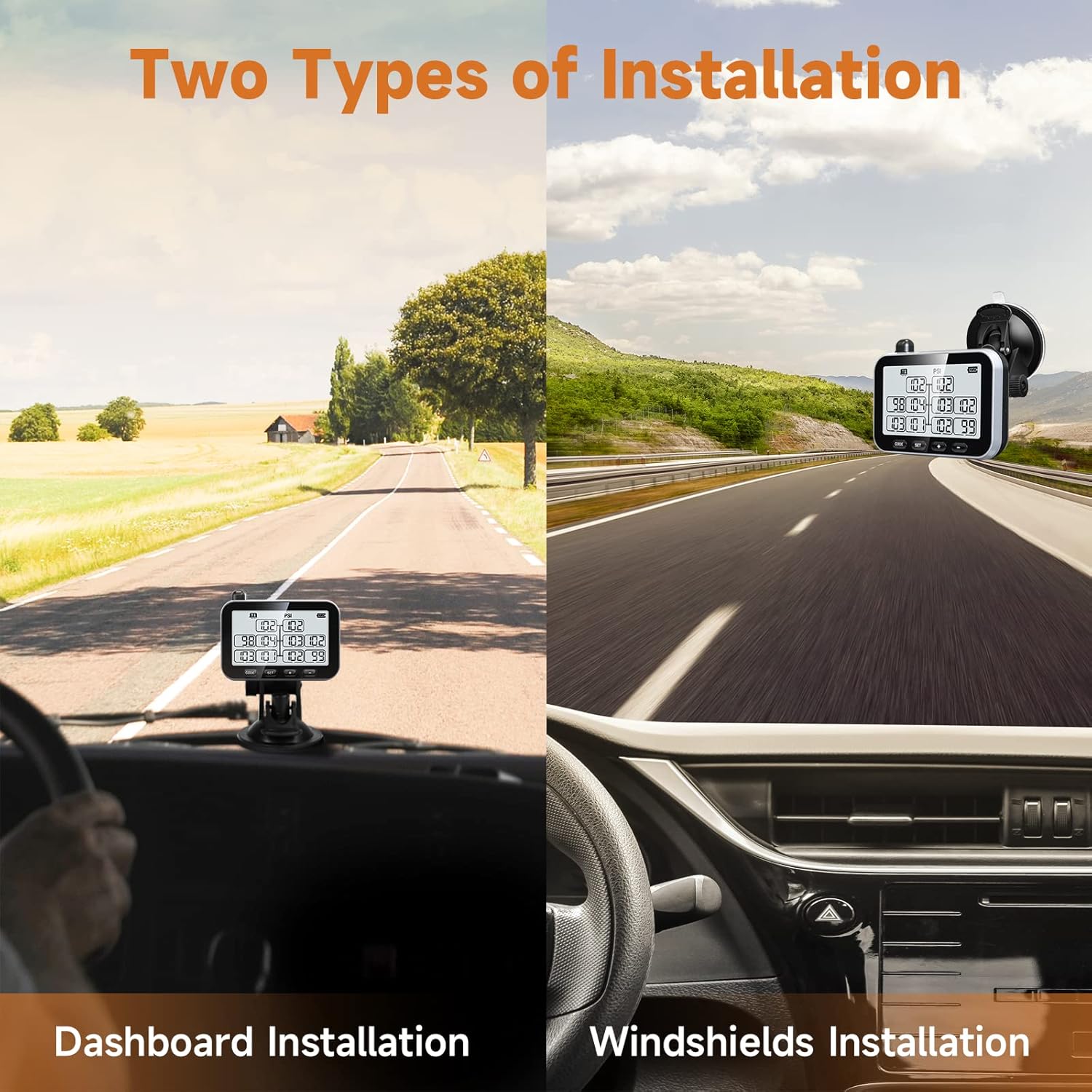
Image 4.1: The monitor can be installed on the dashboard or windshield for optimal viewing。
4.2センサーの設置
The external sensors are designed for easy installation on your tire valve stems.
- Ensure your tires are at the recommended pressure.
- Remove the original valve cap from each tire.
- Screw on an anti-theft nut onto the valve stem.
- Screw the TPMS sensor onto the valve stem until it is hand-tight.
- Tighten the anti-theft nut against the sensor using the provided wrench to secure it.
- おすすめ: For reliable performance and safety, it is recommended to install cap sensors on metal valve stems.

Image 4.2: Easy installation of the external tire sensors.
4.3 Sensor Setup and Programming
The GUTA TPMS features a wireless programming process for easy sensor assignment and alarm threshold setup.
- Entering Learning Mode: Press and hold the CODE button on the display until a beep sound is heard, then release. The display will enter learning mode.
- Assigning Sensors: Follow the on-screen prompts to assign each sensor to its corresponding tire position. The system allows for pre-installation programming.
- アラームしきい値の設定: Once paired, the system automatically configures the current pressure as the reference point. You can then set custom alarm thresholds within an alarming range of +25% PSI to -15% PSI of the reference pressure.

Image 4.3: The monitor facilitates wireless sensor programming and inflation connection.
4.4 Signal Booster (Repeater)
The signal booster extends the sensor signal transmission distance and enhances stability, especially for longer vehicles or those experiencing electromagnetic interference. Install the booster in a central location between the sensors and the monitor, ensuring it receives power from the vehicle's battery.
5. 操作
5.1 リアルタイム監視
The GUTA TPMS display provides real-time data for up to 10 tires on a single page. The display automatically switches between front trailer and rear sections, allowing you to monitor up to 34 tires without manual input. The system supports monitoring for up to 3 separate trailers (T1/T2/T3).

Image 5.1: The clear display provides real-time pressure and temperature readings.

Image 5.2: The system can monitor up to 3 trailers, displaying their respective tire data.
5.2 Alert Modes
The system is equipped with multiple alert modes to notify you of potential tire issues:
- High Tire Pressure Alert
- Low Tire Pressure Alert
- 高温注意報
- 高速リークアラート
- Missing Sensor Signal Alert
- Low Sensor Battery Alert
Visual and audio warnings are triggered immediately when tire data deviates from preset safety parameters, allowing you to address issues promptly.
5.3 省電力機能
The monitor includes a built-in rechargeable lithium battery that provides 12-14 days of use after a 4-hour full charge. To conserve battery, the monitor enters power-saving mode if no motion or vibration is detected for 15 minutes. Sensors continuously send status signals to the monitor at 5-minute intervals as long as they are under pressure.

Image 5.3: The monitor offers extended battery life with efficient power management.
6. メンテナンス
6.1 センサー電池の交換
The sensors use replaceable CR2032 batteries, which have a life of up to 4 years. To replace a sensor battery:
- センサーをバルブ ステムから外します。
- センサーcを慎重に開けるasing.
- 古い CR2032 電池を取り外し、正しい極性を確認して新しい電池を挿入します。
- センサーcを閉じるasing securely and re-install it on the valve stem.
6.2 Monitor Charging
Charge the monitor using the provided USB cable when the battery indicator shows low power. A full charge takes approximately 4 hours.
6.3一般的なケア
Keep the monitor and sensors clean and free from excessive dirt or moisture. Avoid exposing the components to extreme temperatures outside their operating range.
7。 トラブルシューティング
If you encounter issues with your GUTA TPMS, refer to the following common problems and solutions:
| 問題 | 考えられる原因 | 解決 |
|---|---|---|
| プログラミングモードに入ることができません。 | CODE button released too early. | Press and hold the CODE button until a beep sound is heard, then release. |
| No data displayed when vehicle is stationary. | Monitor in power-saving mode; Repeater not powered. | Press any button or induce vibration to wake the monitor. If using a repeater, restart the vehicle to ensure the repeater is powered. |
| 不正確な圧力測定値。 | Sensor not properly installed; Sensor battery low; Interference. | Ensure sensors are tightly secured. Replace sensor battery if low. Check for sources of electromagnetic interference or consider repositioning the signal booster. |
| Signal loss or intermittent readings. | Long distance between sensors and monitor; Obstructions; Weak signal. | Ensure the signal booster is correctly installed and powered. Reposition the booster if necessary to improve signal strength. |
If you encounter any issues that cannot be resolved using this guide, please contact our customer service team for assistance.
8. 仕様
| 特徴 | 仕様 |
|---|---|
| モデル番号 | GT30+6GS02+GB30 |
| 圧力範囲 | 0-188 PSI |
| 温度範囲 | Up to 185 ℉ (85 ℃) |
| Supported Tires | Up to 34 tires |
| Supported Trailers | Up to 3 trailers (T1/T2/T3) |
| バッテリー寿命を監視する | 12-14 days (after 4-hour charge) |
| センサー電池タイプ | CR2032(交換可能) |
| センサーの電池寿命 | 最長4年 |
| アイテム重量 | 1.5ポンド |
| 製品寸法 | 11.62 x 2.76 x 8.86インチ |
9. カスタマーサポートと保証
GUTA is committed to providing reliable products and excellent customer service. If you encounter any issues or have questions regarding your TPMS, please do not hesitate to contact our after-sales service team.
You can reach us by clicking the "Contact Seller" option on the Amazon platform where you purchased the product. Please provide your order details for faster assistance.
For information regarding product warranty, please refer to the documentation included with your purchase or contact customer support directly.
Ask a question about this manual
Ask about setup, troubleshooting, compatibility, parts, safety, or missing instructions. Manuals+ will review the question and use this page’s manual context to help answer it.