
導入
ご購入ありがとうございますasing the LEXiBOOK RC Raptor Control Dinosaur. This remote-controlled velociraptor offers realistic articulated movements, roars, and light effects for an immersive play experience. This manual provides essential information for safe setup, operation, and maintenance of your new toy.
主な特徴:
- Realistic articulated movements, allowing it to walk like a real dinosaur.
- 2.4 GHz frequency remote control for optimized range and reduced interference.
- Light and sound effects, including multiple roars.
- Demonstration mode to showcase its capabilities.
- Rechargeable dinosaur battery (included) and USB charging support.
安全情報
Please read all safety warnings before operating the product. Failure to follow these instructions may result in injury or damage to the product.
- 推奨年齢: Suitable for ages 6 years and up. Not for children under 3 years due to small parts.
- バッテリーの安全性: 古い電池と新しい電池を混ぜて使用しないでください。アルカリ電池、標準電池(マンガン電池)、充電式電池(ニッケルカドミウム電池)を混ぜて使用しないでください。電池は極性を正しく入れてください。使い切った電池は速やかに取り出してください。電池端子をショートさせないでください。
- 窒息の危険: 小さな部品は幼児の手の届かないところに保管してください。
- 動作環境: Operate the dinosaur on a flat, clear surface. Avoid water, sand, or rough terrain. Do not operate near people or animals to prevent collisions.
- 監督: 遊ぶ際は大人の監督のもとで行ってください。
- クリーニング: 製品は柔らかく乾いた布で拭いてください。水に浸さないでください。
パッケージ内容
パッケージにすべてのアイテムが揃っていることを確認します。
- 1 x RC Raptor Control Dinosaur
- 1 x Fossil Design Remote Control
- 1 x Rechargeable Battery (for dinosaur)
- USB充電ケーブル x 1
注記: 2 x LR6 / AA batteries for the remote control are 含まれません 別途購入する必要があります。
設定
1. 電池の取り付け
リモコンの場合:
- Locate the battery compartment on the back of the fossil-designed remote control.
- ドライバー(付属していません)を使用して、電池ボックスのカバーを開きます。
- Insert 2 x LR6 / AA batteries, ensuring correct polarity (+/-).
- 電池ボックスのカバーを閉じて、ネジで固定します。
For the Dinosaur:
- Locate the battery compartment on the underside of the dinosaur.
- ドライバー(付属していません)を使用して、電池ボックスのカバーを開きます。
- Connect the included rechargeable battery to the connector inside the compartment.
- Place the battery inside the compartment, close the cover, and secure it with the screw.
2. Charging the Dinosaur Battery
The dinosaur's rechargeable battery requires approximately 3 hours for a full charge, providing about 30 minutes of play time.
- Ensure the dinosaur is turned OFF.
- Connect the USB charging cable to the charging port on the dinosaur.
- USB ケーブルのもう一方の端を USB 電源 (コンピューター、USB 壁アダプターなど) に接続します。
- The indicator light on the dinosaur will show charging status (refer to product for specific light behavior).
- 完全に充電されたら、USB ケーブルを外します。
3. Pairing the Remote Control and Dinosaur
The 2.4 GHz frequency ensures automatic pairing. Follow these steps:
- Turn ON the dinosaur using the power switch located on its underside.
- Turn ON the remote control using its power switch.
- The remote control and dinosaur should automatically pair. If not, turn both off and on again.
操作手順
リモート コントロールの機能について理解しましょう。

Image: The fossil-designed remote control with various buttons for controlling the dinosaur's movements and activating features.
- フォワード: Press the forward button to make the dinosaur walk forward.
- 後方: Press the backward button to make the dinosaur walk backward.
- 左折してください: Use the left turn button to steer the dinosaur left.
- 右折: Use the right turn button to steer the dinosaur right.
- One-Key Demo: Press the 'One Key Demo' button (often indicated by a play symbol or similar) to activate the dinosaur's automatic demonstration mode. The dinosaur will perform a sequence of movements, roars, and light effects.
- Roars and Light Effects: The dinosaur features realistic roars and light effects, particularly from its mouth, which activate during movement and demonstration mode.
オートスリープモード
To conserve battery life, the dinosaur will enter an auto sleeping mode after a period of inactivity. To reactivate it, simply press any button on the remote control or turn the dinosaur off and on again.

Image: The LEXiBOOK RC Raptor Control Dinosaur in a dynamic pose, highlighting its detailed texture and light-up mouth feature.
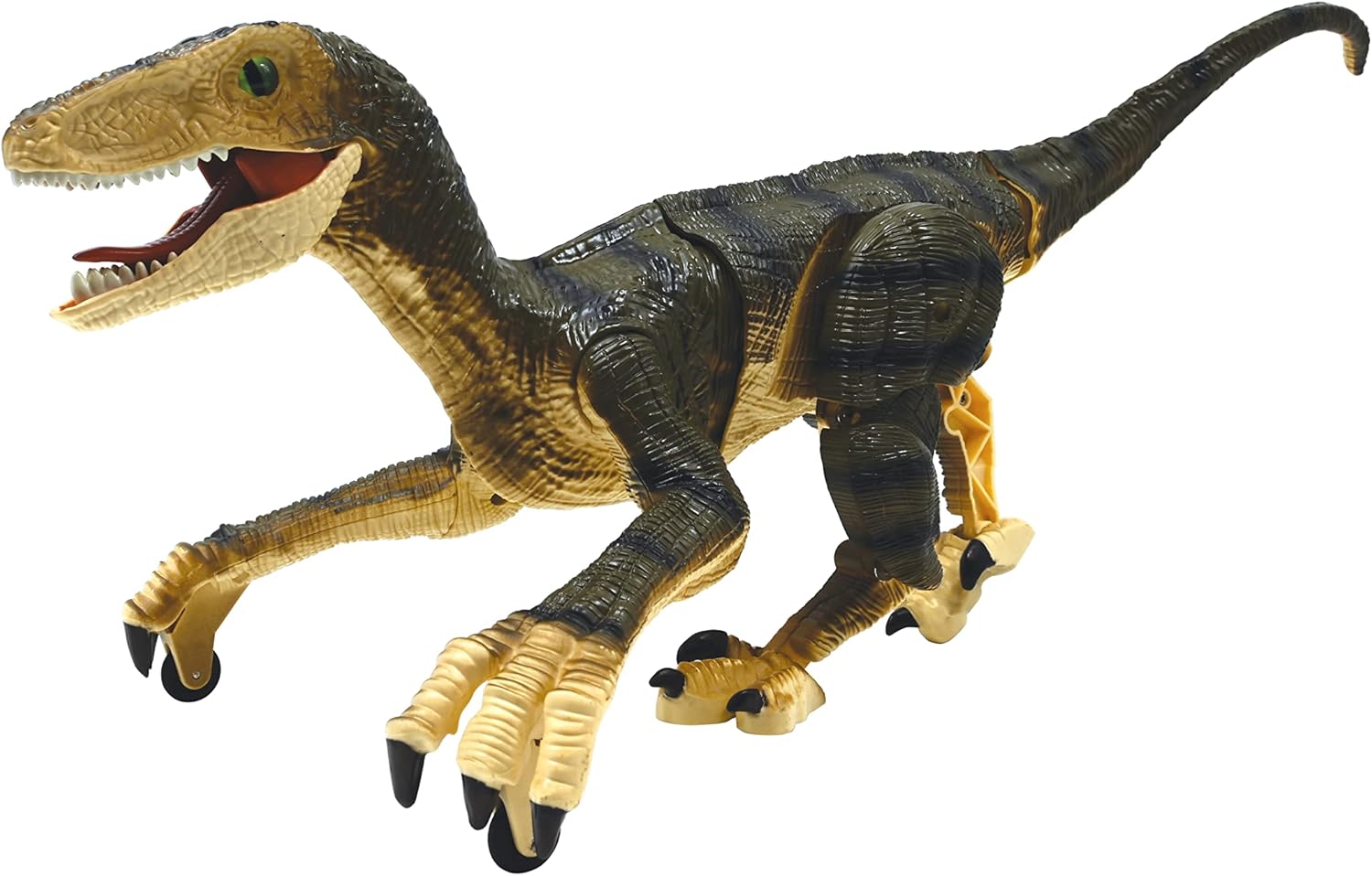
画像: 副業file of the dinosaur, illustrating its articulated joints that enable realistic walking.
メンテナンス
- クリーニング: Wipe the dinosaur and remote control with a clean, dry cloth. Do not use harsh chemicals or abrasive cleaners.
- ストレージ: When not in use for extended periods, remove all batteries from both the dinosaur and the remote control. Store the product in a cool, dry place away from direct sunlight.
- バッテリーのケア: Recharge the dinosaur's battery regularly, even if not in use, to maintain its lifespan.
トラブルシューティング
| 問題 | 考えられる原因 | 解決 |
|---|---|---|
| Dinosaur does not move or respond. | Low battery in dinosaur or remote. Not paired. Power switch OFF. | Charge dinosaur battery. Replace remote batteries. Ensure both power switches are ON. Re-pair by turning both off and on. |
| プレイ時間が短い。 | バッテリーが完全に充電されていません。バッテリーが古いです。 | Ensure battery is fully charged (3 hours). Consider replacing the rechargeable battery if it's old. |
| 操作中に干渉が発生します。 | 近くにある他の 2.4 GHz デバイス。 | 無線干渉の少ない場所に移動してください。 |
| Dinosaur enters auto sleeping mode too quickly. | Normal operation to save battery. | Press any button on the remote to wake it up. |
仕様
- ブランド: レキシブック
- モデル番号: ディノ01
- おもちゃのフィギュアタイプ: インタラクティブゲームフィギュア
- キャラクター: 恐竜(ヴェロキラプトル)
- 規模: 1:3
- 材料: プラスチック
- 商品の寸法 (長さ x 幅 x 高さ): 約17.64×7.95×6.69インチ
- 商品の重量: 451グラム
- 電源: バッテリー
- 恐竜バッテリー: 1 x Rechargeable battery (included)
- リモコン電池: 単三電池2本(別売)
- 充電時間: 約3時間
- プレイ時間: 約30分
- 推奨年齢: 6歳以上
公式製品ビデオ
Video: An official demonstration of the LEXiBOOK RC Raptor Control Dinosaur, showcasing its realistic movements, sounds, and light effects in action. This video highlights the product's features and dynamic play.
保証とサポート
メーカー保証: This product comes with a 2-Year Limited Warranty from the manufacturer, LEXiBOOK. Please retain your proof of purchase for warranty claims.
カスタマーサポート: For technical assistance, troubleshooting, or warranty inquiries, please visit the official LEXiBOOK web公式サイトをご覧いただくか、カスタマーサービス部門にお問い合わせください。連絡先は通常、製品パッケージまたはブランドの公式ウェブサイトに記載されています。 webサイト。