導入
This manual provides comprehensive instructions for the Symcode 3300DW 2D Fixed USB Barcode Scanner. It covers product features, setup procedures, operating guidelines, maintenance tips, troubleshooting solutions, and detailed technical specifications. Please read this manual carefully before using the device to ensure proper operation and to maximize its lifespan.
製品の特徴
- Super Decoding Capability: The Symcode 3300DW barcode scanner efficiently and accurately captures both 1D and 2D barcodes from various surfaces, including labels, paper, mobile phone screens, and computer displays. It supports a wide range of barcode types.
- Automatic Infrared Detection: Equipped with an automatic detection function, the scanner initiates scanning when a barcode approaches its window, even if the device is in sleep mode. This hands-free operation enhances efficiency by allowing users to handle items without needing to manually activate the scanner.
- プラグアンドプレイ接続: This scanner requires no driver installation, additional software, or applications. Simply connect it to your device via the provided USB cable. It is compatible with Windows XP/7/8/10, Mac OS, and Linux operating systems.
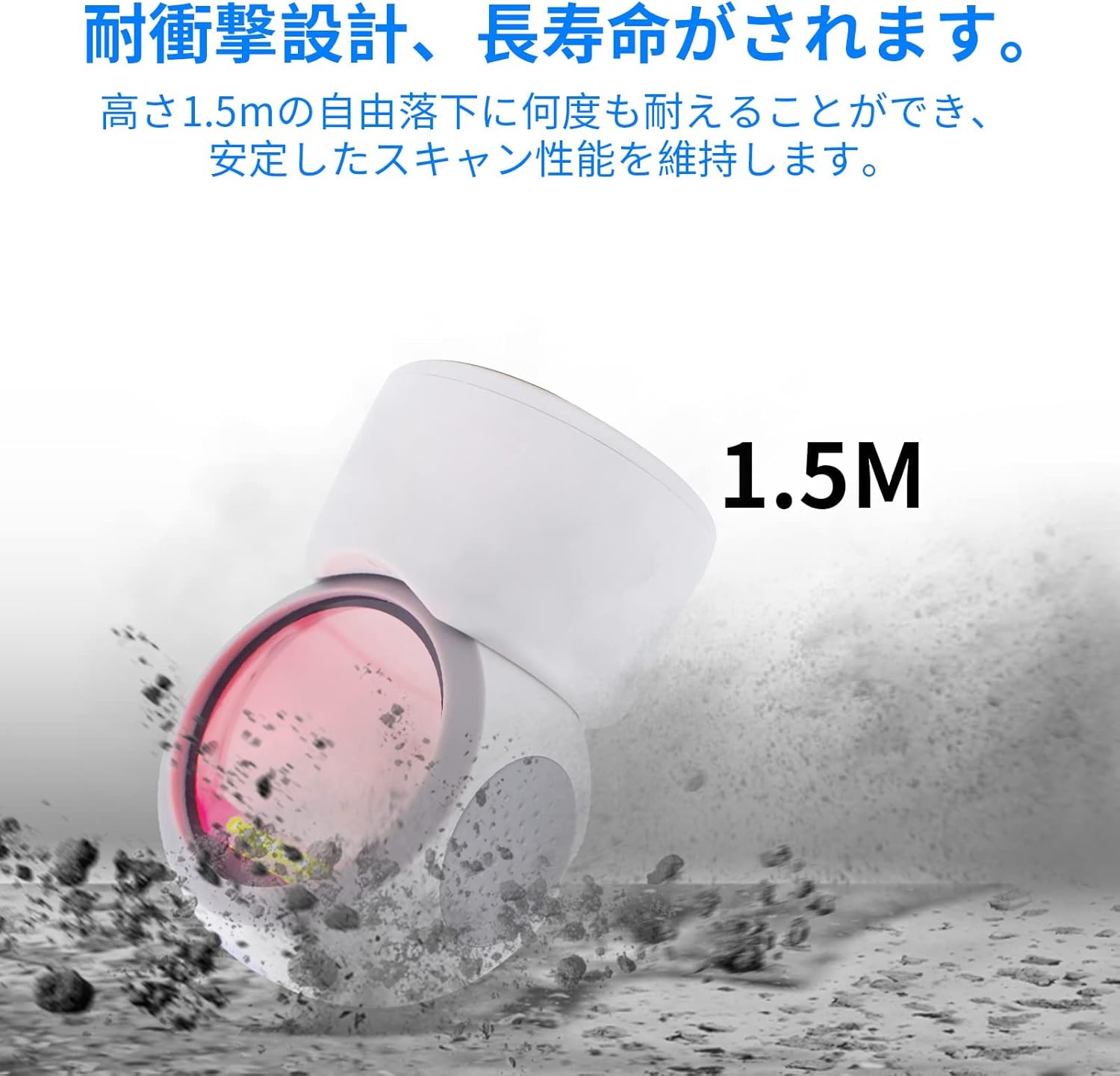
- 堅牢な設計: Engineered for durability, the scanner can withstand drops from a height of up to 1.5 meters, ensuring reliable performance in demanding environments.
- 全方向スキャン: The scanner is designed to read 1D and 2D codes from various angles, providing flexibility and ease of use.
- 調整可能な角度: The scanning head can be adjusted by 30 degrees, allowing for convenient positioning to suit different scanning needs.
- 滑り止め設計: Features anti-slip pads on both sides and the base to prevent movement and protect desktop surfaces.
設定
- スキャナーを開梱します。 Carefully remove the Symcode 3300DW barcode scanner and its USB cable from the packaging.
- ホストデバイスに接続します: Insert the RJ45-like connector of the USB cable into the port on the back of the scanner. Then, plug the USB Type-A end of the cable into an available USB port on your computer or host device.
- システム認識: The scanner is plug-and-play. Your operating system (Windows, Mac OS, Linux) should automatically detect and install the necessary drivers. This process usually takes a few seconds.
- 接続を確認します: Once connected, the scanner will enter standby mode. You can test the connection by opening a text editor (like Notepad or Word) and scanning a barcode. The barcode data should appear in the text editor.

操作手順
基本的なスキャン
The Symcode 3300DW scanner operates in an automatic detection mode. To scan a barcode:
- Ensure the scanner is connected to your host device and powered on.
- バーコードをスキャナの読み取り範囲内に置きます view. The scanner will automatically detect the barcode and emit a light to read it.
- A successful scan is typically indicated by an audible beep and/or a visual confirmation light. The scanned data will be transmitted to your active application (e.g., a text editor, POS software).

Omnidirectional Scanning
The scanner is designed to read barcodes regardless of their orientation. Simply present the barcode to the scanning window, and the device will decode it.

Adjusting the Scan Angle
The scanner head can be tilted up to 30 degrees to optimize the scanning angle for different items or setups. Gently adjust the head to the desired position.

サポートされているバーコードタイプ
The Symcode 3300DW supports a comprehensive range of 1D and 2D barcode symbologies:
- 1Dバーコード: EAN-8, EAN-13, Codabar, CODE 39, CODE 93, CODE 128, China Post, GS1-128, UPC-A, UPC-E, ISBN/ISSN, ISBT, Interleaved 2 of 5, Standard 2 of 5, Matrix 2 of 5, Industrial 2 of 5, MSI, RSS, ITF14, Telepen.
- 2Dバーコード: QR Code, Micro QR Code, Data Matrix, PDF417, Micro PDF417, Maxicode, Aztec, Hanxin.

メンテナンス
To ensure the longevity and optimal performance of your Symcode 3300DW barcode scanner, follow these maintenance guidelines:
- スキャンウィンドウのクリーニング: Regularly clean the scan window with a soft, lint-free cloth. If necessary, use a mild, non-abrasive cleaning solution. Avoid harsh chemicals or abrasive materials that could scratch the window.
- 一般的な清掃: スキャナの外側を柔らかくて乾いた布で拭いてください。amp cloth. Do not immerse the scanner in water or any cleaning liquid.
- ケーブルのお手入れ: Inspect the USB cable periodically for any signs of damage. Avoid bending or twisting the cable excessively.
- ストレージ: 使用していないときは、スキャナーを直射日光や極端な温度を避け、清潔で乾燥した環境に保管してください。
- 滑り止めパッド: Ensure the anti-slip pads on the base and sides are clean and intact to maintain stability and prevent desktop scratches.
トラブルシューティング
If you encounter issues with your Symcode 3300DW barcode scanner, refer to the following common problems and solutions:
- スキャナーが応答しません:
- Check if the USB cable is securely connected to both the scanner and the host device.
- スキャナーをコンピューターの別の USB ポートに接続してみてください。
- Restart your computer and reconnect the scanner.
- スキャン後にデータが出力されない:
- Ensure that an application (e.g., text editor, spreadsheet, POS software) is open and has focus to receive the scanned data.
- バーコードが破損していないか、印刷品質が悪くないか確認してください。
- Check if the scanner's light is activating when a barcode is presented. If not, ensure the scanner is properly powered.
- 間違ったデータ出力:
- Ensure the correct keyboard layout is selected on your computer (e.g., US English).
- Some barcodes may require specific settings. Refer to the product's advanced configuration guide (if available) for specific barcode type settings.
- Scanner Beeps Continuously or Emits Error Sounds:
- This may indicate a configuration error or a hardware issue. Try resetting the scanner to factory defaults (if a reset barcode is provided in a separate guide).
- 問題が解決しない場合は、カスタマーサポートに連絡してください。
仕様
| 特徴 | 仕様 |
|---|---|
| モデル | 3300DW |
| タイプ | 2D CMOS Fixed Barcode Scanner |
| 接続性 | USB Wired (USB Cable) |
| 重さ | 480グラム |
| 寸法(スキャナー) | 71.5mm x 108mm x 150mm |
| 材料 | アブソリュート |
| 光源 | 617nm LED, 6500K Illumination |
| イメージセンサー | 640 * 480 CMOS |
| プロセッサ | ARM32ビット |
| スキャンレート | 200スキャン/秒 |
| 電源入力 | DC5V |
| 現在 | 400mA±5% |
| 落下耐性 | Withstands drops from 1.5m |
| 対応OS | Windows XP/7/8/10、Mac OS、Linux |
| 欧州連合 | 762027975166 |
| 色 | 白 |
安全情報
次の安全上の注意事項を守ってください。
- スキャナーの光源を直接見ないでください。
- デバイスを水やその他の液体から遠ざけてください。
- Avoid dropping or subjecting the scanner to severe impacts, despite its robust design.
- スキャナーをご自身で分解したり修理したりしないでください。すべての修理は資格のある専門家にご依頼ください。
- 接続には付属の USB ケーブルのみを使用してください。
保証とサポート
For warranty information, technical support, or service inquiries regarding your Symcode 3300DW barcode scanner, please refer to the documentation included with your purchase or contact the seller directly. Keep your purchase receipt as proof of purchase for warranty claims.