
Acogedor A2-8075
Acogedor A2-8075 可変周波数ドライブ ユーザーマニュアル
モデル: A2-8075
1. はじめに
This manual provides comprehensive instructions for the installation, operation, and maintenance of the Acogedor A2-8075 Variable Frequency Drive (VFD). The A2-8075 is designed to control the speed and torque of AC induction motors, offering precise control and energy efficiency for various industrial applications.
安全かつ効率的に使用するために、デバイスを操作する前にこのマニュアルをよくお読みください。
2. 安全に関する注意事項
警告:High Voltage Inside.
- Do not connect AC power to output terminals (U, V, W).
- Discharging time is greater than 5 seconds. Wait at least 5 seconds after power-off before touching terminals.
- Do not inspect components unless the "CHARGE" lamp がオフになっています。
- Only qualified personnel should install, operate, and maintain this VFD.
- 感電を防ぐために適切な接地を確保してください。
- Disconnect all power sources before performing any wiring or maintenance.

図1: 前面 view of the Acogedor A2-8075 VFD, highlighting the control panel and the "High Voltage Inside" warning label.
3 製品の特徴
- Made of industrial flame-retardant ABS material, ensuring heat resistance, flame retardancy, impact resistance, and safety.
- Equipped with common functions of current mainstream inverters, offering comprehensive functionality for various scenarios.
- Humanized keyboard design for easy operation and clear display.
- Super large all-aluminum base fan heater combined with an imported powerful fan for superior wind power and rapid heat dissipation.

図2:側面 view of the VFD, illustrating its robust design suitable for industrial applications.
4. 技術仕様
| パラメータ | 価値 |
|---|---|
| モデル名 | A2-8075 |
| 入力ボリュームtage | Single Phase AC 180-250V |
| 出力巻tage | 三相3V |
| 力 | 7.5kW |
| アイテム重量 | 6.52ポンド(約2.96kg) |
| パッケージ寸法 | 10.71 x 9.25 x 7.87インチ(約27.2 x 23.5 x 20 cm) |
| 色 | 黒 |
| 材料 | Industrial Flame-retardant ABS |

Figure 3: Physical dimensions of the A2-8075 VFD, showing height, depth, and width measurements.
5. セットアップとインストール
5.1。 開梱と検査
Upon receiving the VFD, carefully unpack it and inspect for any signs of damage during transit. Report any damage to your supplier immediately.
5.2. 取り付け
Mount the VFD vertically on a flat, stable surface in an environment that meets the specified operating conditions (temperature, humidity, ventilation). Ensure adequate clearance for heat dissipation, especially around the cooling fins and fan.
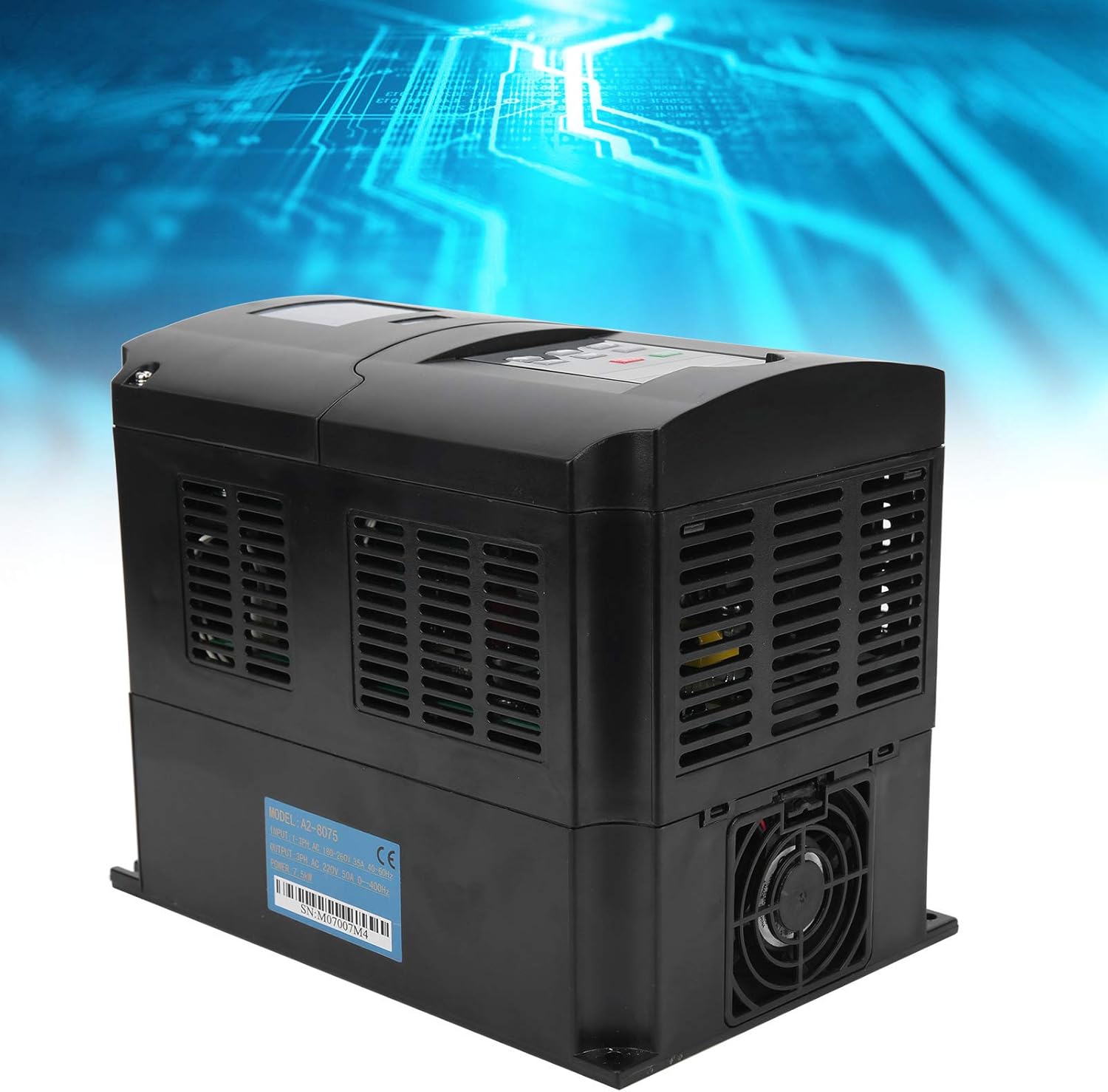
図4:側面 view of the VFD, illustrating the cooling vents essential for proper heat dissipation during operation.
5.3.配線
すべての配線は、地域および国の電気規則に従って、資格のある電気技師が行う必要があります。
- Power Input (R, T): Connect the single-phase AC 180-250V power supply to the R and T terminals.
- モーター出力(U、V、W): Connect the three-phase motor to the U, V, and W terminals. Ensure correct phase sequence for desired motor rotation.
- 接地(PE): Connect the protective earth (ground) terminal to a reliable ground point. This is crucial for safety.
- 制御端末: Refer to the detailed wiring diagram (not provided in this manual, refer to product specific documentation) for connecting external control signals (e.g., start/stop, speed reference, fault indicators).
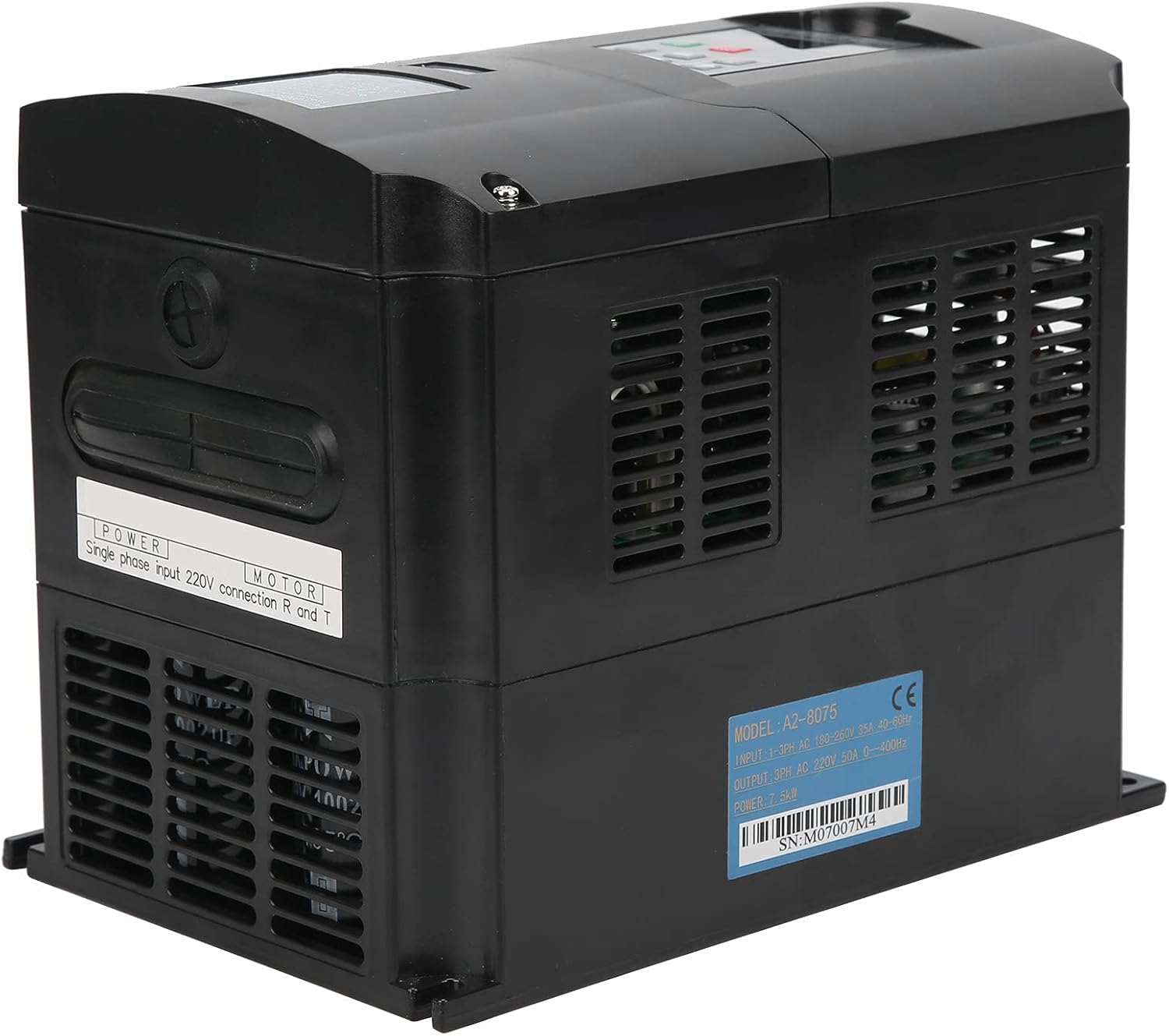
図5: 背面/側面 view of the VFD, showing the label with model number A2-8075 and serial number SN:M07007M4. This label provides critical information for wiring and identification.
The serial number for this unit is M07007M4.
6. 操作手順
6.1.コントロールパネルオーバーview
The VFD features a user-friendly control panel for direct operation and parameter setting.

図 6: 拡大図 view of the VFD's control panel, detailing the display and button layout.
- デジタルディスプレイ: 動作周波数、出力電流、電圧を表示しますtage, and various parameter values.
- RUN/STOP Button (Green): Initiates or stops motor operation.
- STOP/RESETボタン(赤) Stops motor operation and resets any active fault conditions.
- SETボタン: Enters parameter setting mode or confirms parameter changes.
- 上/下矢印: パラメータ間を移動したり、値を調整したりします。
- REV/FWDボタン: Changes the direction of motor rotation (Reverse/Forward).
- JOGボタン: Provides momentary motor operation for testing or precise positioning.
6.2. 基本操作
- 電源オン: Ensure all wiring is correct and secure. Apply single-phase AC power to the VFD. The digital display will light up.
- Set Frequency (if needed): Use the SET button and arrow keys to adjust the desired output frequency. Refer to the full parameter list in the detailed product manual for specific parameter codes.
- 始動モーター: を押す 実行/停止 ボタンを押してモーターを始動します。ディスプレイに現在の動作周波数が表示されます。
- 方向を変えます: を押す REV / FWD button to reverse the motor's direction of rotation.
- モーター停止: を押す 停止/リセット モーターを停止するボタン。
7. メンテナンス
定期的なメンテナンスは、VFDの寿命を延ばし、最適なパフォーマンスを維持する上で重要です。メンテナンスを行う前には必ず電源を切ってください。
- クリーニング: Periodically clean the VFD's exterior, especially the cooling fins and fan, to prevent dust accumulation that can hinder heat dissipation. Use a soft, dry cloth. Do not use liquid cleaners.
- ファンの検査: Check the cooling fan for proper operation and any unusual noises. Replace if necessary.
- 端子の密閉性: Annually check all wiring terminals for tightness. Loose connections can cause overheating and malfunction.
- 環境チェック: 動作環境が指定された温度と湿度の範囲内であることを確認してください。
8。 トラブルシューティング
このセクションでは、一般的な問題に対する解決策を紹介します。複雑な問題については、テクニカルサポートにお問い合わせください。
| 問題 | 考えられる原因 | 解決 |
|---|---|---|
| VFDが電源オンにならない | 入力電源なし、ヒューズ切れ、内部故障 | Check power supply; Check fuses; Contact support if fault persists |
| モーターが動かない | Incorrect wiring; Parameter settings incorrect; Overload; Fault condition | Verify wiring (U, V, W); Check parameter settings; Reduce load; Check for fault codes on display and reset |
| 過熱アラーム | Poor ventilation; Clogged fan/fins; Ambient temperature too high; Overload | Ensure proper airflow; Clean fan/fins; Reduce ambient temperature; Reduce load |
| モーターが逆方向に回転する | Incorrect phase sequence; REV/FWD button pressed | Swap any two motor output phases (U, V, W); Press REV/FWD button again |
9. 保証とサポート
For warranty information and technical support, please refer to the documentation included with your purchase or contact Acogedor customer service. You can also visit the official AmazonのAcogedorストア 詳細な製品情報については。
Ask a question about this manual
Ask about setup, troubleshooting, compatibility, parts, safety, or missing instructions. Manuals+ will review the question and use this page’s manual context to help answer it.