
導入
This manual provides essential information for the operation and maintenance of your MODERNESS 10.1 Inch Android Tablet, Model MDN10013. This device is designed for general computing tasks, media consumption, and access to various applications.
Key features include a 10.1-inch HD IPS touchscreen, a 64-bit Quad-Core processor, 2GB RAM, 32GB internal storage (expandable up to 128GB via microSD), dual cameras (2MP front, 5MP rear), dual speakers, and a 6000mAh battery. It operates on the Android 12 OS with full Google service access.

画像: 前面と背面 view of the MODERNESS 10.1 Inch Android Tablet, showcasin洗練されたデザインと背面カメラモジュールが特徴です。
設定
パッケージ内容
- 1 x MODERNESS 10.1 Inch Android Tablet (Model: MDN10013)
- 電源アダプター x 1
- USB-Cケーブル x 1
初期電源投入と設定
- タブレットの充電: Before first use, fully charge the tablet using the provided power adapter and USB-C cable. Connect the USB-C cable to the tablet's USB-C port and the other end to the power adapter, then plug the adapter into a wall outlet.
- 電源オン: Press and hold the Power On/Off button (refer to the diagram in the "Components" section) until the screen illuminates.
- 初期セットアップウィザード: Follow the on-screen instructions to select your language, connect to a Wi-Fi network, and sign in with your Google account. This step is crucial for accessing Google services and the Play Store.
- ストレージの拡張: If you wish to expand storage, insert a microSD card into the dedicated microSD card slot. The tablet supports up to 128GB.
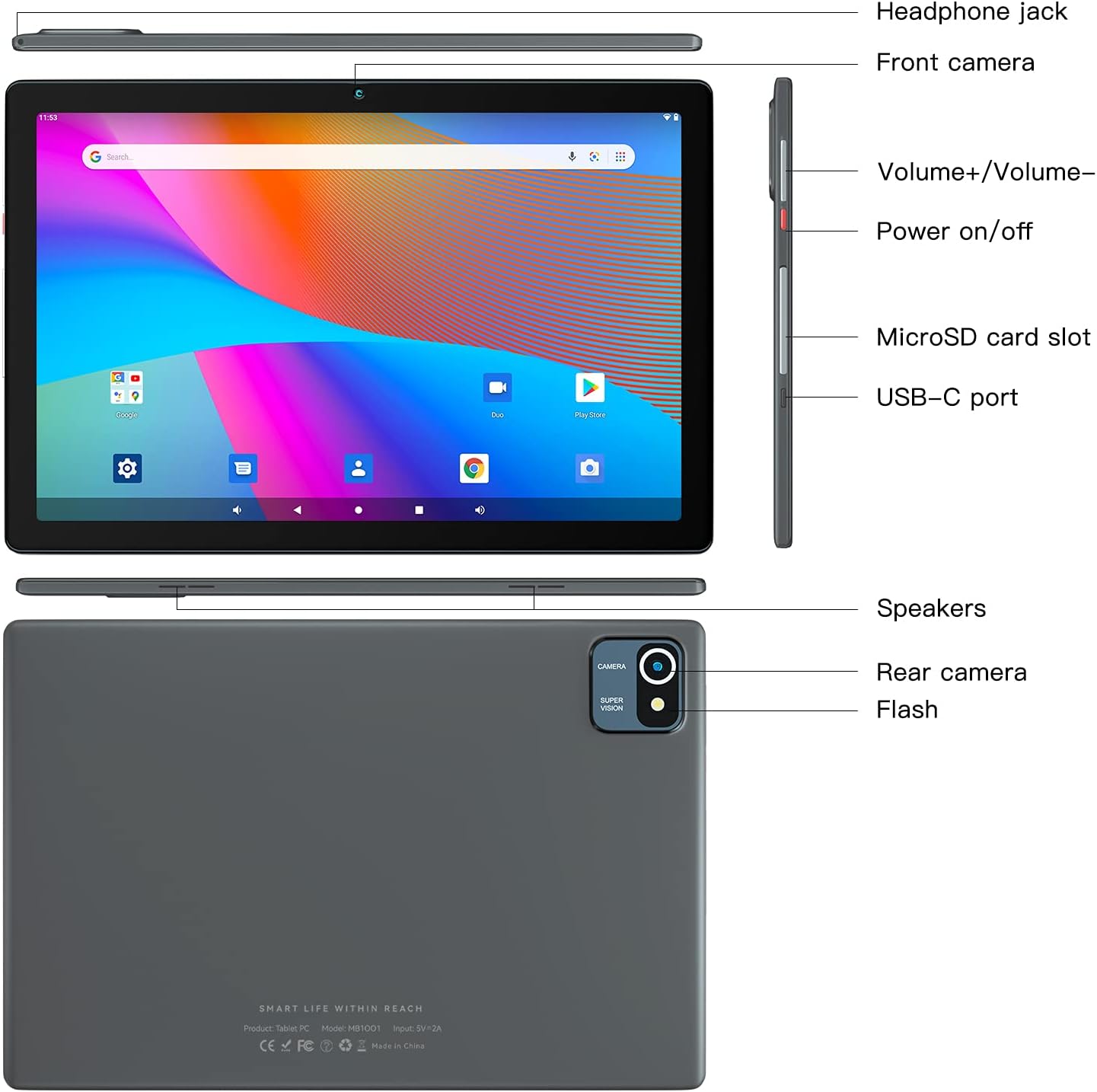
Image: Detailed diagram illustrating the location of the headphone jack, front camera, volume buttons, power button, microSD card slot, USB-C port, speakers, rear camera, and flash on the tablet.
操作手順
基本的なナビゲーション
- タッチスクリーン: Navigate the interface by tapping, swiping, pinching, and spreading on the 10.1-inch HD IPS touchscreen.
- ホーム画面: Access your installed applications and widgets from the home screen.
- 通知: 画面の上部から下にスワイプして view 通知とクイック設定。
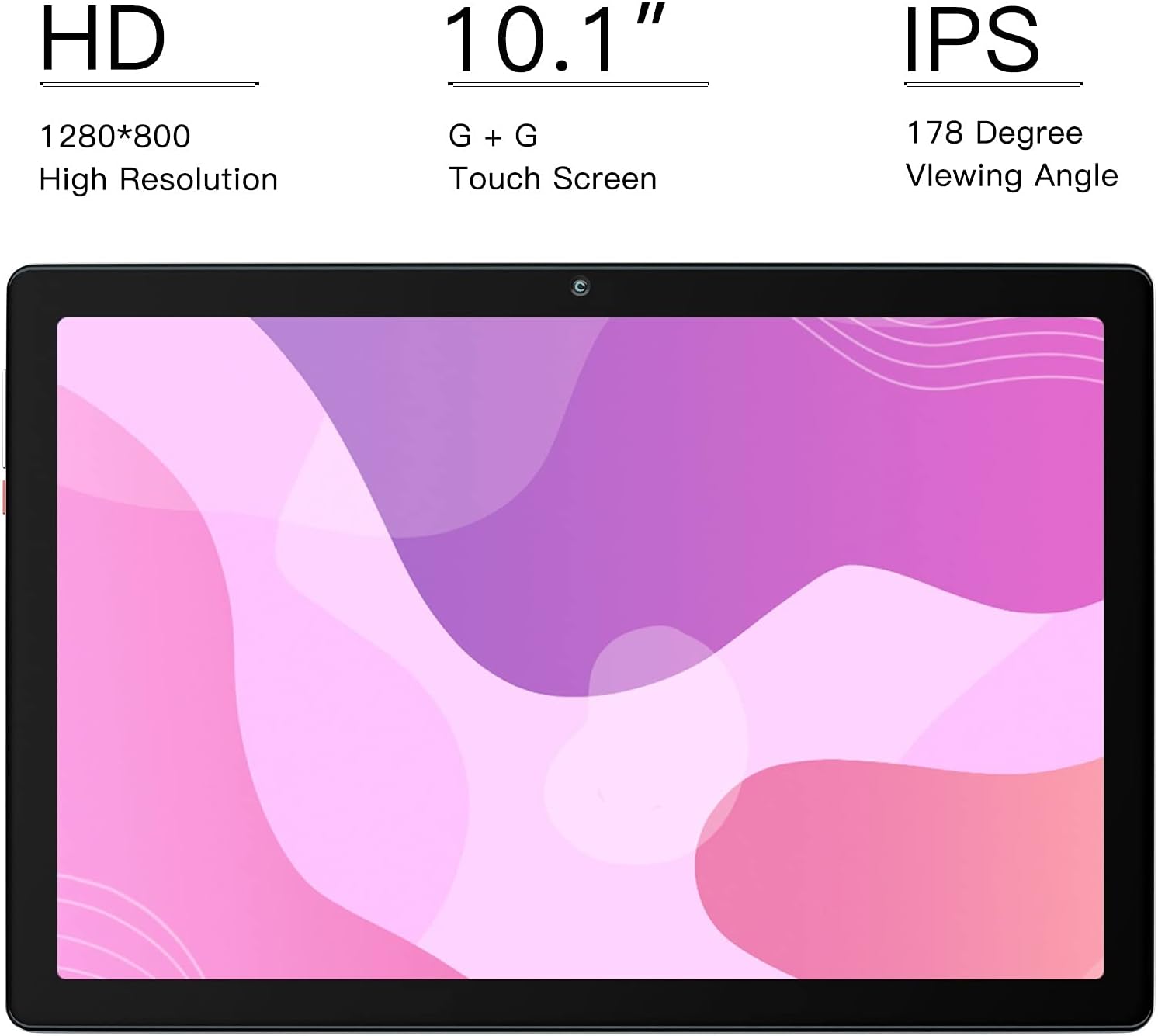
Image: Close-up of the tablet's 10.1-inch HD IPS display, highlighting its 1280x800 resolution and wide 178-degree viewing angle for vibrant visuals.
接続性
- Wi-Fi: Connect to wireless networks via the Wi-Fi settings.
- ブルートゥース: Pair with Bluetooth devices such as headphones or speakers for wireless audio.
- USB-C: 充電とデータ転送には USB-C ポートを使用します。
Applications and Google Services
The tablet comes with the latest version of the GMS-certified Android 12 operating system, providing full access to Google services and applications.
- Google Play ストア: Download and install a wide variety of applications, games, movies, and books.
- プリインストールされたアプリ: Utilize apps like Gmail, YouTube, Google Drive, and Maps for productivity and entertainment.

画像: タブレットの画面にasing the Google Play Store interface and popular application icons, indicating full access to Google services.
カメラ機能
The tablet features a 2MP front camera and a 5MP rear camera for capturing photos and videos.
- 写真を撮る: カメラアプリを開き、シャッターボタンをタップします。
- ビデオの録画: Switch to video mode within the Camera app and tap the record button.

画像: 詳細な view of the tablet's camera system, highlighting the 2.0 MP front camera and the 5.0 MP rear camera for capturing moments.
バッテリー管理
The 6000mAh battery provides 4-8 hours of mixed-use. Battery life varies based on settings and usage.
- バッテリー寿命の最適化: Reduce screen brightness, disable unused wireless features (Wi-Fi, Bluetooth), and close background applications to extend battery life.
- 充電インジケーター: The battery icon in the status bar indicates the current charge level and charging status.

Image: An illustrative diagram showing the internal components of the tablet, emphasizing the large 6000mAh battery for extended usage.
メンテナンス
- クリーニング: タブレットの画面と本体を拭く際は、柔らかく糸くずの出ない布をご使用ください。研磨剤入りの洗剤や溶剤は使用しないでください。
- ソフトウェアアップデート: 最適なパフォーマンスとセキュリティを確保するために、システム アップデートを定期的に確認してインストールしてください。
- ストレージ管理: 定期的に不要なものをクリアする fileおよびアプリケーションをアップグレードして、ストレージ領域を解放し、パフォーマンスを維持します。
- 温度: タブレットを極端な温度(高温または低温)や直射日光に長時間さらさないでください。
- 耐水性: This tablet is not water-resistant. Avoid contact with liquids.
トラブルシューティング
| 問題 | 考えられる解決策 |
|---|---|
| タブレットの電源が入りません。 | タブレットが完全に充電されていることを確認してください。電源ボタンを10~15秒以上押し続けると、強制的に再起動できます。 |
| 画面が反応しません。 | タブレットを再起動してください。問題が解決しない場合は、工場出荷時設定にリセットしてください(注:これによりすべてのデータが消去されます)。 |
| Wi-Fi接続の問題。 | Wi-Fiが有効になっているか確認してください。ルーターとタブレットを再起動してください。ネットワークを切断して再接続してください。 |
| アプリケーションが遅くなったりクラッシュしたりします。 | Close unused applications. Clear app caches. Ensure sufficient storage space is available. Restart the tablet. |
| バッテリーの消耗が早いです。 | Reduce screen brightness. Disable background app refresh. Turn off Wi-Fi/Bluetooth when not in use. Limit streaming and gaming. |
仕様
| 特徴 | 詳細 |
|---|---|
| ブランド | 現代性 |
| モデル番号 | 10013 XNUMX |
| オペレーティング·システム | アンドロイド12 |
| 画面サイズ | 10.1インチ |
| 画面解像度 | 1280 x 800ピクセル(HD IPS) |
| プロセッサ | 1.6 GHz Quad-Core Cortex A53 (64-bit) |
| ラム | 2ギガバイト |
| 内部ストレージ | 32GB ROM |
| 拡張可能なストレージ | microSDで最大128GB |
| リアカメラ | 5 MP |
| フロントカメラ | 2 MP |
| バッテリー | 6000 mAhリチウムイオン |
| ワイヤレス接続 | Wi-Fi(802.11bgn)、Bluetooth |
| 色 | グレー |
| アイテム重量 | 1.19ポンド |
保証とサポート
MODERNESS offers a 1年間の返品・交換サービス for this product. For any questions or concerns regarding your tablet, please contact our customer support team.
We aim to reply to all inquiries within 24 hours. Please refer to your purchase documentation for specific contact details or visit the official MODERNESS web最新のサポート情報については、サイトをご覧ください。
We are continuously optimizing and updating our products to provide the best user experience.